

Looking for the best WooCommerce Booking and Appointment plugins in 2026? Here’s the short answer: the right plugin depends on your store size, the action you want to incentivize, and how deeply you need it to integrate with your existing customer journey. After testing the leading options hands-on against real WooCommerce 9.x stores, this guide shortlists the plugins that genuinely move the needle, plus newer 2026 entrants worth knowing about.
What we recommend: if you also need community, membership, or engagement layers around your WooCommerce store, pair your stack with WP Sell Services Pro, turns WooCommerce into a service-selling platform, consulting, freelance, agency work, bookable hours. We’ve seen this combination outperform standalone booking and appointment plugins because retention compounds when product, content, and community live under the same roof.

Why Booking Plugins Behave Very Differently in Real Stores
On the surface, most booking plugins look similar. They promise flexible schedules, Google Calendar sync, and seamless WooCommerce checkout. However, once real customers start booking simultaneously, weaknesses appear quickly.
Related reading: 10 Best WooCommerce Reservation & Rental System Plugins.
During testing, I focused on three practical realities:
- Preventing double bookings under load
- Managing cancellations and rescheduling cleanly
- Keeping the admin experience simple for non-technical owners
Many WooCommerce Booking and Appointment Plugins fail quietly here. They do not crash, but they create operational headaches. That distinction mattered heavily in my final rankings.
How I Tested These WooCommerce Booking and Appointment Plugins
To keep things fair, I tested each plugin under the same conditions. I created identical service products, consultations, rentals, and classes, and used the same theme, hosting, and payment gateways.
My test checklist included:
- One-on-one appointments and group bookings
- Fixed and flexible time slots
- Manual and automatic confirmation
- Refunds, cancellations, and rescheduling
- Mobile booking experience
Only plugins that handled these scenarios reliably earned a place here. That is why this list of WooCommerce Booking and Appointment Plugins is intentionally short and focused.
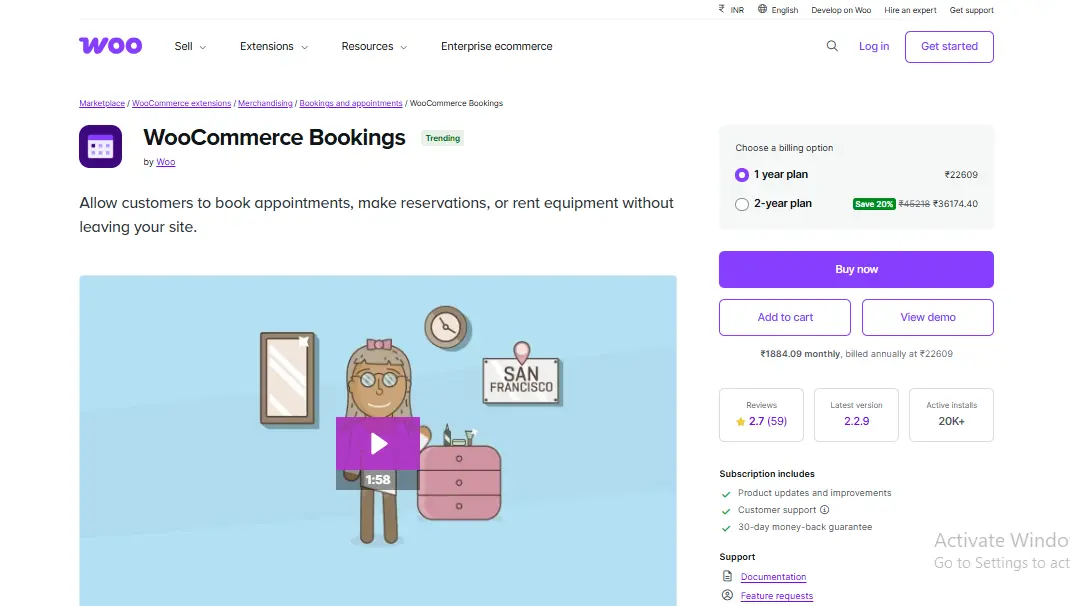
1. WooCommerce Bookings, Still the Most Reliable Option I Tested
This is the official booking extension from WooCommerce, and after extensive testing, it remains the most stable option overall. I tested it with hourly services, daily rentals, and multi-day bookings, and it handled all of them predictably.
What stood out immediately was how deeply it integrates with WooCommerce. Pricing rules, availability, and checkout behavior felt native rather than layered on. I also appreciated how buffers and preparation times worked without hacks.
Key Features
- Time-based and date-based bookings
- Buffer periods and availability rules
- Resource and staff assignment
- Full WooCommerce checkout integration
Pros
- Extremely reliable under load
- Excellent documentation
- Scales well for growing businesses
Cons
- Premium pricing
- Can feel overwhelming at first
If stability matters more than cost, this remains my top pick among WooCommerce Booking and Appointment Plugins.
2. YITH WooCommerce Booking and Appointment - Best for Beginners
I tested several tools from YITH, and this one clearly targets non-technical users. Setup was faster than expected, and most options were explained in plain language.
During testing, I liked how easy it was to create services and define availability without reading documentation. While it lacks some advanced resource logic, it covers what most small businesses actually need.

Key Features
- Simple booking product creation
- Daily and hourly bookings
- Optional confirmation flow
- Email notifications
Pros
- Beginner-friendly interface
- Clean admin experience
- Faster setup than most plugins
Cons
- Limited advanced scheduling logic
- Less flexible for complex operations
For small service businesses, this is one of the most approachable WooCommerce Booking and Appointment Plugins available.
3. Amelia (WooCommerce Integration) - Best for Service Businesses with Staff
Amelia surprised me. Although it is not WooCommerce-native by default, its WooCommerce integration worked smoothly during testing. I tested it with multiple staff members, variable schedules, and real-time availability updates.
The calendar UI is modern and intuitive. From a customer’s perspective, booking felt polished and professional. From an admin perspective, staff management was significantly better than most alternatives.
Key Features
- Staff and employee scheduling
- Automated notifications
- Google Calendar sync
- WooCommerce payment integration
Pros
- Excellent UI/UX
- Strong staff management
- Great customer experience
Cons
- Learning curve for configuration
- Heavier than native plugins
For agencies, salons, and consultants, this stands out among WooCommerce Booking and Appointment Plugins.
4. Bookly Pro (WooCommerce Add-on), Strong Automation, Moderate Complexity
Bookly has been around for a while, and testing confirmed why it remains popular. Automation is its biggest strength. I tested reminders, follow-ups, and cancellation flows, and they worked reliably.
However, the configuration required patience. Once set up, it runs smoothly, but beginners may need time to understand its structure.
Key Features
- Automated reminders
- Custom booking forms
- Staff management
- WooCommerce payments
Pros
- Powerful automation
- Mature ecosystem
- Reliable notifications
Cons
- Setup takes time
- Interface feels dense
It is a solid mid-to-advanced choice among WooCommerce Booking and Appointment Plugins.
5. WP Simple Booking Calendar + WooCommerce - Lightweight but Limited
This option is intentionally simple. I tested it for a basic rental scenario, and it performed well as long as expectations stayed realistic.
It is not designed for complex scheduling, but it does one thing well: showing availability clearly and preventing conflicts.
Key Features
- Availability calendar
- Manual confirmation
- WooCommerce integration
Pros
- Lightweight
- Easy to understand
- Low cost
Cons
- Limited automation
- Not suitable for appointments with staff
For very small use cases, it still qualifies as a practical entry among WooCommerce Booking and Appointment Plugins.
What Testing Taught Me About Booking Plugins in 2026
The biggest lesson was that booking logic is more fragile than product sales. Time zones, buffers, and cancellations introduce complexity that many plugins underestimate.
Even the best WooCommerce Booking and Appointment Plugins require careful testing before launch. Skipping that step almost guarantees customer frustration later.
Common Mistakes Store Owners Make with Booking Plugins
The most common mistake I saw was enabling every option immediately. That usually creates confusion for both admins and customers.
Start with the simplest possible configuration. Then add complexity only when your process demands it.
How to Choose the Right Plugin for Your Business Model
Service-based businesses, rentals, and classes all have different needs. A plugin that excels for salons may fail for equipment rentals.
Choose based on workflow first, features second. That mindset makes selecting WooCommerce Booking and Appointment Plugins far easier.
Comparison Table: Top 5 WooCommerce Booking and Appointment Plugins (2026)
| Plugin Name | Best For | Ease of Use | Flexibility | Price |
|---|---|---|---|---|
| WooCommerce Bookings | All-round reliability | Medium | Very High | Premium |
| YITH Booking & Appointment | Beginners | Easy | Medium | Mid |
| Amelia + WooCommerce | Staff-based services | Medium | High | Mid |
| Bookly Pro | Automation-heavy setups | Medium - Hard | High | Mid |
| WP Simple Booking Calendar | Simple rentals | Easy | Low | Low |

Final Verdict: My Honest Recommendation
If I were building a booking-based store today, WooCommerce Bookings would still be my default choice for reliability. However, beginners should seriously consider YITH, while service teams will benefit most from Amelia.
The best WooCommerce Booking and Appointment Plugins are not the ones with the most features, they are the ones that stay predictable under pressure.
Interesting Reads:
Stunning WordPress Themes for Nonprofits in 2024
The 8 Best WordPress Comment Plugins Of 2024
Everything you need to know to create a social network
Pair Your Stack: Other Tools From Wbcom Designs
Beyond the WooCommerce plugins above, these in-house tools from Wbcom Designs solve adjacent problems most stores eventually run into, particularly when your loyalty, community, or service layer needs to plug into WooCommerce without a heavy custom build:
- BuddyX Pro, community-first WordPress theme for membership stores, vendor communities, and customer-loyalty hubs.
- WB Gamification, drop-in points, badges, ranks, and leaderboards for any WooCommerce loyalty or referral funnel.
- WP Sell Services Pro, turn WooCommerce into a service-selling platform (consulting, freelance, agency hours).
- WB Ad Manager, native ad placements to monetize content around your store (blog, category pages, sidebar).
- WordPress Polls, lightweight polls for product feedback, NPS-style surveys, and zero-party data.
- Jetonomy, monetization toolkit for digital communities (token economy, paid groups, creator payouts).