
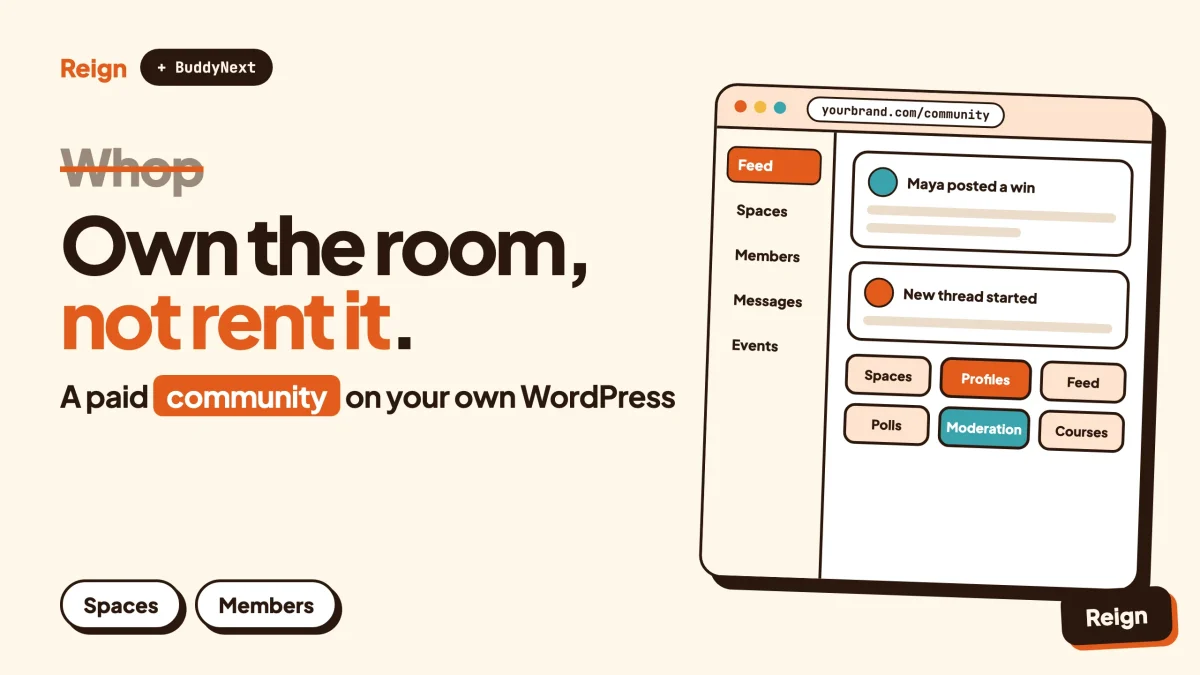
The best Whop alternative for a community you want to own is BuddyNext, the self-hosted community engine from Wbcom Designs, running on WordPress with the Reign theme as its design layer. You keep the member list, the content and the domain. Whop is still the better pick if you want a marketplace that sends buyers to you and you would rather not run a website. Wbcom makes BuddyNext and Reign, so treat this as a vendor view and check every claim against the product pages.
Whop describes itself as a place to build businesses, run ads and get paid. People often arrive there to sell a paid group, a course or a piece of software. Some of them later want a community that lives on their own domain, with their own brand on every screen.
That is the gap this post covers. First, a straight look at what Whop does well. Then the reasons people move, the stack we would build instead, a comparison table, and a migration plan you can follow in an afternoon of real work. Facts about Whop were read on its own site and documentation in November 2026.
When is Whop the better choice?
Whop is the better choice when you want to sell fast, want a built-in place for buyers to find you, and do not want to maintain a website. That is a real advantage and it is worth saying first.
Here are the cases where we would tell you to stay.
- You want marketplace reach. Whop runs a marketplace and an affiliate system that can promote your offer across it. A WordPress site has no built-in audience of buyers. You bring your own traffic.
- You sell software. Whop’s developer docs cover license keys for downloadable software and tools, plus a CLI for building and deploying apps. A community plugin is the wrong tool for that job.
- You do not want to run a site. A self-hosted community needs hosting, updates and a little care. On Whop, someone else does that.
- You want money tools in one place. Whop’s public pages list payments, invoicing, payouts, cards, ads and financing options for your buyers in the same dashboard.
- You are testing an idea. If you have not sold a single membership yet, a hosted checkout and a chat room are enough to find out if anyone cares.
If that list describes you, close this tab and ship the thing. Come back when the community has real members and you start to feel the walls.
What does Whop actually give you?
Whop is a hosted platform for selling digital products, memberships and software, with community features added through installable apps. You create a “whop” (your storefront and members area), set up products and pricing, then add the apps you want.
From Whop’s own home page and help documentation, these are the pieces that matter for a community builder.
| Area | What Whop’s pages describe |
|---|---|
| Storefront | You create a whop at whop.com and pick a custom URL. Products can be no-charge, one-time or recurring, with checkout links you can share or embed on your own website. |
| Community apps | Chat, Courses, Forums and Events apps, plus Content pages, Files and Calendar Bookings, installed from the Whop App Store. |
| Paid groups | Its paid-group guide pairs a Forums app for announcements, a Chat app for conversation, learning resources and live sessions. |
| Newsletters | Forum posts can be delivered to subscribers by email, according to its newsletter guide. |
| Growth | Promo codes, tracking links, an affiliate program, trial periods, waitlists and automatic welcome messages when someone joins or leaves. |
| Money | Payments, invoices, payouts, cards, ads and accounts for platforms that pay sellers. |
| Developers | An API, SDKs in TypeScript, Python and Ruby, a CLI, embeddable checkout and wallet components, and an option to embed chat, forums and notifications in your own product. |
| Your member list | A Users table with membership status, spend and join dates, which you can filter and export. |
Two things in that table deserve a second look. First, the member export. Whop’s help center says you can filter and export user data from the dashboard, which is a sign the company treats your customer list as yours to take. Second, the apps model. Your community is a bundle of Whop apps, so what a “forum” or “chat” can do is decided by Whop and by the app authors in its store.
Whop’s published fees, limits and payout rules change. We are not quoting any figures here. Read its current pricing and payments pages before you compare costs, and do the same for any platform in this post, including ours.
Why do people look for a Whop alternative?
People look for a Whop alternative when the community itself becomes the business and they want control over the place where members spend their time. Nobody leaves because Whop is broken. They leave because they outgrow a rented room.
The community needs your brand, not a storefront
A whop sits on whop.com. Members arrive through a Whop address, sign in with Whop accounts and see Whop’s interface around your content. For a seller that is fine. For a coach, a creator or a company that wants members to feel like they joined that brand, it can feel off.
You want features Whop’s apps do not cover
Member profiles with custom fields, a searchable directory, private spaces with roles, a proper moderation queue, a job board, a local directory, a services marketplace. These are normal asks once a community passes a few hundred people. On a hosted platform, you wait for an app to exist. On WordPress, you install a plugin or write one.
Your site and your community should be the same place
Plenty of businesses already run WordPress. Their blog, their shop and their support docs are there. Sending members to a separate platform splits search traffic, splits analytics and splits the login. A community inside the site keeps all of it together.
You want control over the stack
WordPress is the most widely used content system on the web. W3Techs reported on 6 November 2026 that it runs 39.5 percent of all websites, which is about four in ten. That reach means hosts, developers, plugins and agencies are easy to find, and you are never locked to one vendor’s roadmap.
You want to decide how you get paid
On a self-hosted site you pick the payment gateway, the invoicing, the tax setup and the refund policy. That also means you carry the responsibility. Check your local rules on tax, consumer law and data protection, because no platform removes them.
What is the WordPress alternative to Whop?
The WordPress alternative is a stack: WordPress as the foundation, BuddyNext as the community engine, and Reign as the theme that makes the whole site look like one product. Add Wbcom modules only for the features you need.
BuddyNext is a community plugin built for current WordPress. A demo is available at the BuddyNext live demo if you want to click around before reading further.
What BuddyNext covers
- Spaces. Public, private or secret groups, with nested sub-spaces, roles, auto-join and invite links.
- The feed. Posts with hashtags, reactions, threaded comments, @mentions, polls and pinned posts, plus announcements inside a space. The feed checks for new activity on a short polling interval by default. Instant delivery over WebSockets needs a paid add-on and your own server.
- Profiles and directory. Member profiles with custom fields and member types, a member directory and field-level privacy.
- Onboarding. A setup wizard for new members.
- Moderation. Reports, strikes, suspensions, appeals, banned words, content warnings and a front-end queue.
- Private and gated communities. Make the whole site private or lock individual spaces.
- Messaging. Direct messages powered by WPMediaVerse.
- Everything around it. In-app notifications, search, a progressive web app, a REST API and personal data export and erase tools.
Paid memberships, Stripe and PayPal billing, email broadcasts and drip, push notifications and AI moderation are paid add-ons. Check the BuddyNext product page for the exact licence details before you plan around any of them.
A native mobile app is in development. Today the progressive web app is the mobile option, so do not promise members an app-store listing.
What Reign adds
A plugin gives you features. A theme decides whether the result looks like a product or like a pile of plugins. Reign is the Wbcom community theme. It has five header layouts, a dark mode toggle, RTL stylesheets, a mobile drawer menu, 27 block patterns and 8 style variations, and a demo library with an installer. It styles BuddyNext, BuddyPress and BuddyBoss Platform out of the box. Reign has been on WordPress for 13 years.
That matters for a Whop switcher in one specific way. On Whop your pages are pre-designed and you adjust them. On WordPress nothing is pre-designed unless you pick a theme built for the job. Reign closes that gap, and the guide to installing Reign and importing a demo walks through the first hour.
Who this is for
It suits creators, coaches, agencies and brands who already have, or are willing to run, a WordPress site and want the community under their own domain. It does not suit someone who wants zero maintenance. Be honest with yourself on that point.
How do Whop and BuddyNext with Reign compare?
Whop trades control for speed and reach. BuddyNext with Reign trades some setup time for ownership and depth. Neither is better in the abstract. The table below keeps to facts from each side’s own pages.
| Question | Whop | BuddyNext with Reign |
|---|---|---|
| Where does it run? | Hosted by Whop at whop.com, with a custom URL for your whop | Your own WordPress site on the host you choose |
| Who maintains it? | Whop | You, or your host or agency |
| Community features | Chat, Forums, Courses and Events apps from the App Store | Spaces, feed, profiles, directory, polls, direct messages, moderation queue |
| Design control | Store page and checkout branding options | Full theme control with Reign: header layouts, colour tokens, dark mode, patterns |
| Selling | Built in: checkout links, plans, promo codes, trials, waitlists, affiliates | Payments and memberships through paid add-ons or other WordPress plugins |
| Finding new buyers | Marketplace and affiliate network | Your own SEO, content and ads |
| Courses | Courses app with videos and quizzes | Learnomy or another LMS (see below) |
| Events | Events app, optional paid tickets | Eventonomy for RSVPs, capacity and waitlists |
| Member data | Users table, filter and export from the dashboard | In your own database, with a REST API and personal data tools |
| Extending it | Build a Whop app with the API, SDKs and CLI | Any WordPress plugin, plus BuddyNext’s REST API |
| Software licensing | License keys supported | Not what these tools are for |
| Best for | Fast launch and marketplace reach | An owned, branded community that grows into more than a paid group |
Look at the “Selling” and “Finding new buyers” rows again. They are where Whop leads. A community on WordPress has to earn its traffic. If you cannot or will not do that work, the platform’s reach is worth more than the control it costs you.
Which Wbcom modules replace which Whop apps?
You do not need all of them. Pick the ones that match what you actually sell. Each Wbcom plugin runs on its own, so you never have to install a module you do not use.
Chat and forums
BuddyNext covers the feed, spaces and direct messages. If you want a classic forum with accepted answers, voting and an ideas board, Jetonomy adds spaces, threaded discussions and Q&A. Moderation queue, reputation, private spaces and analytics need a paid licence, so check its product page.
Courses
Learnomy handles courses, sections and lessons, quizzes with timers, progress tracking, certificates with public verification links, direct checkout and memberships. Live lessons link out to a Zoom, Meet or Teams address you paste in, with a start time, duration, countdown and Join button. Learnomy does not create the meeting itself. Drip and cohorts need a paid licence. If you already use LearnDash, LifterLMS or Tutor LMS, Reign has paid add-ons for those.
For a full walkthrough, read how to sell courses on WordPress with Stripe.
Events
Eventonomy provides event listings, calendar views, RSVPs with capacity and a waitlist, guest RSVP, recurring events, calendar file downloads and reminders. Paid ticketing and attendee tools sit in the paid tier, so check the product page. Our post on selling event tickets on WordPress goes deeper.
Points, badges and ranks
WB Gamification turns activity into points, badges and ranks. It is an easy way to reward activity in a community. Read how gamification works with Reign for the details.
Photos and video from members
MediaVerse lets members upload photos and video into albums. It also powers BuddyNext direct messages.
Ads and sponsors
WB Ad Manager handles ad placements, which suits a community with enough traffic to sell sponsorships. Rotation, split testing, targeting and reporting need a paid licence. The guide to selling ad space on a WordPress community shows how it works in practice.
Jobs, directories and services
If your members hire each other, WP Career Board runs a job board, Listora runs a directory and WP Sell Services runs a services marketplace. These are things that rarely appear in a hosted paid-group tool, and they are a common reason a community grows past one.
Where do plain membership plugins fit?
A membership plugin controls who can see what. A community engine gives members something to do once they are inside. Many sites need only the first, and some need both.
MemberPress is a good example of the first kind. It is a WordPress membership plugin, and its own site lists content protection, payments and billing through gateways such as Stripe and PayPal, courses, and add-on areas for coaching and for member directories, profiles and private forums. If your product is gated articles, downloads or a course and you do not need a social feed, a plugin like that may be all you need.
Choose by the question you are answering.
- “Who has paid and what can they open?” That is access control. A membership plugin is the direct answer.
- “What do members do together once they are in?” That is a community. This is where BuddyNext, spaces, a feed and profiles earn their place.
- Both? Run a membership layer for payments and access, and a community engine for the interaction. BuddyNext’s own paid add-ons include memberships and billing. Other WordPress membership plugins also work alongside community plugins, so test your combination first.
We have written separately about WordPress membership plugins and about MemberPress in particular if you want to compare options before committing.
What other Whop alternatives exist?
The right alternative depends on what you were using Whop for. Here is a fair spread, with the cases where each wins.
Keep selling on a hosted platform
If you want to stay hosted but change platform, the neighbouring tools are worth a look. Our posts on Skool alternatives, Circle alternatives and Mighty Networks alternatives describe each of those tools and when it is the right pick. For courses plus memberships in one hosted product, see Kajabi alternatives.
Use a chat app
Plenty of small paid groups run on Discord or a similar chat tool with a separate payment page. It is quick and members already have the app. The cost is that history is hard to search and your content is not on your site. The post on Discord alternatives for communities covers the trade-offs.
Stay on a social platform
A group on a big social network costs nothing to start and puts you in front of people already there. You do not control reach, rules or the member list, though. If that bothers you, our guide to moving a Facebook group to WordPress shows the migration path, which looks a lot like the Whop one below.
Keep payments elsewhere, community on WordPress
You do not have to leave every part of Whop at once. Whop’s docs describe embeddable checkout, so a staged move is possible: keep Whop for selling while the community lives on your own site. Check how access gets granted on each side before you rely on that setup, because the two systems will not share logins by themselves.
Other self-hosted communities
BuddyNext is not the only way to run a community on your own server. Our roundup of self-hosted community platforms compares the field honestly, including tools that are not ours.
How do you move a community off Whop?
Move in stages, keep the old room open until the new one is busy, and never switch off billing before you have tested the new flow. A realistic plan has six steps.
Step 1: Export your member list
In your Whop dashboard, open the Users tab. Whop’s help center says you can filter the table and export it. Take the names, emails, membership status and join dates.
To confirm it worked, open the export and check that a handful of members you know are listed with the right status. Keep the file somewhere private, because it contains personal data.
Step 2: Stand up the new site
Install WordPress, activate Reign, and import a demo from the Reign demo library. Install BuddyNext and run its onboarding wizard. The install and demo guide covers the first part.
To confirm it worked, visit the site on a phone and a laptop, sign up as a test member and post once in a space.
Step 3: Rebuild your spaces
Map each Whop app to a destination. A Chat channel usually becomes a space. A Forums category becomes a space or a Jetonomy forum. A Courses app becomes Learnomy or your existing LMS. An Events app becomes Eventonomy.
To confirm it worked, ask two trusted members to join a space and tell you where they got lost.
Step 4: Set up payments and access
Decide how new members will pay and how paid status opens spaces. Use the BuddyNext paid add-ons if they fit, or another WordPress membership or checkout plugin. Our guides to building a paid community on WordPress with Stripe and to a paid membership community with Reign show working setups.
To confirm it worked, buy your own lowest-priced plan with a real card, check that spaces open up, then refund yourself.
Step 5: Invite members in waves
Existing subscribers have paid Whop, not you, so billing details do not move across by themselves. Check with your payment provider about what can and cannot be transferred, and plan to ask members to re-subscribe or switch over at their next renewal. Write a plain announcement that says what changes, what stays and when the old room closes.
Send the first invite to your most active ten or twenty members. Their feedback is cheap and honest. If you hold paid access, do not cancel anyone’s Whop membership until their new access works.
To confirm it worked, watch for the first unprompted post from someone you did not personally invite.
Step 6: Close the old room gently
Use Whop’s automated messages, which can send a DM and an email when someone joins or leaves, to point leavers to the new address. Leave the old whop up with a pinned notice for a few weeks.
To confirm it worked, check which share of weekly active members now post on the new site.
What a sensible timeline looks like
One person with a clear plan can build the site and a first set of spaces over a few days. Moving paying members across takes longer because it depends on billing cycles. Give yourself a full billing period, so every subscriber has a renewal date that passes without surprises.
Questions people ask
Is there a Whop alternative that lets me own my members?
Yes. A self-hosted community on WordPress stores member data in your own database. BuddyNext with Reign is our option, and the self-hosted roundup linked above lists others. Whop itself lets you export your user table, so you are not trapped, but the live community stays on its platform.
Can I keep Whop for payments and use WordPress for the community?
Possibly. Whop’s docs describe embeddable checkout, and a WordPress site can link to a Whop checkout page. The catch is access. Your site has to learn who has paid, and that needs an integration or a manual step. Test the whole flow with a real purchase before you tell members about it.
Is WordPress harder to run than Whop?
It is more work. You handle hosting, updates and backups, or you pay a host or agency to do it. In exchange you get control over design, data and features. If you have never touched WordPress, budget time to learn the basics, or hire help for the first build.
What does a Whop alternative cost?
We do not quote prices here, since they change and depend on your plan, host and add-ons. Compare Whop’s current pricing and fee pages against your hosting bill, the Reign licence and any BuddyNext add-ons you need. Count your own time as well.
Does BuddyNext work as a paid group?
Yes, with the right pieces. Private communities, gated spaces and paid memberships cover the same ground as a paid Whop group. The memberships and billing parts are paid add-ons, so check the BuddyNext product page for what your plan needs.
Related reading
- Skool alternative on WordPress
- Kajabi alternative on WordPress
- What you actually keep on Patreon, Substack and Circle
- Monetizing your online community: subscriptions, courses and paid groups
- Best WordPress membership themes for paid communities
- Reign and BuddyNext: upgrading your community
Ready to build the owned version? See the Reign community theme, pair it with BuddyNext, and start from a demo.