
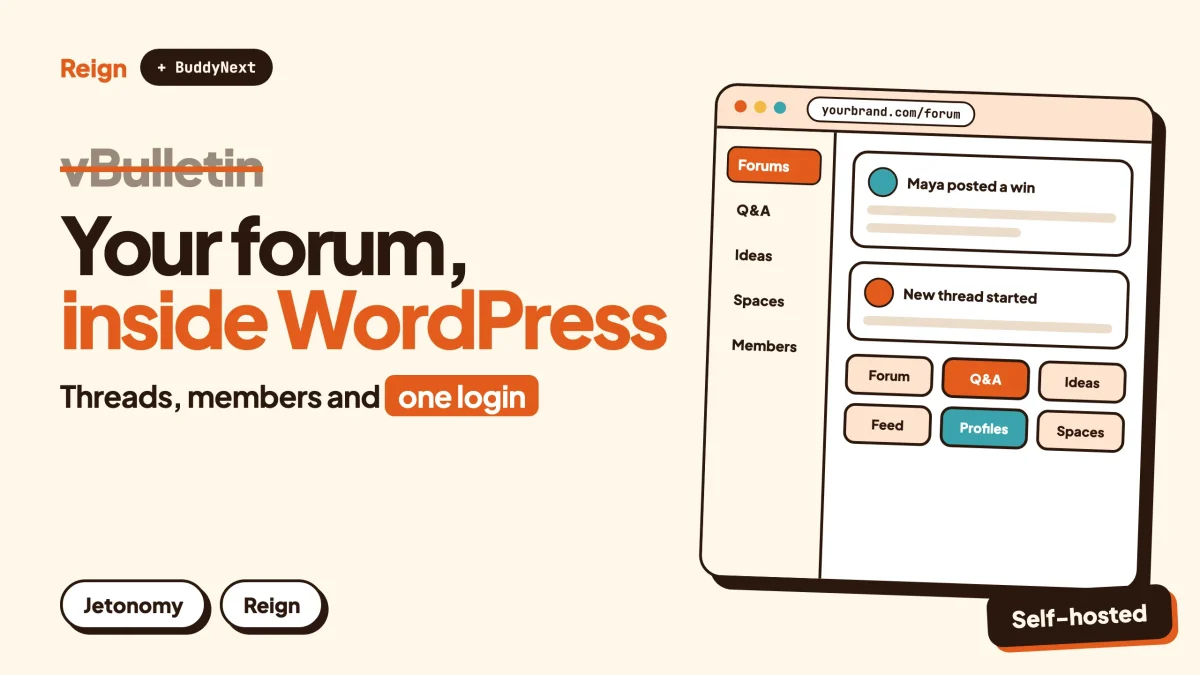
The best vBulletin alternative for a site that already runs on WordPress is a stack: BuddyNext for profiles, spaces and the activity feed, Jetonomy for forums and Q&A, and the Reign theme for design. It suits owners who want the community inside the same install as their content, courses and shop. vBulletin stays the better pick if you only want a classic, dedicated forum and have no WordPress site. Wbcom Designs makes BuddyNext, Jetonomy and Reign, so read this as a vendor view.
Most people who search for a vBulletin alternative are not angry at the software. They own a board that has been running for years, and they have started to wonder whether it should keep living apart from the rest of their business.
This post is for them. It covers what vBulletin is, who tends to move away, what a WordPress stack gives instead, and the part nobody enjoys: moving a large archive of old threads without wrecking your search traffic.
What is vBulletin, exactly?
vBulletin is commercial forum software written in PHP that runs on a MySQL or MariaDB database. It has been around since 2000, which makes it one of the oldest names in the category.
Here is what we could confirm. vBulletin’s own website returns an access-denied response to automated reading, so its product pages are not quoted in this post. The facts below come from the Wikipedia article on vBulletin, read in November 2026. Check vbulletin.com directly for current features, hosting options and licence terms.
- Proprietary and commercial. The article describes it as proprietary software, sold by a company that trades as vBulletin.
- PHP with MySQL or MariaDB. The same stack WordPress uses, which matters for migration later.
- First released in 2000. It was created by James Limm and John Percival.
- Owned by Internet Brands since 2007. The article says Internet Brands acquired the product from Jelsoft that year.
- Version 6.2.0 listed as the latest release. The article gives 12 March 2026 as the date.
A forum package that has lasted that long has done something right. Remember that when you read the rest of this post.
When is vBulletin the better pick?
vBulletin is the better pick when your project is a forum, and only a forum. If you do not run WordPress, have no plan to, and your members live happily in threads, there is little reason to rebuild.
A few specific cases:
- The board works and the team knows it. Moderators who have used the same admin panel for years are an asset. Retraining them has a cost.
- Your site is not on WordPress. The whole argument for the stack below is that it lives inside WordPress. Without WordPress, that argument disappears.
- You want a single-purpose product from a long-standing vendor. A dedicated forum engine has one job and does not ask you to assemble parts.
- The archive is enormous and the traffic is healthy. A migration always carries some risk to search rankings. If the board earns well today and nothing is pushing you, leave it alone.
If none of that describes you, keep reading.
Why do people look for a vBulletin alternative?
People look for a vBulletin alternative because the shape of the project changed, not because threads stopped working. The usual reasons are below.
The forum is a separate application
A standalone board has its own database tables, its own user accounts, its own templates and its own login. If your articles, shop or courses run on WordPress, members sign up twice, or you build a bridge between the two systems and then maintain the bridge forever.
That is a small annoyance with a small board. With thousands of members it becomes a standing job.
You want more than a topic list
A forum organises conversation by topic. Modern communities also want profiles with real fields, private groups, a feed, direct messages, events and courses. You can add some of that to a forum engine. Or you can start from a platform where those pieces are built in.
You want content, commerce and community under one roof
Selling a course and opening its discussion space is one action in WordPress. Across two systems it is two actions that need to be kept in step.
You want the design tools you already use
Plenty of site owners already know WordPress blocks, themes and page builders. Moving the community there means one design skill set instead of two.
You want one thing to patch and back up
Running two applications means two update schedules, two backup plans and two sets of security notices. Folding the community into the main site reduces that to one. Our note on hosting for community websites helps if you are sizing a server.
The reasons are about fit. Not one of them says vBulletin is bad software.
What does the WordPress stack look like?
The stack has three layers. BuddyNext is the community engine, Jetonomy handles forum-style discussion, and Reign is the design layer on top. All three come from Wbcom Designs, and they run on your own hosting.
A community engine is the part of the site that handles members, profiles, groups and their interactions. A design layer is the theme that decides how all of it looks.
BuddyNext: the community engine
BuddyNext is a social community plugin for WordPress. From its product page, it gives you:
- Spaces. Open, private or secret rooms for each topic, with members, moderators and bans.
- An activity feed with reactions, comments, hashtags, polls and search.
- Member profiles with customisable fields, connections and a searchable member directory.
- Messaging. Private one-to-one chats and group messaging.
- Moderation. Member reports, a review queue and space bans.
There is a live demo if you want to click around before deciding. For licence details and what needs a paid add-on, check the product page.
Jetonomy: forums, Q&A and ideas
Jetonomy is the part that feels most like the board you are leaving. Its site describes four kinds of space:
- Forum. Threaded discussions with replies, votes, pinning, tags and categories.
- Q&A. The asker accepts the reply that solved the problem, and replies sort by votes.
- Ideas. Members vote on ideas and you set the status.
- Show & Tell. A short-form feed for launches and member work.
Spaces sit in categories, and each has its own members and rules. The site also lists trust levels, voting and moderation tools. Jetonomy stores its data in dedicated database tables on your own server, so community content stays separate from your posts and pages. For the difference between these formats, read forum vs Q&A vs ideas board.
Reign: the design layer
Reign is a WordPress community theme, also from Wbcom. It has a dark mode toggle, right-to-left stylesheets, a mobile drawer menu, a set of block patterns and style variations, and a demo library with an installer. It styles BuddyNext and the other in-house plugins. See how Reign and Jetonomy work together and the Reign and BuddyNext upgrade path.
One honest note about the bigger picture. WordPress is the platform most of the web is built on. W3Techs reported on its WordPress usage page, checked on 6 November 2026, that about four in ten of all websites use it. That is why this route works for so many people: the hosting, the developers and the plugins are already there.
vBulletin and the WordPress stack side by side
The table below compares shape and fit, not quality. It says “check” wherever the answer depends on a page we could not read.
| Question | vBulletin | BuddyNext + Jetonomy + Reign |
|---|---|---|
| What kind of product is it? | Dedicated, commercial forum software | WordPress plugins and a theme, all by Wbcom Designs |
| Language and database | PHP with MySQL or MariaDB | PHP with MySQL or MariaDB, as with any WordPress site |
| Runs inside your WordPress site? | No, it is a separate application | Yes |
| Forum threads | The core purpose | Jetonomy forum spaces |
| Q&A with accepted answers | Check vbulletin.com | Jetonomy Q&A spaces |
| Profiles, feed, groups, messages | Check vbulletin.com | BuddyNext |
| Design control | Its own template system | WordPress themes, blocks and Reign |
| Hosting | Check vbulletin.com for options | Your own WordPress hosting |
| Licence terms and cost | Check vbulletin.com | Check each product page |
| Built-in importer from vBulletin | Not applicable | None listed by Jetonomy; plan a custom migration |
| Best for | Forum-only sites outside WordPress | Communities that live next to content, courses or a shop |
The cell most worth reading is the importer row. We cover it next.
What happens to the old threads?
The old threads are the most valuable thing you own, and the part of the move that needs the most care. Years of posts rank in search, answer questions and give new members a reason to stay.
Jetonomy’s site lists one-click importers for bbPress, wpForo and Asgaros. vBulletin is not on that list. So a vBulletin move is a custom job, not a button.
That is not unusual or alarming. Both systems store data in MySQL or MariaDB, so the content is reachable. It just means someone has to map the old tables to the new ones. There are three realistic ways to do it.
- Ask for help. Wbcom offers to move a community for you, according to the BuddyNext site. Ask what they can do with a vBulletin export before you commit.
- Hire a developer to write a one-off import script. Give them a staging copy of the database and the target structure.
- Move the archive in stages. Import the busiest sections first, keep the rest read-only on the old board, and retire it later.
Whichever you pick, the thing to protect is the address of every thread. Search engines have learned those URLs. A redirect from each old address to its new home keeps most of that value. Without redirects you start again.
If you are weighing a smaller, simpler move first, migrating from bbPress shows the shape of a forum migration where an importer does exist.
How do you move a vBulletin board to WordPress?
You move in a fixed order: take stock, build the new site on staging, import a sample, check it, then cut over. Do not touch the live board until the staging site passes every check below.
Step 1: Take stock of what you have
List your forums, the number of members, the biggest threads, any attachments, and which add-ons or plugins members rely on. Export a full database backup and store it somewhere safe.
To confirm it worked, restore the backup to a throwaway database and open a few threads from it.
Step 2: Export the list of URLs
Pull the address of every forum and thread. Add the traffic data from Google Search Console so you know which pages matter most. This list becomes your redirect map.
To confirm it worked, spot-check ten addresses from the list in a browser.
Step 3: Build the new community on staging
Install WordPress on a staging site. Install Reign, import a demo if it helps, and activate BuddyNext and Jetonomy. Create the space structure that mirrors your forums, using categories for groups of related spaces. The forum website guide walks through the setup.
To confirm it worked, post a test thread in each space as a normal member and as a moderator.
Step 4: Import a sample
Run the migration script on a few hundred threads first. Check that authors, dates, replies and attachments came through, and that the formatting of old posts is readable.
To confirm it worked, compare five threads on the old board with their imported versions, line by line.
Step 5: Handle members
Members need accounts on the new site. Plan how they sign in for the first time, usually with a password reset email, and tell them in advance. Passwords are hashed by the old software, so do not assume they transfer; confirm the approach with whoever writes your import.
To confirm it worked, take three real members through the first-login flow on staging.
Step 6: Set up redirects
Map each old thread address to its new one and load the rules on the server or through a redirect plugin. Test the map against the list from step 2.
To confirm it worked, request ten old addresses and check each one lands on the matching new thread.
Step 7: Cut over
Put the old board into read-only mode, run the final import for anything posted since the sample, point the domain at the new site and watch Search Console for crawl errors over the following weeks.
To confirm it worked, post a new thread on the live site and find it in search of your own site.
How should the new community look?
It should look like your brand first and a forum second. A big advantage of leaving a standalone board is that you stop fighting its template system.
Reign gives you header layouts, colour settings and dark mode without code, and its docs at reigntheme.com/docs cover the settings. Our guides on header, colour and dark mode settings and on customising with a child theme are the two to read first. If you are still choosing, community themes compared shows the other options fairly.
A tip from migrations in general: keep the first version plain. Match your old board’s section order so regulars find their way, then change the layout once the dust settles.
Which other modules fit a forum site?
Only add modules your members will use. A forum community usually needs few of them, and each one is another thing to maintain.
- Moderation. Long-running boards often have a rulebook and a team. BuddyNext has reports and a review queue, and our community moderation guide covers how to set up the process.
- Gamification. WB Gamification gives points, badges and ranks from activity, which suits members used to post counts and rank titles. See points, badges and leaderboards.
- Courses. If your board answers questions about a subject, Learnomy lets you turn that knowledge into lessons.
- Events. Eventonomy handles event listings and RSVPs for meetups.
- Support boards. If the forum doubles as a help desk, a Q&A site with accepted answers is a good model.
Everything in that list is optional. The core move is the stack above.
What about other forum alternatives?
If you are comparing more than one route, these are the main ones. Each has a post of its own, so here is only where each fits.
- XenForo. Another dedicated forum engine. Our XenForo alternative post covers the same question from that side.
- Discourse. A modern open source discussion platform. See the Discourse alternative post.
- bbPress. The classic WordPress forum plugin. bbPress alternatives lists the options.
- Vanilla. A hosted community product. Our Vanilla by Higher Logic review looks at it.
- Other WordPress forum plugins. Forum plugins compared and self-hosted community platforms cover the wider field.
The right choice depends on whether you want to stay a forum or become a community with a forum inside it.
How do you keep your regulars happy during the move?
You keep regulars by telling them early, changing little at first, and giving them a visible role in the new space. A forum is a social group before it is software, and people grow attached to the way it feels.
Long-running boards have habits. There are in-jokes, sticky threads everyone knows, a handful of members who answer most questions and a moderator team that has settled into a rhythm. A migration that ignores all that can lose the community even when every thread arrives intact.
Announce it before you build it
Post in the old board as soon as you decide. Explain why you are moving, what will stay the same and what will change. Ask for the features people would miss most. Their answers become your checklist for staging.
Invite the moderators in first
Give your moderators access to the staging site before anyone else. They will find the awkward spots fastest, and they will be the people answering questions on launch day. BuddyNext has a front-end review queue and member reports, so walk them through those, and agree the house rules again. Our moderation guide has a starting point for the written rules.
Carry the structure across before you improve it
Keep your forum sections recognisable. A member who visited daily for five years should be able to find their corner in under a minute. Once the move has settled, you can merge dead sections, add a Q&A space for support questions or start an ideas space for feature requests.
Use the move as a reason to reach out
An email to inactive members saying the community has a new home is often the first contact they have had with you in a year. Some will come back. That is a side effect worth planning for, and a short welcome flow for returning members helps.
What changes once the community lives in WordPress?
The biggest change is that the community stops being a separate island. Members, content and conversation sit in the same install, so you can use what you already know to run all three.
Here is what that tends to look like in practice.
- One login. A member who reads your articles, buys something and posts in a thread is one account, not three.
- One place for design. A change to your header or colours applies to the whole site, forum included.
- One place for data. Jetonomy keeps forum content in its own database tables on your server, and BuddyNext keeps member data in your own database. You decide where the backups go.
- One set of updates. Core, theme and plugins update through the same screen you already use.
- Room to grow. If you later add courses or events, you add a plugin rather than a second platform.
There are also costs, and they should be said plainly. You take responsibility for your own hosting, your own backups and your own updates. A busy community needs a server that can handle it, and you should test with a realistic amount of content before launch. If you want someone else to run the infrastructure, a hosted forum product may suit you better.
Consider the size of the thing too. A community with a long archive and a lot of daily traffic is not a weekend project. Budget time for the import, the redirect map and a quiet period after launch where you fix small problems as members report them.
Questions people ask
Is there a one-click importer from vBulletin to Jetonomy?
Jetonomy’s site lists one-click importers for bbPress, wpForo and Asgaros, and vBulletin is not among them. A vBulletin move therefore needs a custom import. Ask Wbcom what they can do with a vBulletin export, or hire a developer to write the script.
Will I lose my search rankings if I move?
You can lose some if old addresses stop working. Redirecting each old thread URL to its new location protects most of the value. Even so, expect some movement for a few weeks and keep watching Google Search Console.
Do I need BuddyNext if I only want a forum?
No. Jetonomy works with any theme and does not require BuddyPress, according to its site. BuddyNext is for when you want profiles, a feed, groups and messages as well. Pick based on what your members do, not on what looks complete.
Can I keep my members’ accounts?
You can import member records, but each member usually sets a new password through a reset email, because the old software’s password hashes may not carry over. Plan this step and warn members before the cutover.
Is the WordPress stack cheaper than vBulletin?
We do not quote prices here. Check vbulletin.com for its licence terms, and the BuddyNext, Jetonomy and Reign product pages for theirs, then add hosting and any migration help to both sides. Compare the full cost of running each, not just the licence.
Related reading
- XenForo alternative for WordPress
- Discourse alternative for WordPress sites
- bbPress alternatives for WordPress forums
- How to migrate from bbPress to a modern forum
- Forum vs Q&A vs ideas board
- How to create a forum website
- Best WordPress forum plugins
- Community moderation guide
If you decide the move is right for you, Reign is the theme to start with, and BuddyNext and Jetonomy sit underneath it. Try the demo first, then try your own archive on staging before you commit to anything.