
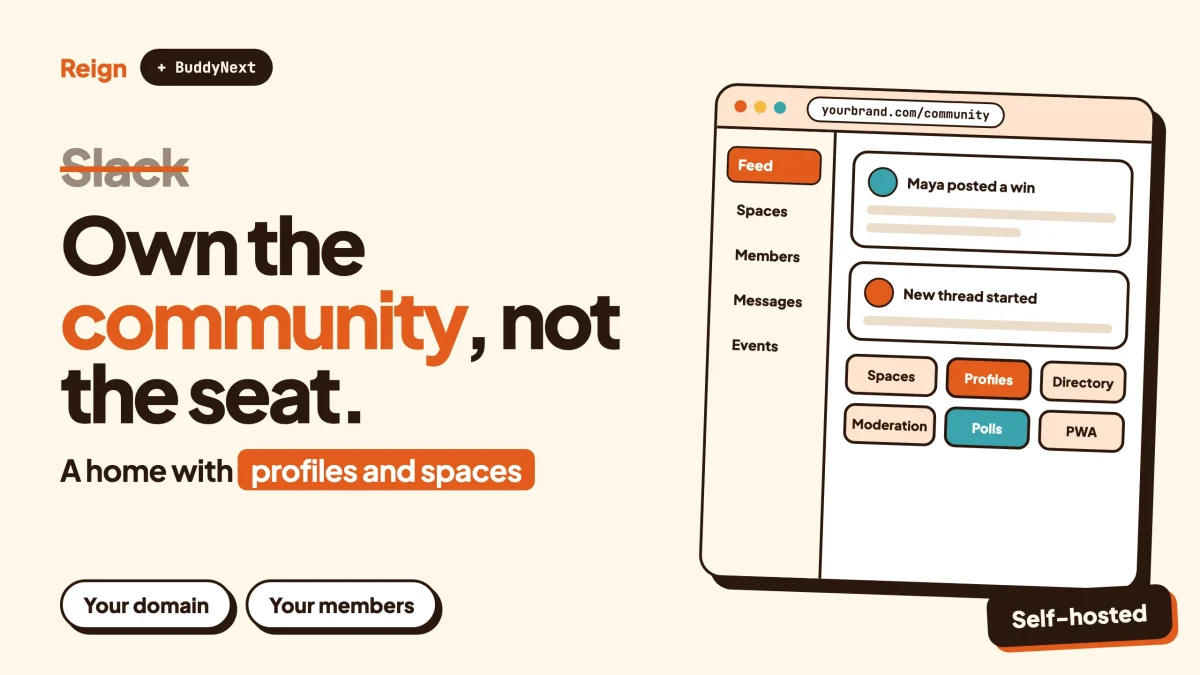
The best Slack alternative for a community is a site you own, where members have profiles, topics have their own pages and nobody is counted as a paid seat. On WordPress that means BuddyNext for the community, with Reign as the design layer. Slack stays the better pick for a company team that needs fast daily chat, and this post says plainly when to keep it.
Wbcom Designs makes Reign and BuddyNext, so we have a stake here. Slack facts below come from Slack’s own pages, read in November 2026. Nothing about pricing is quoted: check each vendor’s pricing page.
When is Slack the better pick?
Slack is the better pick when the group is a team that works together every day, and the conversation is the product. If people in your space are colleagues, contractors or close partners who need quick back-and-forth, a tool built for that will beat a community site.
Slack describes its channels as “flexible, transparent spaces for working with your team, AI assistants and agents.” Its features page says to “create channels around teams, projects or anything else.” It also lists huddles, which it calls its built-in video tool, plus Canvas for docs and Lists for managing projects. Workflows let you “build no-code automations of routine tasks and processes.”
The ecosystem is large too. Slack’s features page says you can connect it with services such as Google Drive and Office 365 “and over 2,600 more.” If your group lives inside a stack of work tools, that matters more than any community feature.
Then there is scale and trust. Slack’s about page states “200K+ paid customers” and “77 of the Fortune 100 use Slack”, with daily active users in “150+ countries”. Those are Slack’s own figures, undated on the page, which carries a 2026 footer. A tool used that widely has been tested by a lot of teams.
Slack Connect is the feature most relevant to anyone running a group with outsiders. Slack’s page says it lets you work with people outside your company in shared channels and direct messages, and that invited partners, vendors and customers see only the channels you share. Admins keep control of their organisation’s data and can monitor external access.
So, keep Slack if:
- the people are staff or tightly bound partners, not a public audience
- most value is in speed, huddles and app integrations
- nobody needs to find old answers from outside the workspace
- you have no wish to run a website
Everything below is for a different case: a community of customers, students, fans or professionals that has been living in a Slack workspace because it was the easiest place to start.
Why do communities look for a Slack alternative?
Most communities leave Slack because it was built to be a workplace, not a home for an audience. A workspace has staff-style seats, a flat channel list and a message stream. A community needs profiles, discovery, content that outlives a week and a brand of its own.
Take the pieces one at a time.
The history window
Slack’s help centre states that on its entry plan “you can view and search messages and files from the last 90 days.” Once the limit is reached, Slack starts “hiding messages and files older than 90 days.” Owners on that plan can choose to keep everything for one year or delete messages and files after 90 days. The same article says upgrading “will remove message, file and app limits, plus provide more data retention options.” We are not going to list what each paid plan keeps, because the article does not.
For a team that is fine. For a community whose value is accumulated answers, a rolling window is awkward. The post a member wrote in March is the one a new member needs in November.
Seats and the shape of a crowd
Slack bills around people in a workspace, and every member of your community is one. That is natural for a company of forty and awkward for a community of four thousand where most people read and a few post. Check Slack’s pricing page for how it treats your numbers. We will not guess here.
Public and private spaces are workspace spaces
According to Slack’s channel help page, “Members (but not guests) in your workspace can find, view and join public channels”, and messages in them appear in search results for other workspace members. Private channels need someone already inside to add you. That is a clean model for a team. It says nothing about the open web: the pages we read describe search inside the workspace, not on Google, so we make no claim about outside search engines either way.
No home for anything except talk
Slack has Canvas and Lists, so it can hold a document or a task list. It is not a course home, a member directory, a job board or an events calendar. Communities tend to need those sooner than they expect, and a link into another tool breaks the flow.
It is somebody else’s room
You are a tenant. Slack decides the features, the plan structure and the interface. That is a fair trade for a company. A community that is also a business, such as a paid membership, a software user group or a school alumni network, often wants its own domain, checkout and rules.
None of these are faults in Slack. They are mismatches, and spotting which one you feel tells you whether a move helps. If it is the history limit alone, the hybrid option later in this post may be enough.
What happens to your history and your data?
Your history is yours to export only up to a point, and it depends on the plan. Slack’s export article says public channels are exportable on every plan, by workspace owners and by members with the Export admin system role, in JSON format.
Private channels and direct messages are different. The same article says they are not available on the entry plan or the next plan up. On the Business+ plan, owners must apply for access to an export covering “public channels, private channels and DMs”, and the primary owner must approve the application. On Enterprise, org owners request access through Slack Support. Workspaces on the entry plan can only export links to files from the last 90 days.
Two practical points follow.
First, if your community mainly uses public channels, you can take a JSON copy of what is visible today without any upgrade. Second, anything the 90-day window has already hidden may not be in what you can export, so the sooner you decide, the more you keep. Check Slack’s export page for your plan before relying on a full archive.
Exporting is not the same as moving. JSON files are an archive for you, not a ready-made import into another platform. Plan on re-creating the structure that matters (spaces, rules, profiles) and carrying over the best content by hand or with a script.
What does a Slack alternative on WordPress look like?
It looks like a community site with its own address, member profiles, spaces for each topic and a feed, running on your hosting. The recommended stack from Wbcom, which we make, is BuddyNext for the community engine and Reign for the design layer.
BuddyNext is the community
BuddyNext is a WordPress community plugin. From its product page and our verified feature list, it gives you:
- Spaces that are public, private or secret, so every topic gets its own home. They support nested sub-spaces, roles, auto-join and invite links.
- An activity feed with reactions, threaded comments, hashtags, @mentions and polls. Posts can be pinned, and spaces can carry announcements.
- Member profiles with custom fields and member types, a member directory, field-level privacy and an onboarding wizard.
- Direct messages, powered by WPMediaVerse.
- Moderation with reports, strikes, suspensions, appeals, banned words, content warnings and a front-end queue.
- In-app notifications, search, a REST API and an installable PWA, so members can add the community to their home screen.
- Personal-data export and erase tools.
Two honest notes. The feed checks for updates every few seconds by default, so it feels live but is not a chat engine. Instant delivery over WebSockets needs a paid add-on and a server you run yourself. And a mobile app is in development, not shipped. The PWA is what exists today.
Paid memberships, billing through Stripe or PayPal, email broadcasts and drip, push notifications, AI moderation and white-label are paid add-ons. For exact licence details, check the BuddyNext product page. You can also try the BuddyNext live demo before deciding anything.
Reign is the design layer
Reign is the WordPress community theme that makes the site look like a place rather than a plugin. It styles BuddyNext, BuddyPress and BuddyBoss Platform, offers a dark mode toggle, RTL stylesheets and a mobile drawer menu, and ships 27 block patterns and 8 style variations. A demo library with an installer gets you a working layout quickly. Our guide to installing Reign and importing a demo walks through it, and this post on upgrading a community with Reign and BuddyNext shows how the two fit.
What changes for members
In Slack, a member is a name in a sidebar. On a BuddyNext site, a member has a profile page that you shape with custom fields, a place in a searchable directory and a visible history. Channels become spaces. The message stream becomes a feed plus discussion in spaces. The Slack “workspace” becomes your own domain.
The chat feel changes too. People will not type a dozen quick lines to each other the way they do in a channel. The format nudges toward posts and replies, which is slower and, for a community, usually better for finding things later.
Slack and a WordPress community side by side
The comparison below keeps to facts from Slack’s own pages and the verified Wbcom feature list. It does not score either side, because the right answer depends on the group.
| Question | Slack | BuddyNext with Reign |
|---|---|---|
| Built for | Teamwork: channels, huddles, Canvas, Lists, workflows | Communities: spaces, feed, profiles, directory, moderation |
| Where it lives | Slack’s hosted workspace | Your WordPress site, your domain and hosting |
| Message history | The entry plan shows the last 90 days; paid plans remove message and file limits | Posts stay on your site until you remove them |
| Conversation feel | Fast chat, with huddles for video | Feed and threaded replies; the feed polls every few seconds by default; direct messages are included |
| Outside people | Guests, and Slack Connect for partners in shared channels | Public, private or secret spaces; members register on your site |
| Member profiles | Workspace profile | Custom fields, member types, directory, field-level privacy |
| Integrations | Over 2,600 apps listed by Slack | REST API, webhooks and WordPress plugins; far fewer ready-made connectors |
| Moderation | Admin and channel controls on the workspace | Reports, strikes, suspensions, appeals, banned words, front-end queue |
| Mobile | Slack’s own apps | Installable PWA; a native app is in development |
| Content beyond chat | Canvas docs and Lists | Add courses, events, forums, directories and more with other Wbcom modules, or any WordPress plugin |
| Your effort | Sign up and invite | Host, install, configure, keep updated |
Read the last row twice. A WordPress community is not cheaper in effort, only in the kind of control you get. If nobody on your side will own the site, Slack’s convenience is a real feature.
What do you give up by leaving Slack?
You give up instant, always-on chat, huddles, the app marketplace and the zero-maintenance setup. Anyone telling you a feed replaces a chat tool is selling something.
Here is the list, without softening.
- Chat speed. BuddyNext has direct messages and a lively feed, but it is not designed to match a channel full of people typing at once.
- Huddles and video. Slack has a built-in video tool. BuddyNext does not host live video. Run sessions on a meeting tool you already use and link to them from a space or event.
- Integrations. Slack lists over 2,600 apps. WordPress has a huge plugin world and BuddyNext has a REST API and webhooks, but you will wire some things yourself.
- AI search across your tools. Slack says its search covers “all your company’s third-party apps, data sources and conversations” from one bar. A community site does not replace that for a company.
- Zero upkeep. Updates, backups, hosting, security and spam are now your job, or your host’s.
- Members already there. Everyone has Slack open all day. A new site asks people to form a new habit. Onboarding, email digests and good notifications decide whether they do.
That last point sinks more migrations than any feature gap. A community that has to be remembered is a community that quietly shrinks. Plan the first month of invitations and activity before you plan the theme colours. Our post on launching a community with its first 100 members covers it.
Which other Wbcom modules fit a Slack-style community?
Only add modules for needs you actually have. Slack groups tend to need a few extras over time, and each has a Wbcom option that works on its own.
- Searchable help and answers. If your Slack channel is mostly people asking questions, Jetonomy adds forums, Q&A with accepted answers, an ideas board, nested spaces, trust levels, a moderation queue and importers for bbPress, wpForo and Asgaros. Our forum vs Q&A vs ideas board post helps you choose, and the forum plugin comparison shows the wider field.
- Courses. If your group is a cohort, Learnomy covers courses, sections and lessons, quizzes with timers, progress and certificates. Live lessons link out to a Zoom, Meet or Teams URL you paste in; Learnomy does not create the meeting. Drip and cohorts need a paid licence, so check the product page.
- Events. Eventonomy handles RSVPs with capacity and waitlist, recurring events, calendar views, ICS files and reminders. We make no claim that it integrates with BuddyNext.
- Points and badges. WB Gamification rewards activity with points, badges and ranks, which helps when you lose the casual pull of a busy chat.
- Photos and video from members. WPMediaVerse adds member uploads and albums. It also powers BuddyNext direct messages.
Skip the rest of the list until a real need shows up. A Slack replacement that launches with nine modules is a project, not a community.
How do you move a Slack community to WordPress?
You move in stages, over a few weeks, and the old workspace stays open until the new site has habits. This is the path we would follow.
Step 1: Decide what you are keeping
List your Slack channels and sort each into one of three piles: becomes a space, becomes a forum category, or gets archived. Quiet channels rarely deserve a space. To confirm it worked, you should end with a short list of spaces, and the number should be smaller than your channel count.
Step 2: Export what you can
Ask a workspace owner to export public channels as described on Slack’s export page. If you need private channels and direct messages, check whether your plan allows it and what approval is needed. Download before the history window hides anything more. To confirm it worked, open the JSON files and check that the most important threads are present.
Step 3: Build the site
Install WordPress on hosting that suits a community, install Reign and import a demo, then install BuddyNext. Set up spaces, profile fields and the onboarding wizard before you invite anyone. Our private social network walkthrough covers the build for a members-only setup. To confirm it worked, register a test account in a private window and walk the onboarding yourself.
Step 4: Write the rules and the welcome
Put your rules in plain words and set up moderation tools before day one. Our community guidelines template and moderation guide are good starting points. To confirm it worked, submit a test report as a member and check it reaches the queue.
Step 5: Carry over the best content
Do not import everything. Pick the twenty to fifty threads that new members ask about most and re-post them in the right space as pinned posts or announcements. Credit the original authors. To confirm it worked, ask someone who did not see the Slack threads to find an answer using only the new site’s search.
Step 6: Invite in waves
Announce in Slack with a pinned message and a link, then invite your most active members first so the feed is not empty. Keep the Slack workspace open and read-only-ish for a month, pointing everyone to the site. To confirm it worked, watch whether replies arrive on the site without prompting.
Step 7: Decide what to do with Slack
If chat still matters, leave a single casual channel and let the site hold everything else. If not, archive the workspace after you have your exports. This is the point where the hybrid option below becomes useful.
Moving a group off Facebook, Discord or Slack is the same shape of project. Our post on moving a Facebook group to a WordPress community shows the same steps with different tools.
Can you keep Slack and add a site?
Yes, and many communities do exactly this. Slack handles the quick talk and the website handles what must last: rules, introductions, answers, courses, events and member profiles.
The split works when each tool has one job. Put a pinned link in Slack to the site, put the Slack invite on the site for people who want live chat, and make a habit of copying a good answer from a thread into a post or forum topic. The risk is two places competing for the same conversation, which exhausts the people who run them. Pick a rule, such as “questions go on the site, banter stays in Slack”, and repeat it.
Our Discord alternative post covers the same hybrid pattern for a different chat tool, and the same logic applies.
How does this compare with other community platforms?
Slack is a chat tool used as a community. The hosted community platforms, such as Circle, Skool and Mighty Networks, are built for communities from the start, and they are a fair choice if you prefer to rent a finished product rather than run a site. We cover each in its own post: Circle, Skool and Mighty Networks. For a wider view of the self-hosted route, see the self-hosted platform comparison. If your content is mostly discussion, the Discourse alternative post may be closer to your case.
The trade is always the same. Hosted tools save you work and hold the keys. A WordPress community costs you effort and hands you the keys. If you plan to charge members, our guide to paid communities on WordPress shows what that looks like.
Questions people ask
Is there a no-cost Slack alternative on WordPress?
You can build a community on WordPress with plugins and a theme, and you will pay for hosting either way. For BuddyNext and Reign licence details, check the product pages rather than relying on a blog post. Slack’s own plans are on its pricing page.
Can I import my Slack history into BuddyNext?
There is no one-click Slack importer that we can point to. BuddyNext’s own page says moving an existing community is a planned project, with migration guides in the docs. Slack’s export gives you JSON, so the practical path is to keep it as an archive and re-post the best threads.
Does a WordPress community replace Slack for a company team?
Usually not. Slack is built for daily team work, with huddles, workflows and a large app marketplace. A WordPress community fits customers, members, students and audiences better than staff.
Can outsiders find my community content on Google?
On a WordPress site, public pages can be indexed by search engines, and private or secret spaces stay behind a login. You choose which is which. Slack’s pages we read describe search inside a workspace, so we say nothing about Google.
Can members still chat with each other?
Yes, through direct messages and replies in spaces. It is not designed to match a busy chat room, so keep a link to your chat tool of choice if members want that.
Related reading
- Discord alternative for communities on WordPress
- Circle alternative on WordPress
- Skool alternative on WordPress
- Move a Facebook group to a WordPress community
- Build a private social network on WordPress
- Community moderation guide
- Reign with Jetonomy forums
- Best self-hosted community platforms
If a community of your own sounds right, start with the Reign theme, import a demo, add BuddyNext and see how it feels to run a space that belongs to you.