
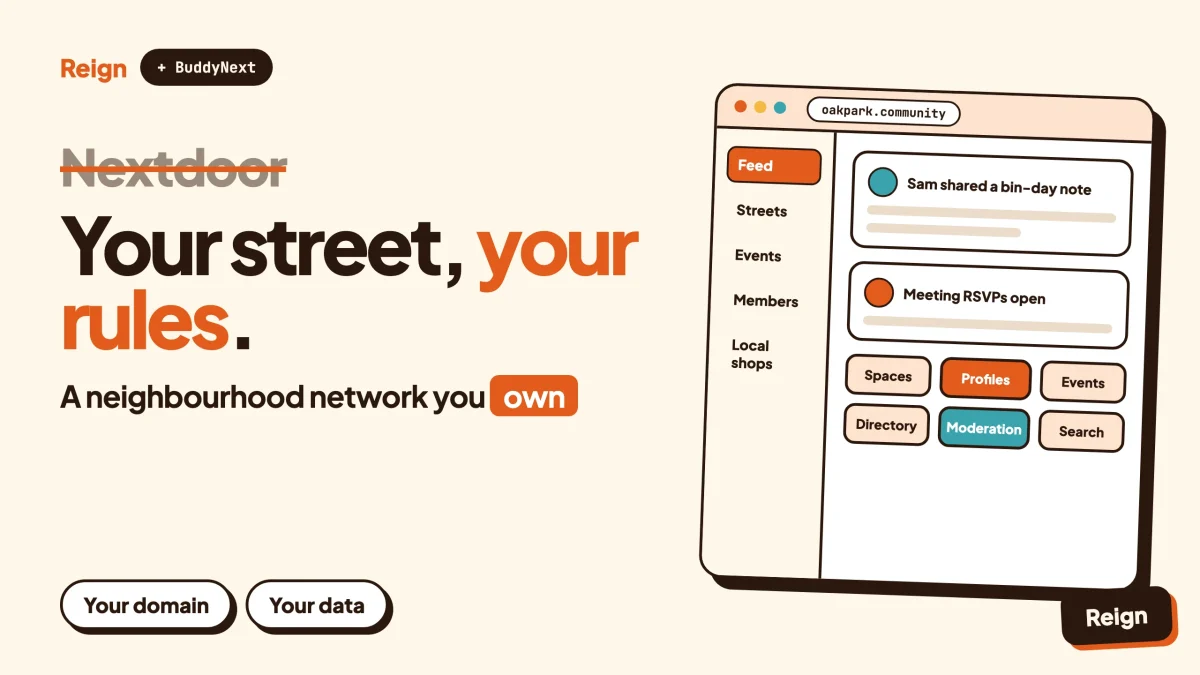
The best Nextdoor alternative for a neighbourhood or local association is BuddyNext, the self-hosted community engine from Wbcom Designs, running on your own WordPress site with the Reign theme as its design layer. You keep the member list, the posts and the rules. You give up Nextdoor’s ready-made audience. Wbcom makes BuddyNext and Reign, so read this as a vendor view and check each claim on the product pages.
Nextdoor is very good at one thing: putting a street, a suburb or a town on the same screen without anyone having to set anything up.
That is also its limit. The audience, the rules and the data belong to Nextdoor, not to the people who live there.
This post starts with a fair verdict on when Nextdoor is the right pick, then covers the real reasons groups look elsewhere, then shows how a self-hosted neighbourhood network works in practice. Facts about Nextdoor come from its own public pages, read in November 2026.
When is Nextdoor the better pick?
Nextdoor is the better pick when you need reach first and control second. If you want every household on your street to see a lost-cat post by tonight, nothing you build yourself will match a network that already has the households in it.
Nextdoor says on its About page that it connects 110 million verified neighbors across 350,000 neighborhoods (as of November 2026, source: about.nextdoor.com). It also lists local news from more than 4,000 publications, alerts delivered with public agencies such as fire departments, a neighbour-to-neighbour marketplace for selling and giving away items, events and groups, and an Ask feature that summarises recommendations from past neighbourhood conversations.
Four situations favour staying put:
- You are one resident who wants to know what is happening nearby, not run anything.
- You need public agencies or local news in the same place as your neighbours.
- You are a small local business that wants to be found by people in the area through a claimed business page or ads.
- Your group has no one willing to spend an hour a week on admin.
A self-hosted site asks for effort. Somebody has to set it up, moderate it and invite people in. If nobody on your committee will do that, use the network that already runs itself.
Why do groups look for a Nextdoor alternative?
Groups look for a Nextdoor alternative because the network decides things the group would rather decide itself: who can see the posts, how moderation works, what the feed shows and where the data goes. The common complaints are about moderation decisions members disagree with, a feed that a few busy topics can dominate, and a business reach tied to the neighbourhoods it serves.
None of that makes Nextdoor a bad product. It makes it a product built for millions of neighbourhoods at once, with one set of rules.
Think of a residents’ association with a hall, a newsletter and a yearly general meeting. It already has a membership, officers and written rules. What it lacks is a shared online home that follows those same rules. A community site gives it that.
You do not control the rules
A residents’ association, a school parents group or a village council usually has its own code of conduct. On a shared network you follow the platform’s guidelines and its moderation decisions. On your own site you write the rules, name the moderators and decide what happens at the third warning.
The feed is not yours to shape
On a large network the feed is built by the network’s ranking. On your own site a post pinned by the committee stays pinned, and a space for planning permission discussions can stay separate from the one for babysitter swaps.
The member list lives elsewhere
If the association has 600 households signed up on someone else’s platform, the committee does not hold that list in a form it can use. A site you host keeps profiles, spaces and posts in your own database, which you can export, back up and move.
Your group is not the product
A network that runs for millions of people has to earn money somewhere, and Nextdoor’s business pages describe an ads product with targeting built on its own signals. That is a normal business model. It is also a reason some groups, especially those with children or older residents, prefer a space without it.
Your identity is the network’s identity
Your domain, your logo, your colours and your own login are yours on a self-hosted site. Residents join “the Oak Park Neighbours” rather than a page inside someone else’s app.
What does Nextdoor actually include?
Nextdoor’s public pages describe a neighbourhood network built around a few areas, and any alternative has to answer each of them. Here is what its About and business pages state.
| Area | What Nextdoor says it offers |
|---|---|
| Local news | Stories from vetted local publishers in the feed |
| Alerts | Traffic, storm and outage updates, with public agencies |
| Recommendations | Neighbour recommendations, plus Ask, which summarises past conversations using AI |
| Marketplace | Listings to sell or give away items between neighbours |
| Events and groups | Organise events and groups around shared interests |
| Businesses | Claimed business pages, business posts, annual neighbourhood Faves voting, and self-service ads |
| Public agencies | Agencies share information with neighbours at scale |
The point of the list is the shape, not the detail. Seven jobs sit under one roof: news, alerts, recommendations, buying and selling, events, local business and official notices.
A WordPress build will not copy all seven on day one. It does not need to. Most neighbourhood groups need four of them, and those four are the ones a community site does well: discussion, recommendations, events and a local directory.
What does a self-hosted neighbourhood network look like?
A self-hosted neighbourhood network is a WordPress site where residents have profiles, join local spaces, post in a feed and message each other, all on your own domain. BuddyNext provides the community engine. Reign provides the look. You can try BuddyNext in the live demo before committing to anything.
Here is how its features map to what a neighbourhood needs.
Spaces for streets, blocks and interests
A space can be public, private or secret, and spaces can nest. One main community can hold a sub-space for each street, building or estate, plus others for interests such as gardening, parents, dog walkers or the allotment. Members get roles inside a space, new members can be added automatically, and invite links bring people straight in.
That nesting is the closest thing to Nextdoor’s neighbourhood boundaries. You draw the boundaries yourself, which is the point.
Profiles that say where someone lives
Member profiles support custom fields, member types, a member directory and field-level privacy. A “street” or “building” field lets neighbours find each other, while privacy settings let members hide the detail they do not want shared. Decide up front how much address detail you collect, and check your local rules on personal data before you ask for it.
A feed with polls, pins and threads
The feed supports reactions, threaded comments, @mentions, hashtags and polls. Posts can be pinned and space announcements stand out, so a committee notice about bin day does not sink under a dozen lost-glove posts. The feed checks for new activity every few seconds by default. Instant delivery over WebSockets needs a paid add-on and your own server, so check the product page.
Moderation you control
BuddyNext includes reports, strikes, suspensions, appeals, banned words, content warnings and a front-end moderation queue. You pick who moderates. For a longer walkthrough of the rules and roles side, read the community moderation guide and the community guidelines template.
Private by design when you want it
Private communities and gated spaces keep posts away from search engines and strangers. Onboarding is handled by a wizard, which you can use to collect the street or building field and show the house rules at sign-up.
Notifications and messages
In-app notifications are built in, and direct messages are powered by WPMediaVerse. A progressive web app (PWA) lets residents add the site to their phone’s home screen. A native mobile app is in development, so for now the phone experience is the PWA and the mobile browser. Push notifications and email broadcasts are paid add-ons, so check the product page.
Your data, your exit
BuddyNext has personal-data export and erase tools, a REST API and webhooks. The posts and profiles sit in your WordPress database, so you can back them up, host them where you like, and move them if you ever change your mind.
The design layer
Reign styles BuddyNext without extra add-ons. It has a dark mode toggle, a mobile drawer menu, RTL stylesheets, 27 block patterns, 8 style variations and a demo library with an installer. For a neighbourhood site that means a clean home page, a calm member area and a menu that works on a phone, without writing code. If you are choosing between themes, the best WordPress community themes roundup covers the field, and Reign with BuddyNext shows the pairing.
How do Nextdoor and a WordPress build compare?
Nextdoor wins on ready-made audience and official local sources. A WordPress build wins on ownership, rules and branding. Read the table with that split in mind.
| Question | Nextdoor | BuddyNext with Reign |
|---|---|---|
| Existing audience | Large, per its own figures, and already organised by neighbourhood | None to start. You invite people. |
| Who sets the rules | The platform, through its guidelines and moderation | You, through your own guidelines, moderators and queue |
| Where the member data lives | On Nextdoor | In your WordPress database |
| Branding | Nextdoor’s design | Your domain, logo and colours through Reign |
| Neighbourhood boundaries | Set by the network | Set by you with nested spaces |
| Local news and agency alerts | Built in, per its About page | Post them yourself or link to their feeds |
| Recommendations | Neighbour recommendations and the Ask feature | Threads, polls and a local directory |
| Events | Events and groups | Spaces, plus Eventonomy for event listings, calendars and RSVPs |
| Local business listings | Claimed business pages | Listora directory, with some features on a paid licence |
| Advertising | Nextdoor sells ads against its own audience | You can sell local sponsorships with WB Ad Manager |
| Admin effort | Low for residents | You host, update and moderate |
| Mobile | Apps | PWA and mobile browser, native app in development |
The two cells that matter most are the first and the last. You trade a ready crowd for control. If your group already exists, because it has a hall, a newsletter or a WhatsApp list, the crowd is the easier part to bring over.
Which Wbcom modules fit a local community?
Four Wbcom modules fit a neighbourhood use case, and each runs on its own. None of them requires BuddyNext. Add them only when the group asks for the feature.
Eventonomy for street parties, meetings and clean-ups
Eventonomy handles event listings with calendar views, RSVPs with capacity and a waitlist, guest RSVP, recurring events, ICS export and reminders. A monthly committee meeting becomes one recurring event. A summer fete becomes an RSVP list with a cap. For ticketing questions see selling event tickets on WordPress, and for the wider field, event calendar plugins. If you are weighing it against group-meeting tools, the Meetup alternative post covers that comparison.
Listora for the local business directory
Listora gives you listings, categories, search and member submissions. Maps, claim and verify, paid listings and reviews need a paid licence, so check the product page. This is the answer to “can anyone recommend a plumber?” that does not disappear down the feed. For the search side, read local business directory SEO, and for the ownership argument, directories you own. Selling and giving away household items can use the same approach, as in building a classified ads directory.
Jetonomy for questions that need one good answer
Jetonomy covers forums, Q&A with accepted answers, and an ideas board. It suits the “who fixes roofs near here?” thread that people want to find again next year. Moderation queue, reputation and private spaces need a paid licence, so check the product page.
MediaVerse for photos and local history
MediaVerse adds member photo and video uploads and albums. Older photos of the high street, a clean-up day album or a community garden diary all fit.
Two more are worth a mention. WB Ad Manager lets you sell ad placements to local shops, with rotation, split testing and reporting on a paid licence, and the selling ad space post shows the idea. WB Gamification adds points and badges for helpful neighbours, if your group likes that kind of recognition.
A sample setup for a residents’ association
To make the pieces concrete, here is one way a mid-sized association could lay out its site. The names are invented for illustration.
- A parent community called Oak Park Neighbours, set to private so only approved members see posts.
- Nested spaces for each street, plus interest spaces for parents, dog owners and gardeners.
- A committee space that is secret, where the officers plan and draft announcements.
- A pinned announcements space everyone is auto-joined to, used for meeting dates and bin-day changes.
- An Eventonomy calendar for the monthly meeting, the summer fete and the autumn clean-up.
- A Listora directory where residents submit trusted tradespeople and local shops.
Nothing here needs code. It needs a few evenings of setup and a decision on who looks after it.
How do you set one up, step by step?
You can have a working neighbourhood site in a weekend if you keep the first version small. These are the steps in the order that avoids rework.
Step 1: Decide the boundary and the promise
Write one sentence: who the site is for and what it is for. “Residents of Oak Park and the streets around it, to share local help and plan local events.” Anyone outside that line is a guest or does not join.
To confirm it worked, show the sentence to someone who lives there and see whether they know in five seconds if the site is for them.
Step 2: Set up WordPress, Reign and BuddyNext
Install WordPress on hosting you control, then install Reign and BuddyNext. Reign’s demo library and installer let you import a ready-made layout so you are editing a real site from the first hour. The post on installing Reign and importing a demo walks through it. For hosting, see hosting for community websites.
To confirm it worked, open the site on your phone and check that the menu, the feed page and a profile all load.
Step 3: Build the space tree
Create one parent community, then nested spaces for each street or building and a few interest spaces. Keep it to roughly six to ten spaces at launch. Empty spaces make a young site feel dead.
To confirm it worked, join as a test member and check that you land in the right street space with the right posting permissions.
Step 4: Add the profile fields and onboarding
Add a street or building field, set field-level privacy, and put the house rules into the onboarding wizard. Decide how you will check that a new member really lives in the area, for example a committee approval or a postcode check by a volunteer, and keep to your local data protection rules in what you store.
To confirm it worked, sign up with a second account and walk through the wizard as a stranger would.
Step 5: Set the moderation rules
Name two or three moderators. Turn on the banned words you need, decide what counts as a warning and what counts as a suspension, and publish the rules where members see them. The community guidelines template gives you wording to start from.
To confirm it worked, report a test post as a normal member and check it reaches the moderation queue.
Step 6: Add the local extras
Add Eventonomy for meetings and events, and Listora for the local directory. Do it after the first two weeks, not before, so you can see what members actually ask for.
To confirm it worked, publish a test event and a test listing and check both are easy to find from the main menu.
How do you get neighbours to move over?
You get neighbours to move over by going where they already are and making the first visit worth it. Start with the people who already show up: the committee, the street rep, the regulars at the meeting. Seed a few useful threads, then invite street by street.
Three habits help:
- Put the sign-up link and a QR code on the notice board, in the newsletter and on the hall door.
- Move one real job onto the site first, such as room bookings, the event list or the bin-day notice, so there is a reason to log in.
- Keep posting on Nextdoor and the other groups for a while, with a link back, instead of announcing a hard switch.
The same playbook applies if your neighbours are on a Facebook group. The guide to moving a Facebook group to a WordPress community covers the steps, and the Facebook Groups alternative post covers the reasoning. For the first few weeks, launching a community and reaching the first 100 members is the most useful read.
Do not expect everyone to leave Nextdoor. Plenty of residents will keep both. That is fine. The site holds what the group owns, and the network stays a place to say hello to the wider area.
Are there other Nextdoor alternatives?
Yes. The right one depends on how much you want to host yourself. These are options beyond Wbcom, described only in general terms, so check each one’s own site for details.
- Facebook Groups are the most common stand-in, because most people already have an account. You give up the rules and the data in the same way as on Nextdoor.
- Group chat apps such as WhatsApp or Telegram work for a street or a small building. They stop working when you need search, a directory or topic separation. The Discord alternative post explains the same chat-to-site step.
- Other self-hosted software exists on the open-source side. The self-hosted community platforms roundup compares the field, and BuddyPress alternatives covers the WordPress side.
If you only want a private place for known residents, the guide to building a private social network is the shortest route.
Questions people ask
Is there a cheap alternative to Nextdoor?
Facebook Groups and chat apps cost nothing to start. A self-hosted site costs hosting and your own time, plus any paid licences for the modules you add, so check each product page for licence details. What you pay for is ownership of the members and the rules.
Can a WordPress site verify that members live in the neighbourhood?
BuddyNext does not check addresses by itself. You add a street field to the profile and verify members with a process you choose, such as committee approval or an invite link handed out in person. Whatever you do, check your local rules on collecting and storing address data.
Will a self-hosted site get the same reach as Nextdoor?
No. Nextdoor starts with an audience already in place, and a new site starts with none. A self-hosted site works best for a group that already exists, such as an association, a building, a school or a club, where you can invite people directly.
Can I run local events on it?
Yes. BuddyNext spaces handle discussion, and Eventonomy adds event listings, calendar views, RSVPs with capacity and waitlist, recurring events and reminders. Eventonomy runs on its own and does not need BuddyNext.
How much admin does a neighbourhood site need?
Plan on a small, steady amount: updates to WordPress and the plugins, a moderator who checks the queue, and someone who posts. Two or three volunteers sharing the load is usually enough for a community of a few hundred households.
Related reading
- Meetup alternative on WordPress
- Facebook Groups alternative on WordPress
- Move a Facebook group to a WordPress community
- Build a private social network on WordPress
- Community moderation guide
- Member directory plugins for WordPress
- Local business directory SEO
- Best self-hosted community platforms
If you want to see how the design layer handles feeds, profiles and spaces on a real community site, look at the Reign theme page and import a demo.