
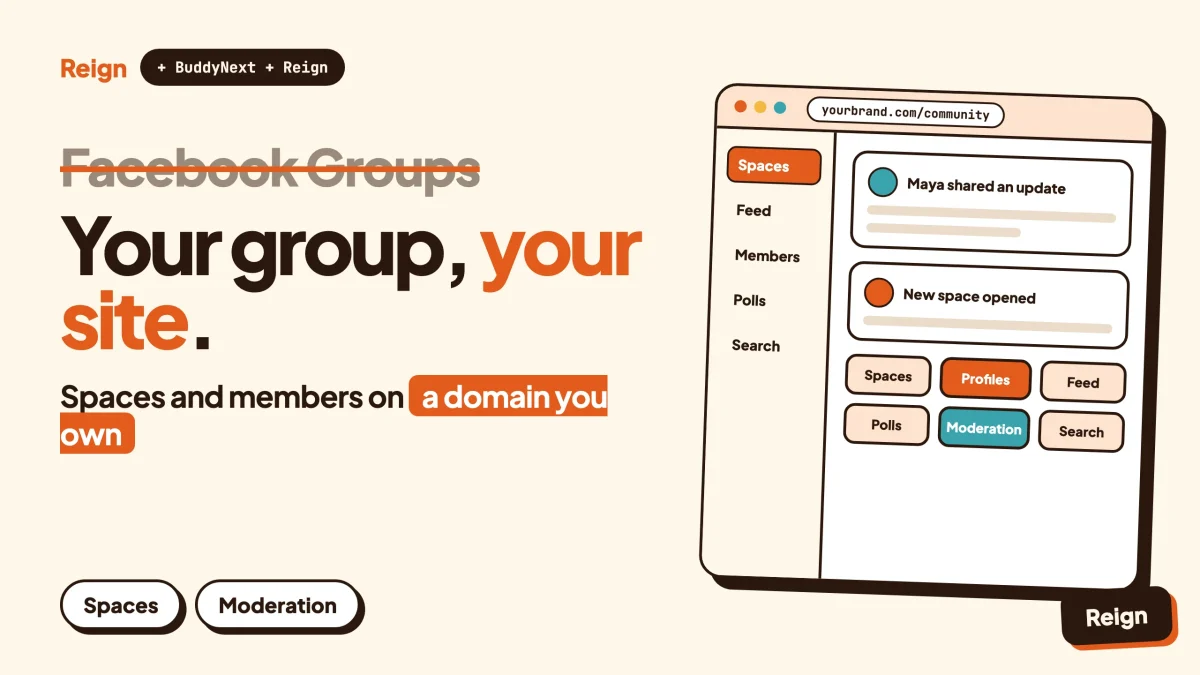
The most practical Facebook Groups alternative for people who want to own their community is a self-hosted WordPress site running BuddyNext, the community engine from Wbcom Designs, with the Reign theme as its design layer. You get spaces, a member feed, profiles, a directory and a moderation queue on a domain you control, so the members, the posts and the rules stay yours. Wbcom makes BuddyNext and Reign, so read this as a vendor view and check each claim on the product pages. Facebook details were checked in November 2026.
Facebook Groups is still the better pick for some people. This guide says which ones, then covers the rest.
When is Facebook Groups the better pick?
Facebook Groups is the better pick when your people already live on Facebook and you only need a place for them to talk. If that describes you, a new site is extra work for little return.
Meta’s own newsroom said in October 2020 that more than 1.8 billion people use Groups every month. That is the last figure Meta published in the pages checked for this post, so treat it as a sign of scale, not a current count. The practical point is simple: your members probably have the app, already know how it works, and already get notified by it.
Be honest about your situation before you move anything. Facebook Groups tends to win in these cases.
- You are running a local club, a neighbourhood list, a school year group or a hobby circle where the goal is chat, not a business.
- Your audience is older, or simply not comfortable with new logins, and every extra step loses people.
- You want to be discovered by people who search Facebook for a topic, and you have no plan to send traffic yourself.
- You have no appetite for hosting, updates or backups, even if a managed host does most of it.
- The community is temporary, such as a one-off event or a project with an end date.
A site you own wins when the community is part of how you earn a living, when it holds knowledge that should outlive a feed, or when you want features that a group does not have, such as courses, a directory or paid access. The rest of this guide is about that second case.
What does Facebook Groups actually give you?
Facebook Groups gives you a space inside Facebook where people with a shared interest can post, comment and message, with tools for admins and moderators to run it. Facebook’s Help Center describes a group as a place to connect, learn and share with people who have similar interests, and says groups can be public or private.
The rules differ by type, and the difference matters when you think about ownership of your audience.
Public and private groups
According to the Help Center’s comparison page, posts in a public group can be seen by anyone on or off Facebook, and the member list can be seen by anyone on Facebook. In a private group, posts and the member list are visible only to current members. A private group can also be visible or hidden, and a hidden group can only be found by people who are invited or who are already members.
Joining works differently too. Private groups ask admins to approve join requests unless limited membership is turned on. Public groups let anyone on Facebook join, though admins can still require approval for joins and posts.
In November 2025 Meta announced that admins of private groups can switch a group to public from its settings page. The rollout was gradual. Earlier posts, comments and interactions stay visible only to admins, moderators and people who were members before the change. The member list becomes visible only to admins and moderators, other admins are notified, and there is a three-day window to review and cancel the conversion.
Tools for the people running it
Admins can ask people who want to join up to three questions, each up to 200 characters. Answering is optional, but admins can use Admin Assist to approve or decline requests based on whether the questions were answered. Meta’s 2020 announcement also described Admin Assist as a way to set rules, such as declining posts with certain keywords or from newer members, and New Topics as a way to sort content with hashtags and pin a topic to the top of a group.
The Help Center’s Groups page lists sections for joining a group, posting and privacy, creating and managing settings, managing people and content, Pages in groups, and fixing problems. Members can also take part anonymously in groups that use anonymous participation, posting under their name, anonymously or under a nickname.
That is a solid toolkit for running a conversation. It is not a toolkit for running a platform.
Why look for a Facebook Groups alternative?
People look for a Facebook Groups alternative because the group belongs to the platform, not to them, and the platform can change the rules at any time. That is not a scare. It is how rented space works.
The features can change under you
Community chats is a recent, well-documented example. Meta published an update on 26 September 2025 saying community chats in Facebook Groups would no longer be available from 5 October 2025, with chats paused before permanent deletion. During the pause, people could read the history but not send new messages. A group admin who had built a habit around those chats had a few weeks to adapt.
The November 2025 privacy conversion is the opposite kind of change: a new option rather than a removal. Either way, you did not choose the timing.
Your audience is a list you cannot take with you
A group is a set of people connected to your group page. It is not an email list, and it is not a member database you can query. The Help Center’s Groups page, as checked for this post, lists no section about exporting a group’s members or history. If you need your member records, your posts and your files in a form you control, test what you can actually get out before you depend on the group.
Everything shares one feed with everything else
Your group sits next to a person’s friends, ads and everything else Facebook shows. A member who opens the app to read your thread meets other content first. A community site you run has one purpose, and the page a member lands on is the one you designed.
The features are the group features, not yours
If you want to sell access, run courses, list local businesses, post jobs, or give members points and badges for taking part, a group does not have a section for it. You end up bolting on outside tools and sending people to separate logins. A WordPress site can hold all of these under one login, one theme and one set of rules.
Moderation follows the platform’s rules and tools
Facebook’s tools are decent, and Admin Assist is a real help. But the rules are Meta’s. On your own site you write the community rules, run your own queue, and decide what counts as a strike. For a guide to doing that well, see our community moderation guide, and for the written rules themselves, the community guidelines template.
What should a replacement do?
A replacement for a Facebook group needs to cover five jobs: let people post and reply, give each member a profile, split the community into topic areas, let you moderate, and be easy to join. Everything else is optional until you need it.
- A feed people can scroll. Members expect to see recent posts, react, comment and mention each other.
- Topic areas. Facebook has one group per topic. A site needs the same idea, usually called spaces or channels, with public and private options.
- Profiles and a member directory. Members should be able to find each other.
- Moderation you control. Reports, a review queue and clear consequences.
- Easy first visit. A short sign-up and a welcome flow. If joining is harder than on Facebook, expect a drop.
Then the questions that decide between platforms: who owns the member data, can you export it, can you add features later without changing platform, and who controls the design.
Facebook Groups alternative 1: BuddyNext with Reign on WordPress
BuddyNext is a community platform plugin for WordPress, made by Wbcom Designs. Its own site describes it as the complete community platform for WordPress, self-hosted on your own site. Reign is the WordPress theme from the same company that gives it a designed front end.
The two jobs are separate. BuddyNext is the engine: the feed, the spaces, the members. Reign is the design layer: the header, colours, navigation and page patterns your members see.
What BuddyNext covers that a Facebook group does
- Spaces. Spaces can be public, private or secret, with nested sub-spaces, roles, auto-join and invite links. That maps closely to Facebook’s public, private and hidden groups, with more control over structure.
- An activity feed. Posts with reactions, threaded comments, @mentions and hashtags, plus polls in the feed.
- Pinned posts and announcements. You can pin posts and post space announcements, much like pinning a topic in a group.
- Profiles and a directory. Member profiles with custom fields, member types, field-level privacy and a member directory.
- Onboarding. A wizard that walks new members through the first steps.
- Notifications and search. In-app notifications and site search.
- Direct messages. Powered by WPMediaVerse.
The feed checks for updates by polling every few seconds by default. Instant delivery over WebSockets needs a paid add-on and your own server, so check the product page before promising members live updates.
What BuddyNext adds that a group does not have
- Moderation you configure. Reports, strikes, suspensions, appeals, banned words, content warnings and a front-end review queue.
- Private communities and gated spaces. You decide who gets in and which spaces they can see.
- A REST API, a PWA and personal-data export and erase tools. Your data is reachable by your own tools, and the personal-data tools help with privacy requests. Check your local rules on what those requests require.
- Paid access. Memberships, Stripe or PayPal billing, email broadcasts and drip, push notifications and AI moderation are paid add-ons. Check the product page for what each one needs.
A mobile app is in development. Today members use the site in a browser, or install it as a PWA, which is a website that can be added to a phone’s home screen and opened like an app.
What Reign adds
A plugin gives you features. A theme decides whether they look like a community. Reign has a dark mode toggle, RTL stylesheets, a mobile drawer menu, 27 block patterns and 8 style variations, plus a demo library with an installer so you can start from a finished layout. It styles BuddyNext, BuddyPress and BuddyBoss Platform, with paid add-ons for LearnDash, LifterLMS, Tutor LMS, Dokan, WP Job Manager and others. Reign has been on WordPress for 13 years.
If you are weighing themes, see best WordPress community themes. To go straight to the install steps, read install Reign and import a demo.
Where BuddyNext is not the right pick
Say it plainly. A WordPress community has costs a group does not. You need hosting, updates, backups and someone responsible for them. Members need a new login. Nobody finds you by browsing Facebook. And a new site starts with no audience at all. If you cannot send your own traffic, through email, social posts, search or a podcast, the move will hurt before it helps.
You can try the platform before deciding. BuddyNext has a live demo at the demo launcher, and the BuddyNext site describes a timed demo community.
What are the other options?
Other options fall into two groups: hosted community platforms you rent, and other things you run yourself. Each has real strengths.
FluentCommunity
FluentCommunity, from WPManageNinja, is a WordPress plugin for community and courses. Its site lists spaces, a feed, members, discussions, a leaderboard, private messaging, directories, search and notifications, with course tools including a course directory and progress bar. It is a fair pick if you want a community-and-courses plugin that runs on your own WordPress site. Our own comparison against another platform is in BuddyBoss vs FluentCommunity.
Circle, Skool and Mighty Networks
These are hosted platforms built for creators and communities. They are quicker to start than any WordPress setup, because the vendor runs the servers. The trade is that you rent: check each vendor’s pricing page and terms, and ask what leaves with you if you cancel. We have a separate alternative page for each of Circle, Skool and Mighty Networks, and a wider view in WordPress against the hosted platforms.
BuddyPress and BuddyBoss
BuddyPress and BuddyBoss Platform are the other well-known social-network options on WordPress, and Reign styles both. Our own BuddyPress alternatives guide covers the field.
Discord, Slack and chat apps
If your group is mostly live conversation, a chat app may suit better than a feed. We cover that trade in Discord alternative for communities.
A wider list
For a broader field of self-hosted options, read best self-hosted community platforms and best WordPress community plugins.
How do they compare side by side?
The table below compares Facebook Groups with the self-hosted route. It covers how each works, not who is better, because the right answer depends on your audience.
| Question | Facebook Groups | BuddyNext with Reign |
|---|---|---|
| Where does it live? | Inside Facebook, on Facebook’s servers. | On your own WordPress site and domain. |
| Who sets the rules and features? | Meta. Features can be added or removed, for example community chats ended on 5 October 2025. | You choose the plugins, the settings and the moderation rules. |
| Public or private | Public or private groups, with private groups visible or hidden. | Public, private or secret spaces, with nested sub-spaces and gated access. |
| Joining | Join requests, optional membership questions (up to three) and Admin Assist. | Open, private or invite-based spaces, auto-join, invite links and an onboarding wizard. |
| Moderation | Admin and moderator tools, Admin Assist rules. | Reports, strikes, suspensions, appeals, banned words and a front-end queue. |
| Profiles | Facebook profiles, with optional anonymous participation in some groups. | Community profiles with custom fields, member types and field-level privacy. |
| Design | Facebook’s layout. | Your theme. Reign offers 8 style variations, dark mode and RTL. |
| Extra features | Group features only. | Forums, courses, events, directories, jobs and more as separate modules. |
| Getting new members | Strong: people already on Facebook can find and join. | Weaker at first: you bring the audience. |
| Upkeep | None for you. | Hosting, updates and backups are yours. |
| Mobile | Facebook’s own apps. | Responsive site and PWA. A mobile app is in development. |
Read the two “getting members” and “upkeep” rows twice. They are where Facebook wins, and they are the reason many people stay.
Which extra modules does a group-style community need?
Most communities need only the core. Add a module when members ask for something the feed cannot do, not before. Wbcom’s other modules run standalone, so you add them one at a time and check each product page for licence details.
- Forums and Q&A. A feed is poor at keeping answers findable. Jetonomy adds spaces, threaded discussions, Q&A with accepted answers and an ideas board. Read forum vs Q&A vs ideas board to choose the shape.
- Courses. Learnomy offers courses, lessons, quizzes with timers, progress and certificates. Live lessons link to a Zoom, Meet or Teams URL you paste in. Learnomy does not create the meeting.
- Events. Eventonomy has RSVPs with capacity and waitlist, recurring events, calendar views and reminders. Treat it as a separate calendar module.
- Points and badges. WB Gamification adds points, badges, ranks and rewards from activity. See points, badges and leaderboards with Reign.
- Photos and video. MediaVerse handles member uploads and albums, and powers BuddyNext direct messages.
- Directories and jobs. Listora is for listings and member submissions. WP Career Board is for jobs.
On Facebook, the equivalent of each of these is a separate tool and a separate login. That is the real gain of the WordPress route: one account, one design.
How do you move a group without losing it?
You move a group by running both side by side for a while, inviting members in waves, and moving the conversation only when the new place is alive. A hard cut-over loses people.
We cover the full rollout, from exporting what you can to a day-by-day invite plan, in migrate a Facebook group to a WordPress community. This section is the short, decision-level version.
Step 1: Decide what you are keeping
List what matters: the member relationships, the best posts, the files, the rules. Facebook content you want to keep may need to be copied by hand or with a tool, because the Groups help page lists no export section. To confirm this step worked, you should have a short list of the ten posts or resources you would be upset to lose.
Step 2: Build the new home
Install WordPress on a host, add BuddyNext and Reign, and import a Reign demo as a starting layout. The install guide walks the order. Create one space per topic you had in the group. To confirm it worked, register a test member in a private window and post in each space.
Step 3: Write the rules and set up moderation
Carry over your group rules and adapt them. Turn on the report and review queue, and decide what a strike means. Use the guidelines template if you do not have one. To confirm it worked, report a test post and watch it land in the queue.
Step 4: Seed it before you invite anyone
An empty room is a bad first impression. Post a welcome, three or four starter threads and the pinned rules. Our guide on getting the first 100 members covers how to do this without faking activity. To confirm it worked, a new visitor should see something worth replying to.
Step 5: Invite in waves, keep the group open
Post the invitation in the group with a clear reason to move: the new features, the better search, the courses. Invite your most active members first. Leave the Facebook group open and say that it stays a notice board for a while. To confirm it worked, check that the first wave posts without being prompted.
Step 6: Retire the old group slowly
When the site carries most of the conversation, change the group description to point at the site, and stop posting new threads in it. To confirm it worked, track where new posts appear for a month.
One more point for owners who plan to charge. Moving to a site opens up paid access. If that is the plan, read how to run a paid community on WordPress, and check the BuddyNext product page for the billing add-ons.
Questions people ask
Is there a Facebook Groups alternative that keeps the same feel?
Yes. A feed, topic spaces and member profiles give a similar feel, and BuddyNext has all three on a WordPress site. The difference is that members use your site, not the Facebook app. Reign handles the layout, so the community looks like a place of its own rather than a Facebook clone.
Can I move my Facebook group members to a new site automatically?
Not by importing a list, as far as Facebook’s public Groups help page shows. Members have to be invited and sign up themselves. That is slower, but it also means everyone who arrives chose to be there. Plan an invitation sequence rather than a bulk import.
Do I have to close my Facebook group?
No. Many owners keep the group open as a front door and point people to the site for deeper discussion, courses or events. Facebook can remain the place where new people find you, while the site holds the community you own.
Is a WordPress community harder to run than a Facebook group?
It is more work at the start and a similar amount once running. You handle hosting, updates and backups, and you set up moderation yourself. A managed WordPress host removes most of the server work. If you do not want any of this, stay on Facebook or choose a hosted platform.
Can I charge for access if I leave Facebook?
Yes, on a site you own, using the paid add-ons for memberships and billing. BuddyNext lists Stripe and PayPal billing among them. Check the product page for the current details, and check your local rules on selling to members.
Related reading
- How to migrate from Facebook Groups to a self-hosted WordPress community
- Reign and BuddyNext: upgrading a community
- How to build a private social network with WordPress
- Best self-hosted community platforms
- Change your community theme without losing members
- Discord alternative for communities
If you decide to own your community, start with the design layer. Reign gives BuddyNext a finished front end, so your first members land on a place that looks like yours, not a borrowed page.