
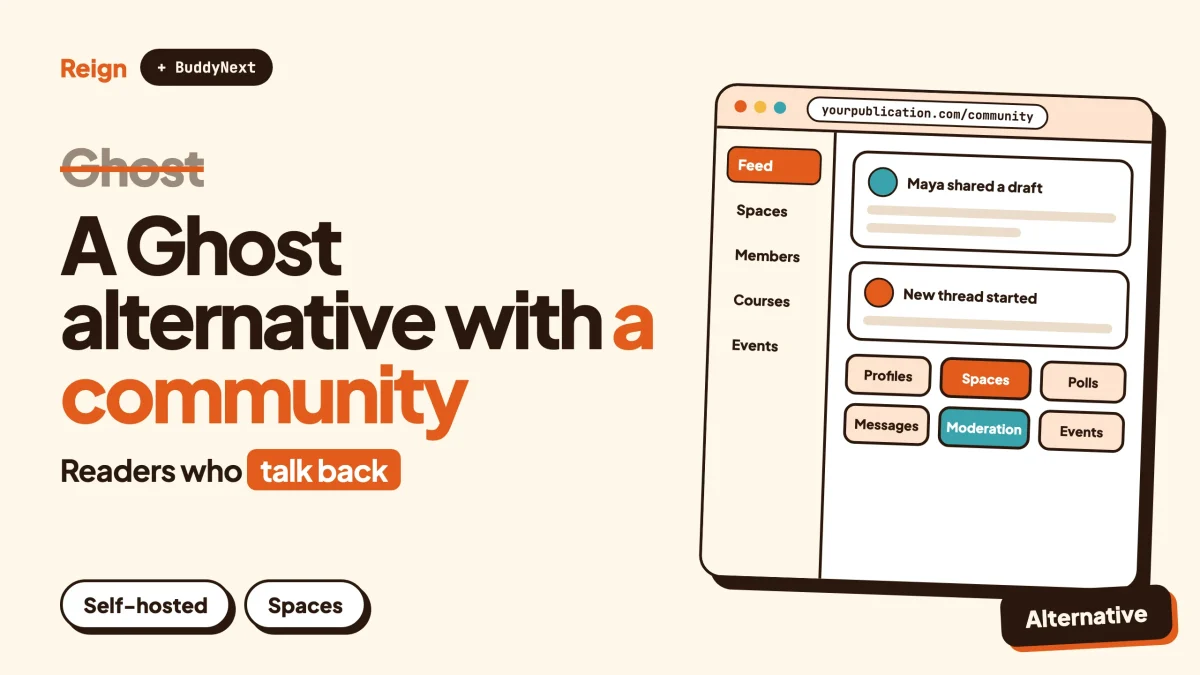
The best Ghost alternative for a site that needs a community, not just subscribers, is BuddyNext on WordPress. Ghost is a very good publishing tool with built-in newsletters and paid memberships, but its social layer stops at comments under posts. BuddyNext adds member profiles, spaces, a feed and moderation, and the Reign theme gives all of it a design of your own. Wbcom Designs makes BuddyNext and Reign, so treat this as a vendor view and check each claim on the product pages.
First, a fair verdict. If you write, send a newsletter and charge for it, and the conversation is a side dish, stay on Ghost. Nothing below should talk you out of that.
This post is for the other group. You started with a publication, the readers began talking to each other, and now you want them to have a place to do it. Details about Ghost were checked on its own site in November 2026.
When is Ghost the better pick?
Ghost is the better pick when publishing is the whole business. A single writer, a small newsroom or a creator with a paid newsletter gets a tool built for exactly that job, and nothing else gets in the way.
Ghost describes itself as an open source publishing platform for professional publishers, with a website builder, newsletters and paid subscriptions in one product. Its own homepage puts it plainly: create, share and grow a business around your content. The code is released under the MIT licence, which you can read on the project repository on GitHub.
Three situations where you should probably stay.
- Your audience reads, it does not chat. If members open the email, read the post and leave, a community platform adds weight you will never use.
- You want the editor. Ghost describes its editor as built for writers, with cards for galleries, video, audio, downloadable files and more. If writing speed matters more than anything else, that is a real draw.
- You do not want to run a stack. Ghost offers a managed service called Ghost(Pro) as well as self-hosting, so someone else can keep the server running.
If any of those describe you, close this tab and get back to writing. The rest of the post is for the person whose readers keep asking for a place to talk.
What does Ghost actually include?
Ghost bundles a website, an editor, email newsletters, memberships and paid tiers, plus analytics, as one product. Here is what its public pages say, section by section.
| Area | What Ghost states on its own site |
|---|---|
| Publishing | A purpose-built editor with rich cards for images, galleries, video, audio, products, files and bookmarks |
| Newsletters | Posts delivered by email, with more than one newsletter per site and audience segmentation |
| Memberships | Native signup forms that turn anonymous visitors into logged-in members, with monthly and yearly paid tiers |
| Access control | Signup can be open to anyone, limited to paid members, invite-only, or switched off |
| Payments | Stripe, which Ghost calls its exclusive payments partner |
| Growth | Offers and promotions, native analytics, member sources, and a Recommendations feature (in beta) for cross-promotion between publications |
| Comments | Native comments for logged-in members, with replies, likes and dislikes, reporting, pinning and hiding |
| Design | Hundreds of themes in a marketplace, or a fully custom theme |
| Integrations | A library that includes names such as Discourse, Discord, Slack, Mailchimp and Zapier |
Look at the comments row, because that is the heart of the community question. Ghost describes native comments as a way to invite members to join the discussion and take part in a community directly on your website. That is a real feature, and for a lot of publications it is enough.
Commenting is limited to logged-in members. You choose whether it is open to all members or to paid members only. Members can reply, react, and report a comment, while moderators can pin or hide one. Authors get an email when a post gets new comments.
Everything in that list hangs off a post. A comment thread belongs to an article. There is no place on the page for a member to start a conversation of their own.
Why look for a Ghost alternative?
People look for a Ghost alternative when they want members to talk to each other, not only to the publisher. Ghost is built around the post. A community is built around the person.
These are the reasons that come up most often, none of them a fault in Ghost itself.
The conversation lives under the article
On Ghost, a discussion needs a post to attach to. Members cannot open a topic, ask a question or share a win unless you publish something first. If you want a thread about a member’s project, you are writing a post as a pretext.
A community platform flips that. The member starts the thread, and the publisher is one voice among many.
Members have no profile worth visiting
A Ghost member is an entry in your list of subscribers. It is a record for you, not a page for other members. There is no directory to browse, no custom profile fields and no way to find the other person who runs a bakery in your city.
Ghost’s own help pages describe member management for the publisher: who signed up, who pays, what they read. That is an audience tool, and a good one. A community needs a member-facing counterpart.
Groups, courses and events are not in the box
Ghost’s public product pages cover publishing, email and memberships. They do not list private groups, courses, events, a forum or a directory. For some of those you can bolt on an outside service, since the integrations library includes Discourse and Discord, but then your members live on two sites with two logins.
Customising beyond themes means a developer
Ghost themes are written in Handlebars, a templating language, and the docs are aimed at developers. That is fine if you have one. If you are a non-technical site owner who wants to rearrange a profile page, the marketplace themes are the limit.
One payments provider
Ghost connects to Stripe and, per its own help page, treats it as the exclusive payments partner. If your members or your country need another route, that matters.
Ownership of the wider ecosystem
Ghost is open source and you can self-host it, so you own your content. What you do not get is a large plugin ecosystem of the kind WordPress has. When you need something Ghost does not do, the answer is usually to connect another tool.
What does the BuddyNext and Reign stack give you instead?
BuddyNext is a self-hosted community engine for WordPress, and Reign is the theme that gives it a design. Together they give you the member-facing half that a publishing platform leaves out, running on your own site, in your own database.
Think of the stack in three layers.
- The engine. BuddyNext handles spaces, the activity feed, profiles, messages, notifications and moderation.
- The design layer. Reign controls how the feed, profiles, directories and headers look.
- The modules. Courses, events, forums and the rest are separate products you add only when the community asks for them.
You can try BuddyNext before changing anything with the live demo.
Spaces, where members start the conversation
A space is a group with its own feed. BuddyNext spaces can be public, private or secret, they can nest inside each other, and members get roles within them. New members can be added automatically, and invite links bring people straight in.
That answers the Ghost gap directly. A reader who joins your publication can post in the right space without waiting for you to write an article. Hashtags add a lighter way to follow a topic across spaces.
Profiles and a member directory
Members get profiles with custom fields and member types, plus a member directory, field-level privacy and an onboarding wizard. Your readers can find each other, which is the single biggest thing a subscriber list cannot do.
A feed with the usual social tools
The feed has reactions, threaded comments, @mentions, polls and pinned posts, and spaces can carry announcements. By default the feed checks for new activity every few seconds. Instant delivery over WebSockets needs a paid add-on and your own server, so check the product page if you want it.
Direct messages are powered by WPMediaVerse, the media module, which also handles photo and video uploads and albums.
Moderation built for a community
Ghost lets moderators hide or pin a comment. A community needs more, because the content comes from everyone. BuddyNext includes reports, strikes, suspensions, appeals, banned words and content warnings, with a front-end review queue. For the reasoning behind those tools, our community moderation guide goes through them one at a time.
Paid access, the Ghost way and the WordPress way
Ghost’s paid tiers are one of its best features, so the alternative has to answer them. Paid memberships, Stripe and PayPal billing and email broadcasts with drip sequences are paid add-ons in the BuddyNext stack. Check the product page for exactly what each licence covers.
You can also gate spaces by plan, which is the community equivalent of Ghost’s members-only posts. Our post on a paid community on WordPress with Stripe shows the setup.
The modules Ghost has no answer for
Each of these runs on its own and is added only when you need it.
- Courses with Learnomy: sections and lessons, quizzes with timers, progress tracking and certificates with public verification links. Drip content and cohorts need a paid licence.
- Forums and Q&A with Jetonomy: threaded discussions, accepted answers, voting and a moderation queue.
- Events with Eventonomy: RSVPs with capacity and waitlists, recurring events, calendar views and reminders.
- Points and badges with WB Gamification, so regular contributors get recognised.
- Member blogging with Member Blog, so readers can write posts of their own.
That last one deserves a note, because Ghost people often miss the writing. WordPress began as a blogging tool. The editor, categories, tags, scheduling and RSS you rely on in Ghost all have WordPress equivalents, and our post on how to let members publish blog posts shows how far that goes when readers become writers.
Reign, the design layer
Where Ghost gives you themes written in a templating language, Reign gives you settings. It offers five header layouts, colour tokens and a visitor dark mode toggle, with no code needed. There are 27 block patterns and 8 style variations, RTL stylesheets and a mobile drawer menu.
A demo library and installer let you import a finished layout and swap in your logo and colours. Reign styles BuddyNext, BuddyPress and BuddyBoss Platform, and it has been on WordPress for 13 years. Because the theme and the engine come from the same team, an update to one is tested against the other. If you want the steps, the guide to installing Reign and importing a demo covers them.
What you give up by leaving Ghost
Be honest about the trade. Ghost gives you a polished writing experience, newsletters with segmentation and analytics in one login. WordPress with BuddyNext gives you more reach and more control, but you assemble the parts.
- You need WordPress hosting and someone to keep it updated. Our guide to hosting for community websites covers what to look for.
- Newsletters are not built in the way they are on Ghost. Email broadcasts are a paid add-on, or you can connect a dedicated email service.
- The editor is the WordPress block editor, which is flexible but different from Ghost’s.
- A mobile app is in development. BuddyNext ships as a progressive web app today.
How do Ghost and BuddyNext compare side by side?
Ghost leads on publishing and email, while BuddyNext with Reign leads on member interaction. Here are the two with only the facts each side states about itself.
| Ghost | BuddyNext with Reign | |
|---|---|---|
| Core idea | Publishing, newsletters and paid memberships | Community engine with a design layer |
| Open source | Yes, MIT licence | Runs on WordPress, which is open source; check the product page for each Wbcom licence |
| Where it runs | Managed by Ghost(Pro) or self-hosted | Your own WordPress site |
| Newsletters | Built in, multiple lists, segmentation | Email broadcasts and drip as a paid add-on |
| Paid tiers | Monthly and yearly tiers through Stripe | Paid memberships through a paid add-on, with Stripe and PayPal |
| Comments | Under posts, logged-in members only | Threaded comments in the feed and under posts |
| Member-started threads | Not listed on its public pages | Feed posts and spaces |
| Groups | Not listed | Public, private and secret spaces with roles |
| Member profiles and directory | Not listed | Custom fields, member types, directory |
| Moderation | Hide and pin comments | Reports, strikes, suspensions, appeals, review queue |
| Courses, events, forums | Not listed; connect outside tools | Learnomy, Eventonomy, Jetonomy |
| Design control | Themes in Handlebars | Reign settings, patterns and style variations |
| Plugin ecosystem | Integrations library | The wider WordPress ecosystem |
Neither route removes payment-processor fees. Stripe and PayPal charge theirs wherever you use them, so check their pricing pages rather than anyone’s marketing.
Where does MemberPress fit?
MemberPress is a WordPress membership plugin, and it solves a different problem from BuddyNext. It controls who can see what and who pays. BuddyNext gives paying members somewhere to be together.
That distinction matters because people leaving Ghost often land on MemberPress first. Ghost’s membership side is access control plus billing, and MemberPress is the closest WordPress match for that. Its own site describes it as an all-in-one membership plugin for WordPress, with content protection, coupons, payments through Stripe, PayPal, Square and Apple Pay, courses, and a ClubSuite product for member directories, profiles and private forums.
So the honest framing is this.
- Pure access control. You want to gate posts and files and bill for them, and nothing more. A membership plugin does that job, and MemberPress is a well-known one. Our MemberPress review covers it in detail.
- Community plus membership. You want paying members to post, follow each other and meet in groups. That is the engine BuddyNext provides, with paid access added on top.
The two are not enemies. Plenty of sites run a membership plugin for billing and a community engine for the social part. If you are weighing plugins, our roundup of WordPress membership themes shows which designs suit a paid community, and the guide to a Reign membership site with PMP shows another combination.
What about Facebook Groups?
Facebook Groups is the other place Ghost publishers send their readers when they want a conversation. It is quick to start and familiar to most readers.
It also means the group lives on someone else’s platform, under their rules and their design. A Ghost publication that moves its discussion to a group has handed the most active part of the audience to someone else.
If that is where your readers already are, our guide to migrating a Facebook Group to a self-hosted WordPress community walks through the move itself. This post takes a different angle: you do not need to leave a publishing platform for a social network. You can keep both halves on your own domain.
How do you move from Ghost to WordPress?
You export your content from Ghost, import it into WordPress, rebuild the member list, and then turn on the community. Most of it is mechanical. The part to plan carefully is your members and your paid subscribers.
- Back up Ghost. Use the export tools in Ghost Admin and keep a copy of your content before you touch anything. To confirm it worked, open the export file and check that your posts and tags are in it.
- Set up WordPress and install Reign. Pick a demo that matches the direction you want, import it, then swap in your logo and colours. To confirm it worked, load the front page on your phone and on a desktop.
- Install BuddyNext and create your first spaces. Decide what is public, what is private and who moderates. To confirm it worked, sign up as a test member and post in a space.
- Bring your posts across. Import the exported content with a WordPress importer, then check permalinks and set redirects for any URL that changed. To confirm it worked, open five old links and make sure each lands on the right post.
- Move your members. Export the member list from Ghost and import it into WordPress, then invite people to set up a profile. Tell them why before the email arrives.
- Handle paid subscribers carefully. Ghost’s help pages note that migrating from other platforms means using the same Stripe account, which is a reminder that billing is the delicate part of any move. Plan it with Stripe, run the old and new sides in parallel for a while, and check Stripe’s documentation for how existing subscriptions can be handled. To confirm it worked, take a test payment on the new site.
- Replace the newsletter. Decide whether to use the paid email add-on or a dedicated email service, and send a short note from the new site first.
- Announce the move. Give members a date, a reason and a link. Keep the old site live for a short overlap.
For the same move seen from the member side, our guide on how to change a community theme without losing members has a checklist that applies here too.
Who should pick which option?
Stay on Ghost if you are a writer or a publication whose audience mostly reads. The editor, the newsletters and the paid tiers do what they say, and a managed service takes the server off your plate.
Keep Ghost and add a community elsewhere if you love the publishing side but want members to talk. You can link out to a forum or chat tool, though members then live in two places.
Move to WordPress with BuddyNext and Reign if the community is becoming the product. That fits a paid network of professionals, a membership with courses and events, or a publication whose readers have started helping each other. If you want to see what else is on the market first, our post on self-hosted community platforms compares the options, and WordPress community plugins covers the field inside WordPress.
Compare it with other hosted routes too. The posts on a Skool alternative, a Circle alternative and a Kajabi alternative make the same trade-off from different starting points.
One number gives the scale of what Ghost serves. Ghost says on its homepage that publications running on it earn more than one hundred million dollars in revenue a year (a figure Ghost reports itself, read in November 2026). That tells you the publishing model works. It says nothing about whether a community fits inside it, and that is the question to answer before you move.
Questions people ask
Is there a WordPress alternative to Ghost?
Yes. WordPress itself is a publishing platform, and with BuddyNext and Reign it becomes a community as well. You lose Ghost’s built-in newsletters and gain profiles, spaces and a feed.
Does Ghost have a community feature?
Ghost has native comments for logged-in members, with replies, reactions, reporting and pinning. Its public pages do not list groups, member profiles, a directory or a forum.
Can I keep my Ghost newsletter and still use BuddyNext?
You can keep sending email from a dedicated service while members use the community on WordPress. Email broadcasts and drip are also available as a paid add-on, so check the product page for what is covered.
Is Ghost cheaper than WordPress?
That depends on hosting, plugins and how many tools you stack, and any number written here would go out of date. Check Ghost’s pricing page, your host’s plans and each Wbcom product page, then add them up for your own setup.
Do I need MemberPress as well as BuddyNext?
Not necessarily. BuddyNext has its own paid membership add-on. MemberPress makes sense if you already use it for billing, or if your site is mostly gated content with a small social side.
Related reading
- What you actually keep on Patreon, Substack and Circle
- Run a paid membership community for coaches and consultants
- WordPress vs Circle vs Mighty Networks vs Skool
- Keep your Reign site, upgrade the community: Reign on BuddyNext
- Forum vs Q&A vs ideas board
- What is a brand community?
If you are ready to give your readers somewhere to meet, start with the Reign theme: see Reign and its live demos, pick the layout closest to your publication, and add BuddyNext when you want members to start the conversation.