
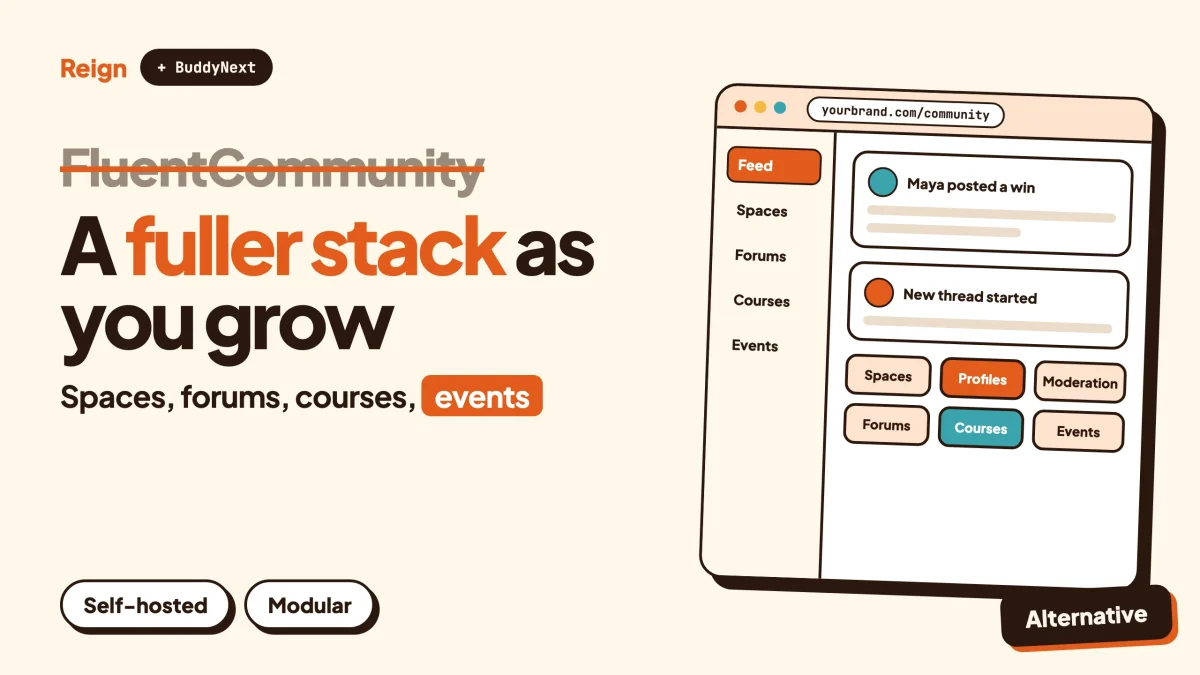
FluentCommunity is a good plugin, and for a small group it is often the better pick. If you want a light community and course portal that installs in minutes and sits beside other Fluent tools, stay with it. If you expect forums, directories, events, deeper moderation and a design you control, the closest FluentCommunity alternative is a modular stack: BuddyNext for the community, Reign as the design layer, and add-on plugins for everything else.
Wbcom Designs, the company behind this blog, makes BuddyNext and Reign, so read this as a vendor view. FluentCommunity facts here come from its own site and documentation, read in November 2026. It changes often, so confirm anything that affects your build on fluentcommunity.co. We quote no prices on purpose.
What does FluentCommunity actually include?
FluentCommunity is a WordPress plugin from WPManageNinja that adds a community and a course platform to your own site. Its home page describes it as a way to “launch a blazing-fast community and course platform on WordPress”, and says the community lives on your site, under your control.
It is a real product with a real feature list, so it is worth being specific. According to its features page, the community side has Spaces, an activity feed, member profiles, posts, private chats, comments and reactions, mentions, hashtags, a leaderboard, polls and surveys, bookmarks, a member and course directory, and search across all of it. Members can choose dark or light mode, and an email digest sends periodic summaries of notifications.
The course side has a course builder based on the WordPress block editor, lessons grouped into modules, a discussion thread on each lesson, student management and progress tracking. The administrative side includes a role manager, user approval for join requests and content, branding settings, a welcome message for new members, custom sidebar links and custom slugs.
A few details matter for planning:
- Spaces can be public, private or secret. Per the FAQ, a public space is open to anyone, a private one shows in the directory but needs joining or approval, and a secret one is hidden and invite-only.
- The roles it documents are Admin, Moderator, Manager and Member, with Moderators handling content and members inside a Space.
- Media can be stored on the local file system, Amazon S3 or Cloudflare R2.
- A one-click migration tool brings in data from BuddyBoss or BuddyPress, importing members, groups as Spaces and activity.
- It runs on its own portal page and is largely independent of your active theme.
It also plugs into a family of sister products. Its integration page lists Fluent Forms, FluentCart, FluentPlayer, FluentCRM, Paymattic, FluentSupport, FluentSMTP, Giphy and FluentSocket, with FluentMembers marked as upcoming. The FAQ states plainly that FluentCommunity works on its own and needs no other Fluent plugin.
Which parts need a paid licence, and which are included in the base plugin, is not something we will guess at. The FAQ says, for example, that courses and direct messaging need the paid tier, while the pricing page says every plan includes the full feature set. Read both on fluentcommunity.co before you buy.
When is FluentCommunity the better pick?
FluentCommunity is the better pick when your community is small to medium, your goal is a clean members area with courses, and you already live in the Fluent ecosystem. In those cases a single focused plugin beats a stack of modules, and nothing we build changes that.
Here is what it does well, stated as fairly as we can.
It is one plugin with one job
You install one thing and get a feed, Spaces, members and courses in one portal. There is no decision about which forum plugin pairs with which course plugin, because the question does not come up. For a coach with a few hundred members, a course and a place to talk, that simplicity is the whole point.
It fits the Fluent toolkit
If your site already runs FluentCRM for email, Fluent Forms for sign-ups and FluentCart or Paymattic for payments, FluentCommunity connects to them directly. Per its integration page, FluentCRM can trigger emails when someone joins a Space or completes a course, and it can add or remove contacts from Spaces and Courses. Paymattic can auto-enrol people into Spaces or Courses after they submit a form, and Fluent Forms can add members and collect payments for them. That is a tidy loop, and it is a real advantage over mixing vendors.
It stays out of your theme’s way
Because the community renders on its own portal page, you do not have to pick a community theme to use it. The docs list tested themes including Blocksy, Astra, Kadence, GeneratePress, OceanWP, Neve, Hello Elementor and Bricks, and say default WordPress themes are compatible. If you like your current theme and only want a community area inside it, this is a clean fit.
It is built to be light
The vendor describes it as fast and not bloated, with a suggested setup of PHP 8.1 or newer, MySQL 8.0 or MariaDB 10.5 or newer, Nginx and Redis object caching, on a VPS or cloud host rather than shared hosting. Those are the vendor’s own figures and claims, and we have not benchmarked them. The minimums in its docs are lower: WordPress 6.0, PHP 7.4 and MySQL 5.7 or MariaDB 10.3.
The setup is short
A single plugin with a portal page, a migration tool and a document trail of how-tos means a working community can be live in an afternoon. If your launch plan is “get twenty people into a room this week”, this is hard to beat.
For a longer, neutral look at how it compares with a heavier plugin family, read our earlier piece, BuddyBoss vs FluentCommunity. This post takes a different angle: what happens when the community outgrows a single plugin.
Why do communities outgrow one plugin?
Communities outgrow one plugin because their needs spread sideways. A group that starts as a feed and a course soon wants a searchable forum for questions, a directory of members or businesses, events with RSVPs, stronger moderation and a layout that looks like its own brand. Each of those is a product category with its own depth.
The context for this is simple. WordPress runs about four in ten of all websites, according to W3Techs on 6 November 2026. That scale is why so many plugin families exist and why you can choose between a single-plugin portal and a modular stack, rather than being locked into one shape.
Here is how the outgrowing usually shows up.
- Questions pile up. A feed is good for conversation and bad for answers. When the same ten questions come back every week, members need threads they can search and an accepted answer they can trust. We cover that split in forum vs Q&A vs ideas board.
- Members want to find each other. A directory with profile fields, member types and field-level privacy turns a list of names into a network.
- Moderation gets real. At a few hundred members, the owner can read everything. At a few thousand, you need reports, a queue, warnings and a way to handle repeat offenders. See our moderation guide.
- The brand matters. A portal that looks like a plugin is fine for a pilot. A community that is part of a paid product wants headers, colours and a dark mode that match the rest of the site.
- The business adds lines. Courses, then events, then a job board, then a directory. Each one wants to live in the same member account.
None of this means FluentCommunity cannot grow with you. It means you should know which direction your growth points before you build, because the answer decides which kind of tool is cheaper to live with in a year.
What does a modular FluentCommunity alternative look like?
A modular stack is a community engine plus a design layer plus separate plugins for each major feature. In our case that means BuddyNext for the community, Reign for design, and add-ons such as Jetonomy for forums, Learnomy for courses and Eventonomy for events. Each piece runs on your own WordPress site.
BuddyNext is the community engine
BuddyNext covers the social layer: an activity feed with reactions, threaded comments, @mentions, hashtags and polls; Spaces that are public, private or secret, with nested sub-spaces, roles, auto-join and invite links; member profiles with custom fields, member types and a member directory with field-level privacy; an onboarding wizard; notifications; search; and a REST API. It also installs as a PWA, so members can add it to a home screen. Direct messages are powered by WPMediaVerse. A native mobile app is in development, and is not available today.
You can try it on the BuddyNext live demo before deciding anything.
Reign is the design layer
Reign is a WordPress community theme by Wbcom Designs. It gives you five header layouts, colour tokens, a dark mode toggle, a mobile drawer menu, RTL stylesheets, 27 block patterns and 8 style variations, and a demo library with an installer. It styles BuddyNext, BuddyPress and BuddyBoss Platform without extra add-ons. Because FluentCommunity renders in its own portal page, this layer matters more to a BuddyNext site than to a FluentCommunity one, which is a trade and not a flaw. More on the pairing in Reign and BuddyNext as a community upgrade and in our community theme roundup.
The modules sit around it
- Jetonomy (jetonomy.org) for forums, Q&A with accepted answers, an ideas board, nested spaces, trust levels and a moderation queue, with importers for bbPress, wpForo and Asgaros.
- Learnomy (learnomy.app) for courses with sections and lessons, quizzes with timers, progress tracking, certificates with public verify links and direct checkout. Drip content and cohorts need a paid licence, so check the product page.
- Eventonomy (eventonomy.org) for events with RSVPs, capacity and waitlists, guest RSVP, recurring events, calendar views, ICS files and reminders.
- Listora (listora.org) for directories with listings, categories, search and member submissions.
- WB Gamification for points, badges, ranks and rewards earned from activity. See how Reign handles gamification.
- MediaVerse (wpmediaverse.com) for member photo and video uploads and albums.
Every one of these runs standalone, so you add them when the need is real and not before. For the wider map of options, our community plugin roundup and self-hosted platform guide cover the alternatives.
How do the two compare side by side?
On the basics both give you a feed, Spaces, profiles and a member directory. The differences show up in the depth of the surrounding features and in who builds each piece. The table sticks to what each vendor states on its own pages.
| Area | FluentCommunity | BuddyNext with Reign and modules |
|---|---|---|
| Shape | One plugin with a portal page | Community engine, design layer and separate feature plugins |
| Spaces | Public, private or secret | Public, private or secret, with nested sub-spaces, roles, auto-join and invite links |
| Feed | Posts, reactions, comments, mentions, hashtags, polls | Reactions, threaded comments, mentions, hashtags, polls, pinned posts, announcements |
| Profiles and directory | Profiles, member and course directory | Custom fields, member types, member directory, field-level privacy |
| Moderation | Reports, review queue, profanity filter, user approval | Reports, front-end queue, banned words, strikes, suspensions, appeals, content warnings |
| Forums and Q&A | Space discussions and lesson threads | Jetonomy: forums, Q&A with accepted answers, ideas board |
| Courses | Built-in course builder, progress tracking | Learnomy: lessons, quizzes, progress, certificates |
| Events | Not described on its feature pages | Eventonomy: RSVPs, waitlists, recurring events, calendars |
| Directories beyond members | Member and course directory | Listora for business or listing directories |
| Theme | Portal renders largely independent of the theme | Reign styles it, with header layouts, tokens and dark mode |
| Ecosystem | Fluent products such as FluentCRM and FluentCart | Wbcom plugins, plus any WordPress plugin you already use |
| Mobile | No mobile app mentioned on its site | PWA today; native app in development |
| Licence terms | Check the pricing page | Check each product page |
Read the table as a map and not a score. A row where one side has more items does not mean that side is better for you. Plenty of communities will never need an events calendar.
How do moderation and trust tools compare?
Both products ship real moderation, and FluentCommunity’s is better than many people assume. The gap appears when a community gets large enough to need repeat-offender handling and appeals.
FluentCommunity’s content moderation guide describes a flow like this. Members report a post or comment from the three-dot menu, choosing a reason and adding an optional note. A moderation dashboard lists reports under Pending, Flagged, Dismissed and Unpublished tabs, and a moderator can approve or delete from there. Settings include a profanity filter that sends matching content to review, auto-unpublish after a set number of reports, and approval rules such as holding every new post, holding only a first post, or holding posts in chosen Spaces. Admins can remove or ban members from a profile or a Space member list. The same guide lists a paid-tier tool for reviewing unlisted posts, and the FAQ says moderating chat users is also a paid feature.
That is a solid toolkit for a community run by one or two people.
BuddyNext’s moderation covers the same ground, with more steps for what happens after a report: reports, a front-end queue, banned words, content warnings, strikes, suspensions and appeals. If your community will have hundreds of active members arguing about things, a record of strikes and a way to appeal save you from handling every dispute by hand. We walk through the setup in the community moderation guide.
Which one you need depends on your members. A paid course cohort of thirty people rarely needs a strike system. A public community of five thousand does.
What about courses, forums and events?
FluentCommunity covers courses inside the same plugin. A modular stack covers courses, forums and events with separate plugins you can adopt one at a time. The better fit depends on whether courses are the centre of your business or one part of it.
Courses
FluentCommunity’s course builder is part of the plugin, with modules, lessons, lesson discussions, student management and progress tracking. Per its FAQ, you can sell a course by setting it to private and attaching a FluentCart or Paymattic product through a Paywalls tab, and lessons can be marked as previewable. Basic quizzes are included, and the FAQ lists image-based questions, answer randomisation and quiz analytics as paid additions. For a creator selling a handful of courses to their own community, that is a complete setup.
Learnomy takes the opposite approach: the course system is its own plugin, with no cap on the number of courses, sections and lessons, quizzes with timers, progress, certificates with public verify links and direct checkout. Live lessons link out to a Zoom, Meet or Teams URL you paste in, with a start time, duration, countdown and a Join button. Learnomy does not create the meeting itself. If you sell courses as a business line, with certificates and checkout as first-class features, a dedicated course plugin gives more room. We cover that route in selling courses on WordPress with Stripe.
Forums and Q&A
FluentCommunity’s feed and Space discussions handle conversation well. A question-and-answer board with accepted answers is a different shape, and the features pages do not describe one. Jetonomy is built for exactly that: threaded discussions, voting, accepted answers and an ideas board, with trust levels and a moderation queue. If support questions are a big part of your community, our forum plugin roundup shows what else is available, and migrating from bbPress covers the path in.
Events
FluentCommunity’s feature pages do not describe events. If you run meetups, workshops or webinars with RSVPs, Eventonomy provides RSVPs with capacity and waitlists, guest RSVP, recurring events, calendar views, ICS downloads and reminders. For the wider field, see the event calendar plugin roundup. Treat Eventonomy as its own plugin that lives on the same site.
Payments, real-time delivery and mobile
These three areas decide more purchases than any feature list, so they get their own section.
Payments
FluentCommunity names FluentCart and Paymattic as its native payment routes, and its FAQ says WooCommerce users should bridge with an automation tool such as Uncanny Automator or Flowmattic. If you already sell through the Fluent stack, that is convenient. BuddyNext supports native Stripe membership tiers, and PayPal billing and email broadcasts come as paid add-ons. Licence details differ by add-on, so check the product page. For the commercial side in general, read how to run a paid community on WordPress with Stripe.
Real-time delivery
FluentCommunity’s integration page lists FluentSocket, which it says delivers messages and notifications the moment they happen using a self-hosted socket server. BuddyNext’s feed checks for updates by polling every few seconds by default. Instant delivery over WebSockets needs a paid add-on and your own server. In practice the two sit in the same place: out of the box you get fast updates, and true instant delivery means running a socket server yourself. Do not choose between them on this point alone.
Mobile
Neither product offers a native app that we can point to. FluentCommunity’s site mentions no mobile app, and its FAQ lists in-app and browser push notifications. BuddyNext installs as a PWA today, and a native iOS and Android app is in development. If a store-listed app is a hard requirement, check where each vendor stands on the day you decide, and see how BuddyNext compares with BuddyBoss, which does have a published app product.
How do you switch without losing members?
Move on a staging copy first, keep both communities readable during the changeover, and tell members before you flip anything. A move between two WordPress communities is mostly a data-mapping exercise, and it is safest done in a clone of your site.
FluentCommunity’s FAQ says staging environments are supported for licences, which is a good habit to copy for any migration. Here is a sensible order.
- List what you have. Count your Spaces, members, courses, lessons and posts that matter. Decide which old posts are worth keeping and which are noise. To confirm it worked, you can state the numbers in one sentence.
- Clone the site to staging. Install Reign, activate BuddyNext and create the equivalent Spaces by hand. Use the same names and the same privacy levels. To confirm it worked, a test member can find each Space where they expect it.
- Move the courses separately. Rebuild course structure in Learnomy lesson by lesson, since course content rarely moves cleanly between plugins. Keep video files where they are and link to them. To confirm it worked, one test learner completes a lesson and a quiz.
- Handle member data with care. Check how FluentCommunity stores the profile data you care about before you plan a field mapping, and use the BuddyNext profile field setup to recreate it. To confirm it worked, spot-check ten members across roles.
- Announce, then switch. Tell members the date, what changes and what does not. Keep a read-only copy of the old space for a few weeks. To confirm it worked, support questions fall within a week.
If your old community came from BuddyPress or BuddyBoss and you are weighing a way back, migrating BuddyPress to BuddyNext and changing a community theme without losing members cover that side in detail.
Who should pick what?
Pick FluentCommunity if your community is small, your plan is a members area with courses, your email and payments already run on Fluent tools, and you want the quickest setup with the least moving parts. It is a focused product and a fair choice.
Pick a modular BuddyNext and Reign stack if you expect any of the following:
- A forum or Q&A section that needs to outlive any single conversation.
- A member directory with rich profile fields and privacy controls.
- Events with RSVPs, capacity limits and waitlists.
- A moderation process with strikes, suspensions and appeals.
- A design that looks like your brand, with header layouts, colour tokens and dark mode, set without code.
- Extra lines of business later, such as directories, jobs or a services marketplace, inside the same member accounts.
A middle path exists too. Start with whichever one fits today, and decide again when your member count or feature list changes. The honest test is whether you can name three features you will need in twelve months that the current tool does not describe on its feature pages. If you can, plan for the stack. If you cannot, keep it simple. For more on what to track as you grow, see community metrics worth tracking, and for the early days how to launch a community and get the first hundred members.
How do you start with BuddyNext and Reign?
Start from a blank WordPress site, install Reign, import a demo, then add BuddyNext and the modules you need. A first working community takes a short session, and each step has a way to check it.
- Install Reign. Upload and activate the theme, then follow the install and demo import guide. To confirm it worked, the Demo Installer appears in your dashboard.
- Import a demo layout. Pick the one closest to your plan. You can change header layout, colours and dark mode afterwards without code. To confirm it worked, your front page matches the demo you chose.
- Activate BuddyNext. Run the onboarding wizard, then create your first Spaces with the privacy level each one needs. To confirm it worked, a test account can join an open Space and post to the feed.
- Set up profile fields. Add the fields your members need and choose who sees each one. To confirm it worked, a second test account sees only the fields you made public.
- Turn on moderation before you invite anyone. Set banned words and review the front-end queue. To confirm it worked, a test report appears in the queue.
- Add one module at a time. Jetonomy if questions are the main need, Learnomy if courses are, Eventonomy if meetups are. To confirm it worked, the new section appears in your menu and a test member can use it.
Resist the urge to switch everything on at once. A community with three clear Spaces and one module feels busier than one with twelve of each.
Questions people ask
Is FluentCommunity worth using?
Yes, for the right job. It gives a self-hosted feed, Spaces, profiles and courses in one plugin, and it connects neatly to the other Fluent products. If that matches your size and plan, it is a sensible choice, and it only needs replacing if you outgrow it.
What is the best FluentCommunity alternative for WordPress?
It depends on what you are missing. For a deeper social layer with forums, directories and events, a BuddyNext and Reign stack is our answer, and we make it. For a larger legacy plugin family with a published app product, look at BuddyBoss, compared in our BuddyBoss and FluentCommunity piece.
Does FluentCommunity work with any WordPress theme?
Mostly yes. Its docs say it renders in its own portal page and is largely independent of the active theme, with a list of tested themes. The docs also say some functions may not behave perfectly outside that list, so test your theme on a staging site.
Can I run forums and a course platform without FluentCommunity?
Yes. Jetonomy handles forums and Q&A, Learnomy handles courses, and each runs standalone on WordPress. You can add them to a BuddyNext community or run them on their own.
Can I try BuddyNext before I switch?
Yes. A live demo gives you a working community to click through, and Reign’s demo library gives you a starting layout for your own site.
Related reading
- BuddyBoss vs FluentCommunity
- BuddyNext vs BuddyBoss
- Best WordPress community plugins
- Best self-hosted community platforms
- Member directory plugins for WordPress
- Community moderation guide
If you decide to build the modular route, Reign is the design layer we would put under it, and the demo library gets you to a working layout quickly.