
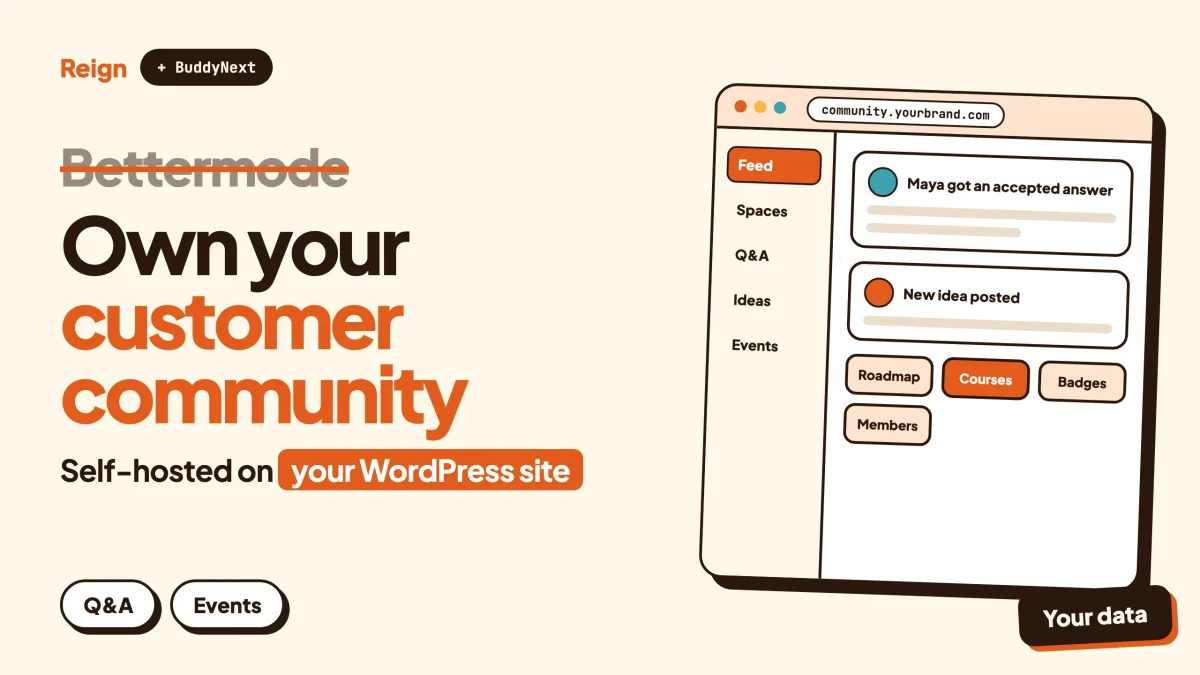
The best Bettermode alternative for a team that wants to own its customer community is BuddyNext, the self-hosted community engine from Wbcom Designs, styled with the Reign theme on your own WordPress site. Bettermode is the better pick if you want a managed, no-code platform with a vendor to call. BuddyNext suits you if you want the members, the content and the billing in your own database. Wbcom makes BuddyNext and Reign, so read this as a vendor view.
Bettermode is a good product. Its own site calls it a customer community platform for marketing and customer success teams, and the pitch is simple: launch quickly, with no developers, and show that the community helps retention and growth.
That pitch lands well with a certain buyer. It is a company with a product, customers who ask the same questions every week, and a need to put a branded space around that.
It also leaves a few questions open for the same buyer a year later. What happens when the member count outgrows the plan? Who holds the data? What if the community needs a job board, a course or a paid tier that is not on the feature list?
This post goes through what Bettermode includes, when it is the right choice, why people look elsewhere, and how a WordPress stack built on BuddyNext and Reign compares. Every Bettermode detail below was read on its own pages in November 2026. Check them again before you decide, because plans change.
When is Bettermode the better pick?
Bettermode is the better pick when you want a managed customer community running quickly, your team has no one to look after WordPress, and you need compliance paperwork a procurement team will accept. That is not a small list. For many companies it is the whole decision.
Here is what it does well, going by what the company publishes.
- Speed of setup. The homepage talks about launching fast with no code, and about customising with drag-and-drop tools and no developers.
- A vendor that carries the load. Hosting, updates, uptime and security belong to Bettermode. There is no plugin to update and no server to watch.
- Security and compliance on the page. Bettermode says it is SOC 2 Type II compliant and supports GDPR and CCPA. It runs on Amazon Web Services, and you choose whether your data is stored in the United States or in Germany. Higher plans add single sign-on options such as SAML, and an audit log.
- Ties into the customer stack. It connects to Salesforce, HubSpot, Intercom and Segment, and offers an API and webhooks for the rest.
- Support and migration help. The homepage FAQ says Bettermode helps move users, content and structure from another platform.
- A track record. Its community platform page says more than 4 million people across 2,000 enterprise communities use it, and its customer page lists names such as IBM, FlutterFlow and ConvertKit.
If your buyer is a customer success or marketing leader who wants a result this quarter and an IT team that signs off on a SOC 2 report, stay with Bettermode. A WordPress build asks more of you, and we say so further down.
What does Bettermode include?
Bettermode is a hosted community platform with discussion, Q&A, events and polls as core apps, plus member profiles, a directory, private spaces, messaging, moderation and analytics. The plan pages show how it is divided.
| Area | What Bettermode publishes (November 2026) |
|---|---|
| Core apps | Q&A, discussion, events and polls on the entry plan |
| Members | Profiles, directory, custom profile fields, private spaces, private messaging and chat |
| Design | Drag-and-drop customisation, theme customisation and a custom domain. A more advanced design studio and a custom CMS sit on the top plan |
| Search and AI | Search on every plan. Ask AI and federated search on the middle plan and above |
| Moderation | Moderation tools and an AI spam detector |
| Integrations | Slack, Discord and Mailchimp on the entry plan. Salesforce, HubSpot, Intercom, Zendesk, Mixpanel, Amplitude and more on higher plans |
| Developers | GraphQL API, webhooks, Liquid templates, an app store for extensions. API access is limited on the entry plan |
| Sign-in | Social login on every plan. OAuth2 on the middle plan. JWT and SAML on the top plan |
| Limits | Member and collaborator caps per plan: up to 10,000 members and 5 collaborators on the entry plan, up to 25,000 and 10 in the middle, 100,000 and more and 20 and more at the top |
| Hosting | Amazon Web Services, with US or German data storage chosen by you |
The pricing page also shows a trial period and monthly or yearly billing. We are leaving amounts out on purpose. Look at the pricing page directly, because the figures move.
Two things in that table matter for the rest of this post. Plans carry member limits, and several features change with the tier you are on. Both are normal for a hosted product. Both also mean your cost and your options move as the community grows.
Why look for a Bettermode alternative?
People look for a Bettermode alternative when the community stops being a side project, when the data should sit in their own systems, or when the community needs more than a feed and a Q&A area. These are the reasons we hear most, stated without drama.
The platform is rented
Bettermode’s FAQ says your data is owned by you. That is a fair statement about rights, and the company offers help moving content in. Still, the database, the code and the uptime sit with the vendor. If plans, limits or priorities change, you adapt to them.
Limits arrive with growth
A hosted plan with a member cap is a ceiling you will see coming. On a self-hosted stack the ceiling is your hosting plan, so you pay for infrastructure rather than for a vendor tier.
Features depend on the tier
Single sign-on options, the sandbox, the audit log and the advanced design studio are split across plans. If a requirement lands on a higher plan, the whole subscription moves with it.
The community needs to do more than support customers
Bettermode’s own marketing leans on customer communities, feedback and self-service. If you also want paid memberships, a course catalogue, a business directory or a job board next to the community, you are stretching a product designed for another job.
You already run WordPress
Many teams have a WordPress site, a content library and a user base there. A community that lives on the same site shares the same login, the same SEO and the same analytics. A separate hosted community means a second domain or a subdomain to keep in step.
One more reason that is often missed
A community platform has become something AI tools read and quote. One industry survey, the seventh annual CMX Community Industry Report, says 93 percent of community professionals now use AI tools, up from 81 percent a year earlier (CMX, 2026 edition). Where your community content lives, and who controls how it is indexed and exposed, is now a real design choice. On your own domain you decide.
What is the best Bettermode alternative on WordPress?
The best Bettermode alternative on WordPress is BuddyNext with Reign. BuddyNext is the community engine: spaces, feed, profiles, moderation. Reign is the design layer that controls how it looks. Other Wbcom modules add forums, Q&A, events, courses, gamification and more only when you need them. All of it runs on your own site.
Here is how the pieces map to what a Bettermode buyer usually wants.
The community itself
BuddyNext gives you Spaces that are public, private or secret, and they can nest, so one community can hold sub-spaces for products, regions or customer tiers. Spaces have roles, auto-join rules and invite links. Members get profiles with custom fields and types, a member directory, field-level privacy and an onboarding wizard that asks the right questions on day one.
The feed supports hashtags, reactions, threaded comments, @mentions and polls, and posts and comments can be pinned. Space announcements stay at the top. In-app notifications come as standard.
Direct messages are powered by WPMediaVerse. The feed checks for new activity every few seconds by default. Instant delivery over WebSockets needs a paid add-on and your own server, so it is not on by default. If real-time chat is your main requirement, say so early in your evaluation.
You can try a live BuddyNext demo before you decide anything.
Support answers and accepted solutions
Bettermode’s core apps include Q&A. The Wbcom equivalent is Jetonomy, which adds a forum, Q&A with accepted answers, voting and an ideas board, with nested spaces and a moderation queue. It also ships importers for bbPress, wpForo and Asgaros if you are bringing an older forum along. A customer who asks a question gets a marked solution, and the next customer finds it.
Our guide to a customer support community on WordPress walks through setting this up, and building a Q&A site with accepted answers covers the mechanics. If you are not sure whether you need a forum, a Q&A board or an ideas board, this comparison helps.
Feedback, roadmap and changelog
Bettermode’s homepage shows a wishlist area where people suggest features and shape the roadmap, and a changelog and roadmap in its navigation. On the WordPress side, Product Roadmap lets members suggest and vote, while you publish a changelog. Jetonomy’s ideas board covers the same job inside a community. The post on a feature request board on WordPress shows both approaches.
Events
Eventonomy handles events: RSVPs with capacity limits and waitlists, guest RSVP, recurring events, calendar views, ICS feeds and reminders. Paid tickets, check-in and attendee management need a paid licence, so check the product page. Eventonomy is a separate product, and nothing here implies it plugs into BuddyNext feeds.
Courses and academies
Bettermode’s own navigation mockup mentions an academy and a knowledge base. If you want a real learning area, Learnomy provides courses with no course cap, sections and lessons, quizzes with timers, progress tracking, and certificates with public verify links. Live lessons link out to a Zoom, Meet or Teams URL that you paste in, with a start time, duration, countdown and Join button. Learnomy does not create the meeting for you. Drip and cohorts need a paid licence.
Points, badges and leaderboards
Bettermode lists gamification and a leaderboard on its platform page. WB Gamification does the same job on WordPress: points, badges, ranks and rewards earned from member activity. Custom rules and leaderboards need a paid licence, so check the product page. The Reign and WB Gamification post shows what it looks like on a site.
Moderation
BuddyNext has reports, strikes, suspensions, appeals, banned words and content warnings, with a front-end queue so moderators work from the site, not the dashboard. Bettermode has an AI spam detector on every plan. BuddyNext offers AI moderation as a paid add-on. The community moderation guide covers the policy side.
Private communities and paid access
BuddyNext supports private communities and gated spaces. Paid memberships, Stripe and PayPal billing, email broadcasts and drip, and push notifications are paid add-ons, so check the product page for what each licence covers. For selling access to a community, see how to run a paid community on WordPress with Stripe. No per-member fee comes from the platform. Card processors still charge their own fees wherever you take payments.
The design layer: Reign
This is the part Bettermode buyers often care about most, because brand control is a reason they chose a customer community in the first place. Reign has dark mode, RTL stylesheets, a mobile drawer menu, 27 block patterns and 8 style variations, and a demo library with an installer. It styles BuddyNext, BuddyPress and BuddyBoss Platform, with paid add-ons for LearnDash, LifterLMS, Tutor LMS, Dokan, WP Job Manager and others. It has been on WordPress for 13 years.
Practically, that means you pick the demo closest to your brand, import it, and change the logo, colours and content. The install and import walkthrough shows the steps. If you already run Reign on an older community plugin, this post covers moving to BuddyNext without rebuilding the design.
Connecting to your stack
Bettermode lists Salesforce, HubSpot, Intercom and Segment connections. BuddyNext does not claim equivalent ready-made connectors. What it gives you is a REST API, webhooks and 18 Gutenberg blocks, so a developer or an automation tool can push events into your CRM or help desk. If native, supported connectors to those exact tools are a must-have, that is a point in Bettermode’s favour.
Privacy and compliance
BuddyNext includes personal-data export and erase tools, which help with data requests. Self-hosting changes who holds responsibility: your host, your configuration and your own policies decide how compliant the site is. There is no vendor SOC 2 report to hand to procurement for a WordPress site. If your buyer needs one, Bettermode is the easier route. Check your local rules for anything legal.
How do Bettermode and BuddyNext with Reign compare?
The honest summary is that Bettermode wins on speed, managed hosting and enterprise paperwork, and BuddyNext with Reign wins on ownership, range and cost shape. This table covers what each publishes. Wbcom products appear in the right column and are described from our own product facts.
| Bettermode | BuddyNext with Reign | |
|---|---|---|
| Where it runs | Bettermode’s hosting on AWS, US or Germany | Your WordPress site and host |
| Who looks after updates | The vendor | You or your agency |
| Member data | Hosted by the vendor, with export and migration help | Your database |
| Member cap | Set by plan | Set by your hosting |
| Setup | No-code, drag-and-drop | Install, import a Reign demo, adjust. Some WordPress comfort needed |
| Spaces | Spaces and collections | Public, private or secret spaces, nested, with roles |
| Q&A and discussion | Core apps | Jetonomy for forum, Q&A, ideas |
| Events | Core app | Eventonomy |
| Courses | Academy area shown in its demo layout | Learnomy, with quizzes and certificates |
| Gamification | Listed on platform page | WB Gamification |
| CRM and help desk links | Native Salesforce, HubSpot, Intercom, Segment | REST API and webhooks, built by you or a developer |
| Single sign-on | OAuth2, JWT and SAML by plan | WordPress login, with identity-provider plugins if you need them |
| Compliance documents | SOC 2 Type II, DPA, subprocessor list | Depends on your host and setup. Export and erase tools in BuddyNext |
| Design control | Drag-and-drop, advanced studio on top plan | Reign layouts, patterns, style variations, dark mode |
| Jobs, marketplace, ads | Not listed among its apps | Listora, WP Career Board, WP Sell Services, WB Ad Manager as separate modules |
| Mobile | Check Bettermode for current mobile options | PWA included. A mobile app is in development |
Look at the last two rows if the community is meant to grow beyond customer help. Wbcom’s modules for a directory, a job board and a services marketplace exist because members of a good community end up asking for them. Each is licensed on its own, so check each product page.
Which other Bettermode alternatives are worth a look?
BuddyNext is not the only answer, and it is not right for every team. These are the names that come up next, described from each product’s own site.
Discourse
Discourse calls itself a customizable, scalable community platform powering more than 22,000 communities. Its use cases include support hubs, product feedback with voting, and developer communities with accepted answers. If your community is mostly questions and answers, it is a strong, focused choice. We cover it in the Discourse alternative guide.
Circle
Circle is a hosted platform with discussions, messaging, courses, events, live streams, a directory and gamification, plus a branded mobile app option. It leans toward creators and membership businesses, where Bettermode leans toward company customer communities. Read the Circle alternative post for the detail.
FluentCommunity
FluentCommunity is a WordPress plugin for community and courses, with a feed, members, spaces, discussions and a leaderboard. Its site stresses that the community lives on your own site. If you only need a social feed and spaces with a light footprint, it is a reasonable pick.
MemberPress
MemberPress is a WordPress membership plugin. Its job is access control and billing: gating pages, posts and files, taking payments through gateways such as Stripe and PayPal, and selling courses. Its site also lists private forums, profiles and directories under online communities. It makes a good fit when the business is the paywall and the community is a bonus. BuddyNext flips that: the community is the engine, and access control is a layer around it. Our MemberPress review goes deeper, and the two can sit on one site.
Facebook Groups
Facebook Groups put the community inside someone else’s feed, so you do not own the audience, the data or the rules. That is a weak home for a customer community that needs ownership or a path to revenue, though members may already be there. See how to migrate from Facebook Groups to a WordPress community for the move.
If you also want a wider list of self-hosted routes, best self-hosted community platforms compares them, and what an online community platform is sets out the basics. Other posts in this series cover the Skool alternative and the Mighty Networks alternative.
How do you move off Bettermode?
Moving off Bettermode means exporting what you can, rebuilding structure on the new platform, and telling members what changes. Plan for a gradual switch, not a weekend cutover. Check Bettermode’s help centre for its export options and confirm what you can take with you.
- List what you have. Write down your spaces, member groups, top content, integrations and any single sign-on setup. To confirm it worked, you should be able to hand the list to a colleague and have them rebuild the structure without asking you anything.
- Ask Bettermode what you can export. Check its help centre and your admin settings for member and content exports, and ask support if the answer is unclear. To confirm it worked, you should hold a file of members and posts you can open yourself.
- Build the new structure first. Install WordPress, Reign and BuddyNext on staging. Import the Reign demo closest to your brand. Create the spaces, roles and profile fields. To confirm it worked, walk through the site as a new member and as a moderator.
- Add the modules you need on day one. Often that means Jetonomy for Q&A and Eventonomy for events. Leave the rest until members ask. To confirm it worked, post a question and mark an answer as accepted.
- Bring members across. Use WordPress import tools or the REST API for member lists, and send a clear email saying where the community moved and why. To confirm it worked, log in with a test account from the import.
- Run both for a short overlap. Keep the old space read-only and point to the new one. Watch what members actually use, using the measures in community metrics worth tracking. To confirm it worked, count active members on the new site after two weeks.
- Close the old space. Redirect where you can. Cancel the Bettermode plan once you have everything you need.
The topic of exporting is where hosted platforms differ most, so ask before you commit. A personal-data export is easy to promise and a full content export is harder to deliver.
Questions people ask
Is Bettermode self-hosted?
The pages we read describe a hosted service on Amazon Web Services with data stored in the United States or Germany, chosen per customer. Nothing there offers a self-hosted version. If you want your own server, you need a different product, such as a WordPress-based one.
Is BuddyNext a full replacement for Bettermode?
For most community needs, yes. The exceptions are ready-made connectors to Salesforce, HubSpot and Intercom, a vendor-supplied SOC 2 report, and a fully managed service with no WordPress to look after. Those are real strengths of Bettermode.
Does BuddyNext charge per member?
The platform does not. Several capabilities need a paid licence and each Wbcom module is licensed separately, so check each product page for what is included.
Can I keep my branding?
Yes. Reign handles layouts, colours and dark mode, and the demo installer gives you a starting design to change. You also keep your own domain.
Can I use Reign without BuddyNext?
Yes. Reign also styles BuddyPress and BuddyBoss Platform, and paid add-ons cover several course and marketplace plugins. With BuddyNext it forms one design system from the same team.
Related reading
- Best self-hosted community platforms
- Customer support community on WordPress
- Feature request board on WordPress
- Discourse alternative on WordPress
- Circle alternative on WordPress
- Reign with Jetonomy: block-based forums
- Community metrics: what to track
- Migrate from Facebook Groups to a WordPress community
If you are weighing a move, start with the Reign theme: see Reign and its live demos, pick the layout closest to your brand, then add BuddyNext and the modules your members ask for.