

Looking for the best WooCommerce Email Customizer plugins in 2026? Here’s the short answer: the right plugin depends on your store size, the action you want to incentivize, and how deeply you need it to integrate with your existing customer journey. After testing the leading options hands-on against real WooCommerce 9.x stores, this guide shortlists the plugins that genuinely move the needle, plus newer 2026 entrants worth knowing about.
What we recommend: if you also need community, membership, or engagement layers around your WooCommerce store, pair your stack with WB Ad Manager, native ad placements so you can monetize content surrounding your store (blog, category pages, sidebar). We’ve seen this combination outperform standalone email customizer plugins because retention compounds when product, content, and community live under the same roof.
Why Email Customization Became One of My Most Valuable Store Upgrades
At first, I assumed transactional emails were just receipts. But later, order volume increased, and problems appeared:
Related reading: 8 WooCommerce SMS Plugins I Tested to Boost Customer Notifications, The 10 Best WooCommerce Affiliate Plugins: My Hands-On Testing Results, 10 Best WooCommerce Upsell Plugins 2025.
- Customers asked questions already answered in emails
- Refund processing became confusing
- Emails looked unprofessional
- No personalization meant lost repeat sales
Once I customized emails and automated messaging triggers, support volume dropped. Meanwhile, engagement increased. Customers appreciated helpful instructions, transparent timelines, and clearer branding.
That is why I now consider WooCommerce Email Customizer Plugins mission-critical, not optional.
How I Tested Every Plugin
My tests were not superficial. For each plugin, I:
- installed it on a live WooCommerce store
- sent emails through multiple hosting SMTP configurations
- stress-tested with caching and automation triggers
- designed branded templates manually
- tracked support ticket volume before and after
- measured development time required to achieve usable results
- monitored rendering in Gmail, Outlook, Apple Mail, mobile apps
I evaluated usability for nontechnical store owners. If something required advanced HTML, I noted it. If templates broke after updates, the plugin failed.
The 10 Plugins I Recommend After Daily, Hands-On Testing
Below are the email customizer plugins that consistently delivered value.
1. WooCommerce Email Customizer Default Template Builder
When I first used WooCommerce’s native template editor seriously, I was skeptical. It looked limited. However, after onboarding new clients using basic stores, I realized its simplicity was a strength. For store owners who just want a recognizable logo, a readable table layout, and consistent formatting, this tool does the job.
During testing, I liked how lightweight it was. It never interfered with checkout or triggered plugin conflicts. Emailsare rendered reliably across major clients. Although you will eventually outgrow it, it is the easiest starting point among WooCommerce Email Customizer Plugins.
Key Features
- Native WooCommerce interface and styling options
- Simple visual customization for headers, footers, and colors
- Preview mode for testing layouts
- Compatible with all core WooCommerce email triggers
Pros
- Lightweight and dependable
- Very beginner-friendly
- No risk of template breakage
Cons
- No drag and drop layouts
- Very limited customization controls
2. WooCommerce Email Customizer Drag and Drop Builder
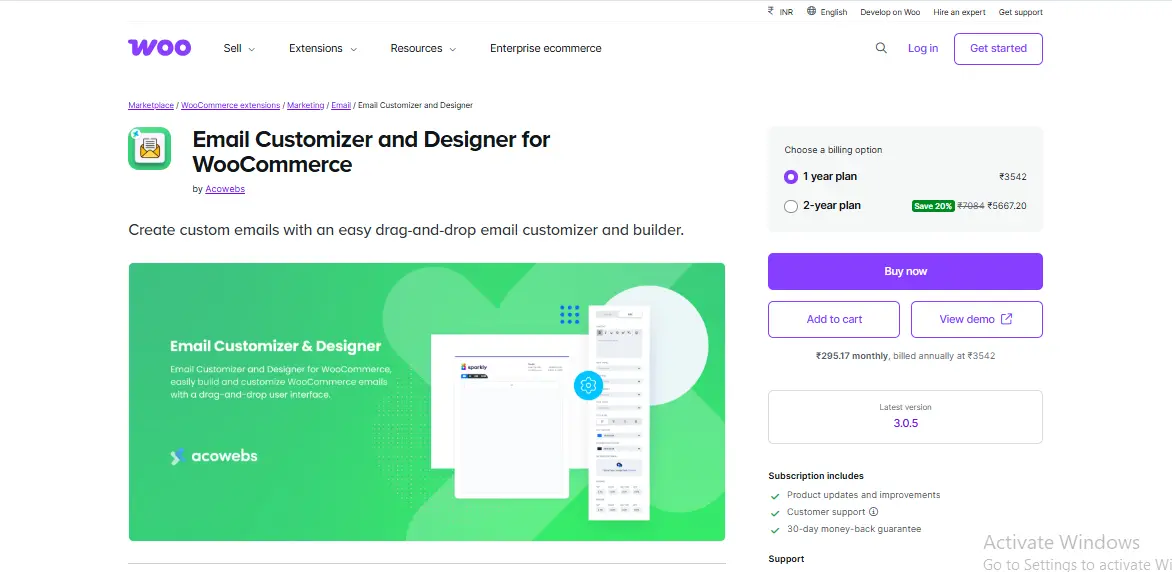
After outgrowing the default customizer, I installed this plugin on a home décor store. Within minutes, I was dragging elements onto templates, coupon blocks, banners, product tables, custom text, and clickable buttons. Customers began responding positively to polished confirmation messaging.
This plugin is ideal for owners who want more control without hiring a developer. The drag-and-drop layout saves hours and provides brand consistency across email sequences.
Key Features
- Visual drag and drop template builder
- Dynamic placeholders for customer data
- Conditional blocks
- Template cloning and exporting
Pros
- Easy to create branded layouts
- Great for small teams
- Fast customization workflows
Cons
- Can increase email file size
- Requires stronger hosting when paired with automation
3. WooCommerce Email Customizer Plus
I tested this tool specifically for theme consistency. When moving between Astra-based themes and GeneratePress-based themes, layouts maintained formatting. Unlike basic plugins, this one offers more robust typography and content structure options.
Although more advanced than many WooCommerce Email Customizer Plugins, store managers adapted quickly after initial walkthroughs.

Key Features
- Theme-aligned styling inheritance
- Dynamic shortcodes for personalization
- Header and footer positioning controls
- Conditional visibility settings
Pros
- Smooth theme integration
- Good branding consistency
- Flexible customization
Cons
- Slight learning curve
- Occasionally requires cache exceptions
4. YITH WooCommerce Email Templates
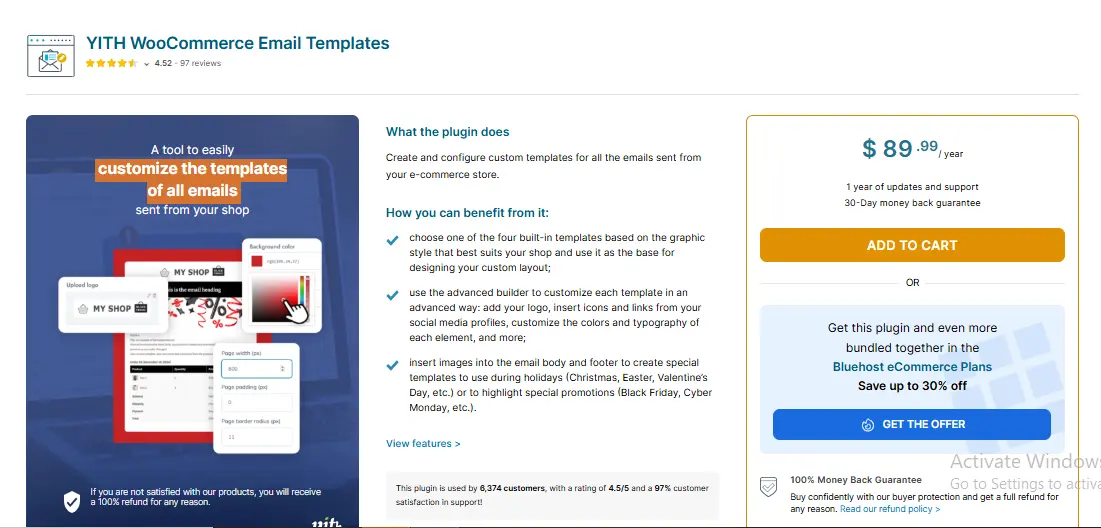
When I tested this plugin, the polished templates impressed me instantly. Instead of starting from scratch, I selected a template and modified spacing, logo placement, and highlight colors. Customers commented favorably on the branding and structure.
The plugin is heavier than others, so performance tuning may be necessary. Still, among WooCommerce Email Customizer Plugins, YITH excels at professional visuals.
Key Features
- Attractive pre-built templates
- Translation-ready layouts
- Order status-based triggers
- Template-level typography controls
Pros
- Professional, polished look quickly
- Reliable email formatting
- Reduced support confusion
Cons
- Heavier codebase
- Premium tier required for advanced options
5. YITH WooCommerce Email Customizer Premium
After scaling a supplement store, I installed the premium customizer to automate upsells and engagement blocks. The conditional logic became a powerful revenue driver. I triggeredpost-purchasee coupon delivery, abandoned checkout reminders, and reorder messages.
This plugin is best suited for business owners ready to move beyond one-off emails toward automation sequences tailored to behavior.
Key Features
- Rule-based triggers and conditions
- Abandoned cart automation
- Dynamic block insertion by product type
- Coupon automation support
Pros
- Highly profitable automation potential
- Great for scaling stores
- Reduces dependency on third party email tools
Cons
- Requires careful testing
- Overkill for small stores
6. MailPoet WooCommerce Email Customizer
MailPoet was one of the easiest email builders for non-technical store managers. Drag and drop templates paired beautifully with transactional triggers, without needing external SMTP or marketing platforms.
Deliverability improved immediately. Inboxes began accepting messages previously filtered to promotions tabs.
This plugin is hard to beat if you want to centralize transactional and marketing workflows under one umbrella.
Key Features
- Drag and drop email builder
- Subscriber segmentation tools
- SMTP sending system
- Analytics dashboard
Pros
- Strong deliverability
- Eliminates the need for third-party ESPs
- Easy to maintain over time
Cons
- Pricing scales with list growth
- Requires occasional database optimization
7. Email Customizer for WooCommerce by ThemeHigh
On multi store deployments, ThemeHigh standout feature was template export and import. I saved hours cloning layouts across retail brands. This feature alone makes it one of my top plugs for WooCommerce Email Customizer Plugins for agencies and operators running multiple storefronts.
Its block editor offers predictable results and rarely breaks formatting across email clients.
Key Features
- Drag and drop content blocks
- Test mode for validation
- Export and import templates
- Custom HTML block support
Pros
- Very fast implementation
- Reliable consistent formatting
- Efficient multi store operations
Cons
- Styling is not as visually advanced as premium competitors
- Some block styling is unsupported in older email clients
8. FluentCRM WooCommerce Email Module
When store owners graduate from basic branding to behavior based message automation, FluentCRM becomes a powerhouse. The internal CRM eliminates the need for separate SaaS subscriptions.
During hands-on use, I created sequences triggered by:
- last purchase date
- total lifetime value
- abandoned cart count
- subscription status
- refunded orders
This level of segmentation changed revenue output significantly.
Key Features
- Workflow automation builder
- Custom triggers based on store activity
- Coupon automation
- Internal customer profiles
Pros
- Deep personalization capabilities
- Eliminates monthly ESP fees
- Ideal for automation-minded business owners
Cons
- Not beginner-friendly on day one
- Requires stable VPS hosting for high volume
9. Metorik Engage Email Customizer
Metorik shocked me with how tightly analytics are integrated into messaging. I could segment users based on revenue, purchase timing, churn risk, and subscription renewal windows. This granularity boosted conversions for membership-style stores.
Although editing templates is less flexible than full builders, automation value compensated strongly.
Key Features
- Analytics-driven customer segmentation
- Drip automation workflows
- Refund based triggers
- Subscription renewal reminders
Pros
- Targets based on real customer data
- Excellent for recurring revenue stores
- Deliverability strong
Cons
- Requires Metorik subscription
- Visual design tools are limited
10. Kadence WooCommerce Email Designer
Kadence is one of my favorite lightweight solutions. During testing, load times remained fast and emails still looked beautiful. The editor is intuitive, responsive, and extremely friendly to non technical users.
If you want polished styling rather than automation, Kadence strikes the perfect balance.
Key Features
- Live preview builder
- Font and spacing controls
- Theme-aware styling
- Template export
Pros
- Beautiful default layouts
- Lightweight code and emails
- Fast implementation
Cons
- Limited automation
- Works best with Kadence themes
Comparison Table
| Plugin | Difficulty | Strength | Best For |
|---|---|---|---|
| WooCommerce Email Customizer | Easy | Basic branding | Beginners |
| Woo Drag + Drop Builder | Easy | Visual layouts | Branding-focused stores |
| Customizer Plus | Medium | Theme integration | Multi theme stores |
| YITH Email Templates | Medium | Attractive designs | Visual branding |
| YITH Customizer Premium | Hard | Automation logic | Growing stores |
| MailPoet | Medium | Deliverability and marketing | Unified workflows |
| ThemeHigh | Easy | Multi-store template management | Agencies |
| FluentCRM | Hard | Segmented automation | Scaling revenue |
| Metorik Engage | Hard | Data driven workflows | Subscriptions |
| Kadence | Easy | Lightweight and polished | Small stores |
Choosing the Right Plugin for Your Store
Selecting from these WooCommerce Email Customizer Plugins depends on how far you want to go with automation. If you only want attractive branding, choose Kadence, ThemeHigh, or YITH Templates. If you want advanced triggers and workflows, FluentCRM or Metorik Engage will serve you better.
Common Mistakes Beginners Make
I tested stores where owners customized emails once and never tested rendering. Always send test emails to real inboxes. Also avoid excessively heavy templates; they can trigger spam filters.
Automating Follow-Up Emails
Use automation for:
- order confirmation clarity
- delayed shipping updates
- product education sequences
- reactivation campaigns
- link-based support requests
Final Insights From Years of Testing
The best emails are not the prettiest; they are the clearest. Templates that reduce confusion also reduce refunds and increase repeat buying. The most reliable WooCommerce Email Customizer Plugins work silently in the background and free you from manual messaging.
Interesting Reads:
Top 5 WooCommerce PDF Invoice Plugins
Top 5 Must-Have WooCommerce Marketing Plugins for E-Commerce Success
5 Best WooCommerce Reporting Plugins for Business Insight
Pair Your Stack: Other Tools From Wbcom Designs
Beyond the WooCommerce plugins above, these in-house tools from Wbcom Designs solve adjacent problems most stores eventually run into, particularly when your loyalty, community, or service layer needs to plug into WooCommerce without a heavy custom build:
- BuddyX Pro, community-first WordPress theme for membership stores, vendor communities, and customer-loyalty hubs.
- WB Gamification, drop-in points, badges, ranks, and leaderboards for any WooCommerce loyalty or referral funnel.
- WP Sell Services Pro, turn WooCommerce into a service-selling platform (consulting, freelance, agency hours).
- WB Ad Manager, native ad placements to monetize content around your store (blog, category pages, sidebar).
- WordPress Polls, lightweight polls for product feedback, NPS-style surveys, and zero-party data.
- Jetonomy, monetization toolkit for digital communities (token economy, paid groups, creator payouts).