
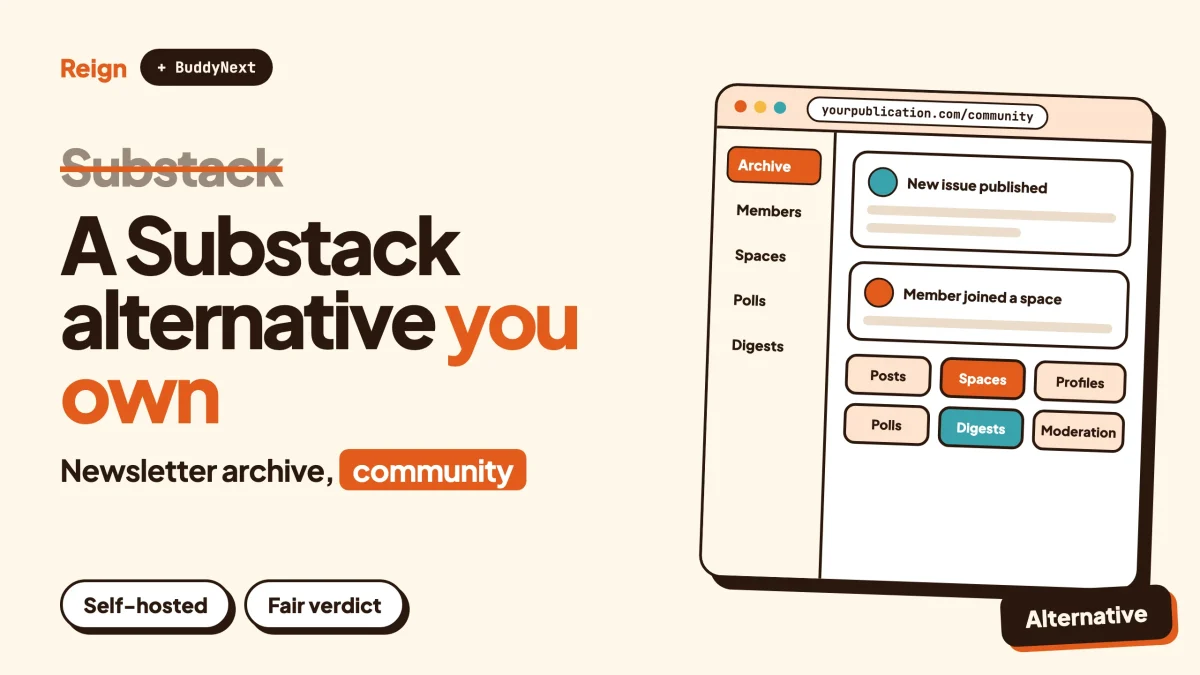
The closest Substack alternative on WordPress is a Reign site with BuddyNext for the community and your own posts for the writing. You own the domain, the member list and the archive. Substack is still the better pick if you only want to write, send and get paid with nothing to maintain. This guide covers what Substack offers, why writers look elsewhere, and what the WordPress version really involves.
Substack details were read from substack.com and its about, going-paid and app pages in November 2026. Substack changes its product often, so confirm anything that affects your decision on its site. We make Reign and BuddyNext, and we say so where it matters.
When is Substack the better choice?
Substack is the better choice when writing is the whole job and you want the rest handled for you. You sign up, publish, and readers can subscribe. There is no hosting, no plugin to update and no theme to pick.
That is worth a lot.
Here are the situations where we would tell you to stay, or to start there.
- You are a writer, not a site owner. If a working week is research and drafting, anything that takes time away from that is a cost.
- You want a ready-made network. Substack’s about page says more than half of new subscribers come from Substack’s built-in network. A new WordPress site has no such network on day one.
- You want newsletters, podcasts and video in one place. Substack’s front page invites creators to start a newsletter, a podcast or a video show, each described as worth paying for.
- You want to start without committing. Substack’s about page says it asks for no contracts and no tiers up front, and that leaving is as easy as starting.
- Your needs are already on its feature list. If publishing, a paywall and a reading app cover it, you are not missing anything.
The rest of this guide is for people who have outgrown that, or who are about to choose and want to see the other road before they commit.
What does Substack offer?
Substack is a hosted publishing platform for newsletters, podcasts and video, with paid subscriptions and a reading app. Everything below comes from Substack’s public pages as of November 2026.
| Area | What Substack’s pages say |
|---|---|
| Formats | Newsletters, podcasts and video shows, described on the front page as things worth paying for |
| Paid subscriptions | Set up in a few minutes; you choose which posts are open to everyone and which are for paid subscribers |
| Ownership | The going-paid page says you own your content and your subscriber list; the about page says “Own every word and every direct relationship” |
| Growth tools | Welcome sequences, win-back campaigns and analytics, described as built to convert |
| Short posts | Notes, shown on the front page as a feed of short posts |
| App | An iOS and Android app for reading video, podcasts and writing, following creators, and joining discussions and chats hosted by writers |
| Discovery | Browse by category and a feed for finding new publications |
Two figures from the about page give a sense of scale. Substack says it has 5 million paid subscriptions and counting, and that tens of millions of people read, watch or listen on the platform each week. Both are Substack’s own numbers as of November 2026, not an independent count.
The about page also describes a revenue share and notes that credit card fees come out of what writers earn. We are not quoting the numbers here. Check Substack’s own pages for current terms before you compare anything.
For a writer, that list is complete and it hangs together. The argument for an alternative is not that Substack is thin. It is about what you build on and who sets the rules.
Why do writers look for a Substack alternative?
Writers look for a Substack alternative for three reasons: they want to control the brand and the site around their work, they want a community that does more than comment under posts, or they want the whole thing to live on their own domain and database. None of these is a complaint about the writing tools.
Control of the place
A Substack publication lives inside Substack’s product. You can set a name, a logo and a domain, but the page layout, the reading experience and the way readers move around are Substack’s. If you want a homepage that looks like a magazine, a members area with its own sections, or a shop beside the archive, you are working against the platform.
On WordPress the site is yours. The theme decides how it looks. Plugins decide what it does. Nothing about it has to resemble anyone else’s publication.
Community beyond the comment box
Substack’s own pages describe discussions and subscriber chats hosted by writers. That covers a lot of ground. What the pages we read do not describe is a member directory, member profiles with custom fields, nested spaces by topic, a moderation queue with warnings and suspensions, or a way to sell something other than a subscription.
A reader base that wants to talk to each other, not just to you, is a different product. That is the job BuddyNext is built for.
Dependence
Any hosted platform can change its terms, its algorithm or its feature set. That is not a criticism of Substack in particular. It is how renting works. Substack’s about page promises that leaving is as easy as starting, which is a fair promise, and the part that matters in practice is how easy the leaving is. We come back to that in the migration section.
For a longer look at what you hold on a few creator platforms, our post on what you actually keep on Patreon, Substack and Circle goes through it, and this post does not repeat that.
What does the WordPress version of Substack look like?
The WordPress version is a Reign site where your posts are the newsletter archive, BuddyNext runs the member community, and an email tool sends the issues. Reign is the theme that gives the whole site one look. BuddyNext adds profiles, spaces, a feed and moderation. You assemble the pieces, or hire someone to.
Here is how each Substack idea maps across.
| Substack idea | On WordPress | Honest note |
|---|---|---|
| Publication homepage and archive | Reign with standard WordPress posts | Far more layout freedom. You design it, or pick a demo and edit it. Wbcom makes Reign. |
| Newsletter delivery | An email service or newsletter plugin you connect | Not a Wbcom product. Substack sends mail for you; here it is a second tool. |
| Paid subscriptions | Membership and billing add-ons for BuddyNext, or another membership plugin | Needs a paid licence, check the product page. More setup than Substack. |
| Discussions and chats | BuddyNext spaces, feed, threaded comments | Wbcom makes it. Much deeper community features; no built-in reader network. |
| Notes (short posts) | The BuddyNext activity feed | A feed for members to post in, not a public discovery feed across publications. |
| Discovery network | Search engines, your own marketing | Nothing on WordPress replaces Substack’s built-in network. |
| Reading app | PWA (installable web app) | A native mobile app is in development. Substack ships one today. |
Notice the honest rows: delivery of email, a reader network and a native app are all places where Substack does the work for you and WordPress does not.
To see how the community side feels as a member, the BuddyNext live demo is the quickest way in.
How do the two compare side by side?
The simplest comparison is this: Substack is a place you publish into, and WordPress is a place you run. The table covers the differences that usually decide it.
| Question | Substack | Reign with BuddyNext |
|---|---|---|
| Who hosts it? | Substack | You, or a host you choose |
| Setup effort | Sign up and publish | Install, configure, connect email and billing |
| Design control | Limited to what the platform offers | Full, through the theme and blocks |
| Built-in audience network | Yes, per Substack’s about page | No |
| Member profiles and directory | Not described on the pages we read | Profiles with custom fields, member types, a member directory |
| Topic spaces | Not described on the pages we read | Public, private or secret spaces with roles |
| Moderation | Not described on the pages we read | Reports, strikes, suspensions, appeals, banned words, a front-end queue |
| Podcast and video publishing | Built in | Embed or host through plugins you choose |
| Native app | iOS and Android | PWA now; native app in development |
| Data lives in | Substack’s systems | Your own WordPress database |
| Fees on subscriber income | Check Substack’s pages | No platform share from Wbcom; payment processors charge their own fees |
Where a cell says “not described on the pages we read”, that is a statement about Substack’s public pages, not a claim that the capability cannot exist there. Check Substack directly if a row matters to you.
How does publishing work on WordPress?
On WordPress you write in the block editor, hit publish, and the post lands on your site and in its feed. That is the same basic action as Substack, with more control and more to look after.
The block editor handles text, images, embeds, headings, quotes, galleries and columns. Categories and tags group your writing into series or topics. Scheduled publishing, draft states and revisions come with WordPress itself.
Guest writers and member posts
Substack publications are usually one voice or a small team. If you would like your members to publish too, our post on letting members publish blog posts on WordPress covers the options. That is something a newsletter platform is not designed around, and it is where a site with profiles starts to pay off.
Podcasts and video
Substack lists podcasts and video shows as products you can start there. On WordPress you embed audio or video from wherever you host it, or use a plugin built for it. It works, and it is more assembly than a built-in feature. If podcasts are your main product, weigh that carefully.
For member photo and video uploads rather than your own shows, MediaVerse from Wbcom handles uploads and albums. Check the product page at wpmediaverse.com for what it covers.
What about the email part?
Email is the biggest practical gap. Substack sends your issues to subscribers as part of the service. On WordPress, sending newsletters is a separate job that you set up with an email service or a newsletter plugin.
That is not a small difference, so here is what it means in practice.
- Pick a sending method. Choose an email service or newsletter plugin that handles list management, unsubscribe links and delivery. We do not recommend a specific one here, because the right pick depends on list size and budget.
- Set up your sending domain. Mail from your own domain needs the right DNS records so inboxes trust it. Your email service will tell you which.
- Connect sign-ups. A subscribe form on your site feeds the list. To confirm it worked, subscribe with a test address and check the message arrives in the inbox, not in spam.
- Send a test issue. Send one to yourself and to a second address at a different provider, and read both on a phone.
BuddyNext also supports email digests, and its paid add-ons cover email broadcasts and drip, as described in its product listing. Check the product page for exactly what each one covers before you plan around it.
This is where many writers decide to stay on Substack. If the email is the product, and the rest is optional, that is a reasonable call.
How do paid subscribers work?
On Substack you turn on paid subscriptions and choose which posts are for paid readers. On WordPress you gate content with a membership setup and take payment through a processor such as Stripe or PayPal. The result is similar for the reader, and the setup is more involved for you.
BuddyNext has paid add-ons for memberships and for Stripe and PayPal billing. They need a paid licence, so check the product page for what is included. Our post on running a paid community on WordPress with Stripe walks through the moving parts.
What changes for you
Substack’s about page describes a revenue share and card processing fees. On WordPress, the payment processor still charges its own fees. What changes is that no platform takes a share of the subscription income on top. We are not quoting numbers either way, because the right comparison depends on your volume and your tools. Add up hosting, plugins, email and processor fees over a year, then set that against Substack’s terms on its own pages.
What changes for readers
Readers sign up on your site and create an account there. That gives you a real member with a profile, not just an email address. It also means one more login for them, and that costs you some sign-ups compared with a platform many readers already use.
What does BuddyNext add that a newsletter does not?
BuddyNext turns subscribers into members who can see and talk to each other. A newsletter is one-to-many. A community is many-to-many, and that is the main reason to run a site rather than a publication.
The verified feature list:
- Spaces. Public, private or secret, with nested sub-spaces, roles, auto-join and invite links.
- Feed. Posts, reactions, threaded comments, @mentions, hashtags and polls. Pinned posts and space announcements keep important items on top.
- Profiles and directory. Custom profile fields, member types, field-level privacy and a member directory.
- Onboarding. A wizard that walks new members through setting up.
- Moderation. Reports, strikes, suspensions, appeals, banned words, content warnings and a front-end queue. Our community moderation guide goes deeper on running it.
- Messages and notifications. Direct messages are powered by WPMediaVerse, and in-app notifications keep members informed.
- Access. Private communities and gated spaces, a PWA, search and a REST API, plus personal-data export and erase tools.
The feed checks for updates by polling every few seconds by default. Instant delivery needs a paid add-on and your own server.
A realistic example
Say you write a weekly newsletter on personal finance habits. On Substack your readers get the issue and can comment. On a BuddyNext site you might also have a space for beginners, a space for people paying off debt, a monthly poll, and a pinned thread where members share wins. Posts become the starting point for conversations that run all week.
If that sounds like more than you want to run, it probably is for now. Start with the newsletter and add the community when readers ask for it. Our post on launching a community and finding the first 100 members shows how to begin small.
What do you lose in discovery?
You lose the built-in network. Substack’s about page says more than half of new subscribers come from Substack’s built-in network, and that a share of paid subscriptions comes from inside the platform. Those are Substack’s own figures about its own product, and they are the strongest argument for staying.
On WordPress, discovery comes from search, social posts, other writers who link to you and your own marketing. It is slower to build and it belongs to you. Search traffic also compounds, since an article from two years ago can still bring in readers, which suits evergreen writing better than news-style issues.
A few habits help.
- Give every article a page that works on its own, with a clear title and a useful first paragraph.
- Link your articles to each other so readers move from one to the next.
- Offer an email sign-up on every page, not just the homepage.
- Keep your best work easy to find from the main menu.
For ideas on what to measure once you have readers, see community metrics worth tracking.
Where does Reign fit?
Reign is the design layer. It is a WordPress theme from Wbcom, and it makes the site look like a publication and a community at once. It styles BuddyNext, BuddyPress and BuddyBoss Platform, so the community pages match the rest of the site.
The parts that matter for a publisher:
- Five header layouts and colour tokens, so the brand is yours.
- A dark mode toggle, which readers of long-form writing often appreciate.
- A mobile drawer menu, RTL stylesheets, 27 block patterns and 8 style variations.
- A demo library with an installer, so you can start from a finished layout. The post on installing Reign and importing a demo shows the steps.
Reign has been on WordPress for 13 years, according to reigntheme.com. If you already run a Reign site and want a better community engine, keep your Reign site and upgrade the community with BuddyNext covers the path.
What is harder on WordPress?
Several things are harder, and a fair guide says so plainly.
- Maintenance. Hosting, backups, updates and security are yours. A writer who is happiest writing may find this tiresome.
- Email delivery. You wire it up and look after it. Deliverability is a skill.
- Setup of paid access. More moving parts than switching on paid subscriptions.
- Discovery. No built-in network.
- Native app. Substack has an iOS and Android app today. BuddyNext has a PWA, and a mobile app is in development.
- Podcast and video publishing. Possible, but assembled from parts.
If three or more of those worry you, stay on Substack, or start there and add a WordPress site later for the community. Many writers run both for a while.
How do you move away from Substack?
The move has four parts: content, subscribers, paid subscribers and readers’ habits. Do them in order and keep Substack running until the new site works.
- Set up the new site first. Install WordPress, Reign and BuddyNext, and import a Reign demo that is close to what you want. To confirm it worked, browse the site as a logged-out visitor and as a test member.
- Move your archive. Look in your Substack settings for an option to export your posts. We could not confirm the export steps from Substack’s public pages, so check its help centre for the current process. Import the posts into WordPress and check that images, links and formatting survived on a handful of pages.
- Move your subscribers. Substack’s going-paid page says you own your subscriber list. Check its help centre for how to export it, then load the list into your new email tool. Keep it to people who agreed to hear from you.
- Handle paid subscribers carefully. Moving paying readers between platforms is not just a file transfer, because billing relationships live with the payment processor and platform. Ask Substack’s help centre what is possible, and plan to tell paying readers what is happening and how to re-subscribe if needed.
- Run both for a while. Publish on both for a few weeks. Tell readers where you are going and why.
- Set up redirects. If you used a custom domain on Substack, point it to the new site once you cut over, so old links keep working.
The full migration of a hosted community is covered in moving a Facebook group to a WordPress community, and many of the same steps apply: announce early, move in stages, and keep the old place open until the new one is busy.
Who should pick what?
Stay on Substack if writing is the product, you want a ready-made network, and you do not want to run a site. It does that job well.
Choose Reign with BuddyNext if you want the brand, the member data and the community to be yours, expect readers to want to meet each other, or want to add courses, events, a forum or a directory later. It also suits publishers who want something other than a subscription to sell.
Be clear-eyed about what you take on. You need hosting, someone to keep WordPress updated, an email tool and a plan for payments.
If you also want to compare other creator platforms, these are worth a look: Kajabi alternative, Circle alternative, Skool alternative and Mighty Networks alternative.
Questions people ask
What does a Substack alternative cost to run?
WordPress software itself is open source, but a working site needs hosting and a domain. Substack’s pages say it is easy to start. What you pay on either side depends on your tools and your income, so check each product’s pricing page.
Can I keep my subscribers if I leave Substack?
Substack’s going-paid page says you own your subscriber list. The export steps are in its help centre, which we could not read in full, so check there for the current process before you plan the move.
Can WordPress send a newsletter like Substack?
Yes, with an email service or a newsletter plugin connected to your site. It is a second tool, not a single built-in feature. BuddyNext adds email digests, and its paid add-ons cover broadcasts and drip, so check the product page.
Does BuddyNext replace Substack Notes or chat?
BuddyNext has an activity feed with reactions, comments, mentions and polls, plus spaces for topic discussions. It is a feed for your own members, not a public network across other writers’ publications.
Can I run Substack and WordPress together?
Yes. Many writers keep the newsletter on Substack for its network and run a WordPress site for the community and the archive. You can move more over as the site proves itself.
Related reading
- What you actually keep on Patreon, Substack and Circle
- WordPress vs Circle vs Mighty Networks vs Skool: the community platform showdown
- Best self-hosted community platforms
- Run a paid community on WordPress with Stripe
- Let members publish blog posts on WordPress
- Launch an online community and find the first 100 members
- Discord alternative for communities on WordPress
- Community moderation guide for WordPress
If you are weighing a move, start with the Reign theme: see Reign and its live demos, pick the layout closest to your publication, and add BuddyNext when your readers are ready to talk to each other. The newsletter can stay where it is until the new site has earned the switch.