
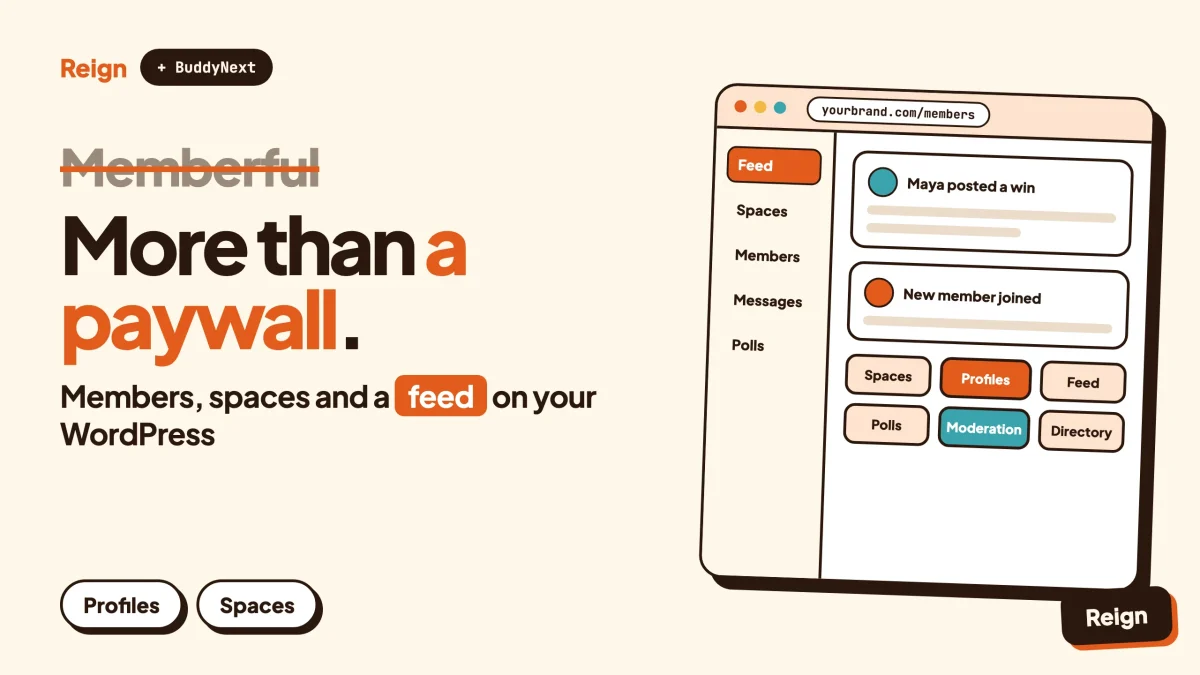
The best Memberful alternative for a site that wants a real community, not just a paywall, is BuddyNext with the Reign theme on your own WordPress install. Memberful sells and gates access to content. BuddyNext gives members a profile, spaces, an activity feed and messages to use once they are in. Memberful stays the better pick if you only need clean billing and content gating, or you do not run on WordPress at all. Wbcom Designs makes BuddyNext and Reign, so read this as a vendor view.
Plenty of owners start with a membership tool and later notice the members have nowhere to talk to each other.
This post covers what Memberful is and does well, why people look past it, what a community-first stack on WordPress looks like, a fair side-by-side table, and a migration path that does not strand paying members. It names no prices, because Memberful and every Wbcom product change theirs: check each pricing page.
When is Memberful the better pick?
Memberful is the better pick when your main job is selling subscriptions and protecting content, and a busy member community is not the goal. It is a focused product that does that job without much fuss.
Here is where it clearly wins, based on what Memberful publishes on its own site.
- You do not want to run a community at all. A newsletter, a podcast, a recipe archive or a paid column needs checkout, login and a paywall. It does not need a feed or a directory.
- You are not on WordPress. Memberful says it offers a website builder for new sites and an API for custom sites, alongside its WordPress plugin. A WordPress-only community plugin does nothing for you there.
- You want a billing dashboard that sits outside your website. Its WordPress page describes an independent dashboard with MRR, churn and growth charts and a live feed of sign-ups and cancellations, separate from WordPress itself.
- You need paywall tooling built for publishers. The plugin describes a metered paywall, a visual paywall builder, a paywall divider block and block-level visibility by plan.
- You want a team to handle the payment side. Memberful’s documentation describes hands-on migration help for some imports and a support team on weekday hours.
- You run a brand with a larger audience. It lists an Enterprise option with custom volume-based pricing, migration and implementation support.
If that list describes you, stay. A community plugin will not beat a purpose-built billing layer at billing.
Memberful’s own documentation is also candid about fit. Its alternatives page says it would rather point you to a competitor that suits your business than hard-sell you, and it names options for people who want something more basic that works inside WordPress.
What exactly is Memberful?
Memberful is a membership and subscription platform that handles checkout, member accounts and content access for creators, publishers and communities. Its site says it is a Patreon company and that you connect your own Stripe account.
Taking the product and WordPress pages at face value, these are the parts that matter for a decision.
Billing and plans
The product page lists monthly, annual and custom subscriptions, a “choose what you pay” option, one-time payments, group subscriptions and international payment support. Checkout is branded and sits on your domain. The pricing page lists coupons, gift purchases, trials, a built-in referral program, automated retention discounts and cancellation surveys among the things included in every plan.
Content delivery
Memberful describes four content types it supports: newsletters, podcasts, downloads and community content. It also lists a website and newsletter builder and a landing page builder, so a site with no WordPress behind it is a supported route.
The WordPress plugin
For WordPress, the plugin protects content on the server, so protected posts are not just hidden with a script. Its pages describe shortcodes and PHP functions, block visibility by plan in the block editor, automatic mapping of plans to WordPress roles, a single sign-in that signs members in to WordPress as well, an expiry warning banner and an option to hide ads for paying members. For courses, its documentation covers integrations with LearnDash and Sensei.
One detail is worth knowing for any future move. Memberful’s WordPress page says that if you stop using the plugin, your posts stay in WordPress and deactivating the plugin makes every post public again. Your content is not trapped.
Community, by connection
Memberful does not run a community itself. Its paid community guide describes two managed integrations, with Discord and Discourse, that keep access in step with a subscription, and says Circle and Bettermode built their own integrations. It also lists a bbPress integration for a basic WordPress forum. The same guide says Memberful has no Slack integration. In short, you pick a community tool somewhere else and Memberful handles who is allowed in.
As of November 2026, Memberful’s homepage says it powers millions of members. That is its own claim and the size of the audience says nothing about whether the product fits your project, but it does tell you this is an established product and not a side experiment.
Why look for a Memberful alternative?
People look for a Memberful alternative when the paywall works but the membership itself feels thin: members pay, log in, read, and never meet each other. There is no scandal in any of this. It is a question of what the product was built to do.
The community lives somewhere else
With Memberful the conversation happens on Discord, Discourse, Circle or another tool, and Memberful keeps the guest list. That is two products, two logins unless you set up single sign-on, and two places to moderate. Some owners are happy with that split. Others find the community is where members decide whether to renew, and they would rather it sat inside the site they own.
You want members to have profiles
A subscription tells you someone paid. It does not tell other members who they are. Profiles with custom fields, a searchable member directory and visible connections are what turn a list of subscribers into a membership people feel part of.
You want the engagement signals in one place
When posts, replies, reactions and joins happen in a community tool and payments happen in a billing tool, the reports live apart too. A stack where the community and the paid plans share one database makes it easier to ask which members who posted last month are about to churn. See our note on community metrics worth tracking for the numbers that matter.
You want the design to match the rest of the site
Memberful lets you set brand colours, a logo and a custom domain, and its WordPress page talks about designing the paywall. Checkout and the member account pages are still Memberful’s templates. If you want every screen to inherit your theme, a community that lives in WordPress does that by default. That is where a design layer like Reign earns its place.
You want fewer vendors for the long run
Every product you rent can change its terms. Memberful’s pricing page shows a monthly price and has an FAQ on how transaction fees work. We are not going to quote them, but you should read that FAQ with your own revenue in mind and compare it against self-hosting costs. A self-hosted stack has its own bills: hosting, payment-processor fees, updates and your time.
Not one of these is a reason to leave on its own. If two or three of them describe your situation, a move is worth costing out. If none do, you probably do not need this article.
What does a community-first Memberful alternative look like on WordPress?
A community-first alternative is a WordPress site where the community is the core and paid access is one feature of it, not the reverse. BuddyNext is the community engine, Reign is the design layer, and other Wbcom modules cover forums, courses and events when your membership needs them.
BuddyNext, the engine
BuddyNext is a community plugin by Wbcom Designs. It runs on your own WordPress and your own database, and nothing sits between you and your members. The parts that replace what you were pointing Memberful members toward are these:
- Spaces that are public, private or secret, with nested sub-spaces, roles, auto-join and invite links. A paid tier can have its own space.
- Member profiles with custom fields, member types, field-level privacy and a member directory.
- A feed with reactions, threaded comments, @mentions, hashtags, polls, pinned posts and space announcements.
- Direct messages, powered by WPMediaVerse.
- Moderation with reports, strikes, suspensions, appeals, banned words, content warnings and a front-end queue.
- An onboarding wizard so new members fill in a profile and join spaces on day one.
- Private communities and gated spaces, so a space can be members-only.
- A PWA and a REST API, plus personal-data export and erase tools.
Paid memberships, Stripe and PayPal billing, email broadcasts and drip, push notifications and white-label are add-ons that need a paid licence. Check the BuddyNext product page for what each licence covers. The feed checks for new activity by polling every few seconds by default, so it is not an instant-delivery chat. A mobile app is in development, and for now the PWA covers the home-screen experience.
You can try it on a throwaway site first with the BuddyNext live demo.
Reign, the design layer
Reign is a WordPress community theme. It has a dark mode toggle, RTL stylesheets, a mobile drawer menu, 27 block patterns, 8 style variations and a demo library with an installer. It styles BuddyNext, BuddyPress and BuddyBoss Platform. Paid add-ons connect it to LearnDash, LifterLMS, Tutor LMS, Dokan, WP Job Manager and others. The point for a membership business is that checkout pages, the member area and the community all use one header, one set of colours and one dark mode. Our guide to installing Reign and importing a demo shows the first hour.
What you give up
Switching is a trade, not an upgrade in every direction. Memberful’s public pages describe a metered paywall, a visual paywall builder, a paywall divider and a hosted newsletter. If metered article access or a hosted newsletter is central to your income, BuddyNext does not claim to replace those. Check the BuddyNext product page for what its paid plans and gated content cover before you decide.
You also take on the work Memberful does for you: choosing hosting, installing updates, running backups and looking after payment-processor settings. A managed host removes much of that, and our note on hosting for community websites covers what to look for.
Memberful and BuddyNext with Reign side by side
The table compares what each product’s own pages describe. A blank or “check the product page” means the point is not stated clearly enough to commit to. Neither column is a complete feature list.
| Question | Memberful | BuddyNext with Reign |
|---|---|---|
| Main job | Subscriptions, checkout and content access | A community with profiles, spaces, feed and messages, themed by Reign |
| Where it runs | Hosted by Memberful, with a WordPress plugin, a website builder and an API | Your own WordPress site, your own database |
| Payments | You connect your own Stripe account | Stripe and PayPal billing are add-ons that need a paid licence, check the product page |
| Plans and billing options | Monthly, annual, custom, pay what you choose, one-time, group subscriptions | Paid memberships are an add-on, check the product page for plan options |
| Member profiles and directory | A member CRM and activity feed for the owner | Public profiles with custom fields, member types, privacy controls and a directory |
| Community | Through integrations with Discord, Discourse, Circle, Bettermode and bbPress | Built in: spaces, feed, polls, mentions, direct messages |
| Content gating | Server-side protection, block visibility, metered paywall, paywall divider | Private communities and gated spaces; check the product page for post-level rules |
| Newsletters | Hosted newsletter and podcast support described | Email broadcasts and drip are paid add-ons, check the product page |
| Owner dashboard | Independent dashboard with MRR, churn and growth charts | Inside WordPress admin; check the product page for analytics |
| Moderation | Handled in whichever community tool you connect | Reports, strikes, suspensions, appeals, front-end queue |
| Design | Brand colours, logo, custom domain on hosted pages | Your Reign theme across the whole site, with dark mode and mobile menu |
| Who maintains it | Memberful operates the platform | You or your host maintain WordPress and plugins |
| Leaving later | Content stays in WordPress if you deactivate the plugin | Your data is in your own database, with export tools for personal data |
| Pricing | See the Memberful pricing page | See each Wbcom product page |
Read the table as two different answers to two different questions. Memberful answers “how do I charge for access”. BuddyNext answers “what do paying members actually do together”. Many sites need both answers, and the next sections cover how.
Which Wbcom modules fit a membership business?
Start with BuddyNext and Reign. Add a module only when a member need appears. Each Wbcom plugin runs on its own and none requires BuddyNext.
Jetonomy, if your members ask questions
Memberful’s own guide points forum-minded owners to Discourse, which it describes as suited to long-form, asynchronous discussion, and as needing technical effort to set up. Jetonomy is the WordPress-native version: a forum, Q&A with accepted answers, an ideas board, nested spaces, trust levels and a moderation queue, with importers for bbPress, wpForo and Asgaros. Our post on forum, Q&A or ideas board helps you choose the format, and the Discourse alternative post compares the two routes in more detail.
Learnomy, if the membership includes courses
Memberful’s WordPress documentation covers LearnDash and Sensei. Learnomy is Wbcom’s course plugin: courses, sections and lessons, quizzes with timers, progress tracking, certificates with public verify links, direct checkout and memberships. Drip and cohorts need a paid licence. If you sell courses with Stripe, our guide to selling courses on WordPress with Stripe walks through the setup.
Eventonomy, if members meet
Eventonomy covers RSVPs with capacity and a waitlist, guest RSVP, recurring events, calendar views, ICS files and reminders. It is a separate plugin and does not depend on BuddyNext.
Skip anything you do not need. A coaching membership may want only BuddyNext. A publisher with a reader forum may add Jetonomy. A training academy may add Learnomy.
Can you keep Memberful and add a community?
Yes, for a while, and it is often the safest first step. You can leave Memberful in charge of billing and gating and stand up the community next to it on the same WordPress site.
The Memberful plugin can map a plan to a WordPress role, according to its WordPress page. That gives a community plugin a role it could use to decide who sees what. Whether a given community plugin reads those roles the way you want is something to test on a staging copy, not something to assume. Memberful’s documentation recommends testing changes on a staging site before they go live, and the same advice applies here.
A hybrid has an honest downside. You pay two vendors and keep two systems in sync. It makes sense as a bridge. It is a poor place to stay for years if the real goal is one stack.
How do you move off Memberful without losing members?
You move in stages: copy the data you need, build and test the new setup beside the old one, switch billing last, and only then cancel. Paying members should never see a gap.
These steps assume you are on WordPress. Test every step on a staging copy first.
Step 1: Take stock of what Memberful does for you today
List every Memberful feature you rely on: plans and prices, coupons, gift purchases, group plans, the metered paywall, hosted newsletters, podcasts, downloads, ad-free reading and Discord or Discourse access. For each one, mark whether the new stack covers it, covers it through another plugin, or whether you will drop it. This list drives everything after it.
To confirm it worked, you can point to a line on the list for every paid plan you sell, with its replacement written next to it.
Step 2: Export your member and subscription data
Memberful’s documentation describes CSV import into Memberful and compare-and-export tools in its dashboard, and the dashboard’s metrics section lists export. Use those to get member details, plans and renewal dates out. Because you connected your own Stripe account, your customers and subscriptions also exist in Stripe. Keep that account active until the move is finished.
To confirm it worked, open the export and check that a sample of members you know shows the right plan and renewal date.
Step 3: Stand up the new community on staging
Install WordPress or clone your site, install Reign, import a demo, then add BuddyNext and run its onboarding wizard. Create one space per paid tier or per topic, set the privacy of each, and set up the profile fields you want members to fill in. Follow the Reign demo installation guide if you have not done this before.
To confirm it worked, sign up as a test member on staging and see a profile, a space and the feed without leaving the branded design.
Step 4: Set up paid access and test a real purchase
Add the paid-membership and billing add-ons you need, connect your payment processor in test mode and create plans that match your list from step 1. Check the BuddyNext product page for licence details. Make a test purchase and confirm that the space or content it covers opens, and that cancelling closes it again.
To confirm it worked, buy and then cancel a test plan, and see access appear and disappear when it should.
Step 5: Bring members across
Tell members what is changing, when, and what they need to do. Whether existing subscriptions can carry over without members re-entering a card depends on the billing tool you pick and on how it connects to Stripe, so ask that question before you commit and plan for the worst case, which is asking members to subscribe again with a clear thank-you offer. Do not cancel Memberful until the new billing is proven with real customers.
Our guides on building a paid community with Stripe and changing your community theme without losing members cover the same ground from the other side.
To confirm it worked, a handful of friendly members have signed in on the new site, seen their profile and can reach what they paid for.
Step 6: Redirect, then cancel
Update links to Memberful’s sign-in and account pages across your site, emails and social profiles. If you used a Memberful custom domain for member pages, set redirects so old bookmarks land somewhere useful. Only after a billing cycle has run on the new setup should you cancel Memberful.
To confirm it worked, a full renewal cycle completes on the new billing with no support tickets about access.
What does the first month after the move look like?
The first month is mostly about making the community feel alive, because a paywall that used to feel enough now has to carry a feed. Plan a short, concrete routine rather than a launch event.
- Week one. Post a welcome in each space, pin the community guidelines and answer every first post yourself. Our community guidelines template is a place to start.
- Week two. Run one poll. Polls are cheap to answer and tell you what members want.
- Week three. Look at who joined a space but never posted, and message them. The onboarding wizard helps, and so does a direct note.
- Week four. Check your numbers against the ones in the community metrics post, and compare renewal rate with the months before the move.
If you want to go further on getting the first members active, how to launch a community and get your first 100 members covers tactics, and running a paid membership community for coaches and consultants shows one concrete model.
Questions people ask
Is there a Memberful alternative for WordPress that includes a community?
Yes. BuddyNext with the Reign theme gives a WordPress site profiles, spaces, a feed and direct messages, and paid memberships are an add-on that needs a paid licence. Other WordPress membership plugins focus on gating and billing only, so decide whether you want a community first and a paywall second, or the reverse.
Can I move my Memberful members to another tool?
Memberful’s documentation describes importing members into Memberful from other systems, and its dashboard lists export tools. Moving out means exporting your member list and plans, and your Stripe account holds the customer and subscription records because you connected it yourself. Whether a new tool can take over existing Stripe subscriptions without members re-entering cards depends on that tool, so ask its vendor before you cancel.
Does Memberful have a community feature?
Not as its own product. Its documentation describes managed integrations with Discord and Discourse that keep access in step with membership status, plus integrations built by Circle and Bettermode and a bbPress integration. The community itself lives in whichever tool you connect.
What happens to my WordPress content if I stop using Memberful?
According to Memberful’s WordPress page, your posts stay in WordPress and deactivating the plugin makes every post public again. Plan for that: before you deactivate, move any protected content behind the new setup, or it will be visible to everyone for a moment.
Do I need Reign if I use BuddyNext?
No. BuddyNext works with other themes. Reign is the theme built to style it, with a dark mode, a mobile menu, block patterns and style variations, so the community, the checkout pages and the rest of the site look like one product.
Related reading
- How to build a paid community on WordPress with Stripe
- What you actually keep on Patreon, Substack and Circle
- A Kajabi alternative on WordPress
- A Circle alternative on WordPress
- Best WordPress membership themes for paid communities
- Reign and BuddyNext for your community
- A Discord alternative for communities
- Best self-hosted community platforms
- Community moderation guide for WordPress
If a community on your own site is the direction you want, start with the design layer: see the Reign theme, import a demo on a staging site, and add BuddyNext before you touch your live billing.