
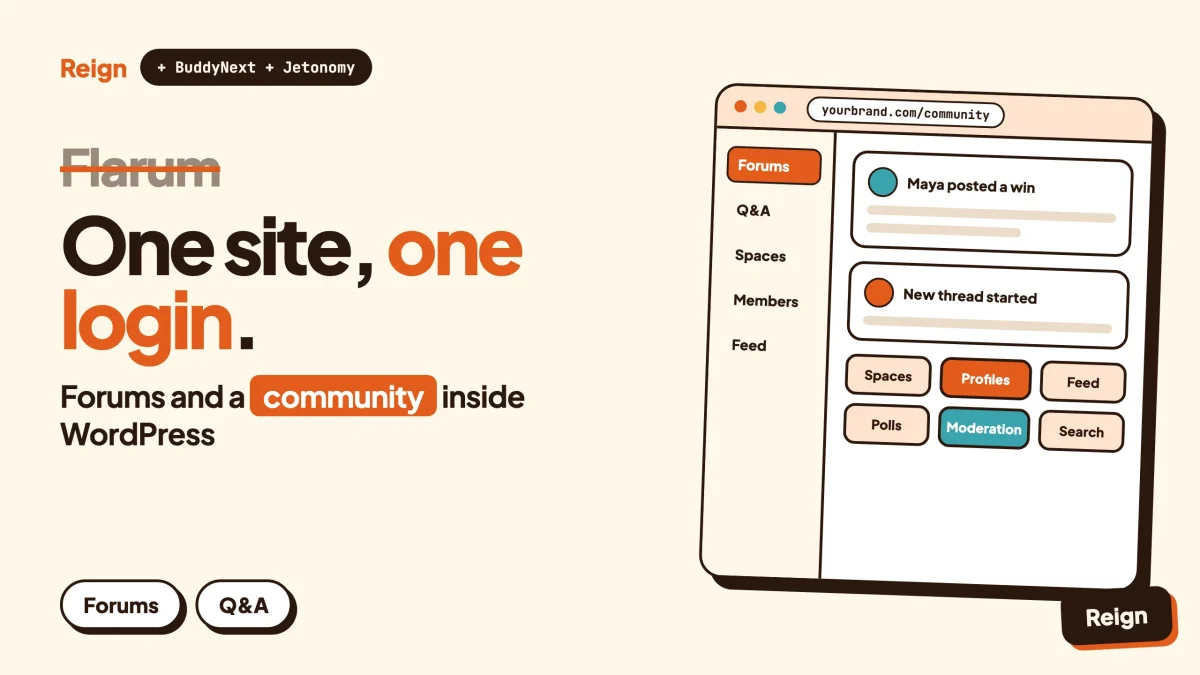
The best Flarum alternative for a WordPress site is a stack: BuddyNext for profiles, spaces and the activity feed, Jetonomy for forums and Q&A, and the Reign theme as the design layer. It suits owners who want the conversation inside the WordPress install that already holds their content, courses or shop. Flarum is the better pick if you want a lean standalone forum and are comfortable with a command line. Wbcom Designs makes all three products named here, so read this as a vendor view.
Flarum is good software. People do not usually leave it because it fails at forums. They leave when the forum stops being the whole project.
This post looks at it from the operations side, which is where a Flarum site owner feels the difference most: what you install, what you keep running, what a major upgrade asks of you, and what changes when the community lives in WordPress instead. It ends with a migration plan and the honest cases for staying put.
When is Flarum the better pick?
Flarum is the better pick when the forum is the product, you have a server you control, and nobody on the team minds a terminal. It is a focused discussion platform with a clean interface and a permissive licence, and it does not pretend to be anything else.
Here is what Flarum says about itself, from flarum.org and its documentation as of November 2026.
- Open source under the MIT licence. The project describes itself as maintained and governed by volunteers, and the Flarum Foundation accepts donations through GitHub Sponsors and OpenCollective.
- Built to be light. The docs call it fast and simple, written in PHP with a Mithril interface, and designed as the successor to esoTalk and FluxBB.
- A choice of databases. Version 2 supports MySQL, MariaDB, PostgreSQL and SQLite.
- A big extension ecosystem. The docs say most of the features that ship with Flarum are themselves extensions, and that you can disable what you do not need.
- Live updates now bundled. The Realtime extension, which used to be a paid add-on from a third party, was donated to the Foundation and ships with 2.0.
- An active codebase. The 2.0 announcement counts 1,250 commits from 41 people across 17 pre-releases.
Stay with Flarum if your community is mostly threaded discussion, you run your own VPS, you already keep a Composer workflow, and you have no WordPress site that members also need to log in to. A migration has a real cost, and a happy board does not need one.
For scale, the flarum/flarum repository on GitHub showed about 16.4k stars when we checked on 6 November 2026. Stars are a popularity signal, not a quality guarantee, but they tell you this is not an abandoned corner of the internet.
Why do people look for a Flarum alternative?
The usual reason is that the forum has become one piece of a bigger WordPress project and the seams between the two now cost time. The software itself is rarely the complaint.
The forum is a second application
Flarum is its own application with its own database tables, users and login. If your articles, courses, shop or member area run on WordPress, a member either signs up twice or you build single sign-on between them. At 200 members you hardly notice. At 20,000 someone owns that integration.
You want more than discussions
Flarum is deliberately minimal. Its documentation says so and treats extensions as the way to grow. That is a fine philosophy, but a community that wants member profiles with custom fields, groups, a feed, events and courses ends up assembling those from separate extensions or separate systems.
The command line is part of the job
Flarum installs and updates through Composer, the PHP package manager. Its install page lists SSH access among the server requirements. If your team lives in the WordPress dashboard, that is a skill gap, not a flaw.
Major upgrades are projects
Flarum 2.0 is a major release with breaking changes for extensions. The docs say upgrading across majors, such as 1.x to 2.0, has to be done with Composer on the command line. That is normal for software at this level, and it is worth planning for.
You want your content and conversation to live together
When a forum thread and a blog post sit in the same system, you can link, search, permission and measure them together. A purchase can also grant access in the same place the conversation happens.
None of these is a defect. They describe a project whose shape changed. If that is not you, the section above on staying put is the honest answer.
What does Flarum 2.0 include?
Flarum 2.0 bundles a set of first-party extensions, several of them switched off until you enable them. Knowing which ones are on by default tells you how much setup a new board needs before it matches what members expect.
Flarum’s documentation lists these bundled extensions: Akismet, Audit, BBCode, Deck, Embed, Emoji, GDPR, Markdown, Messages, Nicknames, Realtime, Statistics, Sticky, Suspend and Tags. The table below covers the ones whose documentation pages we read.
| Bundled extension | What the docs say it does | State on a new install |
|---|---|---|
| Tags | Sorts discussions into primary tags (like categories, with child tags one level deep) and secondary tags for cross-cutting labels such as “Solved” | Enabled by default |
| Messages | Private one-to-one conversations between two members; admins and moderators cannot read conversations they are not part of | Not enabled on new installs |
| Realtime | Pushes new discussions, replies and notifications over a websocket, with a typing indicator; needs a long-running process, a queue worker and an open port | Disabled by default |
| GDPR | Lets members download their data or request erasure; moderators review requests; relies on the scheduler and working email | Disabled by default |
The 2.0 announcement adds more: an Audit log, a Deck page that shows several live columns side by side, extension bisect to find which extension broke the forum, admin search, a queue dashboard, and warnings when an extension you rely on has been abandoned by its maintainer. These are real quality-of-life gains for whoever looks after the site.
One honest note on Q&A. Flarum’s own scheduler page mentions the FoF Best Answer extension, a community-built extension, as one of the extensions that use the scheduler. So accepted-answer behaviour on Flarum comes from a community extension rather than a bundled one, and its compatibility with 2.0 is something to check on the extension’s own page.
What does running Flarum involve week to week?
Running Flarum means keeping a PHP application, a database, a scheduler and, if you want live updates, a separate daemon healthy. None of it is exotic. It is simply more moving parts than a plugin inside an install you already maintain.
Taken from the Flarum documentation, as of November 2026:
- Server. Apache with mod_rewrite or Nginx, PHP 8.3 or newer with a list of extensions, and one of the supported databases. The docs recommend current long-term-support database versions for new installs.
- Install. Either unpack a prebuilt archive for your PHP version, or run
composer create-project. The web root must point at the public folder. - Extensions. Install them with Composer, or add the Extension Manager to do it from the admin dashboard. The docs warn that the Extension Manager lets an admin install any Composer package, so only add it if you trust every admin with that power.
- Scheduler. A cron entry that runs every minute. The GDPR extension’s automatic parts depend on it, and the docs say that without it nothing tells you the tasks are not running.
- Queue. The Realtime docs say the default sync queue driver is not suitable for it, and Redis is the usual choice.
- Realtime daemon. A process you supervise yourself with something like Supervisor or systemd. The docs say that on shared hosting you almost certainly cannot run it. Flarum’s announcement points to a separate Pusher extension for that situation.
That is a sensible architecture, and the documentation is candid about its edges. It also tells you what you are signing up for: you are the operator.
WordPress is not effortless either. Plugins need updating, backups need testing, caching needs care, and scheduled tasks depend on WP-Cron or a real cron. Our note on hosting for community websites covers sizing. The difference is that one system carries the load for the site and the community together, and most WordPress owners already know how to look after it.
What does the WordPress stack look like instead?
The stack is three layers, each doing one job. BuddyNext is the community engine, Jetonomy is the forum and Q&A module, and Reign is the theme that makes both look like one product.
BuddyNext, the community layer
BuddyNext is a WordPress community plugin. It has Spaces that can be public, private or secret, with sub-spaces, roles, auto-join and invite links. It has an activity feed with hashtags, reactions, threaded comments, @mentions and polls, plus pinned posts and space announcements. Member profiles carry custom fields and member types, with a directory, field-level privacy and an onboarding wizard.
For moderation it provides reports, strikes, suspensions, appeals, banned words, content warnings and a front-end queue. It also includes in-app notifications, search, a PWA, a REST API, and personal-data export and erase tools. Direct messages are powered by WPMediaVerse. A mobile app is in development, so do not plan around one yet.
Live behaviour needs a plain statement. The BuddyNext feed checks for updates by polling every few seconds by default. Instant WebSocket delivery needs a paid add-on and your own server, which is the same trade Flarum asks of you for Realtime. Check the product page for licence details.
Jetonomy, the forum layer
Jetonomy is the part that answers the question a Flarum owner actually has: where do my threads go? It offers a forum with threaded discussions, replies, votes, pinning, tags and categories, plus Q&A with accepted answers, an ideas board and a feed for showing work. Spaces sit in categories, each with its own members and rules. Its pages also describe trust levels, search, a moderation queue and importers for bbPress, wpForo and Asgaros. It works with any theme, and it runs on its own, so you can adopt it without BuddyNext.
For a pure forum migration, Jetonomy alone may be enough. Add BuddyNext when members start asking for profiles that say something, a feed, or groups.
Reign, the design layer
The Reign theme styles BuddyNext, BuddyPress and BuddyBoss Platform without extra add-ons. It has a dark mode toggle, RTL stylesheets, a mobile drawer menu, 27 block patterns, eight style variations and a demo library with an installer. Our write-ups on Reign on BuddyNext and Reign with Jetonomy show the pairings in practice.
Other Wbcom modules fit only if your project needs them: Learnomy for courses, Eventonomy for events, Listora for directories. None is required, and none is needed for a straight Flarum replacement.
What replaces each Flarum feature in WordPress?
Most Flarum features have a counterpart, and a few do not. This mapping is the quickest way to find out whether your board’s habits survive the move.
| On Flarum | In the WordPress stack | Note |
|---|---|---|
| Primary tags as categories | Jetonomy categories and spaces, or BuddyNext Spaces | Decide which topics become spaces with their own rules |
| Secondary tags such as “Solved” | Jetonomy tags and accepted answers | Accepted answers belong to the Q&A space type |
| Groups and permissions | WordPress roles plus space roles | Rebuild by hand; plan this before importing |
| Messages extension | BuddyNext direct messages, powered by WPMediaVerse | Check the product page for what your licence covers |
| Realtime extension | BuddyNext feed polling by default | Instant delivery needs a paid add-on and your own server |
| Suspend and flags | BuddyNext reports, strikes, suspensions and a front-end queue; Jetonomy moderation queue | Set banned words and appeal rules up front |
| GDPR extension | BuddyNext personal-data export and erase tools | Compliance still depends on your own policies |
| Themes and custom CSS | Reign style variations, block patterns and colour settings | No code needed for the basics |
| Extension Manager and Composer | The WordPress plugin screen | Different tools, same job |
| Deck columns | No direct counterpart | The feed and space pages cover similar ground differently |
| Audit log | Check the product pages | Confirm before you rely on one |
The two rows to look at hardest are permissions and anything you built on community extensions. Permissions never transfer cleanly between platforms, and a favourite extension may have no equivalent. List both before you commit.
Flarum and the WordPress stack side by side
Neither side wins every row. This table is the fair view, using Flarum’s documentation and the Wbcom product pages as of November 2026.
| Question | Flarum | BuddyNext, Jetonomy and Reign |
|---|---|---|
| What is it? | Standalone forum software | WordPress plugins and a theme |
| Licence | MIT, open source | Check each product page |
| Where does it run? | Its own install, with a web root pointing at a public folder | Inside your WordPress site |
| Install method | Composer or a prebuilt archive | The WordPress plugin installer |
| Command line needed? | SSH access listed as a requirement | Not for day-to-day use |
| Database | MySQL, MariaDB, PostgreSQL or SQLite | Whatever your WordPress host uses |
| Accounts | Its own user table | Your WordPress users, shared with the rest of the site |
| Private messages | Messages extension, off on new installs | BuddyNext direct messages via WPMediaVerse |
| Live updates | Realtime extension with a daemon and queue worker | Polling by default; WebSocket delivery needs a paid add-on and your own server |
| Q&A with accepted answers | A community extension | Built into Jetonomy |
| Profiles, feed, groups | Via extensions | BuddyNext |
| Major upgrades | Composer on the command line across majors | Plugin updates through WordPress |
| Import from other boards | No official migrators; Nitro Porter recommended | Jetonomy importers for bbPress, wpForo and Asgaros |
| Best for | A lean, standalone board run by technical people | A forum that sits beside content, courses, events or a shop |
The row about live updates deserves one more sentence. If instant delivery matters, both routes ask for a server where you can run an extra process. If it does not, polling every few seconds is a quiet, low-maintenance default.
How do you move from Flarum to WordPress?
Move in stages, on a staging copy first, and keep the old board online until the new one has been tested. The flow below fits a typical Flarum site.
First, the facts that shape the plan. Flarum’s FAQ says it does not provide official migrators, and it recommends Nitro Porter, a generic import and export tool for community software. Nitro Porter’s own site says it never transfers permissions, so you always reassign them afterwards. Jetonomy’s importers cover bbPress, wpForo and Asgaros, and its pages list no Flarum importer. Flarum also exposes a REST API that follows the JSON:API specification.
Step 1: Inventory the board
List every primary tag, every group and its permissions, every extension you run, and your top discussions by traffic. Note which extensions members actually use. To confirm it worked, you should have a one-page sheet that maps each tag to a future space.
Step 2: Build the destination on staging
Install WordPress, Reign, Jetonomy and, if you want profiles and groups, BuddyNext. Set up spaces, roles and moderation rules before any content arrives. To confirm it worked, a test member can post, reply, report a post and receive a notification.
Step 3: Choose the export route
You have two realistic routes. Check Nitro Porter’s source and target lists for Flarum and for your WordPress target before you commit to it. If the lists show bbPress as a target for your Flarum source, Jetonomy’s bbPress importer can take the content from there, but confirm both on their own pages first. If not, a developer can read discussions and posts from Flarum’s REST API with an API key and write them into the new system.
On the API route, note the docs: guests can read public content with plain GET requests, while other endpoints need authentication, and there is currently no admin screen for API keys, so they are created in the database. To confirm it worked, export 50 discussions and compare authors, dates and reply counts with the originals.
Step 4: Import a sample, then everything
Import a small slice, read it in the browser, then run the full job. Attribute posts to real member accounts, not to a single admin. To confirm it worked, open five old threads and check replies are in order and quoted text survived.
Step 5: Redirects and search
Write a redirect map from old discussion URLs to the new ones. Keep it as a list you can test, not a hope. Submit the new sitemap and watch for 404 errors in the weeks after launch. To confirm it worked, request ten old URLs and check each lands on the matching thread.
Step 6: Tell members and cut over
Announce the date, set the old board to read-only, and ask members to reset passwords on the new site. Password hashes do not move between platforms in a way you should count on. To confirm it worked, three volunteer members log in, post and message each other.
For a related walk-through of the same pattern with a different source, see migrating from bbPress and migrating BuddyPress to BuddyNext. If you want help with the move itself, check the product pages for current services.
What about phpBB, vBulletin, NodeBB or Vanilla?
The same logic applies to every standalone forum engine: a second application beside WordPress, with its own accounts. The details differ by product, so we keep them in separate posts rather than guess here.
For XenForo and its neighbours, read our XenForo alternative post, which also has a section for people leaving vBulletin, MyBB or phpBB. For a hosted forum platform, see the Discourse alternative post. If you are still on the WordPress forum plugin bbPress, the bbPress alternatives post is the closer fit, and our Vanilla review covers that product on its own terms.
Questions people ask
Is Flarum still actively developed?
Yes. The Flarum site says 2.0 is stable, and its install page lists 2.0.2 archives. The announcement describes 1,250 commits from 41 people across the 2.0 line. The project describes itself as volunteer-run, so check the commit history and your key extensions before you decide, as you would with any open-source dependency.
Can I run Flarum on shared hosting?
Basic installs can come from a prebuilt archive, but the install page lists SSH access as a requirement for maintenance commands. The Realtime extension needs a long-running process that the docs say you almost certainly cannot run on shared hosting. A WordPress-based stack runs on ordinary WordPress hosting, though instant WebSocket delivery in BuddyNext still needs your own server.
Does Flarum have private messages?
Yes, through the bundled Messages extension, which handles one-to-one conversations. It is not enabled on new installs, so switch it on in the admin panel. BuddyNext offers direct messages powered by WPMediaVerse; check the product page for what your licence covers.
What replaces Flarum tags in WordPress?
Jetonomy uses categories and spaces, each with their own rules, plus tags on threads. Flarum’s primary tags map naturally onto spaces, and secondary tags map onto thread tags. Decide the space layout first, then import into it.
Do I need BuddyNext if I only want a forum?
No. Jetonomy runs on its own and works with any theme. Add BuddyNext when you want profiles, a feed and groups around the forum. Reign styles both, so you can start with one and add the other later.
Related reading
- A XenForo alternative on WordPress
- A Discourse alternative on WordPress
- bbPress alternatives for WordPress forums
- Best WordPress forum plugins
- Forum, Q&A or ideas board: which fits
- How to create a forum website
- Best self-hosted community platforms
- Best open-source social network software
- A community moderation guide for WordPress
If the WordPress route fits, start with the design layer: look at the Reign theme, install a demo, and add Jetonomy and BuddyNext one at a time while the old board stays live.