

Planning and managing events can be a daunting task, but with WordPress plugins, it’s a breeze. Whether you’re hosting a conference, webinar, or social gathering, the right plugin can simplify the process, enhance user experience, and help you make a lasting impression.
If you’re searching for the 10 best WordPress plugin for events, you’re in the right place. Let’s dive into the details and discover tools to help you manage your events like a pro.

1. The Events Calendar

Your All-In-One Solution for Event Management
The Events Calendar is a crowd favorite, trusted by thousands of WordPress users. With its clean design and easy integration, it’s perfect for organizing small meetups or massive conferences.
This plugin offers features like recurring events, ticketing, and even Google Calendar integration. Transitioning between platforms is seamless, and its advanced customization options make it a top choice.
Key Features:
- Intuitive interface
- Integration with Google Maps and Google Calendar
- Customizable designs
Pros:
- Beginner-friendly
- Supports a wide range of events
Cons:
- Premium features can be pricey
2. Event Espresso
Perfect for Ticketing and Registrations
If you frequently handle ticketed events, Event Espresso should be on your radar. This plugin simplifies ticket sales and attendee management, making it a top pick for workshops, conferences, and fundraisers.
You can manage registrations, collect payments, and even send out event reminders with ease. Its compatibility with various payment gateways adds extra convenience.
Key Features:
- Multiple ticket types
- Mobile-friendly check-in system
- Payment integration
Pros:
- Comprehensive reporting
- Scalable for different event sizes
Cons:
- Steeper learning curve for new users
3. Amelia
The Ultimate Booking System
Amelia stands out as an automated booking solution that works seamlessly with WordPress. It’s ideal for recurring events, such as classes or workshops, and it lets you manage schedules effortlessly.
Its sleek, modern design enhances user experience while reducing administrative work. Plus, Amelia’s dashboard offers valuable insights into your bookings and attendance.
Key Features:
- Automated notifications
- Multi-day event booking
- Calendar synchronization
Pros:
- Elegant interface
- Excellent customer support
Cons:
- Limited free version features
4. EventOn
For Stunning Event Displays
EventOn is known for its visually stunning event layouts. If you want to impress your audience with beautiful calendars and custom event pages, this plugin is for you.
It offers multiple calendar views, event countdowns, and RSVP options. Its shortcode generator makes adding events to your site quick and simple.
Key Features:
- Multiple layout options
- Recurring events support
- RSVP management
Pros:
- Aesthetic designs
- Easy shortcode functionality
Cons:
- Requires customization for advanced features
5. Modern Events Calendar
Feature-Rich and User-Friendly
Modern Events Calendar combines functionality with design. With options for ticket sales, recurring events, and integration with popular platforms, it’s versatile enough for any event type.
Its drag-and-drop builder ensures creating event pages is effortless. Plus, its responsive design guarantees that your calendar looks great on any device.
Key Features:
- Drag-and-drop builder
- WooCommerce integration
- Advanced filtering options
Pros:
- Highly customizable
- Excellent mobile compatibility
Cons:
- Some features locked behind premium plans
6. All-in-One Event Calendar
Streamlined Simplicity
As the name suggests, this plugin does it all. All-in-One Event Calendar is perfect for displaying events with a sleek, easy-to-navigate calendar interface.
It comes with built-in themes and customization options to fit your branding needs. Integration with external calendars, like Google Calendar, further enhances its appeal.
Key Features:
- Import/export from external calendars
- Color-coded event categories
- SEO-friendly design
Pros:
- Free version available
- Easy setup
Cons:
- Limited styling options
7. WP Event Manager
Lightweight Yet Powerful
WP Event Manager is a lightweight plugin that won’t slow down your site. Despite its simplicity, it packs features like event registration, ticketing, and calendar views.
This plugin is highly modular, allowing you to add only the features you need through add-ons. It’s ideal for anyone looking to keep things straightforward.
Key Features:
- Modular add-ons
- SEO-friendly
- Easy attendee management
Pros:
- Fast and responsive
- Great for smaller events
Cons:
- Requires add-ons for advanced features
8. Event Manager
Reliable and Efficient
Event Manager is a tried-and-true solution for WordPress users. It’s a no-frills plugin that focuses on efficiency and functionality, offering everything from RSVP management to location maps.
Its robust backend tools make it easy to manage multiple events simultaneously. Additionally, its integration with other WordPress plugins ensures flexibility.
Key Features:
- Supports multisite
- Flexible payment options
- Location maps
Pros:
- Free core plugin
- Excellent support
Cons:
- Outdated interface
9. Tickera
Your Go-To for Ticketing
Tickera specializes in selling tickets directly through your WordPress site. It’s perfect for events like concerts, expos, and festivals.
With features like barcode scanning and seating charts, Tickera provides a professional edge. Its seamless WooCommerce integration is a bonus for e-commerce users.
Key Features:
- Barcode and QR code tickets
- Seating charts
- WooCommerce compatibility
Pros:
- Advanced ticketing options
- Easy payment setup
Cons:
- Requires technical knowledge for setup
10. BuddyPress
Fostering Community Connections
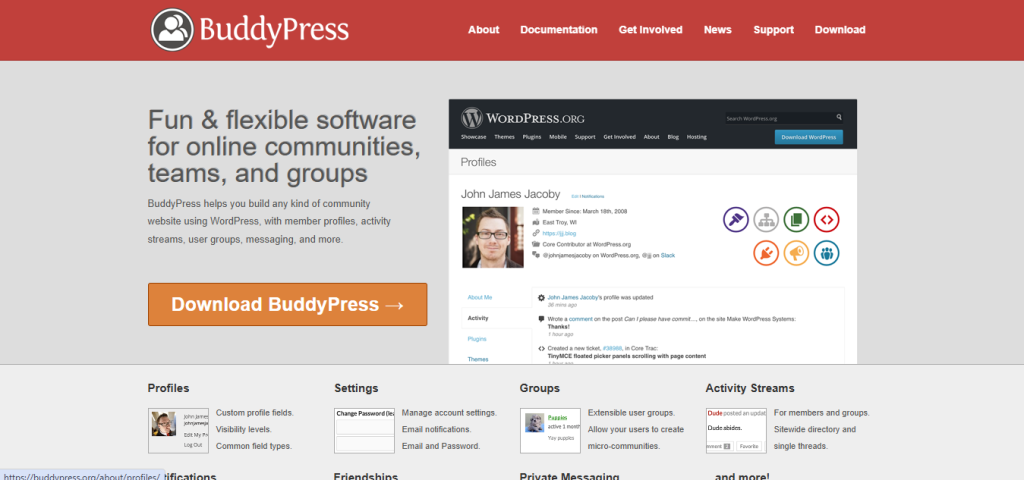
BuddyPress is an excellent choice if you want to combine event management with community building. It allows users to create groups, RSVP to events, and even discuss event details.
Its social networking capabilities make it stand out, offering more than just event functionality. For organizations or communities, it’s a perfect fit.
Key Features:
- Social networking tools
- Group discussions
- Customizable layouts
Pros:
- Builds community engagement
- Free to use
Cons:
- Limited event-specific features
Comparison Table: Top 10 WordPress Event Plugin
| Plugin | Key Features | Pros | Cons |
| The Events Calendar | Recurring events, maps integration | User-friendly | Premium features are costly |
| Event Espresso | Ticketing, mobile check-ins | Comprehensive reporting | Steep learning curve |
| Amelia | Booking automation, notifications | Sleek design | Limited free version |
| EventOn | Beautiful layouts, RSVP options | Aesthetic calendars | Customization needed |
| Modern Events Calendar | Drag-and-drop, WooCommerce | Mobile-friendly | Premium plans required |
| All-in-One Calendar | Import/export, SEO-friendly | Easy to use | Limited styling |
| WP Event Manager | Modular design, SEO-friendly | Lightweight | Add-ons necessary |
| Event Manager | RSVP, location maps | Free version available | Dated UI |
| Tickera | Ticket scanning, seating charts | Professional ticketing | Technical setup needed |
| BuddyPress | Community building, RSVPs | Social features | Few event tools |

Final Thoughts
Choosing the 10 best WordPress plugin for events can feel overwhelming, but each plugin shines in its unique way. Whether you need advanced ticketing, stunning event displays, or streamlined booking, there’s a plugin here to meet your needs.
Evaluate your requirements, budget, and the type of events you host, and pick a plugin that fits your vision. With the right tools, your WordPress site can become the ultimate hub for unforgettable events!
Interesting Reads: