
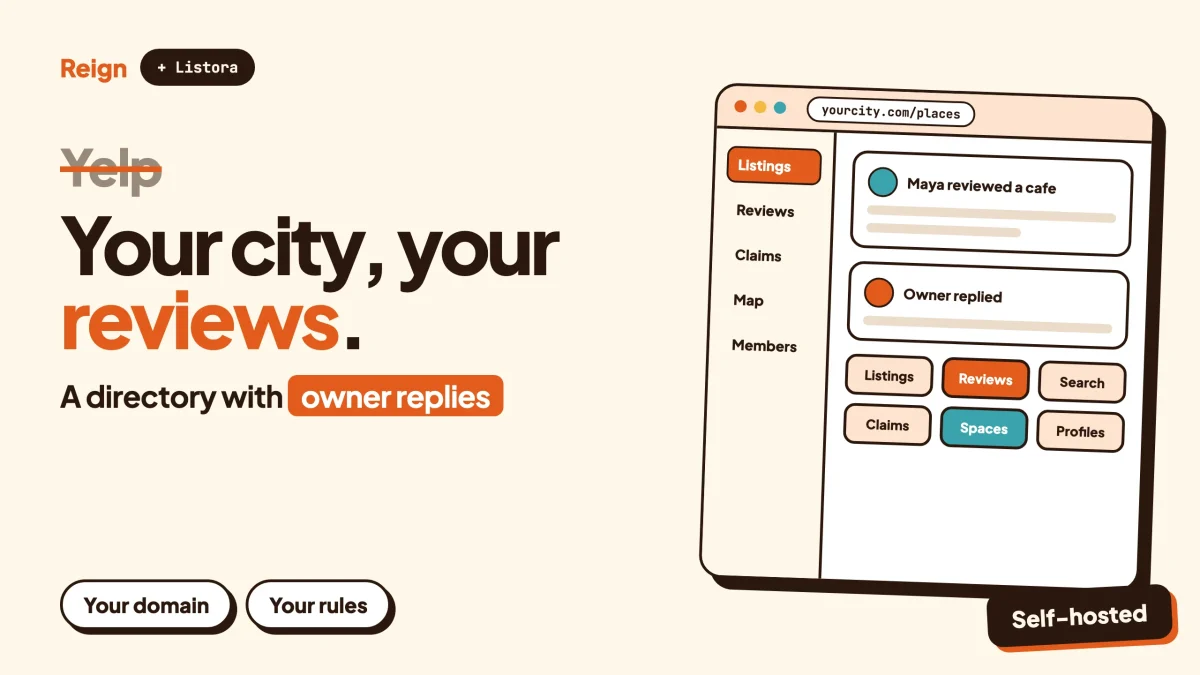
The closest Yelp alternative is not another giant review site. It is your own local review directory on WordPress, built with Listora from Wbcom Designs (we make it, so weigh that) on the Reign theme, with BuddyNext added when you want a member community around the listings. You give up Yelp’s audience. You gain a site where the listings, the reviewers and the rules belong to you.
Yelp is still the better pick for most individual businesses. If you run a restaurant, a salon or a dental practice and just want to be found by strangers, you should claim your page there. This post is for a different person: someone who wants to run the directory, not appear in it.
Product details were checked on each company’s own pages in November 2026.
When is Yelp the better choice?
Yelp is the better choice whenever you need strangers to find a business today. A new site has no traffic, no reviews and no reputation, and Yelp has all three.
On its investor page, Yelp Inc. reports 330 million cumulative reviews as of December 31, 2025. No new WordPress site matches that, and nothing in this post will pretend otherwise.
Stay on Yelp if any of these describe you:
- You are a business owner who wants customers, not a second job running a website.
- Your customers already search on Yelp and trust it more than anything you could launch.
- You need reviews across thousands of places in many cities, today.
- You have no time to moderate, answer reviewers or market a new site.
Look for an alternative if you want to be the publisher. A neighbourhood guide, a city food blog turning into a directory, a trade association listing its members, a university listing student-owned businesses, a niche guide for vegan restaurants or dog-friendly cafes: these are all cases where a general platform is too broad and a focused directory can be more useful.
That is the honest split. Yelp is where businesses go to be found. A WordPress directory is where you go to build something that is yours.
Why look for a Yelp alternative at all?
People look for a Yelp alternative for three reasons: they want to own the audience, they want to set their own review rules, or they want a niche that a general platform cannot serve well.
You want to own the audience
On Yelp, the visitors, the reviewers and the reputation data live on Yelp’s servers. You can build a lot of value there, but you cannot take the reviewer list with you, email the people who loved your guide, or change how the page looks.
On your own site, the member list is a database table you can export. If you ever change hosts, you move the lot.
You want your own rules
Every review platform has to decide which reviews to show. Yelp uses automated recommendation software for this, and says it applies the same standards to every business. Whatever you think of the result, the rules are Yelp’s, applied by Yelp’s software.
A smaller directory can decide differently. A food guide might only accept reviews from people who attach a receipt. A local association might accept reviews only from verified members. You choose, and you can explain the choice on a page of your own.
You want a niche, a region or a topic
A general platform has to be useful to everyone, so it cannot be built around one audience’s questions. A directory of step-free cafes, of independent bookshops in one county, or of freelancers in one trade can carry fields and filters that a general platform does not offer.
Specific filters are the usual reason a niche directory beats a giant for its own audience.
What does Yelp actually do?
Yelp connects people with local businesses. Its public pages describe two sides: consumers who read and write reviews, and businesses that claim a page and, if they wish, advertise.
For business owners, Yelp for Business lists these main offerings, as of November 2026:
| Offering | What Yelp says it does |
|---|---|
| Basic business page | Claim a page at no cost to update business info, respond to reviews and messages, and add photos |
| Page upgrades | Paid features to help a business stand out |
| Advertising | Ads placed on search results and on other businesses’ pages, targeted by location and keyword |
| Request a Quote | A way to connect with customers who are ready to hire or buy |
| Restaurant tools | Reservation, waitlist and table management, plus an AI phone answering product for restaurants |
| Data licensing | Access to Yelp’s local data for building products |
| Yelp for Brands | Marketing for businesses with many locations or no storefront |
On trust, Yelp publishes a page about its recommendation software. It says the software scores reviews on hundreds of signals of quality, reliability and user activity, and checks for things like conflicts of interest and solicited reviews. Reviews it does not recommend stay reachable through a link at the bottom of a business page, but they do not count toward the overall star rating or review count.
Yelp also states that advertisers get no special treatment and that the software treats reviews of advertisers and non-advertisers the same.
That system is a major piece of engineering, and it is the part of Yelp you cannot copy. You can copy the shape of it, though: a listing, a review, an owner reply, a report button and a moderator.
What does a Yelp alternative on WordPress look like?
A Yelp alternative on WordPress is a directory plugin for the listings and reviews, a theme that makes it look like a product, and optional community software for the members. In the Wbcom stack that is Listora, Reign and BuddyNext.
Wbcom makes all three. Listora is the best fit for a Yelp-style job because it is a directory plugin rather than a social network. BuddyNext comes second, for sites where the reviewers should become a community.
Listora for listings, search and reviews
Listora is a directory plugin for WordPress. Its product page describes listing types, faceted search with location and nearby filtering, a front-end submission wizard, reviews with owner replies, and a claim flow where an owner submits proof and an admin approves the transfer.
Some pieces, such as richer map features, verification badges, rating criteria sets and photo reviews, sit in a paid tier. Check the product page for exactly what your licence covers before you plan around any single feature.
For a Yelp-style site you map the parts like this:
- Business page: a listing of a type you define, such as restaurant or salon, with its own fields.
- Search: category and location filters, so a visitor can narrow to a type of business in an area.
- Review: a rating and text left by a member, with an owner reply underneath.
- Ownership: an owner asks to claim the listing and an admin approves it.
- Submissions: visitors and owners add businesses through a front-end form, so you are not typing every entry yourself.
If you want the long how-to, our guide to building a Yelp-style review site on WordPress covers the plugin comparison, schema rules and legal basics in depth. This post is the decision piece that comes before it.
Reign for the design layer
Reign is the WordPress community theme from Wbcom Designs. It gives you a header layout, colour tokens, a dark mode toggle, a mobile drawer menu, block patterns and a demo library with an installer. You pick a demo, import it and change the colours and logo without writing code.
That matters for a directory because trust is partly visual. A review site that looks like a template from 2014 will not get people to write reviews. Reign is the theme we recommend for the site described here, which is a self-interested choice, and you can test it with the demos before you commit.
Details are on the Reign theme page.
BuddyNext for the community around the listings
BuddyNext is a self-hosted community plugin for WordPress. It brings an activity feed, Spaces that can be public, private or secret, member profiles with custom fields, a member directory, polls, hashtags, a moderation queue with warnings and suspensions, and an onboarding wizard.
On a review site, those pieces answer a specific problem. A review is a one-off act. A community is what brings the reviewer back. Think of a Space for each neighbourhood, a feed where members share finds, and profiles that show who a reviewer is.
You can run Listora without BuddyNext and BuddyNext without Listora. Add the second only when you see members wanting to talk to each other.
How do Yelp and a self-hosted directory compare?
Yelp wins on audience, review volume and ready-made trust systems. A self-hosted directory wins on ownership, rules, niche fit and the data you keep. Neither is better for everyone.
| Question | Yelp | Listora with Reign (and BuddyNext) |
|---|---|---|
| Who owns the audience? | Yelp | You, on your own domain and database |
| Starting traffic | An established audience | None at launch, you build it |
| Review volume | 330 million reviews reported as of December 31, 2025 | Starts at zero |
| Review filtering | Automated recommendation software, run by Yelp | Your moderation rules and your moderators |
| Owner tools | Claimable page, review replies, advertising products | Claim flow with admin approval and owner replies, depending on your licence |
| Niche fields and filters | One structure for every business | Listing types you define |
| Look and feel | Yelp’s design | Your design, built on Reign |
| Community features | Reviews, photos and messages | Feed, Spaces and profiles with BuddyNext |
| Effort | Business owners just claim a page | You install, configure, moderate and market |
| Revenue | Yelp earns from advertising and upgrades | You decide, for example paid or featured listings, subject to your licence |
The last two rows are where people get surprised. Owning a directory is a publishing job. The software is the smaller part of it.
How do you keep reviews honest on your own site?
You keep reviews honest with a short set of public rules, a reporting button, a moderation queue and consistency. You do not need hundreds of signals. You need a person who reads the reports.
Yelp’s own description shows what to aim for: check for conflicts of interest, discourage solicited reviews, and look at how reliable a reviewer is. A small site can do the same by hand.
Write the rules before the first review
Publish one page that says who may review, what a review must be based on, and what you remove. Keep it short enough that people read it. Our community guidelines template is a starting point you can adapt.
Decide who may review
The simplest rule is a registered account. A stricter one is a verified member who has been on the site for a set time. For a trade association, you might accept reviews only from members. Choose the strictness that fits the harm you expect.
Separate owner replies from edits
An owner should be able to answer a review. An owner should never be able to change or delete one. Say so in the rules, then check that your setup behaves that way before you launch.
Moderate with a queue
New reviews can wait for approval until you trust your reviewers. Later you can approve automatically and review only reported items. The community moderation guide walks through queues, warnings and appeals.
Take review markup seriously
If you add structured data for reviews, follow Google’s review snippet guidelines, including the rules about self-serving reviews. Our review-site guide covers this in more detail.
Fake reviews are not a bug you fix once. They are a standing cost of running any review site, and your honesty about that cost is what readers will trust.
Why add a community to a review site?
A community gives reviewers a reason to return after they post. Without one, a review site is a list that people visit once from a search result.
Think about how a neighbourhood actually discovers places. Someone asks in a group where to take visitors. Someone else answers, and a third person disagrees. That conversation is more useful than a four-star average, and it has nowhere to live on a plain directory.
With BuddyNext you can give each area or category its own Space, let members follow others whose taste they trust, and run a front-end moderation queue for the whole site. Profiles with custom fields let a reviewer say what they know about, such as vegetarian food or accessible venues.
A few practical ideas:
- A Space per neighbourhood, where members ask for recommendations in plain language.
- A weekly post, pinned, about new places that opened.
- Polls for tie-breakers such as best coffee in the old town.
- A members directory so that frequent reviewers become known names.
For the wider picture, see our posts on member directory plugins and upgrading a Reign site to BuddyNext. If the audience should be private, for example only members of one association, the guide to a private social network on WordPress applies.
What other Yelp alternatives are there?
There are two kinds of Yelp alternative: other review platforms, which you join as a business or reader, and other WordPress directory tools, which you run yourself. We have not profiled other review platforms here because their audiences are not yours to own.
Google Business Profile and other big platforms
For plain visibility, a business listing on a major map or search service often matters more than any niche directory. If your goal is being found rather than publishing, set those up as well as, not instead of, any directory you run.
Other WordPress directory plugins
Several directory plugins can run a review site. GeoDirectory and Directorist are the two most often compared with Listora, and HivePress is another route. Each has real strengths, and the right one depends on the add-ons you need and the budget you have. Our best WordPress directory plugins post compares them, and GeoDirectory alternatives covers the most common migration.
If your directory is closer to classified ads than reviews, read building a classified ads or directory site instead. For a restaurant-only guide, the restaurant directory with Reign post is a shorter route.
Staying with Yelp and doing both
Many local publishers keep a presence on the big platforms and also run their own site. That is a sensible choice. The big platform brings strangers, and your own site holds the readers who want more.
How do you start without Yelp’s audience?
You start small and local. Pick one city, one neighbourhood or one trade, and become the best source for that slice before you widen it.
Yelp’s reviews cannot be copied across. They belong to their authors and to Yelp, and reusing them in bulk is not something this post can advise on, so check Yelp’s terms and local rules before you move any content. The clean route is to ask people to write fresh reviews on your site.
Seed the directory with listings first
An empty directory looks abandoned. Add the first fifty or so businesses yourself, with accurate addresses, opening hours and a photo. Then invite owners to claim their listing and correct it.
Invite reviewers you know
Your first reviewers will be people you can ask directly: friends, newsletter readers, members of a local group. Ask for honest reviews, not good ones, and do not offer rewards for ratings. Rewarded reviews undermine the one thing you are selling.
Win on local search
A directory earns traffic through pages about places: one per business, one per category and one per area. Our post on local business directory SEO covers location pages, schema and maps.
Think about revenue after trust
Once readers rely on you, there are ways to earn: featured listings, sponsored placements that are clearly labelled, or paid owner features. The post on what makes a directory worth running explains how claims and paid slots work. Keep the labelling clear, because a directory that hides paid placements loses the trust it needs.
How to build it, step by step
This is the shortest path from nothing to a working Yelp-style directory. Each step ends with a check.
Step 1: Choose your slice
Write down one sentence: what places, in which area, for whom. For example, family-friendly cafes in one city.
To confirm it worked, a stranger should be able to read the sentence and know whether your site is for them.
Step 2: Set up the site and theme
Install WordPress on hosting you control, then install Reign and import the demo closest to a directory layout from the demo library. Change the logo and colours.
To confirm it worked, open the site on a phone and check the header, the menu drawer and dark mode.
Step 3: Install Listora and define listing types
Install Listora, create a listing type for your main category, and decide which fields businesses need, such as address, opening hours and a website. Keep the form short.
To confirm it worked, submit a test listing from a logged-out visitor account and see it in your admin list.
Step 4: Turn on reviews and the claim flow
Enable reviews, decide who may leave them, and configure how owners claim a listing. Check the product page for which review and badge features your licence covers.
To confirm it worked, leave a test review, reply to it as the claimed owner, and check that the owner cannot edit the review text.
Step 5: Write the rules and set up moderation
Publish your review rules, add a report option and decide whether new reviews wait for approval at the start.
To confirm it worked, report your own test review and make sure it reaches you.
Step 6: Add the community, if you need it
Install BuddyNext, create a few Spaces, and run the onboarding wizard so new members complete a profile. You can try the BuddyNext live demo first.
To confirm it worked, a new member should be able to register, finish onboarding, join a Space and post.
Step 7: Seed and launch
Add your first listings, invite your first reviewers and publish the location pages. Launch quietly to the people you know before you tell the wider world.
To confirm it worked, you should have real listings, a handful of honest reviews and at least one owner who has claimed a page.
Questions people ask
Is there a no-cost Yelp alternative?
Yes, several. Other review platforms cost nothing to join as a reader, and WordPress itself is open source. Running your own directory still costs hosting and your time, so check each plugin’s pricing page for what you need.
Can I import my Yelp reviews into my own site?
Do not assume you can. Reviews belong to their authors and to Yelp, and Yelp’s terms and local law decide what you may reuse. The safer route is to invite people to write new reviews on your own site.
Do business owners have to pay to be listed on my site?
No, that is your decision. Many directories list businesses at no cost and charge for featured placement or extra owner tools. Whatever you pick, label paid placement clearly so readers know what they are looking at.
Do I need BuddyNext to run a review site with Listora?
No. Listora runs on its own. BuddyNext is useful when you want members to talk to each other, follow each other and join Spaces around the listings.
Can a small directory really compete with Yelp?
Not on size. It can compete on focus. A directory that knows one city or one subject deeply, and answers questions a general platform cannot, gives people a reason to visit it directly.
Related reading
- How to build a Yelp-style review site on WordPress
- How to add business reviews and ratings to your community
- What makes a directory worth running: claims and paid slots
- Best WordPress directory plugins
- GeoDirectory alternatives for WordPress directory sites
- Local business directory SEO
- Community moderation guide
- Member directory plugins for WordPress
- Best self-hosted community platforms
- Meetup alternative on WordPress
If you are ready to build, start with the design: see Reign and its demos, pick a directory layout, then add Listora for the listings and BuddyNext when your reviewers want a community.