
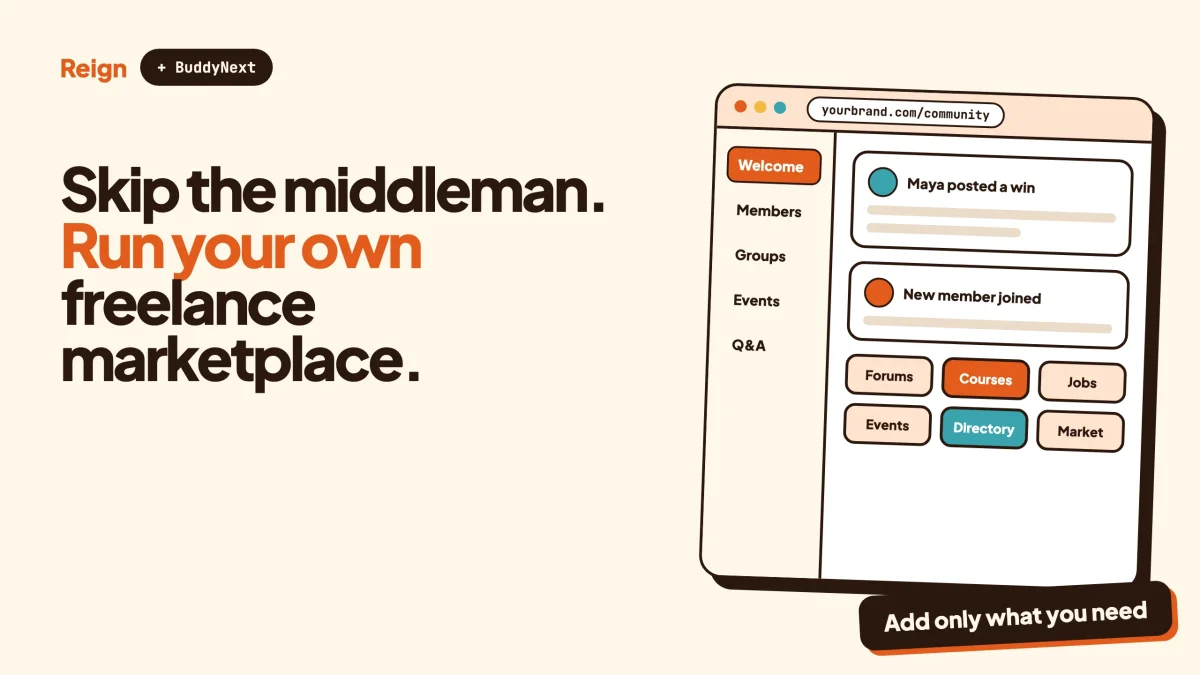
The best Upwork alternative for a niche is your own freelance marketplace on WordPress, built with WP Sell Services for listings, proposals and orders, BuddyNext for the community around it, and the Reign theme for the design. You give up Upwork’s built-in audience. In return you keep the buyers, the sellers, the reviews and the rules. Wbcom Designs makes all three products, so read this as a vendor view and check each claim on the product pages.
Let’s be plain about who this is for. If you are a freelancer who wants paid work next week, Upwork is probably still the right place. This post is for the person who wants to run a marketplace, not just sell on one.
When is Upwork the better pick?
Upwork is the better pick when you need demand today. A large, established marketplace already has buyers searching, a trust system people recognise, and years of work in motion. Building that from nothing takes real time.
Three situations where staying put is the sensible choice:
- You are a freelancer, not a platform owner. If your goal is to find clients, running a marketplace adds a second job. Keep your profile where the buyers are.
- You need buyers from every country and every field. A general marketplace covers thousands of skills. A site you build will cover one slice well, at least at first.
- You have no appetite for support work. Someone has to answer the buyer who says the work never arrived. On a big platform that someone is a team you do not pay for directly. On your own site it is you.
This post does not describe Upwork’s features, fees or policies in detail, because they change. For how it works today, read its own help pages. What follows is about the other side of the decision: what you get if you build your own.
Why would anyone look for an Upwork alternative?
People look for an alternative when the marketplace stops being a channel and starts being a landlord. The reasons below are the ones that come up again and again when someone decides to build.
You want a niche, not a catalogue of everything
A general marketplace lists every kind of work. A buyer who needs a bookkeeper for a veterinary clinic, a translator for legal contracts or a developer who knows one specific plugin has to dig. A site built for exactly that niche can make the search short and the sellers vetted.
You want to own the relationship
On a third-party platform the buyer and seller relationship lives inside someone else’s walls. The contact details, the history and the reviews belong to the platform’s system. On your own WordPress site they sit in your database. If you want to email your buyers about a new category, you can.
You want to set the rules
Who is allowed to sell? How are disputes settled? What happens when an order runs late? On your own marketplace you write those rules. That is a responsibility, but for some businesses it is the whole point.
You want a business, not a profile
An agency, an industry body or a membership community often already has a crowd of people who need work done and people who do it. A marketplace inside that community turns an existing audience into a revenue stream. We covered the fee side of this in what marketplaces keep versus owning your store.
None of this is a scare story. Big platforms earn their keep. The question is whether you want to rent a place in one or run your own.
What does an Upwork-style marketplace need to work?
An Upwork-style marketplace needs a way for buyers to post a brief, a way for sellers to answer it, and an order flow that holds the work, the messages and the payment together. Everything else is polish.
Here are the working parts, defined in short sentences so you can lift them into your own planning.
A buyer request is a job post. The buyer describes the work, sets a budget range and a deadline. A proposal is a seller’s reply: a price, a delivery time and a short cover letter. The buyer reads the proposals and accepts one. That accepted proposal becomes an order.
An order holds the agreed scope, the requirements the buyer supplied, the delivery date and the status. It also holds the revisions, which are the rounds of changes allowed after the seller delivers.
A milestone splits a bigger job into phases. Each phase is paid and approved before the next one starts. This is what makes a large project feel safe for both sides.
A dispute is the process for the day something goes wrong. Someone has to read both sides, ask for evidence and decide. A wallet holds a seller’s earnings, and a payout is how that money leaves your site.
There is a second way to sell too. Instead of replying to a brief, a seller lists a fixed-price service in packages and a buyer just orders it. Upwork-style hiring leans on the brief. The Fiverr-style listing leans on the package. A good marketplace plugin lets you offer both, which matters because some buyers know what they want and some need to describe a problem first. Our post on building a Fiverr-style services marketplace covers the listing side in more depth.
Which WordPress stack replaces Upwork?
The stack is WP Sell Services for the marketplace, BuddyNext for the community, and Reign for the design. Each does one job, and each can be switched on only when you need it.
WP Sell Services, the marketplace engine
WP Sell Services is a services marketplace plugin from Wbcom Designs. Going by its product pages, as of November 2026, it supports both ways of selling at the same time:
- Catalog mode. Vendors list services with up to three priced tiers, buyers pick a tier, add extras and pay.
- Buyer requests. Buyers post a job with a budget and deadline. Vendors send proposals with a price and a timeline, and the buyer accepts one.
Around those two modes it lists the pieces from the previous section. Orders start after payment and carry requirements and revisions. Vendors can offer milestone contracts, where each phase is paid and approved before the next one starts. Either the buyer or the vendor can open a dispute, and the owner reads the thread and the order, asks for evidence and rules on the money. Late orders can open a dispute automatically.
Sellers get a public vendor page that shows past work, response time and seller level, so a buyer can judge them before ordering. Each order has its own message thread with file attachments. Buyers leave star ratings on completed orders. Owners can approve listings before they publish, moderate reviews, and approve, suspend or manage vendors.
On money: it has its own cart and checkout with Stripe, PayPal and offline payments, so WooCommerce is not required for the basic setup. Vendor earnings collect in a wallet net of your commission, vendors request a withdrawal, and you approve it and mark it paid. You set one site-wide commission rate and can override it per vendor. Some money features, such as automatic payouts, tiered commission rules and WooCommerce checkout, need a paid licence, so check the product page for exactly what each licence includes.
It also ships blocks, shortcodes and a REST API, and a setup wizard that configures the marketplace and creates its pages. Live message updates without a page reload need a Pusher-compatible service such as Pusher or Soketi, which is a third-party dependency.
BuddyNext, the community around the marketplace
A marketplace with no community is a list of strangers. BuddyNext adds the layer that makes people stay: activity feed, Spaces that are public, private or secret, member profiles with custom fields, a member directory, polls, hashtags, a moderation queue with warnings, strikes and suspensions, a PWA and a REST API. A mobile app is in development. Direct messages are powered by WPMediaVerse.
How would a marketplace use that? A Space per skill area where sellers swap tips. A feed where buyers post a short update about a project they hired for. A member directory so a buyer can browse people by field. These are the things a general platform does not give you. If you want the live look, try the BuddyNext demo.
Both products run on their own, so you can start with the marketplace alone and add the community later. For the thinking behind a member base before you sell anything, see how to launch an online community and win the first 100 members.
Reign, the design layer
Reign is a WordPress community theme from Wbcom Designs. It has five header layouts, colour tokens, a dark mode toggle and a demo library with an installer. It styles BuddyNext and the other Wbcom plugins without add-ons. Reign is not a marketplace engine. It is what makes the marketplace and the community look like one site instead of two plugins stacked together. If you are still weighing themes, best WordPress community themes has the comparison.
How does your own marketplace compare with staying on Upwork?
The table below is deliberately general. It describes what changes when you move from renting a place on a large marketplace to running your own, not what any one platform charges or allows. For specifics on Upwork, use its own pages.
| Question | Selling or hiring on a large marketplace | Running your own on WordPress |
|---|---|---|
| Where does demand come from? | The platform’s existing audience | You: your community, your content, your search traffic |
| Time to first order | Short, because buyers already arrive | Longer, because you must bring both sides |
| Who owns the member and order data? | The platform | You, in your own database |
| Who writes the rules for disputes and sellers? | The platform | You |
| Who answers support? | The platform’s team | You or your staff |
| How is the business paid? | The platform takes a cut, check their fee page | You set your own commission and other revenue |
| Niche focus | Broad, every category | As narrow as you like |
| Community features | Limited to what the platform offers | Spaces, feeds and profiles with BuddyNext |
| Branding | The platform’s | Yours, with Reign |
Read that table twice. The left column wins on speed. The right column wins on control. Which one matters more depends on whether you are earning from the marketplace or running it.
How do you build an Upwork-style marketplace on WordPress?
You build it in six steps: a clean WordPress install, the Reign theme, WP Sell Services, payment settings, a community layer, and a full test order. Do them in this order, and check each one before moving on.
Step 1. Decide the niche and the model
Write down who sells, who buys and what a typical order looks like. Is it a quick fixed-price service, a brief that draws proposals, or both? The answer decides which mode you lead with. Also decide whether you will approve every seller before they can list. For a new marketplace, approval is the safer default.
To confirm it worked, you can describe your marketplace in two sentences without using the word “everything”.
Step 2. Install Reign and import a demo
Install the Reign theme and use its demo library to pull in a starting layout. The Demo Installer saves hours of page building. Our walkthrough on installing Reign and importing a demo shows the clicks. Pick a header layout, set your colour tokens, and test dark mode.
To confirm it worked, the front page loads with the demo content and your colours on desktop and on a phone.
Step 3. Install WP Sell Services and run the setup wizard
Install the plugin, activate your licence if you have one, and run the setup wizard. It configures the marketplace and creates its pages. Then open the vendor registration settings and decide whether new vendors are approved automatically or by you.
To confirm it worked, the marketplace pages exist, and you can register a test vendor account and see it waiting for approval if you chose manual approval.
Step 4. Set commission and payment methods
Set the site-wide commission rate. Add Stripe, PayPal or offline payments for checkout. Decide how payouts will happen: vendors request a withdrawal, you approve it and mark it paid. Automatic payouts need a paid licence, so check the product page before you promise them to sellers. Rules on taxes, invoices and who counts as an employee differ by country, so check your local rules and speak to an accountant.
To confirm it worked, a small test order goes through checkout, shows up in the vendor’s wallet net of your commission, and a withdrawal request appears for you to approve.
Step 5. Add the community layer
Install BuddyNext and create Spaces: one for announcements, one for each skill area, one for sellers only. Turn on the onboarding wizard so new members fill in a profile. Add the member directory so buyers can browse people. If you want a deeper walkthrough of the engine, see Reign and BuddyNext for a community upgrade.
To confirm it worked, a new member can sign up, complete a profile, join a Space and post in the feed.
Step 6. Run a full test from both sides
Create a buyer account and a seller account. As the buyer, post a request. As the seller, send a proposal. Accept it, pay, deliver, ask for a revision, accept the final delivery and leave a review. Then open a deliberate dispute on a second order and settle it as the admin.
To confirm it worked, every status change sends the right person a notification, the message thread keeps its attachments, and the dispute closes with a result both sides can see.
How do you get the first sellers and buyers?
Start with sellers, because buyers will not arrive at an empty shelf. Invite a small group of people you already trust, ask each to list a service or two, and review every listing yourself.
A marketplace has the classic two-sided problem: sellers want buyers and buyers want sellers. The way through is to pick a side and make it good. Sellers are easier to recruit by hand. Some of them want a place where their niche is the headline, and where they know the terms.
- Recruit a founding seller group. Ten good sellers beat a hundred unknown ones. Give them a private Space where they can shape the rules.
- Seed real listings. A buyer who lands on a page full of placeholder text leaves. Ask each seller to write real descriptions with real examples.
- Bring buyers from where they already gather. Industry forums, newsletters, your own customer list. Write content that answers the questions your buyers type into search.
- Use the community as the engine. A Space where members share what they delivered or learned gives buyers a reason to return even when they have no job to post.
If you also want sellers to show off finished work, a gallery helps; WPMediaVerse powers member photo and video uploads and albums in the same family of products. Our post on selling productized services on WordPress is a good companion for sellers who want to package their work into fixed offers.
How do you keep trust high without a big platform team?
You keep trust high with four habits: vet sellers at the door, keep every conversation and payment on the site, make the dispute path clear, and moderate quickly. A small team can do all four if it starts early.
Vet at the door
Approve listings before they publish and approve vendors before they sell. WP Sell Services lets owners do both. It is slower than open sign-up, and it is the cheapest quality control you will ever buy.
Keep the work on the site
Each order has a message thread with file attachments. When buyer and seller drift off to email or a chat app, you lose the record you need for a dispute and you lose the repeat business. Tell sellers in your rules that the order thread is the record.
Publish the dispute rules
Say what counts as a late order, what evidence you accept and how long you take to decide. Either side can open a dispute and you rule on the money, so write down how you will rule. Boring rules published early beat clever rules invented under pressure.
Moderate the community too
People in the community will argue, spam or pitch each other. BuddyNext has a moderation queue with warnings, strikes, suspensions and shadow-bans. Our community moderation guide walks through setting it up before you need it.
How should you think about fees on your own marketplace?
Think of fees as a design choice, not a number to copy. Marketplaces of this kind earn money by taking a cut of each order, so check the fee page of any platform you compare against, because those terms change.
On your own site you can choose a different shape. WP Sell Services lets you set one site-wide commission and override it for a specific vendor. Paid licences add tiered commission rules by category, volume or seller level. You can also earn from the community side, such as paid memberships (check the BuddyNext product page for licence details), or from ad space sold to relevant businesses.
Whatever you pick, state it plainly on the seller sign-up page. Sellers who feel surprised by a fee leave, and they tell others.
A fair number to keep in mind is not a percentage. It is the gap between what a seller would earn on your site and what the same seller would earn elsewhere once you subtract the audience you cannot yet offer. Close that gap with niche focus, quick payouts and a community people like being part of.
What other options exist besides building your own?
Several routes sit between “stay on Upwork” and “build everything”. Which is right depends on your goal.
- A job board instead of a marketplace. If the work is employment rather than project-based services, a job board is the better model. WP Career Board from Wbcom covers that, and job board site with Reign shows a build. For an overview of plugins in the space, see best WordPress job board plugins. If you also want candidates to be searchable, read adding a resume database to a WordPress job board.
- A WooCommerce-based multivendor store. Plugins such as Dokan and WC Vendors are built on WooCommerce and suit stores selling many products. They can list services, but a services-first plugin fits project work better. Reign has add-ons for both.
- A freelancer community instead of a marketplace. If you do not want to handle payments at all, build a community where freelancers and clients meet and deal directly. That removes the dispute burden and also the revenue.
- Stay on the big platform, and build your own channel beside it. Many sellers do both: they take work where it is easy and invite their best clients to a site they own.
The independent work economy is large enough to build for. The US Bureau of Labor Statistics reported that in July 2023, 11.9 million people were independent contractors on their sole or main job, based on a supplement to the Current Population Survey (release dated November 8, 2024). That figure is about one country and one type of worker, so treat it as a sign of scale, not a forecast for your niche.
If you are thinking about the freelancer’s side of the question, can you make a living with WordPress on Upwork and is WordPress freelancing worth it take that view.
Questions people ask
Is there a platform that works exactly like Upwork?
No self-hosted plugin gives you Upwork’s audience, because the audience is the product. What you can get is the mechanics: briefs, proposals, orders, milestones, reviews and disputes. WP Sell Services lists all of those, and you add your own niche and your own buyers.
Do I need WooCommerce to build a freelance marketplace on WordPress?
Not for WP Sell Services. It has its own cart and checkout with Stripe, PayPal and offline payments, so WooCommerce is not required for the basic setup. A WooCommerce checkout option exists with a paid licence, so check the product page if you want that route.
How do sellers get paid on my own site?
Earnings collect in the seller’s wallet net of your commission. The seller requests a withdrawal, and you approve it and mark it paid. Automatic payout options need a paid licence. Check your local rules on taxes and payments before you promise a schedule.
Can I let buyers hire for a big project in stages?
Yes. Vendors can offer milestone contracts, where each phase is paid and approved before the next one starts. Buyers can also post a request with a budget range and receive proposals.
Is building my own marketplace worth it for one freelancer?
Rarely. A single freelancer is usually better served by a strong profile on an established platform plus a small portfolio site. Building a marketplace pays off when you have a niche, an audience or a community that needs a shared place to trade.
Related reading
- How to build a Fiverr-style services marketplace on WordPress
- What marketplaces keep versus owning your store
- Can you make a living with WordPress on Upwork?
- Sell productized services on WordPress
- Build a job board site with Reign
- Best self-hosted community platforms
- Run a paid community on WordPress with Stripe
- What you keep on Patreon, Substack and Circle
Ready to design the front of your own marketplace? See the Reign theme, pick a demo, and build the community and the marketplace on top of it.