

In the digital age, data is king. Whether you’re running a blog, an online store, or a corporate website, understanding your audience and their behavior is critical to success. Analytics and tracking plugins are the unsung heroes that provide the insights you need to optimize performance, boost conversions, and grow your online presence. But with so many options available, how do you choose the right one?
This guide explores the 10 best Analytics & Tracking Plugins that can help you make smarter, data-driven decisions. From user behavior analysis to conversion tracking, these tools offer a variety of features to suit every need. Let’s dive in and discover which plugin is the perfect fit for your website!

Why Analytics & Tracking Plugins Are a Game-Changer
Analytics and tracking plugins are essential for anyone serious about growing their online presence. They provide valuable insights into how users interact with your website, helping you identify what’s working and what needs improvement. Without these tools, you’re essentially flying blind, making decisions based on assumptions rather than data.
These plugins integrate seamlessly with your website, offering real-time data and actionable insights without requiring technical expertise. Whether you’re a beginner or a seasoned pro, analytics tools empower you to take control of your website’s performance and achieve your goals.
1. Google Analytics Dashboard for WP (GADWP): The Ultimate Analytics Powerhouse
When it comes to analytics, Google Analytics is the industry standard. The Google Analytics Dashboard for WP (GADWP) plugin brings the power of Google Analytics directly to your WordPress dashboard. It offers a user-friendly interface, real-time data, and advanced tracking features.
With GADWP, you can monitor page views, bounce rates, traffic sources, and more. It also supports enhanced e-commerce tracking, making it ideal for online stores. The plugin is highly customizable, allowing you to create custom reports and dashboards tailored to your specific needs.
Key Features:
- Real-time analytics
- Enhanced e-commerce tracking
- Customizable dashboards
- GDPR compliance
Pros:
- Seamless integration with Google Analytics
- Easy to set up and use
- Comprehensive reporting
Cons:
- Advanced features may require a paid version
- Can be overwhelming for beginners
2. MonsterInsights: Analytics Simplified for Everyone
If you’re looking for a beginner-friendly analytics plugin, MonsterInsights is a top choice. It simplifies the process of connecting your website to Google Analytics, providing actionable insights in an easy-to-understand format.
MonsterInsights offers features like page-level analytics, affiliate link tracking, and form conversion tracking. It also includes a dashboard widget that displays key metrics at a glance, so you don’t have to navigate through complex reports.
Key Features:
- Page-level analytics
- Affiliate link tracking
- Form conversion tracking
- Outbound link tracking
Pros:
- User-friendly interface
- Quick setup process
- Excellent customer support
Cons:
- Limited features in the free version
- Requires a premium plan for advanced tracking
3. Matomo Analytics: Privacy-Focused and Feature-Rich
For those who prioritize data privacy, Matomo Analytics is a standout option. Unlike other analytics tools, Matomo allows you to host your data on your own server, ensuring complete control over your information.
Matomo offers a wide range of features, including heatmaps, session recordings, and A/B testing. It’s also GDPR-compliant, making it a great choice for businesses operating in the EU.
Key Features:
- Self-hosted analytics
- Heatmaps and session recordings
- A/B testing
- GDPR compliance
Pros:
- Full data ownership
- Comprehensive feature set
- No data sampling
Cons:
- Requires technical knowledge for self-hosting
- Premium features can be expensive
4. Clicky: Real-Time Analytics for Instant Insights
If real-time data is your priority, Clicky is the plugin for you. It provides live updates on user activity, allowing you to monitor your website’s performance as it happens.
Clicky also offers features like heatmaps, uptime monitoring, and goal tracking. Its intuitive interface makes it easy to navigate, even for beginners.
Key Features:
- Real-time analytics
- Heatmaps
- Uptime monitoring
- Goal tracking
Pros:
- Instant access to data
- User-friendly interface
- Affordable pricing
Cons:
- Limited integrations compared to competitors
- No self-hosting option
5. WP Statistics: Lightweight and Privacy-Friendly
WP Statistics is a lightweight analytics plugin that doesn’t rely on third-party services. It tracks all your data locally, ensuring fast performance and enhanced privacy.
The plugin offers basic analytics features like page views, visitor counts, and referral tracking. It’s a great option for small websites or those looking for a simple, no-frills solution.
Key Features:
- Local data tracking
- Visitor counts
- Referral tracking
- GDPR compliance
Pros:
- Lightweight and fast
- No third-party dependencies
- Easy to use
Cons:
- Limited advanced features
- No real-time data
6. Hotjar: Understand User Behavior Like Never Before
Hotjar goes beyond traditional analytics by providing insights into user behavior. Its heatmaps, session recordings, and feedback polls help you understand how visitors interact with your website.
Hotjar is particularly useful for identifying usability issues and optimizing your site’s design. It’s a must-have tool for anyone focused on improving user experience.
Key Features:
- Heatmaps
- Session recordings
- Feedback polls
- Conversion funnels
Pros:
- In-depth user behavior insights
- Easy to implement
- Great for UX optimization
Cons:
- Can be resource-intensive
- Limited analytics features
7. Piwik PRO: Enterprise-Grade Analytics for Large Organizations
For large organizations, Piwik PRO offers an enterprise-grade analytics solution. It combines powerful tracking features with robust data security, making it ideal for businesses with strict compliance requirements.
Piwik PRO includes features like customer data platforms, consent management, and tag management. It’s a comprehensive tool for managing complex analytics needs.
Key Features:
- Customer data platforms
- Consent management
- Tag management
- Advanced security
Pros:
- Enterprise-level features
- Strong focus on data security
- Customizable reporting
Cons:
- Expensive for small businesses
- Steep learning curve
8. Analytify: Bring Google Analytics to Your WordPress Dashboard
Analytify is another excellent plugin for integrating Google Analytics with WordPress. It presents your data in a clean, easy-to-read format, making it accessible to users of all skill levels.
The plugin offers features like campaign tracking, front-end analytics, and custom dimensions. It’s a versatile tool that caters to both beginners and advanced users.
Key Features:
- Campaign tracking
- Front-end analytics
- Custom dimensions
- Real-time stats
Pros:
- Simple and intuitive
- Affordable pricing
- Regular updates
Cons:
- Limited features in the free version
- Requires Google Analytics account
9. Fathom Analytics: Simple, Fast, and Privacy-Focused
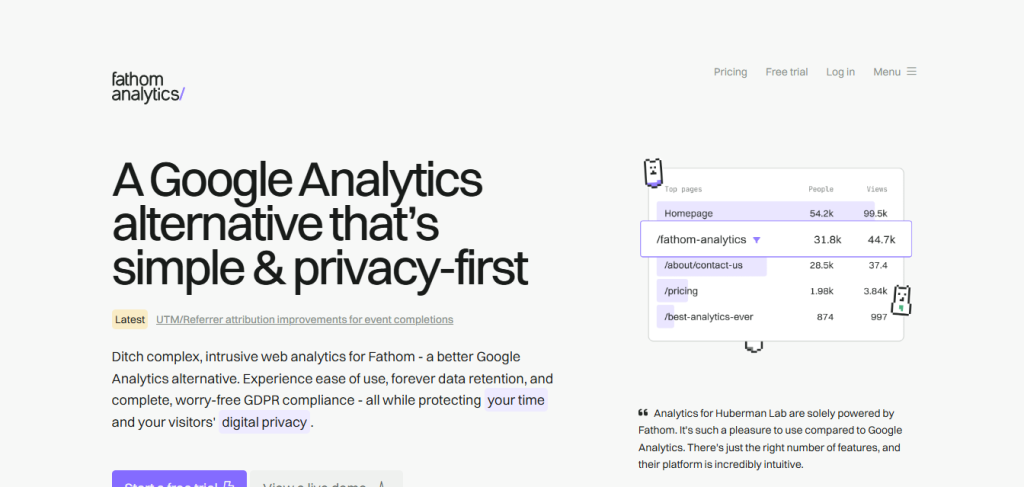
Fathom Analytics is a lightweight, privacy-focused alternative to traditional analytics tools. It provides essential metrics without compromising user privacy.
Fathom’s simple interface and fast performance make it a great choice for small businesses and bloggers. It’s also GDPR-compliant, ensuring your data handling practices meet legal requirements.
Key Features:
- Privacy-focused tracking
- Simple interface
- GDPR compliance
- Fast performance
Pros:
- Easy to use
- No cookie banners required
- Affordable pricing
Cons:
- Limited advanced features
- No real-time data
Comparison Table: 10 Best Analytics & Tracking Plugins
| Plugin | Key Features | Pros | Cons |
| Google Analytics Dashboard for WP | Real-time analytics, e-commerce tracking, customizable dashboards | Seamless integration, comprehensive reporting | Advanced features may require a paid version |
| MonsterInsights | Page-level analytics, affiliate link tracking, form conversion tracking | User-friendly, quick setup, excellent support | Limited features in the free version |
| Matomo Analytics | Self-hosted analytics, heatmaps, A/B testing | Full data ownership, GDPR compliance | Requires technical knowledge, premium features can be expensive |
| Clicky | Real-time analytics, heatmaps, uptime monitoring | Instant access to data, affordable pricing | Limited integrations, no self-hosting option |
| WP Statistics | Local data tracking, visitor counts, referral tracking | Lightweight, no third-party dependencies | Limited advanced features, no real-time data |
| Hotjar | Heatmaps, session recordings, feedback polls | In-depth user behavior insights, great for UX optimization | Resource-intensive, limited analytics features |
| Piwik PRO | Customer data platforms, consent management, tag management | Enterprise-level features, strong data security | Expensive, steep learning curve |
| Analytify | Campaign tracking, front-end analytics, custom dimensions | Simple and intuitive, affordable pricing | Limited features in the free version |
| Fathom Analytics | Privacy-focused tracking, simple interface, GDPR compliance | Easy to use, no cookie banners required | Limited advanced features, no real-time data |

Final Thoughts: Choose the Right Plugin for Your Needs
The 10 best Analytics & Tracking Plugins listed above cater to a wide range of needs, from beginner-friendly tools to enterprise-grade solutions. When choosing a plugin, consider factors like ease of use, feature set, and data privacy.
By leveraging the power of these tools, you can gain valuable insights into your website’s performance and make data-driven decisions that drive growth. Whether you’re a small business owner or a seasoned marketer, there’s a plugin on this list that’s perfect for you.
Interesting Reads:
The 10 Best WordPress Picture Gallery Plugin