

Images are essential to making any website more engaging, and if you’re using WordPress, you probably know that not all gallery plugins are created equal. A great picture gallery plugin can bring your images to life, organizing them in stunning, creative layouts that captivate visitors. Whether you’re a photographer, blogger, or business owner, having a beautiful and functional gallery enhances your site’s appeal and keeps visitors engaged longer.
So, if you’re wondering which plugin to choose, you’re in the right place! Let’s dive into the 10 best WordPress picture gallery plugin and find the perfect one for your website.

1. Envira Gallery: The Speedy and User-Friendly Choice

If you want a high-performance, user-friendly gallery plugin, Envira Gallery is a great option. Known for its speed and ease of use, Envira Gallery helps you create beautiful photo galleries with just a few clicks.
Key Features:
- Drag-and-drop gallery builder
- Mobile-friendly and responsive design
- Social sharing integration
Pros:
- Very beginner-friendly
- Fast loading times for optimized performance
- Great selection of templates
Cons:
- Limited features in the free version
- Advanced features require a premium license
Envira Gallery is an excellent choice for anyone who values speed and simplicity. It’s beginner-friendly, so even if you’re new to WordPress, you can create a stunning gallery in minutes.
2. NextGEN Gallery: A Reliable Classic with Advanced Features
For over a decade, NextGEN Gallery has been a popular choice among WordPress users. With both basic and pro versions, it’s suited for anyone from casual bloggers to professional photographers who need a bit more customization and control.
Key Features:
- Multiple gallery layouts, including slideshow and thumbnail
- Lightbox effects for an immersive viewing experience
- Advanced image protection and watermarking options
Pros:
- Flexible for beginners and pros alike
- Excellent customization and layout options
- Supports bulk image uploading
Cons:
- Slightly steeper learning curve
- Some features are limited to the pro version
If you want a plugin that’s rich in features and gives you full control over your galleries, NextGEN Gallery is a solid choice that can handle large image collections with ease.
Also Read: Is WordPress Freelancing Worth It?
3. Modula: Stunning Grids with a Simple Interface
For those who love eye-catching grid layouts, Modula is the perfect fit. It’s a highly customizable plugin that allows you to adjust every element of your gallery, making it great for those who want their images to stand out.
Key Features:
- Customizable grid layouts with hover effects
- Filter options for easy sorting
- Lightbox and social sharing integration
Pros:
- Easy to set up with minimal learning curve
- Great options for unique, professional designs
- Mobile-responsive and optimized for speed
Cons:
- Limited customization in the free version
- May require premium version for certain features
Modula is ideal if you want a visually stunning gallery with unique grid layouts. It’s straightforward to use, making it a fantastic option for beginners and pros alike.
4. FooGallery: Flexible and SEO-Friendly Galleries
If SEO is a top priority, FooGallery might be your new best friend. It’s built to be lightweight and SEO-optimized, helping your images rank higher in search engines while also looking great on your website.
Key Features:
- Lazy loading for faster page speeds
- Beautiful pre-built templates
- Compatibility with popular page builders
Pros:
- SEO-focused features
- Great selection of templates
- Fully responsive design
Cons:
- Some features locked behind pro version
- May require an additional plugin for advanced features
FooGallery is perfect for anyone looking to boost their gallery’s SEO while keeping a visually attractive and user-friendly gallery.
5. Photo Gallery by 10Web: Feature-Rich with E-Commerce Integration
Photo Gallery by 10Web offers advanced features, including e-commerce integration, which is great for photographers and artists selling their work. It’s easy to use, but also powerful enough for creating complex, professional-looking galleries.
Key Features:
- E-commerce integration for selling images
- Social media sharing options
- Full-screen slideshow mode
Pros:
- Supports selling images directly from your gallery
- Mobile-friendly and customizable
- Great customer support
Cons:
- Some advanced features require paid version
- Can feel overwhelming with too many options for beginners
This plugin is ideal if you need a feature-rich solution with options to monetize your gallery.
6. Gmedia Photo Gallery: Highly Customizable and Versatile
Gmedia Photo Gallery offers a wide range of options to create unique galleries that suit any website’s style. It’s perfect for those who want flexibility and creative freedom.
Key Features:
- Slideshow, masonry, and grid layouts
- Audio and video support
- Gallery templates for quick setup
Pros:
- Good customization options
- Supports multimedia (photos, audio, video)
- Mobile-optimized
Cons:
- Interface may take time to get used to
- Some users report a steeper learning curve
Gmedia Photo Gallery is great for anyone who wants a highly customizable gallery with multimedia options, though beginners may need some time to explore all it offers.
7. Photo Gallery by Supsystic: Unique Styles and Animations
Photo Gallery by Supsystic provides beautiful animations and hover effects that can add flair to your image galleries. It’s user-friendly and has enough features to make it an appealing choice for beginners.
Key Features:
- Unique animations and hover effects
- Customizable layouts with multiple style options
- Responsive and retina-ready
Pros:
- Fun, creative animations
- Easy to use for beginners
- Mobile-responsive with retina display support
Cons:
- Limited functionality in free version
- Lacks some advanced features for professionals
This plugin is ideal if you want to add some eye-catching animations and effects without too much hassle. Its simplicity and style make it great for personal blogs and creative portfolios.
8. Justified Image Grid: Beautifully Organized Galleries
Justified Image Grid gives your galleries a sleek, professional look by organizing images into a justified grid layout. If you’re looking to create a streamlined, organized gallery that highlights each image, this is an excellent choice.
Key Features:
- Justified layout for professional look
- Integration with social media platforms
- Lightbox support and customizable captions
Pros:
- Clean, organized design
- Great for professional portfolios
- Flexible and responsive
Cons:
- Limited free version options
- Focused on grid layout only
This plugin is ideal for anyone who wants a clean, justified grid gallery to display their images in a cohesive way.
9. Essential Grid: The Versatile Option with Design Freedom
Essential Grid stands out with its highly versatile grid layouts, allowing you to create galleries, portfolios, or even product showcases. It’s one of the most flexible gallery plugins, making it ideal for various types of content.
Key Features:
- Pre-made grid templates
- Advanced filters and sorting options
- Supports different content types, including videos and social media feeds
Pros:
- Versatile design options
- Supports multimedia and various content types
- Fully customizable with drag-and-drop editor
Cons:
- Requires time to explore all features
- More advanced options are only available in the premium version
Also Read: Should I Upload My Entire WordPress Site to GitHub?
Essential Grid is the perfect choice for WordPress users who want to showcase a variety of content, not just images.
10. WP Photo Album Plus: Advanced, Feature-Rich Gallery Plugin
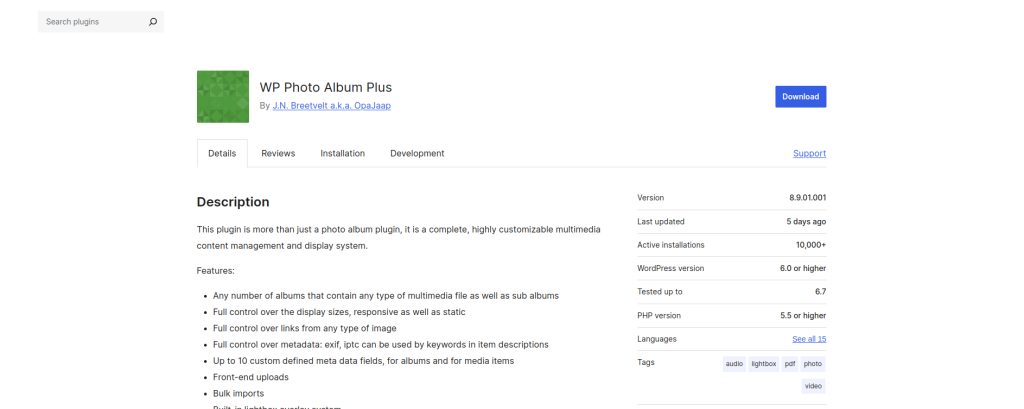
If you’re looking for a plugin that offers depth in functionality, WP Photo Album Plus might be for you. It’s not only feature-rich but also great for creating large, complex galleries that require extra customization.
Key Features:
- Advanced slideshow options
- Commenting and rating on images
- Photo tagging and geotagging
Pros:
- Ideal for large galleries
- Extensive customization and features
- Allows user interaction with commenting
Cons:
- Steeper learning curve
- Interface may feel outdated
WP Photo Album Plus is great for those needing a comprehensive plugin that can manage large galleries with advanced interaction options.
Comparison Table: The 10 Best WordPress Picture Gallery Plugins
| Plugin | Key Features | Pros | Cons |
|---|---|---|---|
| Envira Gallery | Drag-and-drop, mobile-friendly, social sharing | Beginner-friendly, fast loading | Limited free features |
| NextGEN Gallery | Multiple layouts, watermarking, bulk upload | Flexible, great for pros | Learning curve |
| Modula | Customizable grids, hover effects | Visually stunning, user-friendly | Limited free customization |
| FooGallery | Lazy loading, SEO-focused | SEO-friendly, beautiful templates | Requires pro for advanced options |
| Photo Gallery by 10Web | E-commerce integration, slideshow, social sharing | Great for e-commerce, responsive | Somewhat complex for beginners |
| Gmedia Photo Gallery | Multimedia support, customizable layouts | Versatile, multimedia support | Steep learning curve |
| Photo Gallery by Supsystic | Animations, hover effects, retina-ready | Stylish effects, easy setup | Lacks advanced features |
| Justified Image Grid | Justified layout, lightbox, social integration | Professional look, clean design | Limited to grid layout |
| Essential Grid | Grid templates, multimedia support | Very versatile, customizable | Requires premium for full features |
| WP Photo Album Plus | Commenting, rating, tagging | Ideal for large galleries | Learning curve, outdated UI |

Closing Remarks: Choose the Best Gallery Plugin for Your WordPress Site
Each plugin offers unique features suited for different needs, whether you’re a beginner looking for something simple or a professional seeking a fully customizable experience. Choose one that matches your website’s style and your skill level, and start creating galleries that make a lasting impression!
Interesting Reads:
What Image Does WordPress Show on Preview