
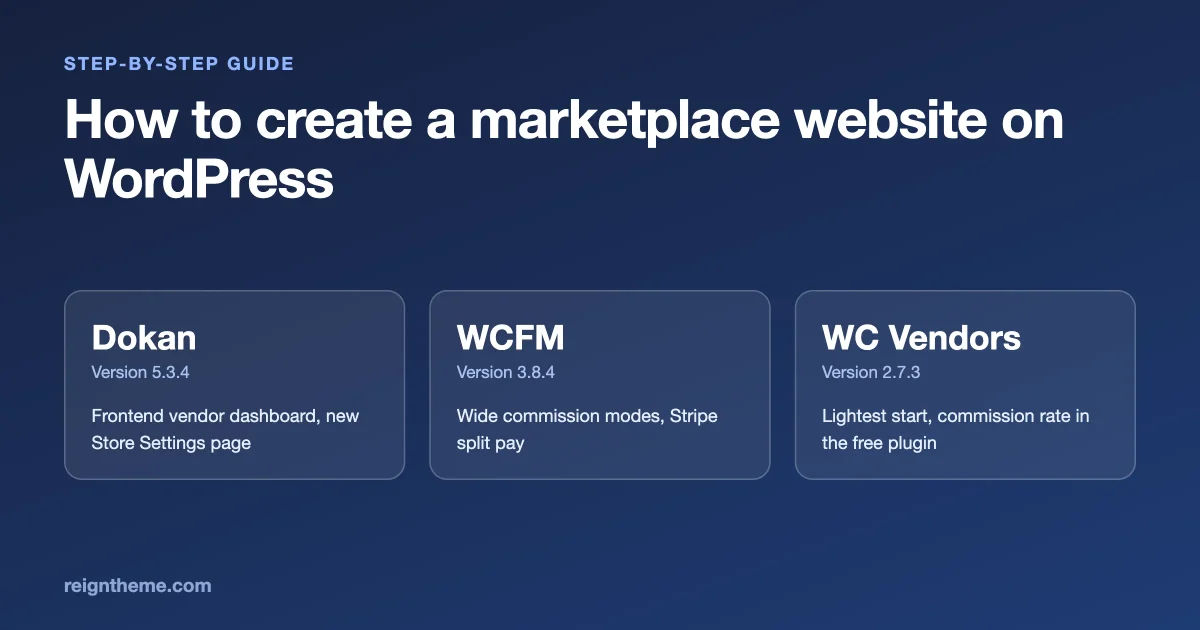
To create a marketplace website on WordPress, you need four things: WooCommerce for products and checkout, a marketplace plugin such as Dokan, WCFM Marketplace or WC Vendors to handle vendors and commission, a theme that makes the buyer and vendor pages look like one site, and a short list of rules for your sellers. Reign, our theme, has official add-ons for all three plugins, each listed at $39 a year on the Reign page. This guide walks you through the build in order, compares the three plugins on vendor dashboard, store pages and commission setup, and says plainly when Reign is not the right theme.
This guide is for you if you want to run a marketplace where other people sell and you earn a cut: crafts, digital goods, services, second-hand items or a local market. Wbcom Designs makes Reign, so read the Reign parts as a vendor view. Every plugin fact below comes from the plugin's WordPress.org page or changelog, read on 11 November 2026, and we have not installed or tested any of them for this post.
How do you create a marketplace website, step by step?
You create a marketplace in seven steps: write your rules, choose the plugin, set up WooCommerce, install the theme, configure vendors and commission, add sample sellers, then launch quietly. Do them in this order, because each step depends on the one before it.
- Write your rules on one page. Commission rate, who pays payment processing fees, refund policy, payout schedule and what sellers may sell. A marketplace with clear rules is easier to build, because every plugin setting then has an answer.
- Choose the marketplace plugin. Use the comparison below. Dokan, WCFM Marketplace and WC Vendors all run on WooCommerce and all have a free version on WordPress.org.
- Set up WooCommerce. Currency, tax, shipping if you sell goods, and the payment gateway. Most marketplace plugins need WooCommerce in place before they do anything.
- Install the theme and its add-on. Pick a theme that styles WooCommerce and your marketplace plugin. With Reign that means the theme plus the add-on for your plugin.
- Configure vendors and commission. Registration, approval, vendor dashboard permissions, commission rate and payout method. Keep it simple at first.
- Add two sample vendors and ten products on a staging site. Place a test order, then a test refund, and check each side sees the right numbers.
- Recruit your first ten vendors personally and launch quietly. Fix what they find before you promote the site.
The rest of this guide expands steps two to five. For the bigger picture, our post on building a multivendor marketplace on WordPress you own covers choices before launch.
What does the plugin do and what does the theme do?
The plugin handles money and permissions. The theme handles looks and layout. Mixing them up is the most common planning error, so settle it first.
- The marketplace plugin lets people register as vendors, gives each vendor a store and a dashboard, splits each order between the vendor and you, tracks earnings and handles withdrawals.
- WooCommerce sits underneath all three plugins. It runs the products, cart, checkout and orders.
- The theme draws the header, the shop, product and store pages, the cart and the dashboard frame. It decides whether the marketplace feels like one product or a stack of parts.
Pick the plugin on features and fit. Then pick a theme that styles that plugin and the WooCommerce pages well. Our broader post on building a multivendor marketplace on WordPress you own covers choices before launch.
Where do the three plugins stand today?
All three are actively maintained, with releases in the last month. Here is what each WordPress.org page shows.
| Plugin | Current version | Last updated | Who it is for, in its own words |
|---|---|---|---|
| Dokan Lite | 5.3.4 | 5 November 2026 | Multivendor marketplaces for physical goods, digital downloads, bookings, auctions or subscriptions; the page says it powers over 40,000 live marketplaces |
| WCFM Marketplace | 3.8.4 | 2 November 2026 | Marketplaces needing a fully frontend vendor dashboard, flexible commission rules and Stripe split payments |
| WC Vendors | 2.7.3 | 19 October 2026 (changelog dated 16 October) | A simple marketplace with a setup wizard; the page says it is trusted by over 8,000 stores |
The user counts are the vendors' own claims. Dokan's page asks for WordPress 7.0 or higher and PHP 7.4 or higher. WCFM asks for WordPress 5.5 and PHP 7.4, and WC Vendors for WordPress 6.2 and PHP 7.4. Check these before you plan hosting.
How do the vendor dashboards compare?
The vendor dashboard is where your sellers spend their time. It is also where a marketplace feels professional or amateur. All three plugins give vendors a frontend dashboard, so sellers never need to see the WordPress admin, but they differ in depth.
Dokan
Dokan's page says every vendor gets a customisable dashboard on the store frontend and that backend access is restricted to the admin. Its changelog shows active work on that dashboard. Version 5.3.0 added a redesigned Store Settings page and a switch that moves vendors between the new and classic pages, with existing sites staying on the classic one by default. Version 5.3.4 fixed the vendor customer list so it counts only a vendor's own customers, and stopped vendor registration from accepting a shop URL that another vendor already holds. Our post on what to check when Dokan changes the vendor settings page goes through the 5.3 change in detail.
WCFM Marketplace
WCFM leads with the dashboard. Its page lists a 100 percent frontend vendor dashboard with no unintentional wp-admin access, and it describes granular vendor capability controls so you decide what each vendor can do. It also sells an AI Suite add-on that gives vendors copywriting and image tools inside their dashboard. That add-on is a paid extra described on the plugin page, and whether you want it is a business question, not a theme question.
WC Vendors
WC Vendors lists a basic frontend dashboard for sales and orders reports in its free plugin, with vendors able to mark orders shipped and WordPress admin used for publishing products. That is the simplest of the three. Its Pro and add-on list covers more, such as vendor vacation mode, opening hours and store notices. Version 2.7.3 added REST endpoints for commissions, vendor orders and sales summaries, so developers have more to build on.
What this means for you
If your vendors are non-technical and you want one place for everything, Dokan and WCFM are built around a rich frontend dashboard. If you want to start small and add features later, WC Vendors is the lighter start. Whichever you choose, test the dashboard as a vendor on a phone, because many sellers will manage their shop from one.
What about store pages?
A store page is the shop front for one vendor: a banner, a name, a description, a product grid and maybe a contact box. It is also the page buyers land on from search and links, so it shapes trust.
- Dokan gives each vendor a store page and, in version 5.3.0, made vendor store maps open on the default location you set in Geolocation settings.
- WCFM lists vendor store features, shipping and logistics tools and a store with a unique URL. Its 3.8.4 changelog notes a stored cross-site scripting fix in the vendor store phone and social profile fields, which is a reminder that store fields are places where vendor input reaches your visitors.
- WC Vendors says vendors get their own store and unique URL, with store SEO compatibility in the add-on list.
The theme matters most here. A store page uses your theme's header, width, typography, product card and buttons. If the theme does not style the plugin's store template, you get a page that looks different from the rest of the site. Open a store page on any theme you are considering, with a vendor who has a long name and only two products, and judge it honestly.
How does commission setup compare?
Commission is how you earn, so it deserves the most careful reading. The three plugins differ more here than anywhere else, and several of the most useful options sit in paid versions.
WCFM
WCFM's page lists commission modes by fixed amount, percentage, percent plus fixed, vendor sales, product price, category and membership tier, with overrides globally, per vendor or per product. It also lists Stripe split payments, which divide a payment between you and the vendor at checkout, and many payout gateways including PayPal, bank transfer and others, plus withdrawal by schedule, by order status or manually. The page groups all of this under one heading, so check the product page to see which items need a paid add-on in your case.
WC Vendors
The free WC Vendors plugin lets you set a commission rate, the percentage of revenue shared with vendors. The page lists fixed and fixed-plus-fee commissions, fees added to commissions, commission per vendor or per product, vendor membership plans, subscriptions, bookings, auctions and automatic Stripe payouts as Pro or add-on features. Version 2.7.3 added REST writes for the global and per-vendor commission rate.
Dokan
Dokan's admin includes commission settings, and its changelog shows ongoing work: version 5.3.4 changed the commission settings to name the empty field and explain that 0 is allowed when an amount is missing, and 5.3.2 stopped saving a vendor from the Users screen from resetting a custom commission to the global rate. Which commission types and withdrawal tools sit in Dokan Pro is set out on Dokan's own comparison pages, so read them before you plan, and do not rely on a third-party summary.
How to think about commission
- Start simple. One percentage for everyone is easy to explain and easy to defend. Add rules only when a real situation needs one.
- Decide who pays the payment fee. Your payment processor takes a fee on each order. Decide whether it comes out of your share, the vendor's share or the buyer's price, and say so in your vendor terms.
- Think about refunds. When an order is refunded, what happens to the vendor's earnings? Read how the plugin handles it and write your policy to match.
- Check taxes and local rules. Marketplace tax and payout rules differ by place. Ask an accountant before you take your first order.
- Plan payouts. Pick one payout method you can run well. A marketplace that pays late loses vendors fast.
What does a WordPress marketplace theme style?
The theme styles the pages around the plugin, and a good one also connects the marketplace to the rest of your site. Walk through the pages in this order, because each one is a place a theme can fall short.
- Shop and category pages. The product grid, filters, sorting and pagination.
- Product pages. Image gallery, price, variations, the vendor name and a link to the store.
- Cart and checkout. The most important pages. They must work and look right on a phone.
- Store pages. Banner, store info and product grid.
- Vendor dashboard. The frame, menu and tables around the plugin's dashboard.
- Account pages. Orders, downloads, addresses and login for buyers.
- Emails. WooCommerce emails use their own templates, so check them separately.
Our Reign Dokan guide describes an add-on that goes further than styling. According to that guide, it puts a vendor's store panel on their BuddyPress member profile and lets group pages show filtered product grids. You can read it in Reign Dokan Addon: build a community marketplace with member-vendors. The Reign page does not say whether the WCFM and WC Vendors add-ons offer the same features, so ask before you assume.
Which plugin for which marketplace?
There is no best plugin, only a best fit. Use these questions to narrow the choice, and then read each plugin's own pages for the final answer.
A craft or handmade marketplace
You need strong product pages, pretty store pages and simple vendor onboarding. Dokan and WC Vendors both suit this. Choose Dokan if you want a rich dashboard from day one, WC Vendors if you want the lightest start and plan to add features slowly.
A digital goods marketplace
You need download delivery, licensing and clear commission on digital sales. Dokan lists digital downloads on its page. WC Vendors lists digital products as handled. Check how each treats download limits and refunds. A recent Dokan changelog lists a fix for saving a downloadable product resetting buyers' download limits, which is the kind of detail to watch.
A services or bookings marketplace
You need bookings, deposits and calendars, not only products. Dokan lists bookings and WC Vendors lists booking support as Pro features. If your sellers deliver work and not goods, a dedicated services plugin may suit better. Our Reign page lists WP Sell Services for that case, and our Fiverr-style marketplace guide shows how it fits together.
A local or classifieds marketplace
You may not need payment splitting at all. If people simply list items and meet, a directory plugin may be a better and cheaper fit. See our directory plugin comparison and, for the theme side, what a listing site needs from its theme.
A marketplace with complex commission rules
If you plan different rates by category, vendor tier or order size, WCFM's page lists the widest set of commission modes, and WC Vendors Pro lists per-product and per-vendor rates. Compare the paid tiers carefully before you commit, since that is where the difference lies.
A marketplace that needs Stripe split payments
WCFM lists Stripe split pay on its page, and WC Vendors lists automatic Stripe payouts as a Pro feature. Check each plugin's payment pages for which gateways and countries are supported, because payouts across borders have rules.
How does Reign work as a WordPress marketplace theme?
Reign is a WordPress theme built around community sites, with marketplace add-ons. Here is what its page says, read on 11 November 2026, and none of it is a promise about how it works with your exact plugin version.
- Add-ons. Official $39 a year add-ons for Dokan, WC Vendors and WCFM, with WooCommerce listed among supported plugins.
- Theme version. 8.0.8, updated 7 October 2026, with five header layouts including a mini cart, sixteen Customizer panels and a dark mode.
- Price. Reign Only starts at $99 a year or $249 lifetime for one site. The bundle that includes all add-ons starts at $179 a year or $399 lifetime for one site. Annual renewals are 30 percent off, and there is a 30-day money-back guarantee.
- Community. It supports BuddyPress and BuddyBoss and works with the BuddyNext engine, which matters if you want sellers to be members with profiles and groups.
The page does not state right-to-left language support or page builder compatibility, so check those if you need them. Because you pay for the theme and an add-on separately, add both to your budget along with the marketplace plugin's own licence.
Making it your own
Change colours, typography and the header from the Customizer. For template changes, use a child theme so updates do not erase your work, as our guide to customising Reign safely explains. To start from a finished layout, follow installing Reign and importing a demo.
How do you keep a marketplace safe?
A marketplace is more exposed than a blog because strangers, your vendors, can submit data to your site. Recent changelogs show why updates matter.
- Dokan 5.3.3 stopped guests viewing multi-vendor parent orders and their notes and downloads through the orders REST endpoint, and 5.3.4 stopped unauthenticated visitors reading private product data through a crafted request.
- WCFM 3.8.4 fixed a broken access control issue in the setup wizard and a stored cross-site scripting issue in vendor store fields, according to its changelog.
- WC Vendors 2.7.3 added a number of REST endpoints, which also means more surface to keep updated.
Treat these as a pattern, not as a verdict on any one plugin. Every popular plugin ships security fixes, and what matters is that you apply them quickly. A sensible routine follows.
- Take a full backup, stored away from your server.
- Read the changelog before updating.
- Update on a staging copy and check the vendor dashboard, a store page and a test checkout.
- Update the live site at a quiet hour.
- Check orders and payouts the next day.
Choose managed hosting that applies PHP and server updates for you, and look at our hosting guide for what to look for.
When is Reign not the right pick?
Reign will not suit every marketplace. Here are honest cases.
- You want a plain shop with a few vendors and no community. A simpler, lighter WooCommerce theme will do, and Reign's community features would sit unused.
- You build in a page builder. The Reign page does not state builder compatibility. A builder-first theme may fit better.
- Your plugin vendor sells its own supported theme. Some marketplace plugin companies publish themes made for their templates. If you value one vendor and one support desk, compare it with Reign first.
- You need documented right-to-left support. The page does not state it.
- You want a hosted marketplace with no WordPress upkeep. A theme cannot give you that. See our guide to when to leave marketplaces that take a cut and weigh the trade-offs.
Questions people ask
How do I create a marketplace website on WordPress?
Install WooCommerce, add a marketplace plugin such as Dokan, WCFM Marketplace or WC Vendors, set your commission and vendor rules, then choose a theme that styles those pages. Follow the seven steps near the top of this guide.
What is the best WordPress marketplace theme?
It depends on your plugin and site. Choose the marketplace theme that styles your marketplace plugin's pages, the vendor dashboard and WooCommerce well, and that has a good update record. Test the pages listed in the section above on staging.
Do I need a special theme for Dokan, WCFM or WC Vendors?
No. All three run on ordinary WooCommerce themes. A theme with an add-on for your plugin can save styling work.
Which is cheaper, Dokan, WCFM or WC Vendors?
Each has a free plugin and paid upgrades. Compare the paid tiers for the features you need, since the difference lies in which commission, payout and booking tools are free.
Can vendors manage everything from the frontend?
Dokan and WCFM both describe a frontend vendor dashboard, and WC Vendors lists a basic frontend dashboard for sales and orders, with WordPress admin used to publish products. Check how each handles your vendors' tasks.
How does a marketplace pay vendors?
The plugin tracks each vendor's earnings after commission, and vendors withdraw through methods such as bank transfer, PayPal or Stripe, depending on the plugin and your setup. WCFM lists schedule, order status and manual withdrawal options.
Is the Reign Dokan add-on the same as the WCFM and WC Vendors add-ons?
The Reign page lists all three at $39 a year, but does not describe whether each offers the same features. Ask before you buy if you need a specific feature.
How often should I update my marketplace plugins?
Read each changelog and apply security fixes quickly, after testing on staging. The recent changelogs of all three plugins include security fixes.
Your next step this week
Write your marketplace rules on one page. Decide whether your sellers sell goods, downloads or services. Then read the pricing pages of the plugin that fits and compare the paid tiers for commission and payout tools. Once you have a plugin, choose the theme.
If you want to try Reign, see the Reign page for the add-ons and pricing.
Where this comes from
- Dokan Lite on WordPress.org: version 5.3.4, description and changelog, read on 11 November 2026.
- WCFM Marketplace on WordPress.org: version 3.8.4, description and changelog.
- WC Vendors on WordPress.org: version 2.7.3, description and changelog.
- Reign theme page: version, add-ons and pricing.