
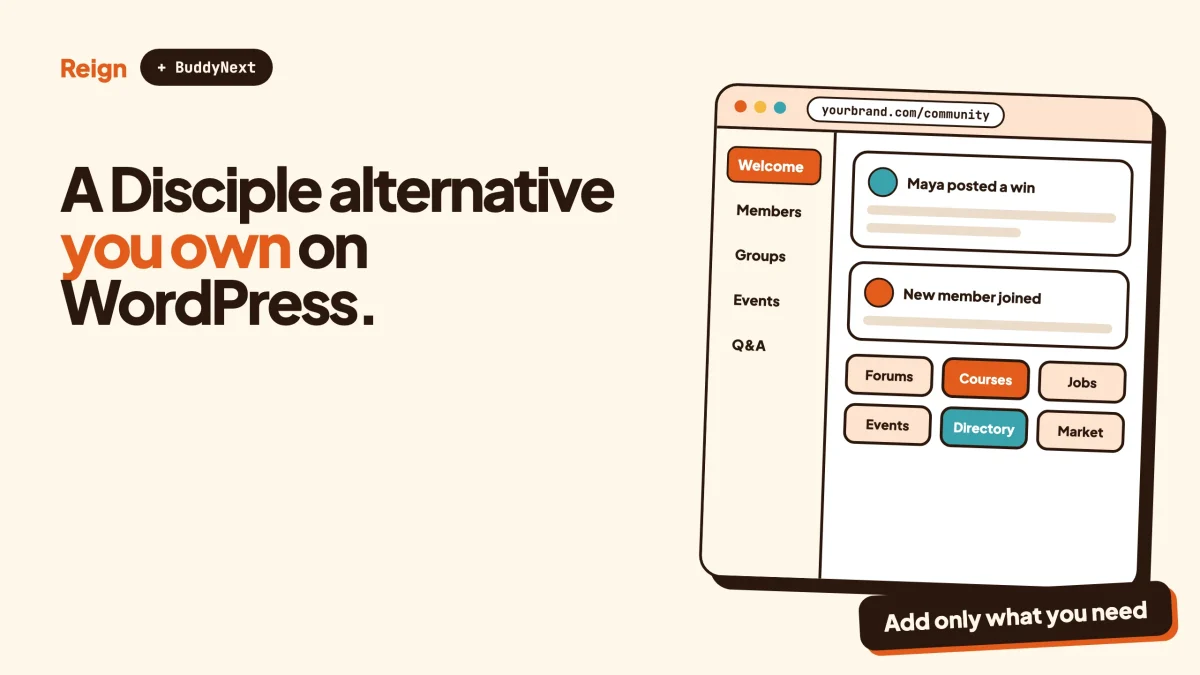
The closest self-owned Disciple alternative is a WordPress site running the Reign theme with BuddyNext as the community engine. You get a feed, Spaces, profiles, direct messages and moderation on your own domain and database. Disciple is the better pick if your members expect a branded iOS and Android app listed under your name in the app stores, with a named account manager behind you. This guide compares the two honestly, says who should stay, and lays out a move.
Disciple details here were read on disciple.community in November 2026 and can change, so confirm anything that affects your decision on their site. We make Reign, BuddyNext and the other Wbcom products named below, so we have an interest in the answer. We have tried to be fair, because Disciple is a serious product built for a specific kind of customer.
In this guide
- When Disciple is the better pick
- Why people look for a Disciple alternative
- What a WordPress version looks like, with BuddyNext first
- Disciple features and their WordPress equivalents, in one table
- The mobile app question, answered plainly
- Data, hosting and security on each side
- A migration plan from Disciple to WordPress
- Questions people ask
When is Disciple the better pick?
Disciple is the better pick when the app on your members’ phones is the product. It builds white-label community apps for iOS, Android and web, and its homepage says it has built 2,000 apps over 12 years for brands and institutions. If your plan depends on an icon in the App Store with your name next to it, that history counts.
Its homepage lists the customers it is aimed at: non-profits, enterprise communities, wellness and lifestyle memberships, professional networks and associations, and training providers and accelerators. Its platform covers feeds, direct messages and group chats, events, a member directory and livestreaming. It adds a page builder your team uses to assemble home screens section by section, plus tiered access and your own branding and graphics.
The less visible part is the service around the software. Disciple’s FAQ says every plan comes with a customer success manager who helps with platform setup, app store submissions and launch planning, and that its own team handles hosting, app maintenance, security and GDPR compliance. If nobody on your team wants to look after a website, that is real value, not marketing.
Disciple also speaks to organisations with heavier plumbing needs. Its homepage mentions single sign-on, a CRM integration with over 100 CRMs including Salesforce, HubSpot and Zoho, and integrations through APIs, webhooks and Zapier. Its security page lists ISO 27001 certification, a choice of EU or US hosting made at onboarding, encryption in transit and at rest, daily backups, and a published list of sub-processors. A procurement team will read that page with relief.
So who should stay? A non-profit or association that needs a store-listed branded app, a security questionnaire answered by a vendor, and a human account manager should probably stay. So should a team with a budget for that service and no appetite for running software. Moving is a project, and it only pays off for a reason that matters to your members or your business.
Why do people look for a Disciple alternative?
People look elsewhere for four honest reasons: cost structure, ownership of the website itself, design freedom on the web, and the wish to combine the community with other kinds of site. None of these is a flaw in Disciple. They are differences in model.
Cost structure. Disciple publishes flat monthly plans on its pricing page, with a separate quote-based plan for larger organisations. It states that there are no per-member fees and that it takes no commission on revenue you earn, beyond standard payment processor fees. That is a clean model. It is also a monthly subscription for as long as you stay, which a smaller community or a hobby project may not want. Check their pricing page for the current numbers, because we are not quoting any here.
Where the public web presence lives. A Disciple community runs on Disciple’s platform, reached through your branded apps and a web version. If you want public discussion, landing pages, a blog and the community all on one domain under one site you control, a WordPress site is built for exactly that. Search engines index a WordPress site the way you configure it, and your content sits next to everything else you publish.
Design freedom on the web. Disciple’s page builder lets your team arrange screens. A WordPress theme goes further on the web side: header layouts, colour tokens, dark mode and a child theme for custom work. That matters if the web experience is where your members spend their time and the mobile app is secondary.
Combining a community with other sites. A WordPress install can hold a course catalogue, an events calendar, a job board or a directory next to the community, all under one login. If your plan includes those, one site is simpler than a community platform plus separate tools.
Be careful with the fifth reason people give, which is “we want to own our data”. Disciple’s trust page states that members, posts and analytics export in full on request, with no lock-in or exit fee, and its pricing page lists data exports on its plans. Check the export format against your needs, but do not move purely because you assume you cannot leave. You can.
What does the WordPress version look like?
The WordPress version is three layers. Reign is the design layer, the theme that makes the site look like yours. BuddyNext is the community engine that supplies the feed, Spaces, profiles and messages. Other Wbcom products add courses, events, points and forums only where you need them.
BuddyNext, from buddynext.com, has an activity feed, Spaces that can be open, private or secret, profiles with custom fields, a member directory, direct messages powered by WPMediaVerse, polls, reposts, bookmarks, hashtags and email digests. For safety it has a moderation queue with warn, strike, suspend and shadow-ban actions, plus two-factor authentication. There is an onboarding wizard for new members, PWA support, a REST API, 18 Gutenberg blocks and webhooks. It also has native Stripe membership tiers, so paid access can be set up without a separate membership plugin. A mobile app is in development, and we come back to that below.
Reign sits on top. It has five header layouts, colour tokens and dark mode, and you do not need to write code to use them. Its Demo Installer imports a ready-made site, and it styles BuddyNext, BuddyPress, BuddyBoss Platform, PeepSo and the in-house Wbcom plugins without add-ons. If you have never installed it, install Reign and import a demo shows the steps, and the BuddyNext setup docs cover the community side. You can also open the BuddyNext live demo to click around a working community first.
Disciple and BuddyNext both organise a community around a feed, groups or Spaces, and messages. That similarity makes the rebuild easier than the product names suggest. The gap is the app, the service and the live video, and we will say so in the table.
Which Disciple features have a WordPress equivalent?
Most community features do, and the table below pairs them. The right column is deliberately blunt about what is partial or missing. Where a Wbcom feature may depend on a paid licence, the table says to check the product page and does not guess.
| On Disciple | On WordPress with Reign | How close is it? |
|---|---|---|
| White-label iOS and Android apps in your name | BuddyNext with PWA support; a mobile app is in development | Not equal today. No store-listed app of your own exists in this stack yet. |
| Web version of the community | Reign styling a BuddyNext site | Close, and the web side is where WordPress is strongest. |
| Feeds | BuddyNext activity feed | Close. |
| Groups | BuddyNext Spaces (open, private or secret) | Close. You rebuild your group structure by hand. |
| Direct messages and group chats | Direct messages powered by WPMediaVerse | Partial. Direct messages exist; check the product page if you need group chat rooms. |
| Member directory | BuddyNext member directory with custom profile fields | Close. You choose the fields. |
| Events | Eventonomy: event listings, calendars, RSVPs | Close for scheduling. Check the product page for tickets and check-in. |
| Courses and monetised courses | Learnomy: courses, lessons, quizzes, student progress, certificates | Close for core delivery. Check the product page for drip content, assignments and payments. |
| Livestreaming | No hosted live video in the Wbcom stack | Disciple is ahead. Pair the site with a separate live-video service if you need it. |
| Tiered access and paid membership | BuddyNext native Stripe membership tiers | Close for membership tiers. Compare payment options against your plan. |
| Badges | WB Gamification: points, badges, ranks, rewards | Close. Check the product page for custom rules and leaderboards. |
| Moderation | BuddyNext moderation queue with warn, strike, suspend and shadow-ban | Close. |
| API, webhooks, Zapier | BuddyNext REST API and webhooks | Close for API and webhooks. Check the product page for Zapier. |
| SSO and CRM sync for enterprise | Not claimed | Check the product page. Disciple lists these as part of its larger plan. |
| Named customer success manager | Your own team | Different. Not a managed service. |
| Hosting, security and compliance handled for you | You or your host | Different. You carry this work, and you control it. |
Read the table by its middle column. Everything from the feed to moderation has a counterpart. The rows that do not are the app, hosted livestreaming and the managed service, and those are the reasons to stay on Disciple.
What about the mobile app?
Mobile is the biggest gap. Disciple’s pricing page says every plan includes your own branded iOS and Android apps, with you listed as the developer, and its FAQ says most member engagement happens on mobile. A BuddyNext community is a website with PWA support, and a mobile app is in development, so you cannot ship your own store-listed app from this stack today.
A PWA, short for progressive web app, is a website that can behave like an app on a phone. Members can open it from their home screen without going through a store. That suits many communities, such as a local interest group, a course alumni space or a small professional network. It does not suit a brand whose members are told to “search for us in the App Store”.
Ask yourself how members reach your community now. If most arrive from email, search or a link in a newsletter, the web experience carries the load and a PWA is plenty. If most arrive because they downloaded the app, a web-first rebuild may lose engagement you cannot easily win back. That single question settles more migrations than any feature comparison.
The honest middle path is to stay on Disciple while you build the WordPress site, then compare the two on real member behaviour. It costs a second bill for a few months and saves a bad decision.
How do data, hosting and security compare?
On Disciple, the vendor hosts and secures the platform, and you receive certifications and documents to show others. On WordPress, you or your host do that work, and you hold the keys. Neither is wrong. They suit different teams.
Disciple’s trust page describes its side: ISO 27001 certification, GDPR compliance, a choice of EU or US hosting at onboarding, encryption in transit and at rest, daily backups, testing by an outside security firm, and each customer’s data stored in its own dedicated database. It also lists a Data Processing Agreement within its terms and a published list of sub-processors. If an auditor will ask for those, a managed vendor answers the questions in an afternoon.
A self-owned WordPress site changes who answers. You choose the host, the region, the backup schedule and the access rules. You can keep member data in a country or on a server of your choosing, and nothing sits behind a vendor’s login. The price is responsibility. You patch, you back up and you decide who has admin rights. A good managed WordPress host reduces that work, and our guide to hosting for community websites covers what to look for. For the wider picture of running software yourself, see self-hosted community platforms compared.
If you have members in regulated settings, such as health or education for minors, check your local rules and your own legal advice before choosing either path. Neither vendor’s marketing page replaces that.
How would I move from Disciple to WordPress?
Run both in parallel, rebuild the structure first, move people second, and switch last. Plan for weeks, not days. Each step below ends with a check so you know it worked.
Step 1: Decide whether the app matters
Look at how your members actually log in. If app sessions dominate, stop and read the mobile section again. To confirm this step is done, write down the share of your members who use the app and the share who use the web version, using the analytics Disciple gives you.
Step 2: Export what Disciple lets you export
Disciple states that members, posts and analytics export in full on request. Ask for the export early, and look at the files before you rely on them. To confirm it worked, open the member file and check that every column you need, such as name, email and join date, is there.
Step 3: Build the site and import a demo
Install WordPress on your chosen host, install Reign, and use the Demo Installer to import a starting layout. Then set up BuddyNext. To confirm it worked, register a test member and post in a test Space.
Step 4: Recreate your structure
Map each Disciple group to a BuddyNext Space and decide which are open, private or secret. Rebuild profile fields, the home page and navigation. Add Learnomy for courses or Eventonomy for events only if you used those on Disciple. To confirm it worked, walk through the site as a brand-new member and as a moderator.
Step 5: Set up membership and payments
If you charge for access, set up BuddyNext’s Stripe membership tiers and test a purchase end to end. Our guide to a paid community on WordPress with Stripe walks through it. To confirm it worked, buy a tier with a test card, then check the member sees the right Spaces.
Step 6: Invite members across in stages
Do not move everyone on one day. Start with your most active members, ask for feedback, and fix what they find. The advice in launching a community with its first 100 members applies even though your members already exist. To confirm it worked, check that your first group posts, comments and replies without your help.
Step 7: Switch off Disciple last
Disciple’s FAQ says cancelling needs 30 days’ notice on all plans, so time your notice with your launch. Keep a final export before you close the account. To confirm it worked, make sure no member still posts there and no link in your emails points to it.
Expect to lose some things. Passwords will not carry over, so members set new ones. App installs cannot move, so a member on the Disciple app has to switch to your website. History such as old messages may not map neatly. Tell people before it happens, and tell them what stays.
How is a WordPress community different to run day to day?
It is less managed and more flexible. On Disciple a success manager helps you plan; on WordPress your team does that, helped by documentation, tutorials and the ordinary habits of running any website. The routine work is moderating, welcoming new members, watching what is working and publishing content.
Moderation tools matter more than most owners expect. BuddyNext’s moderation queue with warn, strike, suspend and shadow-ban gives you graded responses instead of an all-or-nothing ban. Our community moderation guide shows how to write rules and use them. If you want to measure whether the community is healthy, which community metrics to track keeps you from staring at vanity numbers.
Points and badges are optional. WB Gamification awards points, badges, ranks and rewards from activity, and it suits communities where recognition keeps people coming back. Skip it if your community is a quiet professional network where scores would feel silly.
If you sell courses or events inside the community, each has a guide. See selling courses on WordPress with Stripe and selling event tickets on WordPress. Both are optional extras, not part of the core move.
How does this compare with other Disciple alternatives?
The right alternative depends on what you need from Disciple. If you want a hosted product with a similar service model, look at other hosted platforms. If you want ownership, look at WordPress. If you only want a chat room, a lighter tool is enough.
Disciple’s own comparison pages name Circle, Mighty Networks, Hivebrite and Higher Logic as competitors. Disciple’s comparison page describes Circle as a web-first suite for creators, which is a different model from a branded app. We have separate posts on the Circle alternative and the Mighty Networks alternative, and if your members live in chat, a Discord alternative on WordPress covers that. Members on Facebook can follow moving a Facebook group to WordPress.
If your community is mostly discussion and answers, a forum may serve you better than a feed. Jetonomy, from jetonomy.org, offers spaces, threaded discussions, and Q&A with accepted answers and voting. It can sit next to BuddyNext on the same site. For a view of forum software coming from the other direction, read our XenForo alternative post.
Which choice is right for me?
Choose Disciple if you need a store-listed branded app, a managed service with a named contact, and security paperwork supplied by the vendor. Choose WordPress with Reign and BuddyNext if you want the web community, the content and the data on a site you own, and you can live with a PWA until a mobile app arrives.
If you are unsure, a small test costs little. Build the BuddyNext site next to your Disciple community, invite twenty members, and watch for two months. Their behaviour will tell you more than this post can.
Questions people ask
Is there a no-subscription alternative to Disciple?
Not with the same managed service and branded app. A WordPress community needs hosting and some of your time, and some Wbcom features may depend on a paid licence, so check the product pages. Disciple’s FAQ describes a 30-day trial with no credit card, which is a cheap way to test the original before you decide.
Can BuddyNext give me a branded iOS and Android app?
Not today. BuddyNext has PWA support, and a mobile app is in development. If a store-listed app under your name is a requirement, stay on Disciple or another app-first platform for now.
Can I export my members from Disciple?
Disciple’s trust page says members, posts and analytics export in full whenever you ask, with no lock-in or exit fee. Passwords will not transfer to WordPress, so plan a reset step for your members. Check the export files before you cancel anything.
Does Disciple take a cut of what my community earns?
Its FAQ says it never takes a cut of your revenue, beyond standard payment processor fees. A self-owned WordPress site has the same property for platform commission, though your payment processor and any paid licences have their own costs. Check each pricing page for current terms.
Who is Disciple actually built for?
Its homepage lists non-profits, enterprise communities, wellness and lifestyle memberships, professional networks and associations, and training providers and accelerators. If you are in one of those groups and need a managed service, take it seriously before moving.
Reign is the theme behind the WordPress setup in this guide. It styles the community, courses, events and points from one place, so the site looks like yours. See the Reign theme page for features and demos, read how to change a community theme without losing members if you already have a WordPress site, or open the BuddyNext live demo to see a working community before you decide.