

A membership site and a course site solve overlapping but different problems. A course is something a student finishes. A membership is something a member stays subscribed to, which means the platform underneath it has to keep producing a reason to stay: new content on a schedule, a sense of who else is in the room, and a login that feels alive in month six the same way it did in week one. Bolt a course plugin onto a membership without thinking about that difference and the result is a library nobody revisits after the first binge.
This guide ranks the best WordPress LMS options for membership sites in 2026, where courses are the content inside a recurring-access business rather than a one-time purchase. We weigh recurring billing, drip scheduling that paces new content release, and community features that give a subscription its ongoing pull, since retention is the entire membership business model. Feature scopes shift as vendors iterate, so confirm specifics on their own sites before committing.
Table of Contents
- Quick comparison
- 1. Learnomy, memberships with trials built in
- 2. LifterLMS, membership-native from day one
- 3. MemberPress Courses, membership-first billing
- 4. LearnDash, structured courses inside a membership
- 5. Tutor LMS, courses with a membership bolted on
- How we evaluated
- The retention question every membership site has to answer
- FAQ
- Final verdict
Quick comparison
| Platform | Best for | Recurring billing | Drip | Community fit |
|---|---|---|---|---|
| Learnomy | Membership content wrapped in a learning community | Native, with trials and auto pricing page | Native, built in | Excellent, works cleanly alongside BuddyPress |
| LifterLMS | Membership-native engagement automation | Native access plans via WooCommerce | Native drip | Good |
| MemberPress Courses | Membership as the primary product, courses secondary | Native, strongest access-rule engine | Via membership rules | Moderate |
| LearnDash | Structured, assessment-heavy content inside a membership | Via WooCommerce Subscriptions | Native drip | Strong, mature integrations |
| Tutor LMS | Frontend-built courses with membership access rules added | Via WooCommerce/add-ons | Drip in paid tier | Good with integration work |
1. Learnomy, memberships with trials built in
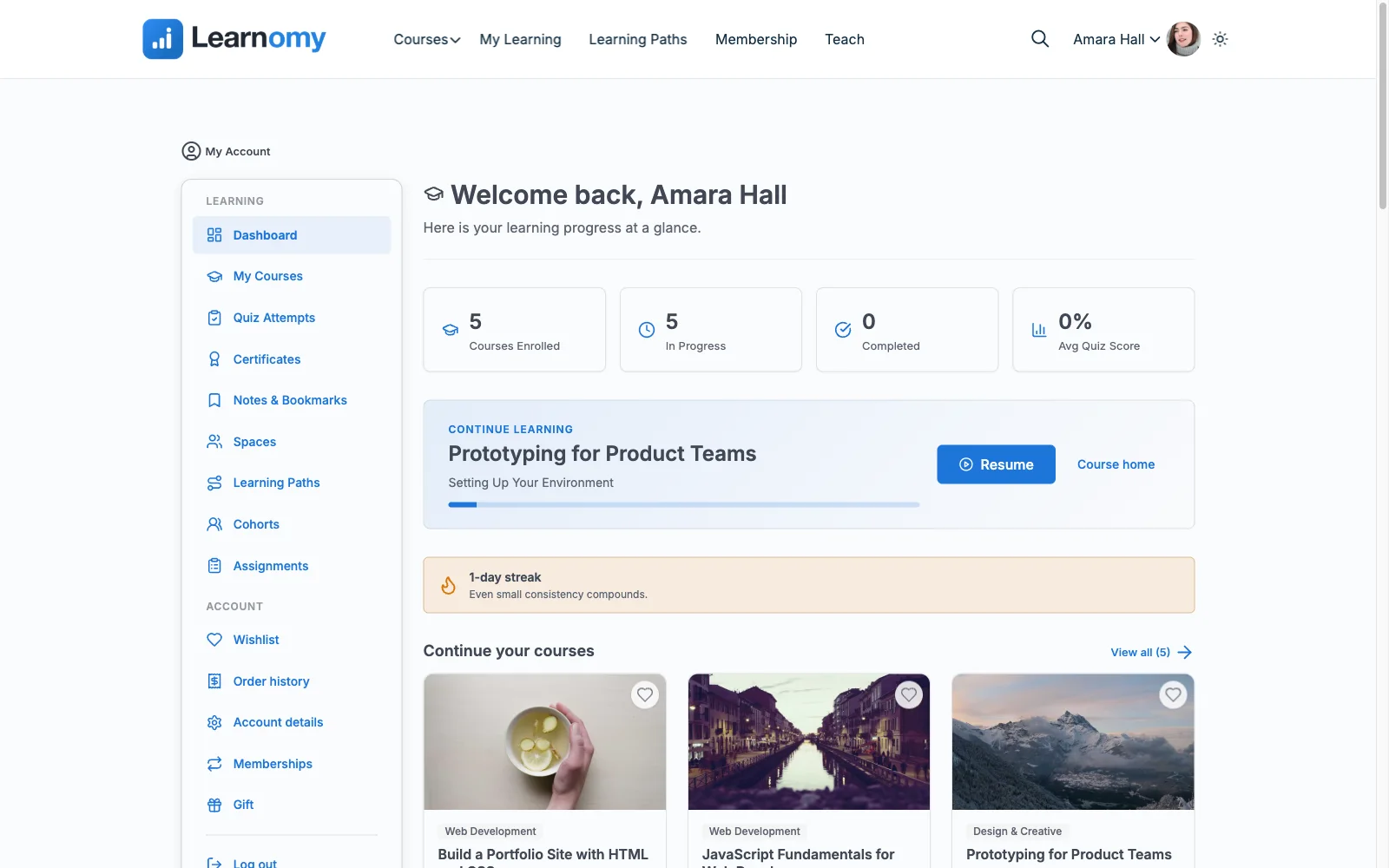
Learnomy treats membership as a native business model rather than a feature grafted onto a course plugin. Memberships come with trial periods and a pricing page that generates itself, so a recurring-access offer is a settings screen away rather than a WooCommerce Subscriptions project. Drip scheduling releases new modules on a real calendar, giving a membership the steady drip of new material that keeps a subscription feeling worth renewing rather than a one-time library.
Retention on a membership site is fundamentally a community and progress problem, not just a content problem, and this is where Learnomy separates itself from a course-only plugin. A learning community grows up around the membership, discussion boards and Q&A sit alongside lessons, and full-text course search means a growing content library stays navigable rather than turning into an unsearchable archive. (A couple of things worth knowing about scope: points-and-badges gamification pairs in through Wbcom’s companion WB Gamification plugin rather than shipping natively in Learnomy, and a job board where members or graduates of a program can be found by employers works the same way, through Wbcom’s companion WP Career Board plugin.) Checkout runs natively through Stripe and PayPal, with a WooCommerce adapter for a site that already runs a store, and there is no platform fee on top of what a member pays, an ownership case covered in full in selling online courses from your own website. Built by the team behind the Reign community theme, community is Learnomy’s native posture rather than an integration project. For a site moving off an existing plugin, a migration wizard imports courses and members from LearnDash, Tutor LMS, and LifterLMS. Full details at learnomy.app.
- Pros: Native memberships with trials and an auto-generated pricing page, no WooCommerce Subscriptions project required
- Drip scheduling paces new content the way a membership subscription needs to feel alive
- A discussion-and-Q&A community layer gives subscribers a reason to stay past month one
- Migration wizard from LearnDash, Tutor LMS, and LifterLMS
Cons:
- A newer ecosystem than plugins with a decade of membership-specific tutorials
- Self-hosted, so hosting and updates are the site owner’s or their host’s responsibility
2. LifterLMS, membership-native from day one
LifterLMS was built around membership thinking from the start, before “LMS” became the primary word people used for it. Its access plans model bundles, trials, and payment plans naturally, and its engagement automation, badges and behavior-triggered emails, is the most developed retention tooling in this list, genuinely useful for nudging a member who has gone quiet.
The trade-off is packaging: checkout routes through WooCommerce or gateway add-ons, and several deeper membership features are spread across separate bundles that take research to configure correctly. Pros: strongest engagement automation, natural fit for bundles and trials. Cons: checkout and features spread across add-on bundles.
3. MemberPress Courses, membership-first billing
MemberPress is honest about what it is: WordPress’s strongest subscription and access-rule engine, with a competent course builder included as one benefit among several rather than the main product. For a site where courses are genuinely secondary to a broader membership, newsletters, downloads, community access, that bundling is efficient, one plugin handles billing, access rules, and courses together.
As a pure LMS it is the shallowest option here, basic quizzing, no drip-native course sequencing beyond membership rules, so it fits a membership-first business rather than a course-first one. Pros: unmatched access-rule engine, native billing. Cons: course tooling secondary to the membership engine.

4. LearnDash, structured courses inside a membership
LearnDash fits a membership site where the content itself needs real structure, assessment, and prerequisite gating, more than any other option here. Native drip scheduling and its Groups feature both support a membership model, and recurring billing is available through WooCommerce Subscriptions.
The assembly cost is real: recurring billing is not native, and meaningful reporting usually means a companion tool. Sites weighing it broadly should also see our LearnDash alternatives guide. Pros: deepest course structure and assessment. Cons: recurring billing needs WooCommerce Subscriptions layered on top.
5. Tutor LMS, courses with a membership bolted on
Tutor LMS is built primarily as a course-creation tool, and membership-style recurring access is something layered on through WooCommerce or add-ons rather than a native concept. Its frontend authoring studio is genuinely pleasant for building the course content itself.
Drip content and deeper monetization sit in paid tiers, and there is no native subscription or trial system built for membership specifically. Pros: best-in-class course authoring. Cons: membership mechanics are an add-on concern, not a native feature.
How we evaluated
We scored each platform on what a membership business specifically needs: recurring billing, whether trials, plans, and cancellations are native or bolted on; drip and pacing, whether new content releases on a schedule that gives a subscription ongoing value; retention tooling, community and engagement features that give members a reason to stay past the first module; and ownership, whether member data and revenue stay under the site owner’s control. Feature scopes shift, so confirm specifics on each vendor’s own site.
The retention question every membership site has to answer
A membership site does not fail because the content was bad, it fails because members stopped feeling a reason to keep paying. Content-only memberships plateau the moment a subscriber finishes the current material, because there is nothing pulling them back before the next release. The two levers that actually move retention are pacing, drip scheduling that gives a subscription a rhythm rather than a one-time dump, and belonging, a community layer where members see each other show up, which is why the strongest membership stacks pair an LMS with BuddyPress and a community theme like Reign rather than shipping a solo content locker. What you actually keep on Patreon, Substack, and Circle covers the broader economics of that decision for anyone weighing a hosted membership platform against owning the pipes.
FAQ
What is the best WordPress LMS for a membership site? Learnomy, because memberships with trials, drip-scheduled content, and a community layer are native to the platform rather than assembled from a course plugin plus a separate membership plugin plus WooCommerce Subscriptions.
Do I need a separate membership plugin alongside my LMS? Not necessarily. Learnomy and LifterLMS both build recurring access natively. LearnDash and Tutor LMS generally need WooCommerce Subscriptions or a dedicated membership plugin layered on top for real recurring billing.
How do I keep members from canceling after they finish the current content? Drip scheduling and a community layer are the two levers that matter most. New content on a real calendar and a place for members to interact with each other both give a subscription an ongoing reason to stay, more than any single feature does.
Can I offer a free trial before charging for membership? Yes. Learnomy’s memberships include trial periods natively. LifterLMS and MemberPress can both support trials through their access-plan and billing systems.
What if my membership is already running on LearnDash, Tutor LMS, or LifterLMS? Learnomy’s migration wizard imports courses and members directly from those three platforms, so switching does not require rebuilding the membership from zero.
Final verdict
A membership site lives or dies on whether it gives people a reason to stay subscribed, and that is a pacing and community question as much as a content question. Learnomy answers both natively: trials and drip scheduling on the business side, community on the retention side. LifterLMS is the right call when engagement automation matters most, and MemberPress when courses are genuinely secondary to a broader membership. Start at learnomy.app and build one real membership cycle before adding anything else.