
The world of art and creativity is evolving at lightning speed, thanks to artificial intelligence. From crafting stunning digital art to transforming ordinary photos into masterpieces, AI-powered image tools are opening up new horizons for professionals and hobbyists alike. But with so many options out there, where do you start? Don’t worry - we’ve got you covered. Let’s explore the 10 best AI images tools that are changing the game for creators.

Why AI-Generated Images Matter
Before we dive into the top tools, let’s take a moment to appreciate why AI-generated images are such a big deal. These tools allow creators to:
- Save Time: AI handles complex tasks like editing, designing, and generating art within minutes.
- Unlock Creativity: Generate unique ideas and concepts that might take hours to conceptualize manually.
- Bridge Skill Gaps: Even beginners can create professional-level designs with the right AI tools.
Simply put, these tools democratize creativity, making it accessible to everyone, regardless of skill level.
Tools for AI Image Generation
1. DALL·E 2
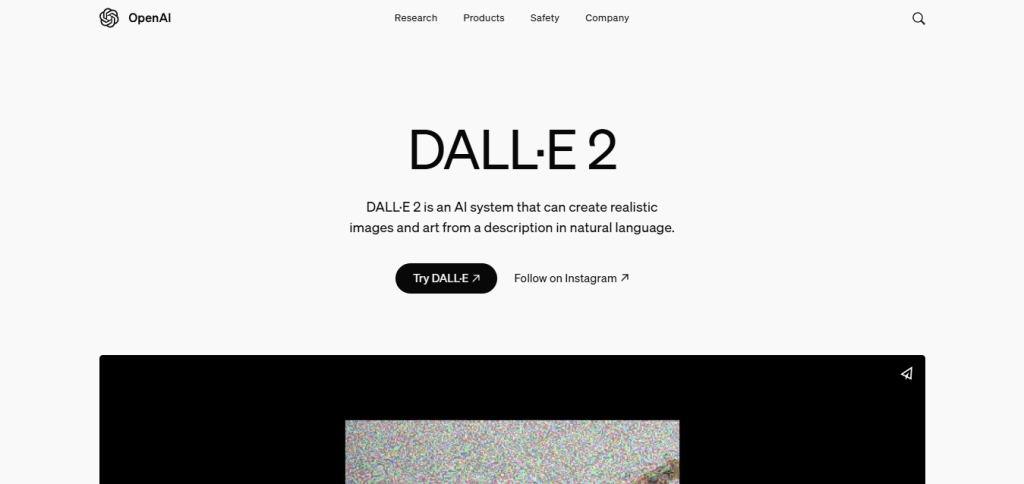
Developed by OpenAI, DALL·E 2 is a revolutionary tool that generates high-quality images from text prompts. Whether you want a surreal landscape or a photorealistic portrait, DALL·E 2 can do it all.
Key Features:
- Text-to-image generation.
- Customizable styles and compositions.
- High-resolution outputs.
Pros:
- Easy to use with intuitive prompts.
- Produces stunning, detailed images.
- Great for artists and marketers alike.
Cons:
- Limited free credits.
- Requires clear and specific prompts for the best results.
2. DeepArt.io
DeepArt.io specializes in transforming your photos into artwork inspired by famous artists. Imagine turning a selfie into a Van Gogh painting - this tool makes it possible.
Key Features:
- Style transfer technology.
- Wide variety of art styles.
- User-friendly interface.
Pros:
- Simple and quick to use.
- Endless creative possibilities.
- Suitable for both personal and professional use.
Cons:
- Free version has watermarks.
- Limited customization options.
3. Runway ML
Runway ML is a versatile tool that goes beyond image creation. It’s a favorite among creators for its ability to generate images, videos, and even text.
Key Features:
- AI-powered image editing and generation.
- Supports animation and video creation.
- Integrates with creative software like Photoshop.
Pros:
- Multifunctional platform.
- Excellent for advanced creators.
- Regular updates with new features.
Cons:
- Steeper learning curve.
- Pricing can be high for advanced features.
4. Artbreeder
Artbreeder lets you manipulate images like never before. From creating unique portraits to designing imaginary landscapes, this tool is perfect for pushing creative boundaries.
Key Features:
- Genetic image blending.
- High customization for portraits and landscapes.
- Community sharing for collaborative work.
Pros:
- Unique approach to image generation.
- Great for storytelling and character design.
- Free version offers good functionality.
Cons:
- Requires an account to save work.
- Limited to preset styles.
5. Fotor
Fotor is a photo editing and AI design tool that’s perfect for beginners. It offers a blend of manual editing features and AI-powered enhancements.
Key Features:
- AI photo retouching.
- One-tap filters and effects.
- Design templates for social media.
Pros:
- Beginner-friendly.
- Broad range of editing tools.
- Free version is robust.
Cons:
- Advanced features require a premium subscription.
- Limited creative flexibility for experienced users.
6. Let’s Enhance
As the name suggests, Let’s Enhance focuses on improving image quality. It’s a fantastic tool for anyone looking to upscale images without losing detail.
Key Features:
- AI-based image upscaling.
- Noise reduction and color enhancement.
- Batch processing for multiple files.
Pros:
- Saves low-quality images.
- Easy to use with great results.
- Ideal for photographers and e-commerce businesses.
Cons:
- Limited editing features.
- Free version has restrictions.
7. DeepDream Generator
Google’s DeepDream Generator turns your images into surreal, dreamlike artwork. This tool is perfect for those who want to explore abstract art.
Key Features:
- Neural network-based art generation.
- Multiple styles and presets.
- High customization.
Pros:
- Creates one-of-a-kind images.
- Highly creative tool.
- Fun and experimental.
Cons:
- Niche use case.
- Processing can be slow.
8. Remove.bg
If you’ve ever struggled to remove backgrounds from photos, Remove.bg is here to save the day. This tool uses AI to extract subjects seamlessly.
Key Features:
- Automatic background removal.
- High-quality cutouts.
- Batch processing.
Pros:
- Extremely fast and accurate.
- Saves time for designers.
- Free version available.
Cons:
- Limited editing capabilities.
- Credits required for high-res downloads.
9. Picsart AI Tools
Picsart’s suite of AI tools is perfect for social media creators. From AI-generated stickers to background removal, it’s an all-in-one solution.
Key Features:
- AI-powered effects and filters.
- Sticker creation and background editing.
- User-friendly mobile app.
Pros:
- Great for quick edits.
- Social media-friendly features.
- Free and premium options available.
Cons:
- Ads in the free version.
- Limited advanced options.
10. Dream by Wombo

Dream by Wombo is an AI art generator that creates stunning, abstract images based on text prompts. It’s ideal for inspiration and experimentation.
Key Features:
- Text-to-image capabilities.
- Multiple art styles.
- Free to use.
Pros:
- Quick and easy to use.
- Highly creative outputs.
- No cost for basic use.
Cons:
- Limited control over output.
- Not suitable for detailed designs.
Comparison Table of the 10 Best AI Images Tools
| Tool | Key Features | Pros | Cons |
| DALL·E 2 | Text-to-image, high-resolution | Stunning images, intuitive prompts | Limited free credits |
| DeepArt.io | Style transfer, famous art styles | Quick and simple, unique results | Free version has watermarks |
| Runway ML | Image and video creation, integrations | Versatile, advanced features | High pricing |
| Artbreeder | Genetic blending, community sharing | Unique approach, storytelling | Requires account |
| Fotor | AI photo retouching, social templates | Beginner-friendly, free version robust | Limited for experienced users |
| Let’s Enhance | Upscaling, noise reduction | Saves low-quality images, easy to use | Limited free version |
| DeepDream Generator | Surreal art, neural networks | Unique creations, fun to use | Slow processing |
| Remove.bg | Background removal, batch processing | Fast and accurate, free version | Limited editing capabilities |
| Picsart AI Tools | AI stickers, mobile-friendly | Great for social media, easy to use | Ads in free version |
| Dream by Wombo | Text-to-image, abstract styles | Creative outputs, free use | Limited control |
Wrapping It Up

The possibilities with AI-generated images are endless, and the tools we’ve highlighted here can help you take your creativity to new heights. Whether you’re a professional designer or someone exploring digital art for fun, these 10 best AI images tools cater to a wide range of needs. So, what are you waiting for? Start experimenting and unleash your imagination!