
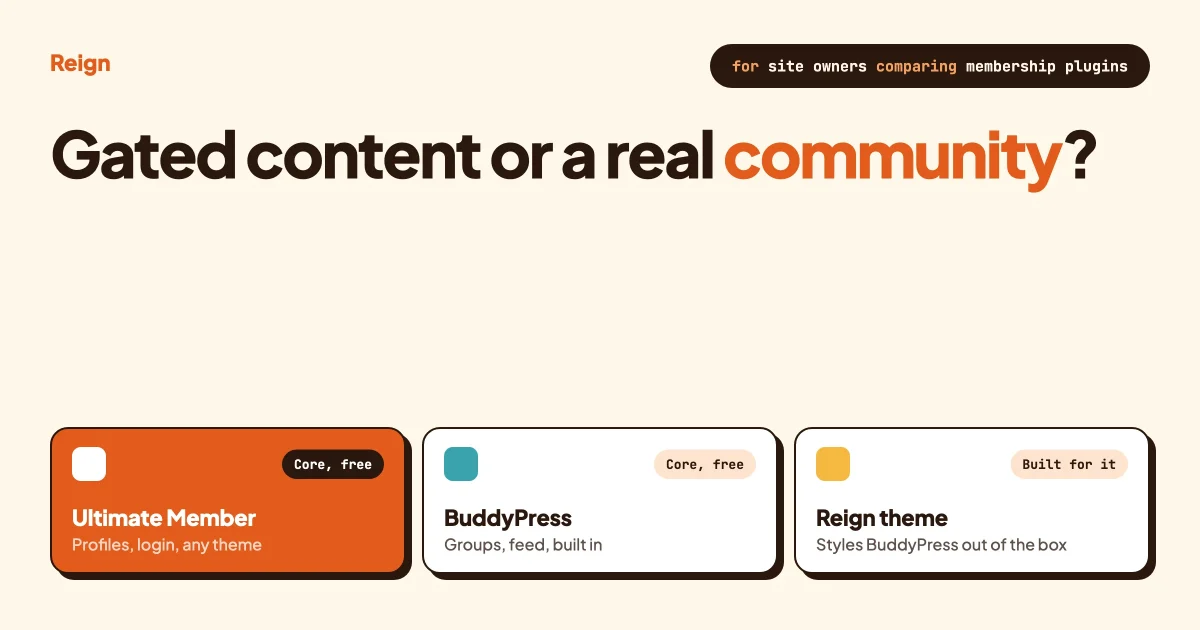
Short answer: Ultimate Member is a profile, registration and content-restriction plugin that runs on any WordPress theme. BuddyPress is a full community engine, activity feed, groups, extended profiles, notifications, that is built to be run with a theme written for it. If you need gated content and a member directory bolted onto an existing site, Ultimate Member is the lighter tool. If you need a social space where members post, join groups and see each other’s activity, BuddyPress with a purpose-built theme does a job Ultimate Member was never designed for.
Both plugins show up in the same “how do I add members to WordPress” searches, and people often assume they compete head to head. They do not, not entirely. This guide pulls apart what each one actually does, what each costs to get a full feature set, whether either needs a special theme, and which one fits your project. We make Reign, a theme built for BuddyPress, so we are not neutral on that last point. We will still tell you honestly when Ultimate Member is the better call.
Key takeaways
- Ultimate Member handles registration, profiles, directories and content restriction, and its own pages state it works with any theme.
- BuddyPress adds an activity feed, groups and extended profiles, features Ultimate Member only reaches through paid extensions.
- Ultimate Member’s core plugin is free and open source; unlocking every extension runs through its own paid plans, per its extensions page.
- BuddyPress is also free, but its own WordPress.org listing says you will “likely need to adjust some styling” on a generic theme to make it look right.
- Reign is written specifically to style BuddyPress, BuddyBoss and PeepSo. It is not built to style Ultimate Member, so a UM site needs a general-purpose theme instead.
What do Ultimate Member and BuddyPress actually do?
Ultimate Member is a membership and access-control plugin first, with community features available as add-ons. BuddyPress is a community and social-networking plugin first, with membership-style access control available through separate plugins.
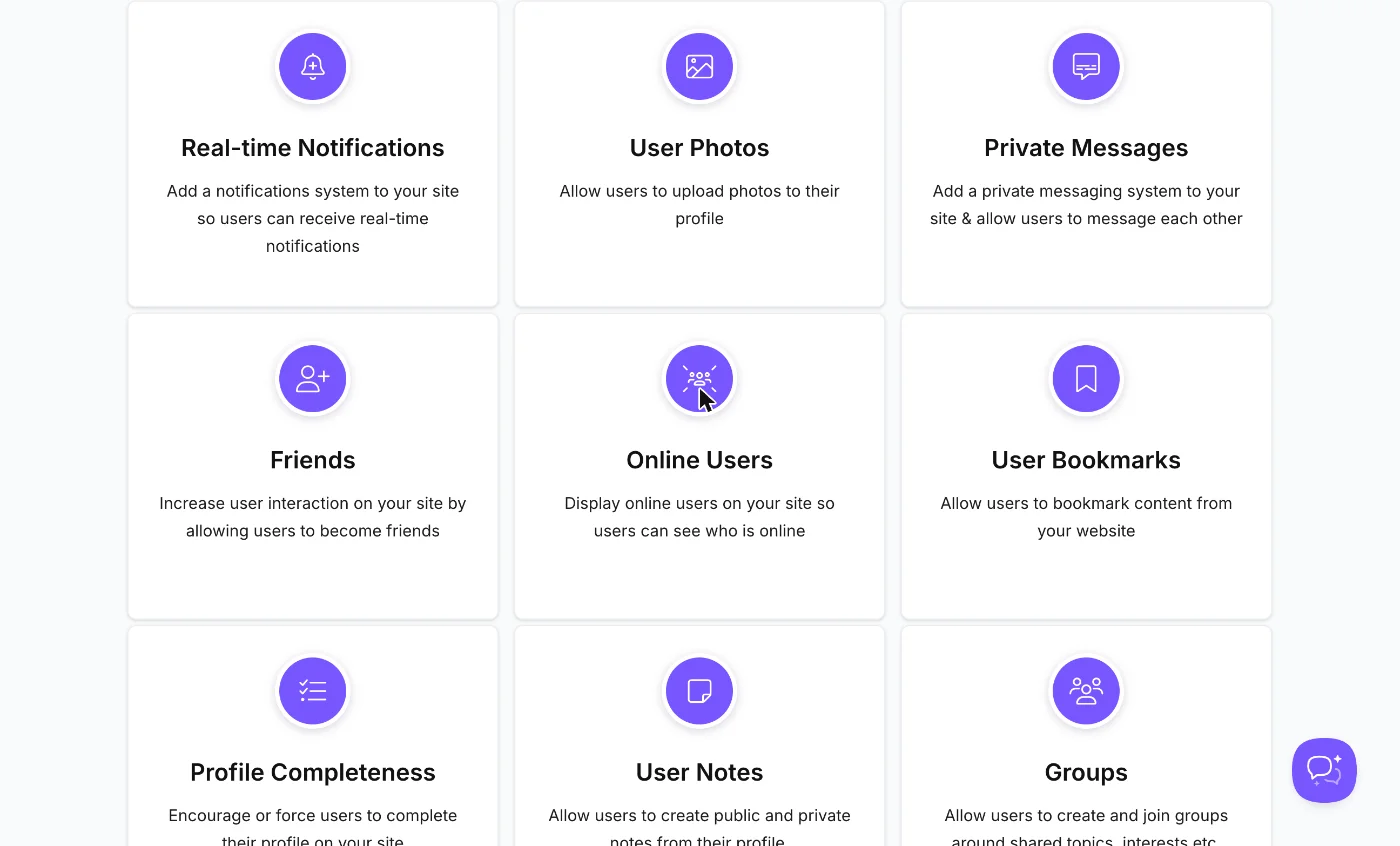
Ultimate Member’s own site describes it as “the all-in-one membership and community plugin for WordPress,” and its listed core features are user profiles, registration and login, member directories, account management, user roles, content restriction and user emails. Everything past that, social activity, friends, private messages, groups, followers, real-time notifications, user photos, online users, profile completeness, user bookmarks, verified users, is a separate paid extension. There are nineteen of them on the current extensions page, plus nine third-party integrations: WooCommerce, Zapier, ForumWP, Mailchimp, JobBoardWP, Stripe, Unsplash, Google reCAPTCHA and myCRED.
BuddyPress ships the community layer as the product, not an upsell. Its WordPress.org listing describes it as letting members “register on your site to create user profiles, have private conversations, make social connections, create and interact in groups, and much more,” and calls it “truly a social network in a box.” An activity stream, extended profiles, groups, private messaging and friend connections are in the free plugin from the start. What BuddyPress does not give you is page design. It gives you the data model and the templates; a theme decides what it looks like.
Does Ultimate Member need a special theme?
No. Ultimate Member’s own marketing pages make no theme requirement or recommendation. Its registration, login, profile and directory screens are built from shortcodes and blocks that render inside whatever theme you already run, which is one of its real selling points for someone adding membership to an existing site without a rebuild.
That flexibility has a limit. A theme that was never designed around Ultimate Member will still render its forms and profile pages correctly, because UM supplies its own layout, but you are on your own for matching spacing, typography and colour to the rest of your site. For a single profile page or a gated content area, that is rarely a problem. For a sprawling member directory or a full set of social screens built from UM’s paid extensions, expect to spend real time in CSS.
Does BuddyPress need a special theme?
Technically no, practically yes. BuddyPress’s own WordPress.org page is specific about this: it “comes with a robust theme compatibility API that does its best to make every BuddyPress content page look and feel right with just about any WordPress theme.” The same paragraph adds the honest part: “you will likely need to adjust some styling on your own to make everything look pristine.”

That gap between “works” and “looks finished” is the entire reason purpose-built BuddyPress themes exist. Reign is one of them: every activity stream, group page, member directory and profile tab is designed as part of the theme rather than patched on top of it, and the Reign pricing page lists BuddyPress, BuddyBoss and PeepSo as the community engines it styles. Ultimate Member is not on that list, and Reign’s documentation makes no claim about styling it. If you are building on BuddyPress, a theme that was written for BuddyPress removes a stage of work that the plugin’s own listing tells you to expect. Our full Reign theme review goes through what that styling covers screen by screen.
Ultimate Member vs BuddyPress: feature by feature
Here is the comparison people actually want, mapped to what each plugin includes in its base install versus what needs an upgrade.
| Feature | Ultimate Member | BuddyPress |
|---|---|---|
| Registration and login forms | Core, free | Core, free |
| Extended member profiles | Core, free | Core, free |
| Member directory with search | Core, free | Core, free |
| Content restriction by role | Core, free | Needs a separate plugin |
| Activity feed / social stream | Paid extension (Social Activity) | Core, free |
| Groups | Paid extension (Groups) | Core, free |
| Private messaging | Paid extension (Private Messages) | Core, free |
| Friends / connections | Paid extension (Friends) | Core, free |
| Followers | Paid extension (Followers) | Needs a separate plugin |
| Forums | Paid integration (ForumWP) | Needs bbPress or a separate plugin |
| Works on any theme out of the box | Yes, by design | Yes, with a compatibility API; styling work expected per its own listing |
| Needs a theme written for it to look finished | No | In practice, yes |
Read that table as two different products solving two different problems rather than a scorecard. Ultimate Member wins on “works anywhere with no design work for a simple profile and login screen.” BuddyPress wins on “a real community is included, not sold back to you piece by piece.”
What does each one cost for a full feature set?
Ultimate Member’s core plugin is, in its own words, “100% free” and open source, and the extensions page states it “does not charge you by the amount of users.” To reach BuddyPress-style functionality, groups, social activity, private messages and friends, you need four of its paid extensions. Its extensions page lists paid plans to unlock every extension; check that page directly for the current structure before you budget, since plugin pricing changes.
BuddyPress itself has no price at any tier; the plugin and every feature in the table above that says “core, free” ships in the download from WordPress.org. Your cost on the BuddyPress side is the theme, since BuddyPress without theme work looks exactly as generic as its own listing warns. Reign’s theme licence is a yearly or one-time lifetime licence per the current pricing page, and Reign also sells a BuddyPress Community Bundle of Pro community plugins (moderation extras, polls, activity sharing and more) for site owners already running BuddyPress or BuddyBoss who want to add paid features without changing theme.
Price the whole feature set, not the entry price. A plugin that looks free at the top of its pricing page can cost more than its “competitor” once you add every extension a real community needs. Add up what you actually plan to turn on before comparing totals.
How do you set up each one?
Both plugins get you to a working login and profile system quickly. What happens after that first screen is where the paths split.
Setting up Ultimate Member:
- Install the free plugin and run its setup wizard, which creates your registration, login and account pages automatically.
- Build your profile fields. UM’s form builder lets you add fields without code; decide which are required, which are public, and which are visible only to the member.
- Set up roles and content restriction if you are gating content, deciding what a free member sees versus a paid one.
- Add extensions only as you need them. Install Groups or Social Activity when a real request for that feature shows up, not before. To confirm it worked, create a second test account and check what it can and cannot see.
Setting up BuddyPress:
- Install the free plugin and choose which components to activate: activity streams, extended profiles, groups, private messaging, friend connections and notifications are the main ones, each toggled independently.
- Install a theme built for BuddyPress before you invite real members. Doing this first avoids rebuilding profile and group pages twice.
- Configure extended profile fields the same way you would in UM, through BuddyPress’s own profile field groups.
- Create your first group and post to the activity feed as a test. To confirm it worked, check the group from a second account and verify membership, posting and notifications all behave as expected.
What about moderation and safety?
A login wall needs far less moderation than an open social feed, and that difference shapes what each plugin ships natively.
Ultimate Member’s moderation surface is mostly about who can register and what they can see: role-based content restriction, email verification and, through its reCAPTCHA integration, spam filtering at the registration form. There is no activity feed to moderate in the core plugin, because there is no activity feed.
BuddyPress, because it includes a real activity stream and groups where any member can post, needs an ongoing moderation routine: reviewing flagged activity, managing group membership requests, and watching for spam in comments and posts. That is a genuine extra responsibility, not a drawback exactly, but it is the cost of the features that make a community feel alive. If you are choosing BuddyPress, plan for who does that job before launch, not after the first report comes in.
Does either one slow a site down as it grows?
Both plugins can run into the same problem a lot of WordPress community tools hit at scale: an activity feed, a member directory or a group list that was never tested past a few hundred rows starts to crawl once you have thousands of real members.
Ultimate Member’s directory queries user meta to filter and search, so a large member base with many custom fields benefits from a host with decent database performance and from limiting which fields are searchable. BuddyPress’s activity table and group membership tables are built for this job specifically and generally hold up well at scale when properly indexed, but a theme with unoptimised queries layered on top can still slow a busy community page down. Either way, do not take “fine on a dozen test accounts” as proof. Seed a staging site with a few thousand sample members before launch and load the directory, the activity feed and a busy group page to see what actually happens. Our guide to hosting for community sites covers what to look for in a host once you know your numbers.
Can you run Ultimate Member and BuddyPress on the same site?
You can install both, but it is rarely the right call. Both plugins manage registration, login, profiles and a member directory, and running two systems that each think they own that job invites duplicate fields, two sets of profile URLs and confused members. If a project genuinely needs something from each, the more common pattern is to pick one as the system of record for membership and treat the other as a one-off feature, for example using Ultimate Member purely for a specific gated-content form inside an otherwise BuddyPress-driven community. Test that combination thoroughly on staging before you trust it with real members; neither plugin is built expecting the other to be active.
Which one should you pick?
Match the plugin to what the site is actually for, not to which one you heard of first.
- A course, SaaS or content site that needs a login wall and a profile page. Ultimate Member, on your existing theme. You are not building a social network, so you do not need one.
- A community where members post, comment, join groups and see an activity feed. BuddyPress, on a theme built for it. Our guide to building a private social network with BuddyPress walks through that setup end to end.
- A business directory or professional network with searchable profiles as the main feature. Either can work; compare directly against our member directory plugin comparison, which looks at both alongside dedicated directory tools.
- A membership site selling access to content, with no social layer planned. Ultimate Member’s content restriction is core and free. If you later add a social layer, moving to BuddyPress is a bigger step than starting there, so decide this early. Our guide to WordPress membership themes covers theme choices for that path.
- You already run BuddyPress or BuddyBoss and are deciding what to add next. Stay where you are. Our BuddyPress alternatives guide and BuddyPress vs BuddyBoss comparison cover the platform-level decision; this page is about the narrower UM question.
Try before you commit
Both plugins are free to install on a staging site. Build one profile, one piece of restricted content and, if you are testing BuddyPress, one group. An afternoon will tell you more than any comparison table.
How do you migrate from Ultimate Member to BuddyPress later?
There is no official importer between the two, because they store profile data differently and model groups and relationships in incompatible ways. A move is a rebuild of the membership layer, not a conversion.
- Export what you can. User accounts and core WordPress user meta carry over through standard WordPress export tools. Custom Ultimate Member profile fields do not map automatically to BuddyPress’s extended profile fields; plan to recreate the field structure by hand.
- Rebuild the profile schema in BuddyPress first. Create your profile field groups before importing a single member, so data has somewhere to land.
- Decide what happens to UM-only content. Private messages, group memberships and follower relationships built on UM’s paid extensions have no BuddyPress equivalent to import into automatically. Communicate to members that history there will not travel.
- Pick your new theme before you migrate, not after. If BuddyPress is going to look right, the theme decision happens at the start of the project, not as a fix once members are already confused by an unstyled activity feed.
- Run the whole flow on staging with a handful of test accounts before you touch real member data. Confirm login, profile display and group membership all work the way you expect, then schedule the live move for a quiet week.
Our guide to migrating a BuddyPress community to BuddyNext covers the same staging-first discipline for a different kind of move, if you are weighing more than one direction at once.
Questions people ask
Is Ultimate Member better than BuddyPress?
Neither is better in general. Ultimate Member is the better fit for membership and gated content on an existing theme. BuddyPress is the better fit when the site’s purpose is the community itself, activity feeds, groups and member-to-member interaction. Picking by feature count instead of by use case is the most common mistake we see.
Does Ultimate Member have groups like BuddyPress?
Yes, through its paid Groups extension, listed on Ultimate Member’s own extensions page. It is not part of the free core plugin the way groups are in BuddyPress.
Can I use Ultimate Member with BuddyPress installed?
You can activate both, but they overlap heavily on registration, login and profiles, which tends to create duplicate or conflicting member data. If you need a feature from each, test narrowly on staging rather than running both as full systems side by side.
Does BuddyPress work with any WordPress theme?
BuddyPress’s own WordPress.org listing says its theme compatibility API does its best to make BuddyPress pages work with just about any theme, and adds that you will likely need to adjust styling yourself to make it look finished. A theme written specifically for BuddyPress, such as Reign, removes most of that styling work.
Is Ultimate Member free?
The core plugin is free and open source, and Ultimate Member’s own site states it does not charge based on how many users you have. Its community-style features, groups, private messages, social activity and more, are separate paid extensions, so a full BuddyPress-equivalent feature set is not free on Ultimate Member.
Which plugin is better for a member directory?
Both include a searchable member directory in their core, free plugin. The difference shows up around it: BuddyPress ties the directory into an activity feed and groups automatically, while Ultimate Member’s directory stands largely on its own unless you add extensions around it. Our member directory plugin guide compares both against dedicated directory tools.
Do I need developer help to set either one up?
For a basic install, no. Both plugins ship setup wizards and form builders aimed at non-developers, and a careful site owner can get registration, profiles and a directory working from the documentation alone. Where you are more likely to want help is custom profile field logic, a non-standard content restriction rule, or styling BuddyPress on a generic theme to the point the WordPress.org listing itself says to expect. Budget for that last one specifically if you are not pairing BuddyPress with a theme built for it.
Where to start
If your site needs members to log in, have a profile and see content they have paid for, install Ultimate Member and keep your current theme. If your site’s whole purpose is the community, people posting, joining groups, building an activity feed around each other, install BuddyPress and pair it with a theme built for it. Reign is ours, styled specifically for BuddyPress, BuddyBoss and PeepSo, with the BuddyPress plugin ecosystem and members-only content setup to go with it. Install the free plugin either way, build one real screen, and the right answer for your project will be obvious within the hour.