

Managing an online community requires consistency and engagement, but it’s not always possible to be available in real time. Wouldn’t it be great if you could schedule posts and activities to keep your community active even when you’re not online? For that, integrate a feature to schedule content, automate interactions, and enhance engagement nad that can be done by a scheduling plugin on WordPress.
In this blog, we’ll walk you through integrating the BuddyPress Schedule Activity plugin with the Reign theme, explore its key functionalities, and show you how to make the most of it.
Why Schedule Posts and Activities in Your Online Community?
Before diving into the setup, let’s briefly understand why scheduling content is a game-changer for community management:
-
Consistency - Keep your community engaged without manual intervention.
-
Global Audience - Schedule posts at optimal times for different time zones.
-
Better Content Planning - Organize content in advance and avoid last-minute rushes.
-
Increased Engagement - Regular posts keep members active and engaged.
Integrating Schedule Activity
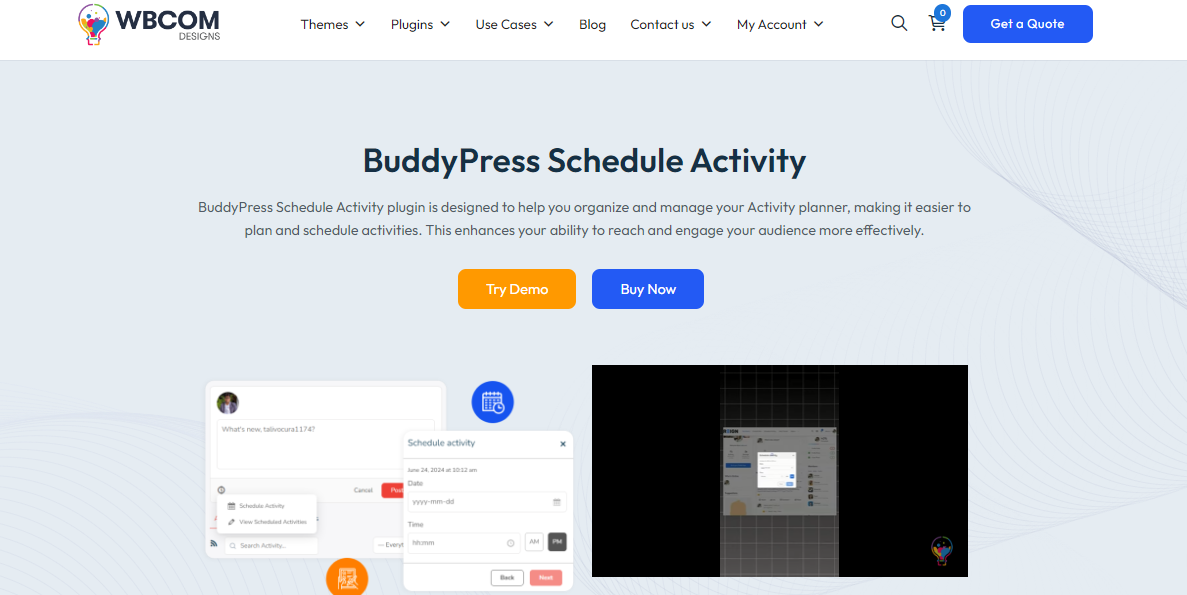
To add a schedule feature to our community or similar site, we’ll be using BuddyPress Schedule Activity plugin with a WordPress site using Reign Theme.
Try Reign theme demo here
1. Install and Activate the Plugin
-
Navigate to Plugins > Add New in your WordPress dashboard.
-
Search for BuddyPress Schedule Activity.
-
Click Install Now, then Activate the plugin.
2. Configure Plugin Settings
-
Go to BuddyPress > Schedule Activity Settings.
-
Customize the settings based on your preferences, including:
-
Time zone adjustments
-
Recurring activity options
-
User role permissions for scheduling posts
-
3. Creating a Scheduled Post

-
Head over to Activity > Add New.
-
Write your post as usual.
-
Select the Schedule Date & Time option before publishing.

-
Click Schedule Activity, and your post will go live at the set time.
Final result

Key Features of BuddyPress Schedule Activity
1. Schedule Future Activities
Easily plan and publish posts at specific times, ensuring your community stays engaged even when you’re offline.
2. Automate Regular Updates
Want to post daily motivational quotes or weekly updates? The plugin supports recurring activity scheduling, making automation simple.
3. User Role-Based Scheduling
Admins can enable scheduling for specific user roles, ensuring only trusted members have this ability.
4. Seamless Integration with the Reign Theme
The Reign theme enhances the visual appeal and functionality of BuddyPress communities, ensuring scheduled posts blend naturally with your site’s design.
Try BuddyPress Schedule Activities plugin demo here
Tips to Make the Most of Scheduled Activities
To make the most of a scheduling plugin on WordPress, one should know how each content would perform and when to post them for maximum engagement.
-
Analyze Engagement Patterns - Use analytics tools to determine when your community is most active.
-
Plan Content in Advance - Keep a monthly content calendar for structured engagement.
-
Encourage Member Participation - Schedule interactive activities like polls, Q&A sessions, and challenges.
-
Use SEO-Friendly Keywords - Optimize posts with high-ranking community engagement keywords to enhance visibility.
Boost Your Community Engagement
Managing a thriving online community requires the right tools and strategy. By integrating the BuddyPress Schedule Activity plugin with the Reign theme, you can automate engagement and keep your community active around the clock.
Looking for a tailored solution? Wbcom Designs specializes in community-driven WordPress solutions, including themes and plugins that enhance user engagement. Explore our offerings today and take your online community to the next level!

Interesting Reads
How to Sell Courses on Shopify
Building a No-Cost Online Community Website
BuddyPress Sticky Post Plugin: Pinning Important Activities in BuddyPress