
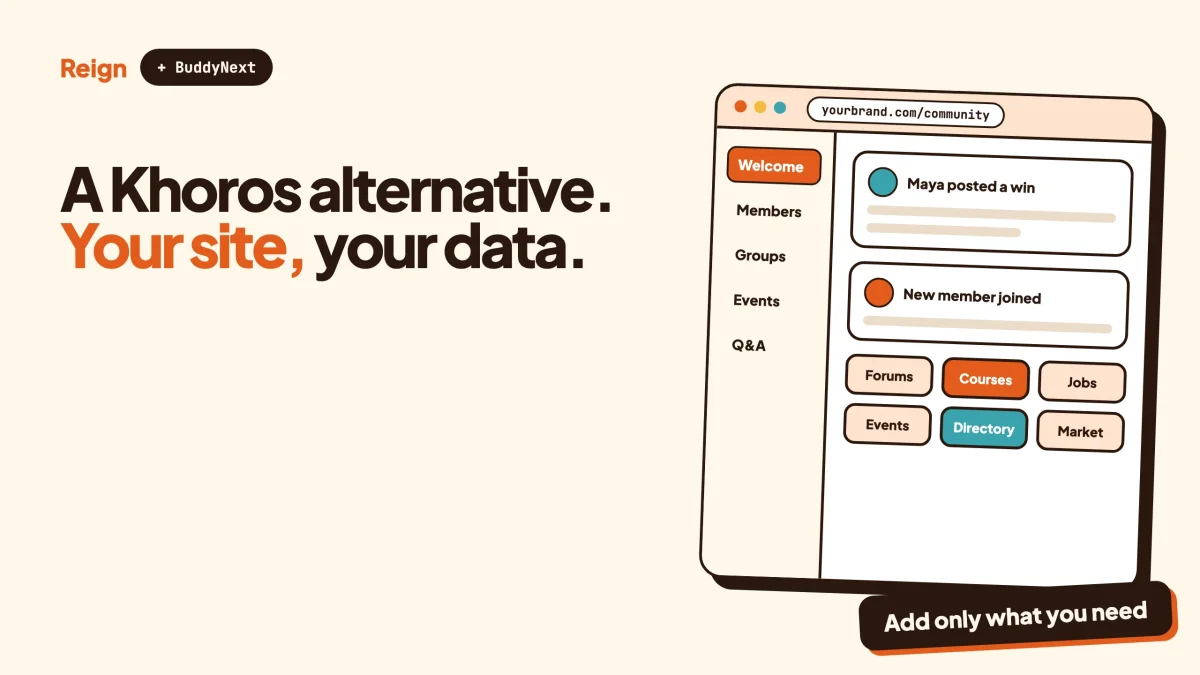
The best Khoros alternative for a brand that wants to own its customer community is BuddyNext, the self-hosted community engine from Wbcom Designs, styled with the Reign theme on your own WordPress site. Khoros is the better pick if you are a large enterprise that needs one vendor for community, social media management and AI across many brands. BuddyNext with Jetonomy suits you if the job is a branded place where customers ask, answer and vote, and you want the data on your own server. Wbcom makes BuddyNext, Jetonomy and Reign, so read this as a vendor view.
Khoros is a name that comes up in enterprise procurement more than in blog comments. Its own site now describes it as an AI-native customer engagement company, with a community platform and a social media platform under one roof.
That is a long way from a plugin you install on a Tuesday afternoon.
If you landed here, you are probably in one of two spots. Either you already run a Khoros community and the scale or the contract no longer fits, or you are building a customer community for the first time and wondering whether anything lighter does the job. Both are fair questions.
Every Khoros detail below was read on its own site in November 2026. Several of its pages block automated readers, so where a page could not be read, this post says nothing specific about it. Check Khoros directly before you decide, because enterprise products change often.
When is Khoros the better pick?
Khoros is the better pick when you are a large organisation with a community that already runs at scale, a team to run it, and a need for community and social channels to sit in one vendor relationship. It is built for that buyer. A WordPress stack is not.
Here is the plain version. Khoros says it runs more than 300 enterprise communities. It describes its customers as the world’s largest brands and Fortune 500 brands. It also sells a social media management product alongside the community product. If you need social listening, publishing and community moderation reported together, a community plugin does not replace that.
Stay with Khoros, or choose it, if any of these describe you:
- You run community and social media as one programme, with a team that works inside one tool.
- You need a vendor with a long track record in large communities and a support team to call.
- Your community is already large and moving it would cost more than the licence saves.
- Your legal and security teams have approved Khoros and would have to start again with a new stack.
None of that is a flaw in Khoros. It is a different size of problem. The rest of this post is for the people who do not recognise themselves in that list.
What does Khoros actually offer?
Khoros offers two named products on its homepage: Aurora AI, a community platform, and Iris AI, a social media management platform. The company calls itself AI-native customer engagement.
On the community side, Aurora AI is described by Khoros as an AI-native community platform. Its pages list AI self-service meant to reduce support tickets, knowledge built from community conversations, AI moderation with human review and audit trails, gamification with badges, reputation and leaderboards, and community analytics. The same page mentions multi-SSO, serverless extensions and a Git-based workflow for developers. A challenges and contests feature is listed as upcoming.
On the social side, Iris AI is listed with content creation, publishing across channels, social listening, and routing of incoming engagement with suggested responses.
Two things stand out when you read the pages as a buyer.
First, the emphasis is on AI and on scale. The headline pitch is about turning customer conversations into something the business can act on. The ordinary community jobs, such as a member asking a question and another member answering it, are present but they are not the lead.
Second, the public pages state no pricing and no self-serve sign-up. You talk to sales. For an enterprise that is normal. For a smaller team that wants to try something this week, it is the first reason to look sideways.
Why look for a Khoros alternative?
People look for a Khoros alternative because of size, cost structure, ownership of the data, or because the product is bigger than the job. None of these are scandals. They are just fit.
The product is built for a bigger organisation
A community of a few thousand customers does not need a platform designed around hundreds of enterprise communities and a social media suite. A smaller team ends up paying for, and learning, tools it will never open.
You rent the platform
With any hosted community platform, the members, the posts and the login sit on the vendor’s systems. You can usually export, but the live community is theirs to host and yours to rent. If your brand treats the community as an asset, that matters at renewal time.
The community lives apart from your site
A customer community on a separate platform needs its own login, its own design and its own search. Customers who already have an account on your WordPress site or store have to create a second one. On WordPress the community can share the same login and the same header.
You want to change how it works
Khoros offers extension points for developers, and its pages say so. On a self-hosted WordPress site you have the whole codebase, a REST API and webhooks, and you can run any of thousands of other plugins next to it. That is a different kind of freedom, not a better one in every case.
The AI layer is not what you are shopping for
Much of Khoros’s current pitch is AI. If what you need is a place where customers ask questions and get accepted answers from staff and each other, the AI layer is extra to a buyer who wants the basics done well.
What is the best Khoros alternative on WordPress?
The best Khoros alternative on WordPress is BuddyNext, with Jetonomy for support forums and Q&A, and Reign as the design layer. BuddyNext is a community engine. Reign is the theme that makes it look like your brand. Jetonomy adds the question-and-answer and forum spaces that a customer community leans on.
Start with what BuddyNext gives you out of the box:
- An activity feed, so members and staff can post updates.
- Spaces that can be open, private or secret, for groups such as product lines, regions or customer tiers.
- Member profiles with custom fields, and a member directory.
- Direct messages, powered by WPMediaVerse.
- Polls, reposts, bookmarks and hashtags.
- A moderation queue with warn, strike, suspend and shadow-ban actions.
- Two-factor authentication and an onboarding wizard.
- A progressive web app, a REST API, webhooks and email digests.
- 18 Gutenberg blocks, so you can place community pieces on any page.
A mobile app for BuddyNext is in development. Today the community works in the browser, and the progressive web app lets members add it to their home screen.
You can try it before committing. There is a live demo of BuddyNext at this demo link.
Then there is the design. Reign offers five header layouts, colour tokens and dark mode, set without code. It has a Demo Installer, so you start from a finished layout and change it. It styles BuddyNext, BuddyPress, BuddyBoss Platform and PeepSo, and Wbcom’s own plugins, without extra add-ons. If you have never installed it, the walkthrough is in how to install Reign and import a demo.
What you do not get is a single box with a support number on the lid. You get parts you assemble. That is the trade, and it is worth saying out loud.
How do you build the support and Q&A side?
You build the support side with Jetonomy, which gives you spaces for discussion, Q&A and ideas, with threaded replies and voting. The asker marks the reply that solved the problem, and that answer rises to the top. That is the behaviour most customer communities want first.
Here is how a typical brand community maps onto the pieces.
- Announcements and news. A BuddyNext space that only staff can post in. Members follow it and get digests by email.
- Product help. A Jetonomy Q&A space. Customers ask, other customers and staff answer, the asker accepts the best reply, and votes sort the rest.
- Ideas and requests. A Jetonomy ideas space where customers post what they want and vote on it. The post on running a feature request board on WordPress covers the setup in detail.
- Product roadmap. Product Roadmap, another Wbcom plugin, lets members suggest and vote, and lets you publish a changelog.
- Customer groups. Private BuddyNext spaces for beta testers, partners or a top customer tier.
- Recognition. WB Gamification adds points, badges and ranks from activity, so your best helpers are visible.
If you are choosing between a forum, a Q&A board and an ideas board, forum, Q&A or ideas board sets out which fits which job. For the wider picture of a support community, read how to build a customer support community on WordPress, and for a worked Q&A build, build a Q&A site with accepted answers.
Which parts of Jetonomy, BuddyNext and the other modules need a paid licence is set out on each product page. Check the product page for the current split before you plan a budget.
Where AI fits
Khoros builds AI into its community platform and says so loudly. A WordPress stack does not ship a comparable layer as one product, and this post does not claim it does. What you can do is moderate with a queue and clear rules, keep a tidy accepted-answer library that reduces repeat questions, and connect outside tools through the REST API and webhooks. If a customer community with deep AI built in is the main requirement, that points back to Khoros.
How do Khoros and BuddyNext with Reign compare?
Khoros is a vendor-hosted enterprise platform with a sales-led process. BuddyNext with Reign is a self-hosted WordPress stack you assemble and own. The table sets out what each side states on its own pages.
| Topic | Khoros | BuddyNext with Reign |
|---|---|---|
| What it is | AI-native customer engagement company with a community platform (Aurora AI) and a social media platform (Iris AI) | Self-hosted community engine (BuddyNext) with a theme (Reign), on WordPress |
| Typical buyer | Large enterprises and big brands | Brands, publishers, creators, membership and course businesses of any size |
| Where the data lives | On the vendor’s platform | In your own WordPress database, on your hosting |
| Pricing | Not stated on its public pages, sales-led | Check each Wbcom product page |
| Q&A and forum spaces | Community platform with discussion and self-service | Jetonomy: forum, Q&A with accepted answers, ideas, voting |
| Moderation | AI moderation with human review and audit trails | Moderation queue with warn, strike, suspend and shadow-ban |
| Gamification | Badges, reputation and leaderboards | WB Gamification: points, badges, ranks, rewards |
| Social media management | Separate product (Iris AI) | Not included, use a dedicated tool |
| Developer access | Serverless extensions, multi-SSO, Git-based workflow | Full code access, REST API, webhooks, Gutenberg blocks |
| Design control | Customisation through the platform | Reign: five header layouts, colour tokens, dark mode, no code needed |
| Mobile | Check Khoros | Progressive web app; native mobile app in development |
| Login shared with your site | Needs single sign-on (it lists multi-SSO) | Same WordPress login by default |
Read the table as a map of trade-offs, not a scoreboard. Two rows decide most cases: who hosts it, and whether you need social media management in the same place.
Which other Khoros alternatives are worth a look?
Other Khoros alternatives include Discourse, Circle, Bettermode, Higher Logic Vanilla, FluentCommunity and a plain forum. Which one fits depends on whether you want hosted or self-hosted and whether the community is a forum or a wider social space.
- Discourse. Open-source forum software with a long track record, and a strong fit when the forum is the product. See the Discourse alternative post for when to stay.
- Vanilla by Higher Logic. An enterprise customer community product that sits closer to Khoros in scale. There is a separate Vanilla by Higher Logic review.
- Circle. A hosted platform for creator and member communities, with spaces, events and courses. See the Circle alternative post.
- FluentCommunity. A WordPress community and course plugin from WPManageNinja, listing a feed, spaces, discussions and a leaderboard. It is a real option if you want WordPress and a lighter setup; see its own site at fluentcommunity.co.
- XenForo. Paid forum software you host yourself, covered in the XenForo alternative post.
- bbPress and other WordPress forums. See bbPress alternatives if all you need is a plain forum.
For a broader sort of the self-hosted field, best self-hosted community platforms compares them side by side.
How do you decide between Khoros and a WordPress stack?
You decide by answering four questions honestly: who will run it, how big it will get, what it must connect to, and who should own the data. The answers usually point one way.
Who will run it day to day?
A hosted enterprise platform comes with a vendor who runs the servers, patches the software and answers when something breaks. A WordPress stack needs someone who can manage hosting, updates and backups, whether that is a developer, an agency or a managed host. If nobody on your side wants that job, say so now. It is the strongest argument for staying hosted.
How big will the community get?
A community of a few hundred to a few thousand customers sits comfortably on well-sized WordPress hosting. The larger it grows, the more you care about caching, database design and moderation capacity. Khoros says it runs more than 300 enterprise communities, so scale is its home ground. If you expect to be that large, ask both sides for references at your size, and do not rely on a blog post, this one included.
What must it connect to?
List the systems the community has to talk to: your help desk, your CRM, your login system, your store. BuddyNext exposes a REST API and webhooks, and WordPress has plugins for many of these systems. Khoros lists multi-SSO and developer extensions. Either way, write the list down and ask each vendor, or your developer, to confirm every item before you commit.
Who should own the data?
If member records and conversations are an asset your company wants on its own servers, self-hosting answers that directly. If the vendor holding them under a contract is acceptable to your legal team, it is not a deciding factor. Local privacy rules differ, so check yours before you choose.
A simple way to test it this month
Do not decide from a feature table. Pick the one job your community must do best, such as answering product questions. Build that single job on a test WordPress site with Reign, BuddyNext and Jetonomy, invite ten real customers, and watch what they do. Two weeks of that tells you more than any sales call. If it holds up, grow it. If it strains, you have learned that early and cheaply.
How do you move a community off Khoros?
You move a community off Khoros by exporting what you are allowed to export, rebuilding the structure on WordPress, importing the content, and inviting members across in waves. It is a project measured in weeks, not an afternoon.
Khoros’s public pages state no migration tool for leaving it, so plan on exports and a custom import. Ask your account contact what data export options your contract includes before you start.
Step 1: Decide what to bring
List what you actually use: member records, categories, threads with accepted answers, knowledge articles, badges. Most communities find that a small part of the archive gets nearly all the traffic. Move that part first and archive the rest.
To confirm it worked, you have a written list of content types, each marked move, rebuild or archive.
Step 2: Stand up the new site
Install WordPress on hosting sized for a community, add Reign and import a demo layout, then add BuddyNext and Jetonomy. Hosting matters more than it does for a brochure site, so read best hosting for community websites before you pick a plan.
To confirm it worked, you can register a test member, post in a space and see it in the feed.
Step 3: Rebuild the structure
Create BuddyNext spaces and Jetonomy spaces to mirror your old categories. Merge categories that overlap. A migration is the best time to cut the structure down.
To confirm it worked, a new customer can find the right place to ask a product question in under a minute.
Step 4: Import content and set redirects
Import the threads you chose, using a script or a custom importer built from your exports. Then set up redirects from old community URLs to the new ones, so links in your documentation and search results still land somewhere useful. The same ideas apply as in migrating a BuddyPress community to BuddyNext, and changing a community theme without losing members covers keeping the people intact.
To confirm it worked, sample twenty old URLs and check that each lands on the matching new page.
Step 5: Move members in waves
Email your most active members first, ask for feedback, fix what they find, and then open it to everyone. Keep the old community read-only for a while. If the community is new to you, launching a community: the first 100 members has the playbook for the first weeks.
To confirm it worked, your top contributors are posting on the new site without being nudged.
Questions people ask
Is there a low-cost Khoros alternative?
Khoros’s public pages state no pricing, so there is nothing to compare line for line. Open-source options exist, such as Discourse and WordPress forum software, and you pay in hosting and setup time. For Wbcom products, check each product page for what is included.
Can WordPress handle a large customer community?
It can, if the hosting and the setup are sized for it. Plan for caching, a good database and sensible limits on page sizes. A very large community with enterprise compliance demands is where a dedicated platform like Khoros earns its place.
Does BuddyNext replace Khoros’s social media tools?
No. Iris AI is a social media management product, with publishing and listening across social channels. BuddyNext is a community that lives on your own site. If you need both, keep a dedicated social tool and run the community on WordPress.
Do I need Reign to run BuddyNext?
No, but it helps. Reign is the design layer from the same team, with five header layouts, colour tokens and dark mode, so your community looks like your brand and not like a plugin. Reign also works with BuddyPress, BuddyBoss Platform and PeepSo.
How do I keep my customers’ single sign-on?
If customers already log in to your WordPress site or store, the community uses that same login by default, with no second account. If your identity system lives elsewhere, ask your developer about connecting it before launch.
Related reading
- Customer support community on WordPress
- Feature request board on WordPress
- Forum, Q&A or ideas board
- Discourse alternative on WordPress
- XenForo alternative on WordPress
- Vanilla by Higher Logic review
- Best self-hosted community platforms
- Community metrics: what to track
- Community moderation on WordPress
If you are weighing a move, start with the Reign theme: see Reign and its live demos, pick the layout closest to your brand, then add BuddyNext, Jetonomy and the modules your customers ask for.