
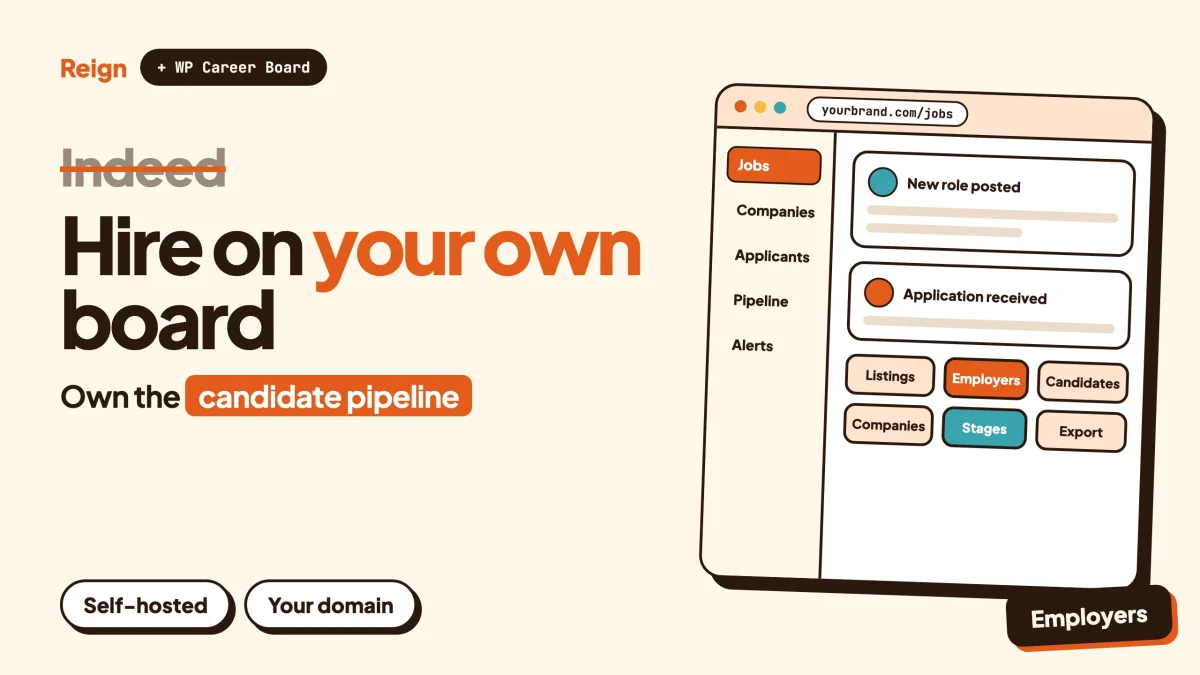
The best Indeed alternative for an employer who wants to own the hiring process is a job board and careers site on your own WordPress install. WP Career Board, made by Wbcom Designs, handles listings, applications, employer and candidate dashboards and company profiles, and Reign styles the whole site. You give up Indeed’s built-in audience. You keep every job post, every applicant record and every relationship with a candidate. Wbcom makes both products, so treat this as a vendor view.
This post is for the person doing the hiring or running the board: a company that is tired of renting reach, a recruiter in a narrow niche, a trade association, a community that keeps getting asked “do you know anyone who can do X?”. If you are the one looking for a job, the best Indeed alternatives for job seekers is the better read.
Facts about Indeed come from its own pages, read in November 2026. Its employer page and its tools change often, so check them before you decide anything that costs money.
When is Indeed the better pick for employers?
Indeed is the better pick when you need a large number of applicants fast and you have no audience of your own. That is the honest starting point, and for many employers it is the end of the discussion.
Its own About page calls it the world’s number one job site, operating in over 60 countries, and says more than 3.5 million employers use it to hire. It reports 31 hires made on Indeed every minute (March 2026, per Indeed). A new WordPress job board has none of that. On day one your board has no visitors, no search engine history and no habit built in anyone’s browser.
So stay on Indeed, or keep using it alongside anything else, if any of these describe you:
- You hire high volumes of roles that candidates search for by generic title, such as warehouse, retail, driving or customer service jobs.
- You hire once or twice a year and a managed hiring product is cheaper than your time.
- You have no website traffic, no mailing list and no community to point at your jobs.
- You need a hiring platform that is already connected to other applicant tracking systems. Indeed states that it integrates with most leading ones.
The rest of this post assumes something different. You hire regularly in one field, or you serve one group of people, and you would like the audience, the data and the process to belong to you.
Why would an employer look for an Indeed alternative?
Employers look for an Indeed alternative because of three things: visibility that depends on budget, a candidate relationship that lives on someone else’s platform, and a listing that sits among thousands of others.
None of these is a scandal. They are how a marketplace works. Understanding them helps you decide whether the trade is worth making.
Visibility is a budget line
Indeed lets you post a job, and it also sells Sponsored Jobs. On its employer page, Indeed says sponsored jobs stay visible longer in search results and are featured in job alerts, and that you set a budget and pay when candidates engage with your post. It does not publish a fixed price on that page. In practice, the more employers compete for the same candidates, the more it takes to be seen. Check Indeed’s pricing page for the current model.
The candidate relationship is borrowed
When someone applies through Indeed, the conversation starts on Indeed. You can track, message and interview there. Indeed also offers Smart Sourcing, which searches its CV database so you can invite people who did not apply. That is useful. It also means your talent pool is a view into Indeed’s database, not an asset you hold. Stop paying, and the view closes.
Your listing is one among many
Indeed describes itself as both a job search engine and a hiring platform. Beyond jobs posted directly by employers, it aggregates listings from thousands of sources. Its employer FAQ also answers the question “why is my job here if I did not post it?” with a note that Indeed pulls postings from career sites and boards. If you are a small employer in a specialised field, your listing competes with a lot of noise. A candidate who comes to a niche board arrives already filtered.
There is a fourth reason that rarely makes the list: you cannot add anything Indeed has not built. No members-only roles, no connection between a job and a community discussion, no application flow shaped around your own process. On your own site you can.
What does Indeed give an employer today?
Indeed gives an employer an account, an employer dashboard, job posting, screening questions, candidate messaging, virtual interviews and optional paid promotion. Here is what its employer page lists, so you can compare like with like.
| Area | What Indeed’s employer page says |
|---|---|
| Getting started | Creating an employer account costs nothing. The account gives access to a dashboard for managing recruitment. |
| Job management | Manage open jobs, update job statuses, filter applications, mark the applicants you like and decline the rest automatically. |
| Screening | Screener questions to filter for required skills. |
| Interviews | Schedule and run virtual video interviews on the platform. |
| Sourcing | Smart Sourcing searches the CV database and lets you invite candidates to apply, under a separate subscription. |
| Promotion | Sponsored Jobs for longer visibility and inclusion in job alerts. You set a budget. |
| Employer brand | Claim a company page to show reviews and culture. Premium options include videos and custom branding. |
| Integrations | Works with most leading applicant tracking systems, and has built-in candidate management for employers without one. |
| Time to go live | Most posts go live within 24 to 48 hours after a standard review, according to its FAQ. |
That is a competent set of tools. Notice what is missing from the list: ownership. Nothing on the page says you can take your candidate pool with you, because that is not what the product is for.
What does it mean to own your hiring pipeline?
Owning your hiring pipeline means your job posts, your applications and your candidate records live in a database you control, on a domain you own, and you decide how they are used and kept.
In practice that comes down to four things.
- The listing is a page on your site. It has your URL, your branding and your structured content. Search engines can read it and anyone can share it.
- The application lands in your system. The candidate applies on your domain, you see the record, and nothing disappears when a subscription lapses.
- The talent pool is a list you keep. People who applied last year are still there when the next role opens. You can contact them if your privacy notice allows it.
- The process is yours to change. Extra questions, extra stages, a different approval step, a different look.
The cost is that you take on the work Indeed does for you: hosting, updates, spam control and attracting visitors. Be honest with yourself about whether you want that job. A self-hosted hiring site is a small publishing business, not an install-and-forget tool.
Think of it like a restaurant that has been selling through a delivery app. The app brings orders, and the app also holds the customer list. Opening your own ordering page does not replace the app on day one. It gives you the one thing the app never will: the customer.
Which WordPress stack replaces Indeed for employers?
The stack is WP Career Board for the hiring engine, Reign as the design layer, and BuddyNext when you also want a talent community around the board. All three are made by Wbcom Designs and run on your own WordPress site.
WP Career Board: the jobs engine
WP Career Board is a WordPress plugin for running your own job board or careers site. According to its home page, it covers the following out of the box:
- A public board with live search, categories, and salary and location filters that update without a page reload.
- A front-end employer dashboard, where employers post jobs from a single form, manage listings and review applicants without opening wp-admin.
- A candidate dashboard, where people apply with a saved profile or as a guest, track applications and save jobs.
- Public company profiles that show each employer’s open roles, so the board doubles as a company directory.
- Application tracking with statuses, notes and bulk CSV export.
- Gutenberg blocks, and it works with any WordPress theme.
The plugin’s site also lists a drag-and-drop hiring pipeline with stages from applied to hired, a resume builder with employer resume search, paid listings and credit packs, a custom application field builder and AI-assisted job writing. Those items need a paid licence, so check the product page for exactly what each licence covers.
If you are hiring for your own company rather than running a public board, the same site describes running a careers page and applicant pipeline on your own domain instead of renting an applicant tracking seat.
Reign: the design layer
Reign is a WordPress community theme. It does not post jobs. It gives the board a header, colour tokens, a dark mode toggle, a mobile drawer menu and ready-made demo sites you can import, so the site looks like a finished brand and not a plugin default. Wbcom has a walkthrough of building a job board site with Reign and a longer playbook on the Reign and WP Career Board professional community job board.
BuddyNext: the talent community
A job board becomes a lot more useful with people on it between hiring rounds. BuddyNext is the community engine from Wbcom: an activity feed, Spaces that can be public, private or secret, member profiles with custom fields and a member directory, polls, hashtags, a moderation queue and a REST API. Its direct messages are powered by WPMediaVerse.
For an employer, that opens up uses Indeed does not cover. A private Space for alumni of your internship programme. A public Space where a trade body answers newcomer questions. A feed where you post a role and your own members share it. BuddyNext does not post jobs by itself, so it sits next to the board, not instead of it. The Reign and BuddyNext community guide shows how the pieces fit.
When you want a place where hiring managers and candidates ask each other questions with accepted answers, Jetonomy is the Wbcom forum and Q&A plugin built for that shape.
How do the options compare side by side?
The table puts Indeed, a self-hosted WordPress board and a hosted niche job-board service next to each other on the points that matter to an employer. Wbcom makes the WordPress option, and the table says where each choice is the weaker one.
| Question | Indeed | WP Career Board on WordPress | Hosted niche job-board service |
|---|---|---|---|
| Built-in candidate audience | Very large. Its About page reports 685 million job seeker profiles worldwide. | None at the start. You bring the traffic. | Varies, usually small and tied to the vendor’s brand. |
| Who holds the candidate records | Indeed | You, in your own WordPress database | The vendor, with export options that differ by product |
| Your own domain and branding | Company page on Indeed | Yes, your domain and your theme | Usually yes, within the vendor’s templates |
| Cost of visibility | Budget-based promotion. Check Indeed’s pricing. | Your own marketing and search work | Depends on the vendor. Check their pricing page. |
| Setup effort | Low. Create an account and post. | Medium. Hosting, install, setup, content. | Low to medium |
| Applicant tracking | Dashboard, screener questions, virtual interviews | Dashboard, statuses, notes, CSV export; pipeline view on a paid licence | Varies |
| Charging others to post | Not applicable to employers | Paid listings and credits on a paid licence | Often built in. Check their fee page. |
| Add a community | No | Yes, with BuddyNext on the same site | Rarely |
| Maintenance | Indeed handles it | You or your host handle updates and spam | The vendor handles it |
Read the first row twice. Indeed’s advantage is real and it is large. Everything else in the table is about control, and control only matters if you can get candidates to your door.
What other Indeed alternatives should employers look at?
Several other routes exist for employers, and some beat a self-hosted board for particular cases. Here are the main kinds, with the honest case for each.
Other job boards and aggregators
Large general boards work the same way Indeed does: you pay for reach. They suit high-volume hiring. The roundup best Indeed alternatives covers the candidate-facing side, and it is a fair starting list for choosing where else to post.
Niche and industry boards
If your field has an association or a well-known community board, post there. Its audience is the one you want. Building a competing board only makes sense if no good one exists, or if you run the community already.
Your own careers page on your existing website
A careers page with a few listings and an email address is a legitimate answer for a small team. You only need a board plugin once you are managing applications from many people and want structure.
WordPress job plugins
WP Career Board is not the only plugin. WP Job Manager is the long-standing one, and it uses add-ons for features like resumes, which are documented on its own site. JobBoardWP is another. The article best WordPress job board plugins compares them, and WP Job Manager add-ons covers that route if you already use it.
An applicant tracking system
Tools built only for internal hiring, with no public board, are the right call for a team that posts to other sites and just needs to manage the response. If that is you, a self-hosted board is probably more than you need.
How do you set up your own hiring site, step by step?
You set it up in six steps: install WordPress and Reign, install WP Career Board, define your fields and stages, add company profiles, test the full application, then publish and promote. Each step ends with a check.
Step 1. Install WordPress and the Reign theme
Start with a clean WordPress install on hosting you trust. Install Reign and import a demo from its library using the Demo Installer. Pick a demo whose layout suits a professional site, then replace the logo, colours and header layout. Reign has five header layouts and colour tokens, so you can match the brand without writing code. The article on installing Reign and importing a demo shows the clicks.
To confirm it worked, open the home page in a private window and check the header, menu and footer on a phone-sized screen.
Step 2. Install WP Career Board and run its setup
Install the plugin from the product page and follow its setup wizard. Create the pages it needs: the job list, the employer dashboard and the candidate dashboard. Set the job categories that match your field.
To confirm it worked, log out and open the job list page. You should see an empty board with working search and filters.
Step 3. Decide your job fields and hiring stages
Write down what you need to know about every candidate before you call them. Keep it short. Every extra field loses applicants. Then name your stages in the order you really use them, for example applied, phone call, interview, offer, hired.
If you want a stage board with drag-and-drop columns, the product page lists that as a paid feature. Without it you can still track statuses and notes on each application.
To confirm it worked, post one test job as an employer and read the form from a candidate’s point of view. If you would abandon it, so will they.
Step 4. Add your company, or your employers
If you are hiring for yourself, create one company profile with an honest description and a link to the careers page. If you are running a board for others, decide how employers register, whether you approve them first, and who can post.
To confirm it worked, open the company profile as a visitor. It should list the open roles and look like a page you would be happy to send to a candidate.
Step 5. Run a full test application
Apply to your test job from a second browser, once as a guest and once as a registered candidate. Check that the application appears in the employer dashboard, that the email notification arrives, and that you can change the status and add a note.
To confirm it worked, export the applications to CSV and open the file. Every field you asked for should be there.
Step 6. Publish the first real job and tell people
Replace the test job with a real one. Write a clear title using the words candidates search for, not an internal job code. Add location, work arrangement, and a salary range if you can share one. Indeed’s India employer page says jobseekers there prefer to see salary details, and most boards behave the same way.
To confirm it worked, search the exact job title on your site, then submit the page URL to Google Search Console so it can be crawled.
How do candidates find your jobs without Indeed?
Candidates find your jobs through search engines, your own audience and other places that carry your listing. Plan for this before launch, because it is the part Indeed does for you.
Search. Every job is a normal page on your domain. Use clear titles, a real description and the location. Search engines can read the page like any other. Expect this to take weeks, not days.
Your audience. A newsletter, a social following, a customer base or a community. If you have none of these, build one first. The guide to launching an online community to its first 100 members is a practical place to begin.
A community around the board. This is where BuddyNext helps. Members who talk to each other in Spaces come back, and they tell friends about openings. A private social network on WordPress can hold alumni, apprentices or members of a trade body in one place.
Other boards, on purpose. Nothing stops you posting the same role on Indeed and on your own board. Treat Indeed as one channel and your site as the home base. Over time, the number of applications that arrive on your own domain tells you whether the home base is working.
Paid listings, if you run a board for others. Employers who post on your board can be charged. WP Career Board lists paid listings and credit packs with Stripe, PayPal or WooCommerce checkout under a paid licence. The wider reasoning is in marketplace fees versus owning your store. Check your local rules on invoicing and tax before you charge anyone.
What do you owe candidates once their data is yours?
You owe candidates the care that comes with being the one holding their information: a clear privacy notice, a reason for every field you collect, a retention period you stick to and a way for them to ask for deletion.
On Indeed, the platform carries part of that burden. On your own site, you carry it. This is not legal advice. Data protection rules differ by country, so check your local rules or ask a qualified adviser. A few habits help in almost every place:
- Collect only what you need to decide on an application.
- Say plainly how long you keep unsuccessful applications, and then delete them on that schedule.
- Ask before adding someone to a talent pool for future roles. Do not assume an application is consent.
- Limit which staff can see CVs and notes.
- Keep the site updated, and use two-factor sign-in for anyone with admin access.
The same questions come up in more depth in the guide to adding a resume database to a WordPress job board, which covers access, consent and fake profiles. Moderation matters too, since an open board attracts spam. The community moderation guide is a useful companion.
Who should pick what?
Pick based on your hiring pattern, your audience and how much of the work you want to run yourself.
| If you are… | Best fit |
|---|---|
| A business hiring a few times a year with no audience | Stay on Indeed or a similar board, and keep a simple careers page |
| A company that hires often in one field and wants its own pipeline | WP Career Board on your domain, styled with Reign, with Indeed kept as one channel |
| A recruiter or agency serving one niche | A self-hosted board with paid listings, and a community around it |
| An association, club or school with members who need jobs | WP Career Board plus BuddyNext on the same site |
| A team that only needs internal tracking | An applicant tracking system with no public board |
| An employer filling high-volume roles with generic titles | Indeed or another large aggregator |
Many employers end up with a mix. Post widely for reach, then pull everyone who matters into a system you hold. That is the practical meaning of owning your pipeline.
Questions people ask
Is there a low-cost Indeed alternative for employers?
Several routes cost little to start, including a careers page on your existing site and listings on niche boards. A self-hosted WordPress board still needs hosting and your time. For what each Wbcom plugin includes and what needs a licence, check the product page.
Can I run my own job board instead of paying for Indeed?
Yes, with WP Career Board or another WordPress plugin. You will not get Indeed’s audience, so plan how candidates will find you. Many employers run their own board next to Indeed rather than in place of it.
Does WP Career Board need Reign or BuddyPress?
No. Its product page says it works on any WordPress theme, and that BuddyPress integration and Reign bundling are available if you use them. Reign gives you a finished design and demo sites. BuddyNext is optional and adds the community.
Can candidates apply without making an account?
WP Career Board’s home page says candidates can apply with a saved profile or as a guest. Test the guest route in step 5 above before you rely on it.
What do I lose by leaving Indeed?
You lose its audience, its promotion tools and the convenience of a managed platform. What you gain is control of the candidate records and the process. If you cannot bring your own traffic, keep posting on Indeed too.
Related reading
- The best Indeed alternatives for job seekers
- How to build a job board site with Reign, step by step
- Reign and WP Career Board: the professional community job board playbook
- Best WordPress job board plugins
- How to add a resume database to your WordPress job board
- How to add a job board to your BuddyPress community site
- Marketplace fees versus owning your store
- Best self-hosted community platforms
If you decide to build your own hiring site, Reign is the design layer to start from: pick a demo, set your colours, and add WP Career Board when the structure is ready.