
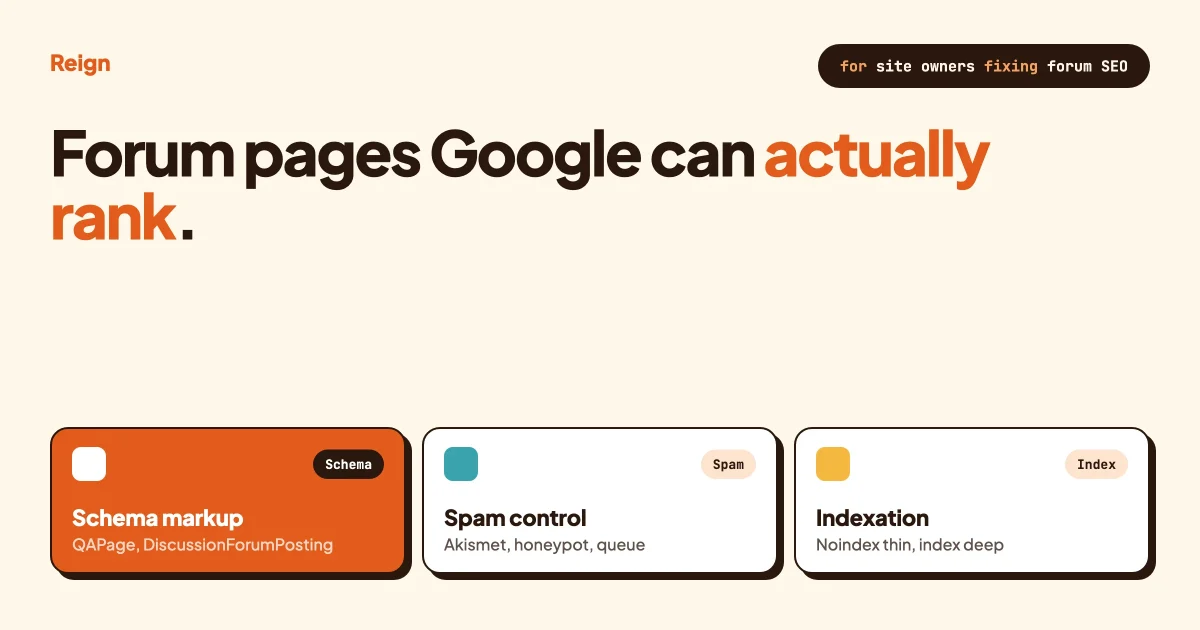
A WordPress forum can out-rank a page you spent a week writing, because real questions typed by real members are exactly what people search for. A forum is also the fastest way to fill Google’s index with thin, duplicate junk, because a one-word reply, a paginated thread split into six near-identical URLs, and a spam link dropped in post three all count as pages too. Forum SEO is the work of keeping the first kind of page and keeping the second kind out: structured data that tells Google what a thread actually is, a canonical and pagination setup that stops duplicate URLs competing with each other, and spam controls that stop the index filling with junk before you can even moderate it.
This guide covers all three, with working schema markup you can paste in, a thread-by-thread indexation rule you can apply today, and spam controls framed as an SEO problem rather than just a moderation chore. The structured data guidance below is Google’s current published documentation, checked as of October 2026.
In this guide
- Why a forum is both an SEO asset and an SEO liability
- Which schema type fits a forum thread, a Q&A thread or a reply
- A working QAPage example
- A working DiscussionForumPosting example
- How spam quietly wrecks forum rankings
- Spam controls that double as SEO controls
- Canonical and pagination handling for long threads
- When a thread should be indexed, and when it should not
- A real-world scenario: 4,000 threads, 80 worth ranking
- Questions people ask
Why is a forum both an SEO opportunity and a risk?
A forum is an SEO opportunity because every thread is a long-tail query someone already typed in their own words, refreshed by members for free, at a volume no content calendar can match. It is a risk because the same openness that creates that content also creates thin one-line replies, duplicate pagination URLs, and comment-spam links, and search engines cannot tell good UGC from bad UGC unless your site tells them. Left unmanaged, a 5,000-thread forum might have 40 pages worth ranking and 4,960 pages diluting your crawl budget and dragging your average quality signal down. Managed properly, the same forum becomes a long-tail machine that a blog could never replicate, because nobody writes 4,000 blog posts answering 4,000 specific versions of the same question.
The fix is not “add more content” or “block all UGC.” It is three separate systems working together: markup that describes what a thread is, rules about which threads get crawled and indexed, and spam controls that keep the junk from reaching the index in the first place. Each is covered below.
Which structured data should a WordPress forum use?
Use QAPage for a thread that is one question followed by answers members can vote on or accept, and use DiscussionForumPosting for an open-ended discussion thread where there is no single accepted answer. Google treats these as two different content shapes, and using the wrong one, or none at all, means you miss out on the rich result eligibility both are built for.
Google’s own documentation is specific about eligibility, not just syntax. For QAPage, the page needs one question followed by its answers, and members must be able to submit answers themselves; a static FAQ page you wrote yourself does not qualify, and neither does a page with several different questions on it. For DiscussionForumPosting, Google’s guidance is to “only use DiscussionForumPosting markup to describe a user-generated post on a website,” which rules out using it to mark up your own editorial content.
| Thread type | Schema to use | Required properties | Common mistake |
|---|---|---|---|
| Support question, one accepted answer | QAPage | mainEntity (Question), acceptedAnswer or suggestedAnswer | Marking up a thread with no accepted or voted answer |
| Open discussion, no single right answer | DiscussionForumPosting | author, datePublished, text/image/video, nested comment | Missing datePublished on individual replies |
| Staff-written FAQ, no member answers | FAQPage | mainEntity list of Question/Answer pairs | Using QAPage instead, which Google explicitly excludes for this case |
| Thread listing or category page | BreadcrumbList | itemListElement with position and name | No breadcrumb at all, so Google invents its own URL-based trail |
Our comparison of forum, Q&A and ideas board formats covers the decision one level up: whether a space on your site should even be a Q&A space or a plain discussion forum in the first place. Get that decision right first, because it decides which schema type the thread needs later.
A working QAPage example
This is the minimum viable markup for a support thread with one accepted answer. Drop it in a script tag on the thread template, populated from your forum plugin’s own data.
<script type="application/ld+json">
{
  "@context": "https://schema.org",
  "@type": "QAPage",
  "mainEntity": {
    "@type": "Question",
    "name": "Why does my forum thread show a duplicate URL for page 2?",
    "text": "My pagination creates /thread-name/page/2/ and it looks identical to page 1 in Search Console.",
    "answerCount": 2,
    "datePublished": "2026-09-14T10:15:00+00:00",
    "author": { "@type": "Person", "name": "jordan_wp" },
    "acceptedAnswer": {
      "@type": "Answer",
      "text": "Set a self-referencing canonical on each paginated page instead of pointing every page back to page 1. Google stopped using rel=next/prev for indexing, so each page needs to stand on its own with a unique canonical.",
      "datePublished": "2026-09-14T11:02:00+00:00",
      "upvoteCount": 14,
      "author": { "@type": "Person", "name": "maria_devs" }
    },
    "suggestedAnswer": [
      {
        "@type": "Answer",
        "text": "Also check your tag archive isn't duplicating the same thread under five different tag URLs.",
        "datePublished": "2026-09-14T12:40:00+00:00",
        "upvoteCount": 6,
        "author": { "@type": "Person", "name": "devkay" }
      }
    ]
  }
}
</script>
Keep answerCount accurate and update it when new answers come in, because Google checks structured data against visible page content and a mismatch is a common reason rich results get dropped.
A working DiscussionForumPosting example
For an open discussion thread, mark up the original post and nest replies as comment. Google’s documentation lists author and datePublished as required on both the post and every comment, plus at least one of text, image or video.
<script type="application/ld+json">
{
  "@context": "https://schema.org",
  "@type": "DiscussionForumPosting",
  "headline": "Best way to handle noindex on low-reply threads?",
  "url": "https://example.com/community/general-discussion/noindex-low-reply-threads/",
  "datePublished": "2026-09-10T09:00:00+00:00",
  "dateModified": "2026-09-12T16:20:00+00:00",
  "author": { "@type": "Person", "name": "forum_admin", "url": "https://example.com/members/forum_admin/" },
  "text": "What's a sane rule for noindexing threads that never get past one reply?",
  "interactionStatistic": {
    "@type": "InteractionCounter",
    "interactionType": "https://schema.org/CommentAction",
    "userInteractionCount": 3
  },
  "comment": [
    {
      "@type": "Comment",
      "text": "We noindex anything under 100 words and two replies, then flip it to index once it clears that.",
      "datePublished": "2026-09-10T10:05:00+00:00",
      "author": { "@type": "Person", "name": "seo_sam" }
    }
  ]
}
</script>
Both examples are plain JSON-LD, which is the format Google recommends over microdata or RDFa because it sits in one script tag and does not touch your visible markup. If your forum plugin already outputs breadcrumbs, wrap those in BreadcrumbList too, since a thread three levels deep in categories and sub-forums benefits from a clear trail back to the forum root.

What a forum plugin can automate here
Writing this JSON-LD by hand on every thread does not scale past a handful of pages, so it needs to be a plugin feature, not a per-thread task. Jetonomy, Wbcom Designs’s forum and Q&A plugin, lists a per-space SEO module, described on its own site as handling per-space meta, Open Graph tags and schema, as part of its paid tier; check jetonomy.org for the current feature split before you plan around it. The useful part for this guide is that it is a setting inside the same plugin that renders the thread, rather than a separate general-purpose SEO plugin trying to guess whether a given page is an article or a forum post. A generic SEO plugin on a bbPress or Asgaros install has no native concept of a Q&A thread with an accepted answer, so you either hand-code the JSON-LD shown above per template, or you ship without it. That gap is exactly where most WordPress forums lose rich-result eligibility they would otherwise qualify for.
How does spam quietly wreck forum rankings?
Spam wrecks forum rankings by filling your index with pages that have nothing to do with your site’s topic, by burying the one good reply under ten junk ones so the thread no longer reads as a clean answer, and by pushing outbound links to low-quality destinations that search engines associate with your domain. Site owners usually treat spam as a moderation nuisance. It is also a direct SEO cost, because every spam post Google crawls before you remove it is a data point about what kind of page your forum produces.
Our community moderation guide covers the people and process side of this in full: rules, an escalation ladder, and reports. The rest of this section is the specific controls that matter for SEO, which overlap with but are not identical to general moderation.
Akismet and automated content filters
Akismet, the spam-filtering service built by Automattic, checks new posts against a constantly updated database of known spam patterns and flags likely spam before a human ever sees it. Running it on every new thread and reply, not just comments on blog posts, catches the bulk of scripted spam before it is crawlable at all, which matters because Google can index a page within hours on an active forum.
Honeypots and timing checks
A honeypot field is a form input hidden from real visitors with CSS but left visible to bots that fill in every field they find; submissions with that field populated get silently rejected. A timing check rejects any post submitted faster than a human could plausibly type it, which catches scripted bots that fill and submit a form in under a second. Neither inconveniences a real member, and both stop spam before it is ever written to your database, which is cheaper than moderating it out after the fact.
Moderation queues and per-space approval
A moderation queue holds new posts for review before they go live, and per-space approval lets you require that review only in the spaces that actually attract spam, such as a public general-discussion space, while leaving a trusted members-only space to post freely. Queuing every single post across a busy forum is unrealistic, so scope it. New members, new accounts, and posts containing links are reasonable default triggers; established members with a clean history are not.
New-user posting limits
A new-user posting limit caps how many posts, or how many posts containing links, a brand-new account can make in its first day or week. This single control removes most of the economic case for scripted spam, because a bot farm that can only post twice before hitting a wall is not worth running. Trust-level systems that gradually lift limits as an account proves itself, posting more, getting upvoted, going unreported, are a stronger version of the same idea.
nofollow and UGC link attributes
Set rel="ugc" on links inside user-submitted content, which tells Google the link came from a member rather than from you, and add rel="nofollow" on links in flagged or low-trust posts specifically. Google has treated all three rel values, nofollow, sponsored and ugc, as hints rather than hard directives since 2020, but they are still the correct signal to send, because they separate your own editorial links from a stranger’s link dropped in a reply. Most modern forum plugins apply this automatically to post content; if yours does not, it is worth a template-level fix rather than leaving every outbound UGC link looking like your own endorsement.
If your site also lets members publish longer-form content, not just forum replies, the same spam logic applies there too. Our guide on letting members publish blog posts covers review queues and roles for that specific case, and a written, visible rule set makes every one of the controls above easier to enforce consistently; see our community guidelines template if you do not have one yet.
How should you handle canonical URLs and pagination on long threads?
Give every paginated page of a long thread its own self-referencing canonical tag rather than pointing every page back to page one, because Google stopped using rel="next" and rel="prev" as indexing signals in 2019 and now treats each paginated URL as its own page that needs to stand on its own. Pointing page four’s canonical at page one tells Google page four does not exist, which is wrong, since it carries unique replies page one does not have.
That said, not every paginated page deserves to rank on its own. A thread with 40 replies spread across four pages usually has one or two pages carrying the substance and the rest carrying “thanks” and “same issue here.” Two approaches work, and the right one depends on your forum plugin and your audience:
- Self-referencing canonicals on every page, each indexable, works when most pages of most threads genuinely add new information. This fits a support forum where reply ten often contains the actual fix nobody found on page one.
- A single comprehensive thread view with “load more” instead of hard pagination avoids the duplicate-URL problem entirely, since there is only one URL to index. This fits a fast-moving discussion forum where most of the value is in the first screen and later replies rarely carry new search intent.
Whichever you pick, check it in Search Console’s URL inspection tool on a sample of real threads, not just the homepage, since pagination bugs often hide three or four pages deep where nobody looks.
Set a minimum content threshold before a thread gets indexed
Noindex a thread until it clears a minimum bar, such as two replies and 100 words combined, then switch it to index once it clears that bar, rather than indexing every thread from the moment it is created. A brand-new thread with a title and zero replies is not yet a page worth ranking; it is a placeholder. Indexing it anyway means Google crawls and stores a near-empty page, and if enough of those accumulate, they drag down how your whole site reads in aggregate quality signals. The threshold itself is a judgment call for your community’s typical reply length, not a number Google publishes, so start conservative and watch Search Console’s indexed-page count against your actual useful-thread count to calibrate it.
When should a thread stay noindexed?
Keep a thread noindexed, follow when it never clears your minimum content bar, when it is a duplicate of a better-answered thread elsewhere on the forum, when it contains only personal or account-specific detail with no search value to anyone else, or when it has been merged or closed with its content moved elsewhere. Index a thread once it has a real question or topic, at least one substantial reply, and no better-ranking duplicate on your own site. The test that cuts through most edge cases: would a stranger arriving from Google get something useful from this exact page, not from your forum in general, but from this URL specifically? If the honest answer is no, noindex it.
Stop tag and filter archives from sprawling
Noindex tag archive pages, user profile pages, and filtered views like “sort by newest” or “unanswered only,” because these are navigation aids for your members, not unique content for Google, and every one it indexes is crawl budget spent on a page that will never rank for anything a stranger searches. A forum with 3,000 threads can easily generate 10,000 of these thin navigation URLs if every tag, every filter combination and every page-size option is left indexable by default. If you are migrating off an older platform, check that old thread URLs redirect properly rather than 404ing, since a broken redirect after a platform switch is one of the fastest ways to lose rankings you had already earned; our guide to migrating off bbPress without losing topics and our bbPress alternatives comparison both cover what breaks in a move and how to check it did not.
A real-world scenario: 4,000 threads, 80 worth ranking
Picture a WordPress support forum for a SaaS product with 4,000 threads built up over three years. Traffic from Google is flat despite the thread count growing every month, and a Search Console check shows 3,100 of those threads indexed, most with zero impressions. That pattern, a large indexed count with almost no impressions, is the signature of a forum that has never had an indexation strategy, only a plugin set to index everything by default.
The fix in this scenario runs in three passes, in order. First, noindex every thread under the two-replies-and-100-words threshold and every tag, filter and pagination page beyond page one, which in this example cuts the indexed count from 3,100 to roughly 900. Second, add QAPage markup to support threads with an accepted answer and DiscussionForumPosting to open discussions, which in this example applied cleanly to around 300 of the remaining 900 because the rest were too short or had no clear accepted answer, a sign some of the noindex threshold work above still needs tightening. Third, run spam controls, Akismet plus a new-user posting limit, for 60 days and remeasure, because a meaningful share of “indexed but zero impressions” pages on an older forum turn out to be old unremoved spam threads rather than legitimate thin content.
Ninety days after the three passes, the pattern that typically shows up in Search Console is fewer indexed pages overall, but a higher share of them earning at least one click, and new threads starting to earn impressions within days instead of months, because the forum’s average page quality signal has moved and crawl budget is reaching new content faster. The 80 to 300 threads that end up genuinely ranking are usually the ones with a specific, searchable question and a real accepted answer, exactly the shape QAPage markup was built to describe.
Questions people ask
Does adding schema markup guarantee a rich result in Google?
No. Valid markup makes a page eligible for a rich result; it does not guarantee one. Google still decides case by case whether to show it, based on page quality and whether the content genuinely matches the markup, so schema is necessary but not sufficient.
Should every forum thread use QAPage?
No, only threads shaped like one question with member-submitted answers that can be voted on or accepted. An open discussion thread with no single right answer fits DiscussionForumPosting instead, and a staff-written FAQ with no member answers fits FAQPage. Using QAPage on the wrong shape of page is a common reason markup gets ignored.
What is a reasonable minimum word count before indexing a thread?
There is no number Google publishes, so treat it as a calibration exercise for your own community. A support forum where replies tend to be short but useful might set the bar at 100 combined words and two replies; a long-form discussion forum might set it higher. Watch Search Console’s indexed count against genuinely useful threads and adjust.
Do nofollow and UGC link attributes actually stop spam?
They do not stop a spammer from posting the link, but they stop the link from passing the SEO value a spammer is usually after, which removes most of the incentive. Combine them with Akismet, a honeypot field and new-user posting limits, since link attributes alone do not catch the post in the first place.
Is it safe to noindex thin threads instead of deleting them?
Yes, and noindexing is usually the better choice over deleting, because a noindexed thread with a working URL still serves members who have it bookmarked or linked elsewhere, while a deleted one produces a 404. Reserve deletion for genuine spam and policy violations, not for threads that are simply short.
Does pagination hurt SEO on long forum threads?
Pagination itself does not hurt SEO; duplicate or missing canonical tags on paginated pages do. Since Google stopped using rel=next/prev for indexing in 2019, each paginated page needs either its own self-referencing canonical, if it carries unique replies, or needs to be avoided altogether in favour of a single load-more view.
Can a generic WordPress SEO plugin handle forum schema on its own?
Generally not for forum-specific types. A generic SEO plugin is usually built around posts and pages, not around a Q&A thread with an accepted answer or a discussion thread with nested comments, so it has no native QAPage or DiscussionForumPosting output. You either add it at the forum plugin or theme template level, or hand-code the JSON-LD shown earlier.
What counts as a new-user posting limit worth setting?
A common starting point is capping new accounts to two or three posts in their first 24 hours, with a lower or zero limit on posts containing links, then lifting the cap automatically once the account has a few reports-free posts and some time on the site. The exact numbers depend on how much legitimate traffic your forum gets from brand-new members versus how much spam you are currently fighting.
Should member profile pages be indexed?
Usually not, unless a profile page carries genuinely unique, search-worthy content such as a portfolio or a bio with real detail. Most member profiles are thin, repetitive, and more useful noindexed, follow, so the links on them still pass through your site structure without the page itself competing for rankings.
How do you check whether structured data is actually working?
Use Google’s Rich Results Test on a handful of real thread URLs, not a sample page you built for testing, and check Search Console’s Enhancements reports a few weeks after rollout for errors or warnings at scale. A markup error on one thread is a typo; the same error on 900 threads is a template bug.
Getting this right on WordPress

None of this requires a custom-built forum. It requires a plugin that treats SEO as a first-class setting rather than an afterthought bolted on by a separate tool, paired with a theme that does not fight the markup it outputs. Jetonomy runs forums, Q&A spaces, an ideas board and a show-and-tell feed as one plugin on a WordPress site you already own, with clean, predictable URLs like yoursite.com/community/ out of the box and a per-space SEO module for meta, Open Graph and schema in its paid tier; check jetonomy.org for the current feature and pricing details before you commit. Paired with Reign’s block-based forum styling, you get a forum that looks native to your site instead of like a bolted-on widget, which matters for the same reason schema does: Google and your members both read a cohesive page as higher quality than a stitched-together one. If you are still weighing forum plugins generally, our roundup of WordPress forum plugins by use case and our look at Discourse as a point of comparison are the right next reads before you build the SEO layer on top.
Structured data, spam control and indexation rules are not a one-time setup. Revisit the thresholds every few months as your forum grows, because a rule calibrated for 500 threads will not fit the same forum at 5,000.