
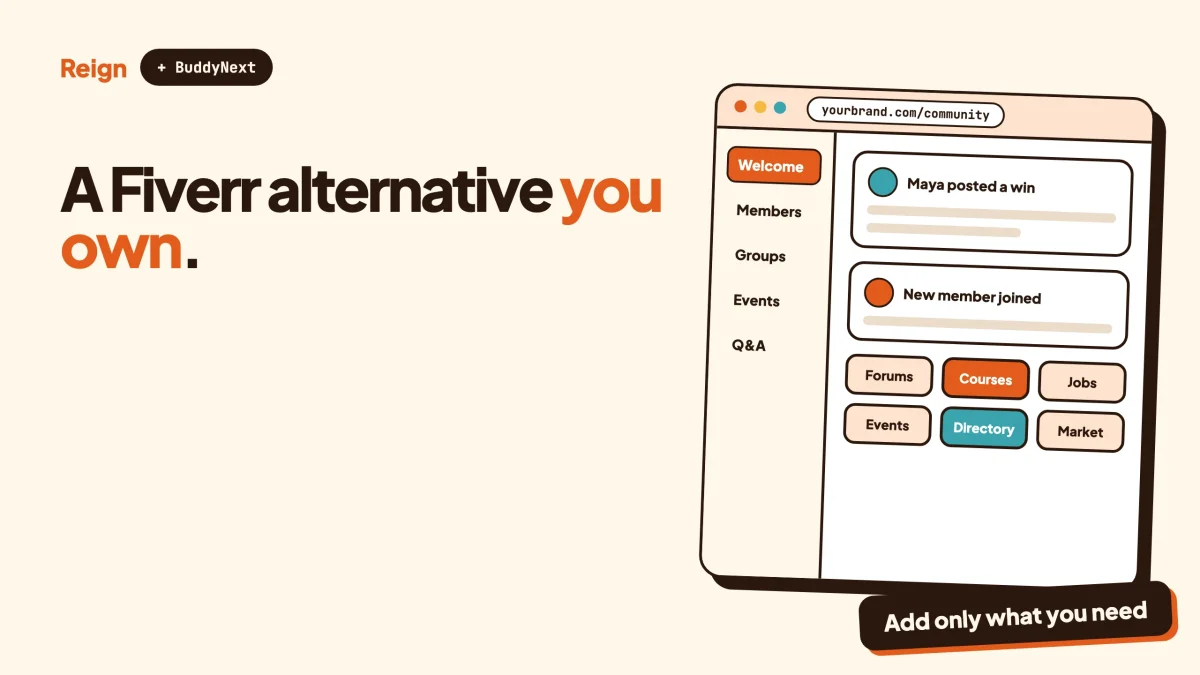
The closest Fiverr alternative you can own is a services marketplace on your own WordPress site, built with WP Sell Services for orders, BuddyNext for the community around it, and Reign as the design layer. Wbcom Designs makes all three, so weigh our view accordingly. Fiverr is still the better pick when you need strangers to find you on day one. Your own site wins when you already have an audience, a niche, or a reason to keep the customer relationship.
We checked the Wbcom products named here against their own sites in November 2026. Fiverr’s own pages refused automated access when we tried, so what we say about Fiverr stays general and you should confirm anything that affects your decision on its site.
In this guide
- When Fiverr is genuinely the better choice
- Why people look for a Fiverr alternative
- What an owned services marketplace looks like
- The recommended stack: WP Sell Services, BuddyNext and Reign
- Fiverr and its alternatives in one table
- Other ways to sell services without Fiverr
- How to move your services off Fiverr
- What you give up, and how to make up for it
- Questions people ask
When is Fiverr the better pick?
Fiverr is the better pick when you have no audience and need buyers to arrive on their own. That is its entire value, and it is a real one.
Fiverr is a marketplace where sellers list services as fixed packages and buyers browse, compare and order them. The marketplace brings the buyers. It handles search, trust signals, messaging and the order flow, so a new freelancer can list a service on Monday and have a chance of an order by the end of the week. You pay for that with a cut of what you earn. Fiverr’s fee page has the current numbers, so check it rather than trusting a blog post.
Stay on Fiverr if any of these describe you.
- You have no email list, no social following and no community, and you need your first clients.
- You sell small one-off jobs where the buyer will never need you again.
- You do not want to run a website, take support requests or handle disputes yourself.
- You are testing whether a service sells at all, and a quick listing is cheaper than a build.
The rest of this guide is for the other case. You have a niche, a following, or a group of freelancers who want a home that carries their name instead of someone else’s. Or you are an agency that gets a steady stream of buyers from your own work and is tired of routing it through a marketplace. If that is you, keep reading.
Why do people look for a Fiverr alternative?
People look for a Fiverr alternative mostly because they want control over the customer relationship, the pricing and the brand. They are rarely angry at the product.
Here are the real reasons, in the order we hear them.
The marketplace takes a cut. Fiverr earns money by keeping a share of each order. Exact figures change, so we are not quoting any. Our post on what marketplaces keep versus owning your store works through the arithmetic for Etsy, Fiverr and Gumroad, and the pattern holds for any platform that sits between you and the buyer.
The customer belongs to the platform. On a marketplace, the buyer is Fiverr’s customer first and yours second. Platforms generally restrict taking a relationship off-platform, so check the terms you agreed to before you plan around it. On your own site, the buyer’s email, history and reviews stay with you.
You compete in a crowded results page. A search for a popular service returns a long list of sellers, and buyers compare them side by side. A niche community removes most of that comparison. Someone who arrives because they trust your brand is not shopping for the lowest price.
You want a different model. A marketplace built around fixed packages fits some work well and other work badly. If you need milestone payments, proposals against a brief, or a vetted roster of vendors in one field, you need rules the big platform does not let you set.
You want a community, not a catalogue. A directory of gigs is transactional. A place where freelancers have profiles, post work, answer questions and follow each other builds repeat business. That second piece is what a community platform adds.
What does an owned services marketplace look like?
An owned services marketplace is a website where you run the listings, the checkout, the order flow and the rules. Sellers list services, buyers order them, and you decide how disputes and payouts work.
It has five parts. Skip any one and buyers or sellers will notice.
- Listings. Each seller describes a service, sets up packages and shows examples of past work.
- Discovery. Buyers search, filter and compare. This is what makes a pile of services feel like a marketplace.
- Checkout and orders. The buyer pays, the seller collects requirements, delivers, and handles revisions.
- Trust. Profiles, reviews, seller levels and a way to settle a disagreement.
- Money. Commission, balances, withdrawals and a payout routine you can actually run.
The second thing you need, and the one most “build your own Fiverr” posts skip, is a reason for people to show up. A marketplace with no traffic is an empty shop. That is where the community half of the stack matters. Our guide on launching a community and getting the first 100 members covers how to get seller and buyer numbers moving before you worry about order volume.
We cover the step-by-step build in how to build a Fiverr-style services marketplace on WordPress. This post takes the decision angle instead: whether to leave Fiverr, what you gain and lose, and what to put in its place.
Which WordPress stack replaces Fiverr?
The stack we recommend has three layers: WP Sell Services for the marketplace, BuddyNext for the community, and Reign for the design. Each does one job, and you add them in that order of need.
WP Sell Services, the order engine
WP Sell Services is a services marketplace plugin made by Wbcom Designs. Its site describes two ways to sell on the same order flow.
The first is catalog mode, which mirrors how Fiverr works. Buyers browse services and buy a fixed-price package. A vendor can offer up to three priced tiers per service, and buyers can add optional extras at checkout. A guided wizard walks the vendor through pricing, gallery, buyer questions, extras and FAQs.
The second is buyer requests, closer to how Upwork works. A buyer posts a brief with a description, budget and deadline. Vendors send proposals with a price and timeline, and the buyer accepts one. Its features page also lists fixed or milestone contracts, so a vendor can choose a single payment or phased payments.
After payment, both modes use the same order flow: the buyer supplies requirements, the vendor delivers, and revisions are handled inside the order. Buyers, vendors and admins talk inside order and dispute threads, with files attached.
On the trust side, the product pages list reviews and star ratings for completed orders, review moderation, four seller levels, vendor profiles with a portfolio, and a vacation mode. For disagreements, either party can open a dispute, and a late order can open one automatically. The admin reads the thread and the order, asks for evidence and decides the payout. That puts you in the role Fiverr’s support team plays, so be ready for it.
On the money side, checkout is built in with Stripe, PayPal and offline payments. You set one site-wide commission rate and can override it for individual vendors. Earnings collect in each vendor’s wallet net of commission. Vendors request a withdrawal and you approve it and mark it paid. Some payout and checkout options, such as Stripe Connect payouts, WooCommerce checkout and tiered commission rules, need a paid licence, so check the product page for the current split.
For site owners, there is a setup wizard that sets the marketplace name, currency and commission and creates the required pages, a service moderation queue, vendor management and withdrawal approvals. For developers, it offers Gutenberg blocks, shortcodes, template overrides, a REST API, hooks and filters, and WP-CLI commands.
BuddyNext, the community around it
A catalogue tells a buyer what is for sale. A community tells them who they are buying from. BuddyNext, also made by Wbcom, is a WordPress community plugin with an activity feed, Spaces (open, private or secret), profiles with custom fields, a member directory, direct messages, polls, reposts, bookmarks and hashtags.
For a services marketplace, that translates into things you cannot get from a plain catalogue.
- Richer seller profiles. Custom profile fields let you ask for the details that matter in your niche, such as tools used, certifications or years in the field.
- A member directory. Buyers who prefer browsing people to browsing listings can do that.
- Spaces for each discipline. A space for designers, another for translators, a private one for vetted vendors.
- Moderation. BuddyNext has a moderation queue with warn, strike, suspend and shadow-ban tools. A marketplace attracts spam and bad actors, so this is not optional.
- Stripe membership tiers. If you want to charge sellers or buyers for membership, native Stripe tiers exist. Our post on running a paid community on WordPress with Stripe covers how.
You can try BuddyNext in a live demo before deciding. The two plugins can sit on the same WordPress site, and both run standalone, so you can start with only the marketplace and add the community later.
Reign, the design layer
Reign is a WordPress community theme made by Wbcom Designs. It supplies five header layouts, colour tokens and a dark mode, and none of that needs code. A Demo Installer imports a starting layout, which our install and import guide walks through. Reign also styles BuddyNext and the other in-house plugins without add-ons.
Why does the theme matter for a marketplace? Because trust is visual. A buyer deciding whether to pay a stranger looks at the site first. A clean, consistent design makes a small marketplace look like a business. Reign gives you that without a designer on retainer.
How does it compare, in one table?
The table below is a fair side-by-side. Fiverr entries are general descriptions of the marketplace model, not details from its pages.
| Question | Fiverr | WP Sell Services on your site |
|---|---|---|
| Who brings buyers? | The marketplace | You do |
| Who owns the customer relationship? | The platform, largely | You |
| Fees | Takes a cut, check their fee page | You set the commission, plus your own hosting and payment processor costs |
| Fixed packages with tiers | Yes | Yes, up to three tiers and extras |
| Buyer posts a brief, vendors bid | Check their site | Yes, buyer requests and proposals |
| Disputes | Handled by the platform | Handled by you, with evidence from both sides |
| Payouts | Handled by the platform | Wallet balances, withdrawal requests you approve |
| Community features | Limited, mostly messaging | Add BuddyNext for profiles, spaces and a directory |
| Branding | The platform’s | Yours, with Reign |
| Setup effort | List a service | Install, configure, launch and market a site |
The last row is the honest one. Fiverr is faster to start. An owned site is slower to start and gets cheaper to run per order as it grows.
What are the other ways to replace Fiverr?
You have several options, and WP Sell Services is not the right answer for all of them. Here is where each fits.
A booking or product plugin on your own site
If you are one freelancer or one small agency selling your own work, you do not need a multi-vendor marketplace. A plain product page with a checkout, or a booking plugin for calls, does the job. Our guide on selling productized services on WordPress covers that route. It is simpler and has fewer moving parts.
A multi-vendor marketplace built on WooCommerce
Dokan, WC Vendors and WCFM turn a WooCommerce store into a multi-vendor marketplace, and they handle services as products. They suit sites that mix physical goods, digital downloads and services in one shop. Reign sells paid add-ons for each of them, so the theme side is covered. Choose this route if your store is product-first and services are a side line.
A hosted marketplace builder
Hosted marketplace builders run the marketplace for you. You pay the provider and give up some control over the code. They suit teams that want a marketplace without running WordPress. Compare their fee pages before choosing.
Another marketplace
Upwork and others compete with Fiverr. They are alternatives to Fiverr, but they are still marketplaces, with the same trade of audience for fees. If your complaint is the platform model itself, a different platform will not fix it.
A directory of freelancers instead of a store
Some niches do not need on-site checkout at all. Buyers browse profiles, then contact people directly. That is a directory, closer to a member directory than a shop. Our guide to a member directory plugin for WordPress compares the options.
How do you move your services off Fiverr?
You move in stages, not in one jump. Keep your Fiverr listing running while the new site finds its feet, then shift buyers over as it proves itself.
- Read the terms you agreed to. Marketplaces often restrict taking buyers off-platform. Read Fiverr’s terms before you tell any buyer about your new site. To confirm you are clear, you should be able to point to the specific rule that covers off-platform contact.
- Set up the marketplace. Install Reign, import a demo layout, then install WP Sell Services and run its setup wizard. To confirm it worked, you should see the pages the wizard creates and be able to open the vendor sign-up page.
- Write your services as packages. Rebuild each listing in the six-step wizard with up to three tiers. Keep scope tight, because clear scope is what keeps revisions and disputes down. To confirm it worked, view a listing as a logged-out visitor and check the tiers, extras and requirements questions display correctly.
- Place a test order. Buy your own service with a test payment, submit the requirements, deliver it and request a revision. To confirm it worked, check each email and order status along the way.
- Set your commission and payout routine. Choose a site-wide rate, decide how often you approve withdrawals, and write it down for vendors. To confirm it worked, process one withdrawal request from start to finish.
- Add the community layer. Install BuddyNext, set up profile fields and a space for each discipline, and write house rules. Our community guidelines template gives you a starting point and the moderation guide covers what to do when someone breaks them. To confirm it worked, register as a new member and check that the onboarding feels clear.
- Bring your first sellers and buyers. Invite people who already trust you. Reach out to your email list, your social following and the sellers you know. To confirm it worked, count completed orders from people who did not already know you.
If your site already has members on another theme, you do not have to start over. Our guide on changing your community theme without losing members covers the switch.
What do you give up by leaving Fiverr?
You give up Fiverr’s built-in audience, and that is the biggest trade. No plugin replaces it.
Here is the full list of what you take on.
- Traffic. Nobody arrives by default. You need search, content, referrals or a community that brings people in.
- Trust. A new site has no reviews. Buyers trust an established marketplace’s review history more than an unknown site. Early reviews matter a lot, and our post on adding business reviews and ratings to your community is worth a read.
- Dispute handling. You become the referee. Decide your rules before the first dispute lands.
- Payouts and tax. You are running a payout routine. Rules on collecting and paying out money, and on tax, depend on where you and your vendors live, so check your local rules and take advice.
- Support. Buyers will email you, not Fiverr.
- Upkeep. Updates, backups, security and hosting are yours.
How do you make up for the lost audience? Three habits do most of the work.
First, narrow the niche. A marketplace for “all services” competes with Fiverr and loses. A marketplace for, say, bilingual legal translation or podcast editing has a smaller pool, but the right people look for it.
Second, use the community as your traffic engine. Members who talk to each other in spaces, share work and answer questions generate content search engines can index, and they bring friends. That is the practical reason to pair a marketplace with BuddyNext instead of running a bare catalogue.
Third, measure. Track new sellers, completed orders and repeat buyers, and drop what does not move. Our post on community metrics worth tracking lists what to watch.
Can you do both at once?
Yes, and for most freelancers it is the sensible way to start. Keep your Fiverr listing for strangers, and build your own site for people who already know you.
The two serve different buyers. Fiverr catches people searching for a service. Your site catches people who came through your content, your newsletter or a recommendation. Over time, the share of work coming through your own site tells you whether leaving makes sense. If your own site produces a steady stream, shrink the marketplace listing. If it does not, you have learned that cheaply.
If you are weighing whether freelancing is worth it in the first place, our piece on whether WordPress freelancing is worth it gives the longer view.
What does a sensible first month look like?
Picture a hypothetical case: a small agency that sells logo and brand-kit work, and gets most of its leads from its own newsletter. This is an illustration, not a customer story.
In week one, it installs Reign, imports a demo layout and runs the WP Sell Services setup wizard. In week two, it rebuilds its three best-selling services as packages with clear scope and tests an order end to end. In week three, it invites a handful of trusted freelancers to apply as vendors and reviews each service in the moderation queue before it goes live. In week four, it emails its list and tracks who orders.
Nothing here needs a developer. The point is the order of work: prove one service sells before you add vendors, and add vendors before you add the community layer.
Questions people ask
What is the best alternative to Fiverr?
There is no single best one, because the right choice depends on whether you want an audience or ownership. Other marketplaces give you an audience for a fee. A WordPress build gives you ownership and costs your time and hosting. Check each product’s page for what its plans include before you commit.
Can I build a Fiverr-style marketplace on WordPress?
Yes. WP Sell Services offers a catalog mode where buyers choose a fixed-price package with up to three tiers, with an order flow that covers requirements, delivery and revisions. Our step-by-step build guide shows the whole process.
Is it legal to take my Fiverr clients to my own site?
That depends on the terms you accepted and on where you live. Marketplaces commonly restrict moving buyers off-platform, so read Fiverr’s terms and take advice if you are unsure. We do not give legal advice, and you should check your local rules.
Do I need a community, or just a marketplace?
You can start with the marketplace alone. A community helps once you want buyers to find sellers by browsing people, or you want sellers to learn from each other. BuddyNext adds profiles, spaces and a member directory, and you can add it later because it runs standalone.
How do vendors get paid on a self-hosted marketplace?
With WP Sell Services, earnings collect in each vendor’s wallet net of commission. The vendor requests a withdrawal, and you approve it and mark it paid. Automated payout options exist with a paid licence, so check the product page.
Where do you go from here?
Decide first whether you need an audience or ownership. If you need an audience, stay on Fiverr. If you have one, or you are ready to build one, set up WP Sell Services for orders and BuddyNext for the community, then give the whole site a consistent look with Reign. If you want a model with a wider cast of vendors in one place, building a member marketplace on a Reign community shows another angle on the same idea.