
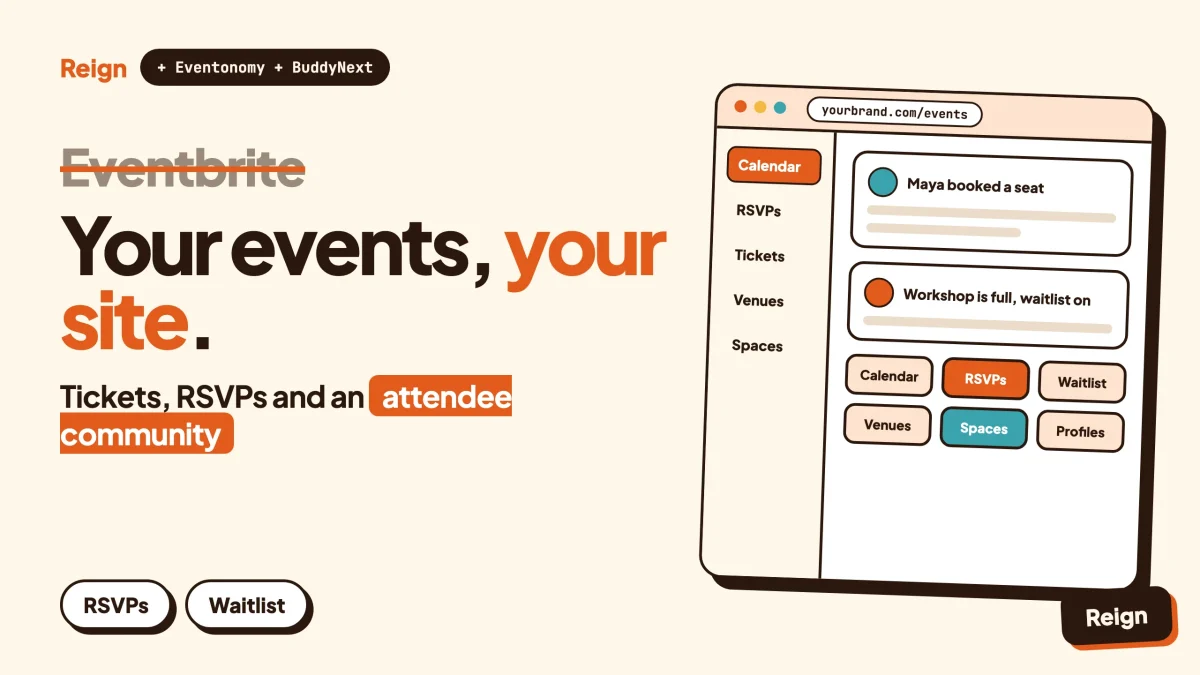
The best Eventbrite alternative for an organizer who already has an audience is your own WordPress site: Eventonomy for the events, RSVPs and tickets, BuddyNext for the attendee community, and the Reign theme to make it look like your brand. You keep the attendee list and the event history in your own database, and you pay your payment gateway instead of a marketplace. What you give up is Eventbrite’s built-in audience of ticket buyers, so this works best when people already come to you.
Wbcom Designs makes Eventonomy, BuddyNext and Reign, so read that recommendation as the maker’s view. Eventbrite details below come from its own pages, read in November 2026.
When is Eventbrite the better pick?
Eventbrite is the better pick when you need strangers to find your event, when you run a large or one-off ticketed event, or when you want someone else to handle checkout, seating and the door. If that sounds like you, stay. A WordPress site cannot give you a marketplace on day one.
The scale is real. On its About page, Eventbrite lists “2024 at a Glance” as 4.7 million total events in nearly 180 countries, 89 million monthly average users and 83 million paid tickets. Its ticket-selling page adds that event-goers searching for things to do account for one in four of the tickets sold on Eventbrite, through personalized recommendations in its consumer app and newsletters. Those numbers are Eventbrite’s own and cover its whole network, but they point at the thing that matters: a lot of buyers arrive on Eventbrite without ever having heard of the organizer.
Its organizer page also lists the tools you would expect from a ticketing company. Flexible ticket types for in-person and online events, customizable event pages, reserved seating, timed entry, reporting and analytics, an Organizer app for check-in and door sales, email and social marketing tools, and Eventbrite Ads to promote an event across the site.
So who is this post for? Organizers who already have people. A yoga studio with a weekly class list. A conference that comes back every year. A club, a meetup, a school, a church, a maker market, a nonprofit with a donor base. A creator whose newsletter fills the room. For those events, most buyers arrive from the organizer’s own channels, and the marketplace is mostly a checkout page that takes a fee.
If most of your buyers come from your own list and your own social posts, you can own the whole path. If most of them come from searching Eventbrite, you cannot, at least not yet.
Why do organizers look for an Eventbrite alternative?
Organizers usually leave for four reasons: fees on every ticket, a brand that shares the page with a marketplace, attendee relationships that live in someone else’s system, and an event-shaped product when they wanted a community. None of these is a flaw in Eventbrite. They are how a hosted marketplace works.
Fees on every ticket
Eventbrite is not hiding this. Its payments page says all fees are collected automatically, so you get no monthly or annual invoice, and that you can absorb the fees or pass them on to ticket buyers. It adds that service fees vary by package, country and currency. For the amounts, check Eventbrite’s pricing and fee pages, because they change and depend on where you sell.
The point for planning is the shape of the cost, not the number. A marketplace charges per ticket, so the bill grows with every sale. A self-hosted setup replaces that with your payment gateway’s processing fee and whatever licence you pay for the plugin. Eventonomy’s own page states no per-ticket platform fees. Your gateway still charges its own processing fee, and that never goes away on any platform. Add up both routes for the number of tickets you sell in a year before you decide.
The page is partly Eventbrite’s
Eventbrite offers customizable event pages, and they are good. They still live on eventbrite.com. The checkout, the surrounding navigation and the recommendations that sit next to your event are Eventbrite’s. For a one-off party that hardly matters. For an organizer building a brand that matters a great deal, because every visitor who lands on the event page is also being shown other things to do.
Attendee relationships sit in their system
When people buy through a marketplace, the buyer relationship begins inside the marketplace. You get the data the platform lets you export and the email tools it provides. On your own site, a ticket buyer becomes a member in your database, with a profile, a history of events attended and a way to reach them that does not depend on a vendor’s terms. Check Eventbrite’s terms and your local privacy rules for what you may do with attendee data you collect through it.
Events are not a community
Eventbrite is organized around the single event. The attendee experience ends when the door closes. Many organizers now want what happens between events: a place where regulars say hello, share photos, ask the speaker a follow-up question and decide to come again. That needs profiles, discussion and a feed. Eventbrite’s own blog has pages on building an events community, which tells you organizers want it, but the ticketing product itself is not a member platform.
What do you give up by leaving Eventbrite?
You give up discovery first, then a set of ticketing tools that are mature on Eventbrite and not all present on a WordPress plugin. Be clear about both before you move anything.
Discovery. Eventbrite markets itself as the largest events marketplace, with recommendations by interest and location. On your own site nobody arrives until you send them. Search engines, a newsletter and calendar subscriptions can build that over months, and there is a section below on how, but there is no plugin that creates a ready-made audience.
Reserved seating and timed entry. Eventbrite lists both as features. Eventonomy’s public pages list RSVPs with capacity caps and waitlists, ticketing and door check-in, and do not list reserved seating charts or timed-entry slots. If your venue sells numbered seats, that is a reason to stay on a ticketing specialist or to check what a WooCommerce-based seating add-on can do.
The Organizer app and advertising. Eventbrite has a mobile Organizer app for check-in and door sales, plus Eventbrite Ads. Eventonomy lists a door check-in scanner, which needs a paid licence, so check the product page for how it works on your phone and for what your door staff would use. There is no ad network inside your own site, so promotion is your job.
Someone else running the infrastructure. A hosted platform handles uptime, security updates and payment compliance. On WordPress you handle hosting, updates and backups, and you pick a payment gateway that handles card data for you. Our post on the best hosting for community websites covers what to look for.
If two or more of those matter more than the fee, the honest answer is to keep ticketing on Eventbrite and use your own site as the home base that links to it. Plenty of organizers run that hybrid and move over later, or never do.
What does the WordPress version of an Eventbrite alternative look like?
It is a stack of three pieces on one WordPress site: Eventonomy for the events, RSVPs and tickets, BuddyNext for the attendee community, and Reign for the design. Each piece runs on its own, so you can start with only the events and add the rest when you need it.
Eventonomy for the events and tickets
Eventonomy is an events plugin for WordPress. Its site describes it as handling the calendar, the RSVPs and the tickets, with attendee data staying in your database. It lists one-off events and recurring series, calendar views (grid, list, month and upcoming), and a shared catalog of venues and organizers, so you enter an address once and reuse it.
RSVPs are the part many community organizers use daily. Members RSVP in one click. Guests give a name and an email and manage their answer through a magic link, which is an emailed sign-in link that needs no password. Answers are going, maybe or no, each with an optional guest count. You can set a capacity, and when an event fills up a waitlist catches the overflow. You can add your own questions to the registration form, with several answer types from short text to dropdowns and checkboxes.
For organizers there is a front-end event editor and a Manage Events page where attendees track their RSVPs and organizers manage events and attendees. An ICS calendar feed lets people subscribe in Google Calendar, Apple Calendar or Outlook. Everything runs on a public REST API, which matters if a developer wants to connect it to another tool.
Selling tickets is where the licence comes in. Eventonomy’s page lists paid tickets through Stripe, PayPal or WooCommerce, with tax rates, booking fees and coupons at checkout, and a door check-in scanner. Those need a paid licence, so check the product page for the current list and terms. You can start with RSVPs and a no-cost event before you decide you need tickets.
BuddyNext for the people who attend
BuddyNext is the community engine from Wbcom Designs. It gives you an activity feed, Spaces that can be open, private or secret, member profiles with custom fields, a member directory, direct messages powered by WPMediaVerse, polls, hashtags, a moderation queue and an onboarding wizard for new members. You can try the BuddyNext live demo to see a working community before you install anything.
How does that help an events business? A Space is a room for one topic, so a recurring event series can have its own Space. People who RSVP join it, ask what to bring, post photos afterwards and meet each other before the next date. That conversation is what turns a ticket buyer into a regular, and it is not something a ticketing page offers.
Eventonomy and BuddyNext are separate plugins that can sit on the same site. We do not claim a built-in link between them, so plan your menus and Space pages so members can reach the calendar from the community, and test the flow on your own site.
Reign for the design
Reign is the WordPress theme from Wbcom Designs, built for community sites. It gives you five header layouts, colour tokens, a dark mode toggle and a mobile drawer menu, with no code, and it styles BuddyNext and BuddyPress out of the box. It also has a Demo Installer, so you can import a finished layout and replace the text and logo. Eventonomy’s blocks are standard WordPress blocks that take on the theme’s styles, so the calendar, the member pages and the home page read as one brand. Our walkthrough on how to install Reign and import a demo shows the first hour.
If you want the longer story of events on Reign, read how to run community events on your Reign site.
How do the two compare side by side?
The table below lists only what each side’s own pages state, as of November 2026. A dash means the pages state nothing on it. Wbcom makes the right-hand column, so it is the maker’s view.
| Need | Eventbrite | Eventonomy with BuddyNext and Reign |
|---|---|---|
| Where it runs | Hosted by Eventbrite | Your own WordPress site |
| Finding new buyers | Marketplace with personalized recommendations, plus Eventbrite Ads | Your own search traffic, newsletter and calendar feeds |
| Ticket types | Flexible ticket types for in-person and online events | Paid tickets through Stripe, PayPal or WooCommerce, needs a paid licence |
| Reserved seating and timed entry | Listed as features | - |
| RSVPs, capacity and waitlist | - | Going, maybe or no, guest counts, capacity caps and a waitlist |
| Recurring events | - | Recurring series |
| Door check-in | Organizer app for check-in and door sales | Door check-in scanner, needs a paid licence |
| Payments | Eventbrite Payment Processing, fees collected automatically | Stripe, PayPal or WooCommerce, with the gateway’s own fees |
| Per-ticket platform fee | Service fees that vary by package, country and currency | Eventonomy’s page states none |
| Event page branding | Customizable pages on eventbrite.com | Pages on your own domain, styled by your theme |
| Attendee community | - | BuddyNext feed, Spaces, profiles, messages |
| Marketing tools | Email and social marketing tools | Your own email tool; BuddyNext lists email digests for members |
| Who looks after hosting and updates | Eventbrite | You or your host |
Read the table in the right direction. Eventbrite wins the rows about reach and the physical door. The WordPress stack wins the rows about ownership, branding and what happens between events. Where a cell says a dash, that is a gap in the public pages, not a claim that the feature is missing.
How do you build it, step by step?
You can have a working events site in an afternoon: a WordPress install, the Reign theme, Eventonomy for the first event, then BuddyNext for the community. Do the steps in order, and check each one before moving to the next.
Step 1: Set up the site and the theme
Install WordPress on hosting you control and put it on your own domain. Install Reign, import a demo whose tone suits your events, and set your logo, colours and header layout in the Customizer. Keep the layout simple. A home page that says what the next event is and how to book beats a clever design.
To confirm it worked, open the home page in a private window and check that it reads as your brand, with your name and a clear next step above the fold.
Step 2: Create your first event
Install Eventonomy and create your first event using the front-end editor or the admin screen. Fill in the title, the dates, the venue, the capacity and the description. Add the calendar block to a page called Events and the event list to your home page.
Write the description for a stranger. Say what happens, who it is for, how long it runs, where to park or which train to catch, and what to bring. An event page that answers those questions sells better than a clever one, on any platform.
To confirm it worked, load the Events page logged out and check that the event appears on the calendar with the right date, time and venue.
Step 3: Turn on RSVPs, capacity and the waitlist
Switch on RSVPs for the event and set a capacity that matches the room. Add the questions you need, such as dietary needs or which workshop someone wants. Ask only for what you will use, because every extra field costs you sign-ups.
Decide how guests book. Eventonomy lets members RSVP in one click and guests book with a name and an email. If you want everyone to have an account so they can join your community, say so on the event page and in the confirmation message.
To confirm it worked, book yourself in as a guest, then as a member, then fill the event on purpose and check that the next person lands on the waitlist.
Step 4: Add paid tickets if you need them
If the event is paid, activate your licence and connect the checkout you prefer. Eventonomy’s page lists Stripe, PayPal or WooCommerce. Pick the one you already use for the rest of your business, and set tax, booking fees and coupons as your situation requires. Tax and consumer rules vary by country, so check your local rules and ask an accountant for anything beyond the basics.
Run a real payment of the smallest amount your gateway allows, then refund it. Check that the order appears in your admin, that the confirmation email arrives and that the ticket or booking shows under the attendee’s account.
To confirm it worked, buy your own ticket from a second device, then open the attendee list as an organizer and check that the new attendee is there.
Step 5: Add the community around the event
Install BuddyNext and create a Space for each recurring event series or interest. Keep the list short: five busy Spaces beat fifteen empty ones. Decide which Spaces are open to the public and which are private to ticket holders, and write a short welcome post in each. If you want rules for what members may post, adapt our community guidelines template.
Link the two sides. Put the Events page in the main menu. Mention the Space in the confirmation message and on the event page, so someone who just booked can walk straight into it. After each event, post a recap with photos in the Space and the date of the next one.
To confirm it worked, register a test account, book a place, join the Space from the link in the confirmation, and post once. Check that the post shows in the feed.
Step 6: Make the calendar subscribable
Eventonomy lists an ICS feed. Give the link to members so they can subscribe in the calendar they already check each morning. Every new event you publish appears there without you sending anything.
To confirm it worked, subscribe in your own calendar app, create a test event and check that it shows up.
How do you move your attendees across?
You move them by inviting them, in person and by message, and by keeping Eventbrite running until the new site has its own steady stream of bookings. There is no tidy one-click migration, and you should not promise one.
Start with your regulars. At your next event, tell people the new site exists and why they should book there: the same event, a community page, a calendar they can subscribe to. If you have an email list, send it. If you rely on Eventbrite’s own email tools to reach past attendees, check Eventbrite’s terms and your local privacy rules on what you may do with that data before you copy it anywhere. When in doubt, ask people to opt in again. A smaller list of people who said yes is worth more than a large list of people who did not.
Run both for one season. List the same event on both sites, with a link from the Eventbrite page to your own site. Watch where bookings come from. When the bookings on your own domain match what Eventbrite was bringing you, retire the old listing. Do not cancel early, and do not make everyone create an account before they can find the date.
If your old home is a social media group, our guide to moving a Facebook group to a self-hosted WordPress community covers the same invite-first approach.
How do you get found without a marketplace?
You get found through search engines, a newsletter, calendar feeds and the places your audience already visits. These take longer to build than a marketplace listing, but they belong to you and keep working after the event ends.
Search engines
Give every event its own page with a plain title, the date, the place and a short description. People type things like “pottery workshop near me on Saturday” and a clear page on a readable site can appear. Public pages on your domain can be indexed, and private Spaces stay private, so decide on purpose which things should be public. Our guide on optimizing community sites for SEO and performance covers the technical side.
After each event, publish a short recap with photos and the next date. A recap is what a stranger reads to decide whether you are worth turning up for.
A newsletter and a calendar feed
A newsletter works the same on any platform. Put an email box on every event page and every recap, and write a short note when you announce an event, with the date and the booking link first. The calendar feed is its quiet partner: a member who subscribes sees your events appear in their own calendar with no email at all.
Partners and local noticeboards
Ask venues, local businesses and other organizers to list your events with a link. A page on a venue’s site pointing at your booking page can bring more bookings than a hundred social posts, and it costs nothing. Keep your social accounts too, and point every post at the event page on your own domain.
Turn attendees into the marketing
An attendee community is a quiet marketing channel. Members who talk to each other in a BuddyNext Space bring friends along and post photos that other people see. If you want a plan for the first stretch, read how to launch an online community and get your first 100 members, and keep an eye on what matters with community metrics to track.
Who should stay on Eventbrite?
Stay if most of your buyers are strangers who found you through Eventbrite search, if you sell numbered seats or timed-entry slots, if you run a single large event and do not need an ongoing community, or if you have no wish to look after a website. A move costs time, and you should only pay it for a reason that matters.
Move, or at least add your own site, if most of your buyers come from your own channels, if you run a repeating series, if you want attendees to become members, or if the per-ticket cost is eating into a small margin. A good first step is to keep ticketing on Eventbrite and run the community and calendar on your own site, then bring the ticketing across later.
There are other options between the two. If your events are mostly regular meetups and you want a different hosted tool, read our Meetup alternative post. If you are comparing WordPress calendar plugins, see the best WordPress event calendar plugins, or The Events Calendar alternatives if you already use it. For the payment side in more detail, see how to sell event tickets on WordPress without per-ticket fees.
The wider argument about renting versus owning applies to events as it does to online stores. Our post on marketplace fees versus owning your store lays out the trade.
Questions people ask
What is the best Eventbrite alternative?
It depends on what you sell. For strangers finding your event, Eventbrite itself is hard to beat. For organizers who already have an audience and want to own the site, the attendee list and the checkout, a WordPress stack of Eventonomy, BuddyNext and Reign is our pick, and Wbcom makes it. For regular meetups on a different hosted service, see our Meetup alternative post.
Is there a no-fee alternative to Eventbrite?
No platform is entirely without cost. Eventonomy’s page states no per-ticket platform fees, but you still pay your payment gateway’s processing fee, your hosting and any licence. Add the three up for your yearly ticket volume and compare the total with what Eventbrite charges on its pricing and fee pages.
Can I sell tickets on WordPress without Eventbrite?
Yes. Eventonomy lists paid tickets through Stripe, PayPal or WooCommerce, with tax, booking fees and coupons at checkout. Paid tickets need a paid licence, so check the product page. Tax, refunds and consumer rules vary by country, so check your local rules.
Do I need BuddyNext to use Eventonomy?
No. Eventonomy runs on its own, and so does BuddyNext. Using both gives you a calendar and a community on one site, under one theme. We do not claim a built-in link between them, so test how your menus and pages connect.
Will I lose my Eventbrite audience if I leave?
You lose the people who only ever found you through Eventbrite search, since they have no other route to you. You keep everyone who follows you directly. That is why the safest plan is to run both for a season, invite your regulars across and cancel only when your own site brings in what Eventbrite did.
Related reading
- How to sell event tickets on WordPress without per-ticket fees
- Meetup alternative: run your own events community on WordPress
- The Events Calendar alternatives for WordPress communities
- Best WordPress event calendar plugins
- Marketplace fees versus owning your store
- How to build a paid community on WordPress with Stripe
- Best self-hosted community platforms
- Engaging your online community in fundraising events
Reign is the design layer behind every setup in this post. It styles the calendar, the community and the member pages from one place, so the whole site looks like your brand and not like a ticket page. See the Reign theme page for features and demos, or try the BuddyNext live demo first.