

Looking for the best WooCommerce WooCommerce plugins in 2026? Here’s the short answer: the right plugin depends on your store size, the action you want to incentivize, and how deeply you need it to integrate with your existing customer journey. After testing the leading options hands-on against real WooCommerce 9.x stores, this guide shortlists the plugins that genuinely move the needle, plus newer 2026 entrants worth knowing about.
What we recommend: if you also need community, membership, or engagement layers around your WooCommerce store, pair your stack with BuddyX Pro, community-first WordPress theme built for membership stores, vendor communities, and customer-loyalty hubs. We’ve seen this combination outperform standalone woocommerce plugins because retention compounds when product, content, and community live under the same roof.

What is a Google Product Feed?
A Google Product Feed is a structured file that contains all the essential details about the products in your WooCommerce store. It usually includes information like product title, description, price, availability, brand, and GTIN or SKU. This feed is submitted to Google Merchant Center and is used to create ads in Google Shopping campaigns. The accuracy and completeness of this feed directly influence the visibility and performance of your products on Google platforms.
Related reading: 10 Best WooCommerce Plugins Catalog Mode 2025, 10 Best WooCommerce Plugins Product Shipping, 10 Best WooCommerce Plugins Product Size Charts.
Without a proper feed, your products may not show up in search results or could be disapproved due to missing attributes. That’s why WooCommerce store owners rely on specialized plugins to generate, manage, and optimize their feeds in compliance with Google’s requirements. These plugins help automate updates, map product categories, and ensure your listings meet Google’s strict data standards.
Also Read: How to Create a Product Table in WooCommerce
How to Use a WooCommerce Google Product Feed Plugin
Setting up a product feed plugin in WooCommerce doesn’t have to be complicated. Most plugins provide intuitive setup wizards that guide users through the process. Here’s a simple step-by-step overview of how to get started:
- Install and activate your chosen Google Product Feed plugin.
- Connect your WooCommerce store with Google Merchant Center.
- Map WooCommerce product fields (title, SKU, price, category) to Google’s feed attributes.
- Generate your product feed in XML or TXT format.
- Submit the feed URL directly to Google Merchant Center.
- Enable auto-sync so updates in WooCommerce are reflected in your feed.
Once the feed is active, regularly monitor Merchant Center to ensure products are approved and optimized. A reliable plugin ensures the feed remains compliant and minimizes the risk of product disapprovals.
Table of Contents
- Google Product Feed for WooCommerce
- YITH Google Product Feed for WooCommerce
- Product Feed PRO for WooCommerce
- ELEX WooCommerce Google Shopping Plugin
- WooCommerce Product Feed Manager by RexTheme
- CTX Feed - WooCommerce Product Feed Manager
- ShoppingFeeder for WooCommerce
- AdTribes WooCommerce Product Feed
- WP All Export Pro with WooCommerce Add-On
- Flexify: WooCommerce Product Feed for Google & Facebook
1. Google Product Feed for WooCommerce
Google Product Feed for WooCommerce is one of the most reliable solutions for store owners who want seamless integration with Google Merchant Center. Designed specifically for WooCommerce, it helps merchants generate feeds that comply with Google’s strict requirements.
The plugin ensures that all critical product attributes, including GTIN, MPN, and brand, are accurately mapped. This reduces the chances of feed rejections and allows products to gain better visibility in Google Shopping campaigns.
Key Features:
- Automatic feed updates
- Support for custom attributes
- Category mapping with Google taxonomy
Pricing: Premium - $79/yr.
2. YITH Google Product Feed for WooCommerce
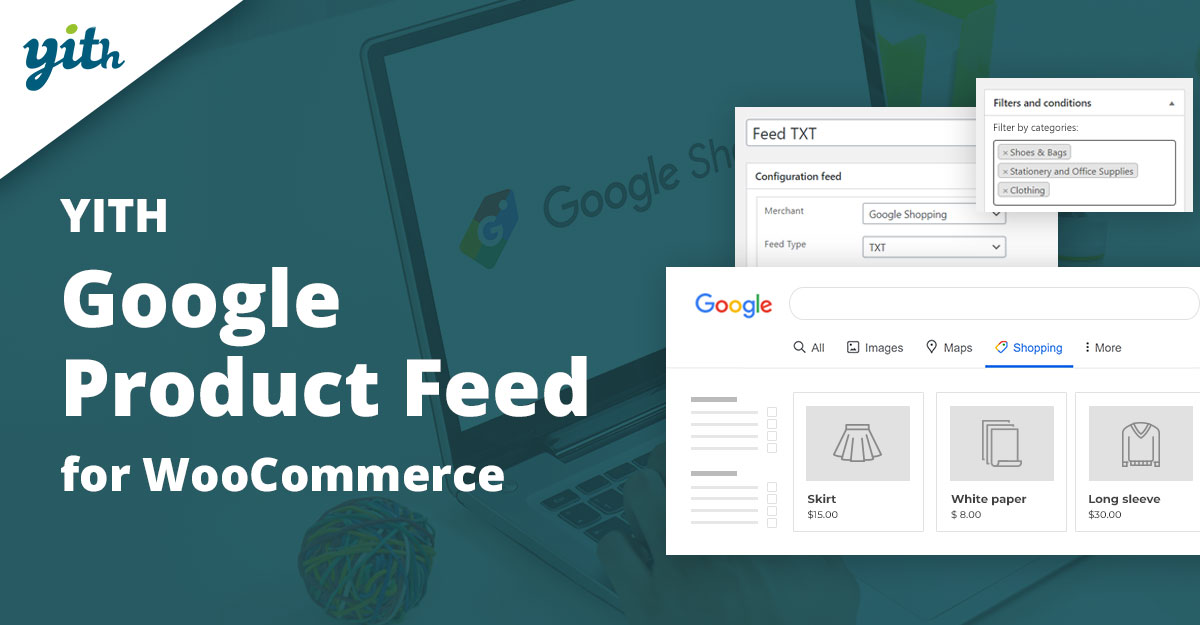
YITH Google Product Feed for WooCommerce is designed for businesses that want an intuitive and flexible solution. It allows you to create unlimited feeds tailored to different marketing channels, not just Google Shopping.
With its user-friendly interface, merchants can configure feeds in just a few clicks. Advanced customization options also make it possible to fine-tune every product attribute to maximize ad performance.
Key Features:
- Multiple feed generation
- Scheduled updates
- Advanced product filtering
Pricing: Premium - $99/yr.
3. Product Feed PRO for WooCommerce
Product Feed PRO for WooCommerce is a powerful plugin that supports multiple channels, including Google Shopping, Bing, and Facebook. It’s ideal for businesses looking to expand their reach beyond just Google.
Its smart filters and rule-based feed generation make it easy to exclude unprofitable products and optimize performance. Merchants can create highly targeted campaigns while saving time on manual feed creation.
Key Features:
- Multi-channel feed support
- Custom rules and filters
- Automatic synchronization
Pricing: Free + Pro from $69/yr.
4. ELEX WooCommerce Google Shopping Plugin
ELEX WooCommerce Google Shopping Plugin helps merchants generate error-free product feeds that comply with Google’s data standards. It offers advanced mapping options to match WooCommerce fields with Google attributes.
The plugin also supports multiple file formats like XML, CSV, and TXT, making it flexible for different Merchant Center requirements. Scheduled feed refresh ensures your listings are always up to date.
Key Features:
- Multiple feed formats
- Attribute and category mapping
- Automatic feed updates
Pricing: Premium - $69/yr.
Also Read: How to Show Price History on WooCommerce Products
5. WooCommerce Product Feed Manager by RexTheme
WooCommerce Product Feed Manager by RexTheme is a highly flexible plugin that supports 100+ marketing channels, including Google Shopping. It’s built for scalability, making it suitable for stores with large product catalogs.
The plugin offers advanced filters to control which products appear in your feed. Its auto-update feature ensures that any changes made in WooCommerce are reflected in real-time.
Key Features:
- Support for 100+ channels
- Smart filters
- Real-time sync
Pricing: Premium - $119/yr.
6. CTX Feed - WooCommerce Product Feed Manager
CTX Feed is a lightweight and efficient plugin known for generating optimized feeds for Google Shopping. It offers pre-configured templates for easy setup and supports multiple feed formats.
The plugin is particularly suitable for store owners who want a hassle-free solution with minimal configuration while maintaining compliance with Google’s guidelines.
Key Features:
- Pre-made templates
- Multi-format feed export
- Simple, clean interface
Pricing: Free + Pro from $89/yr.
Also Read: Best WooCommerce Membership Plugins
7. ShoppingFeeder for WooCommerce
ShoppingFeeder is an advanced feed management solution that connects WooCommerce stores with Google Shopping and other platforms. It specializes in campaign tracking and advanced analytics.
This plugin is excellent for data-driven marketers who want detailed insights into feed performance and campaign ROI.
Key Features:
- Comprehensive analytics
- Multi-channel feed support
- Campaign tracking
Pricing: Premium - $39/mo.
8. AdTribes WooCommerce Product Feed
AdTribes offers a WooCommerce product feed solution tailored for Google Shopping. It’s simple yet powerful, making it a great option for small and medium-sized stores.
With customizable templates and auto-updates, merchants can ensure compliance while saving time on manual feed adjustments.
Key Features:
- Customizable templates
- Automatic updates
- Optimized product mapping
Pricing: Free + Pro from $79/yr.
Also Read: How to Set Up and Customize Product Bundles in WooCommerce
9. WP All Export Pro with WooCommerce Add-On
WP All Export Pro with WooCommerce Add-On provides complete control over product feed exports. It allows merchants to create fully customized XML or CSV feeds for Google Shopping.
Its drag-and-drop interface makes it easy to select which product fields to include, making it perfect for complex stores with specific requirements.
Key Features:
- Drag-and-drop feed builder
- Highly customizable exports
- Support for large catalogs
Pricing: Premium - $99/yr.
10. Flexify: WooCommerce Product Feed for Google & Facebook
Flexify is a versatile feed generator that works with Google Shopping and Facebook Ads. It is designed to simplify multi-channel advertising by managing feeds from one platform.
With its lightweight design, Flexify is an excellent choice for small businesses wanting a budget-friendly yet effective plugin.
Key Features:
- Google & Facebook feed support
- Lightweight and easy to use
- Automatic updates
Pricing: Free + Pro from $49/yr.
Also Read: Best WooCommerce Plugins Catalog Mode
Pricing Comparison of WooCommerce Google Product Feed Plugins
| Plugin | Key Features | Price |
|---|---|---|
| Google Product Feed for WooCommerce | Auto-updates, category mapping | $79/yr |
| YITH Google Product Feed | Unlimited feeds, filtering | $99/yr |
| Product Feed PRO | Multi-channel, custom rules | $69/yr |
| ELEX Google Shopping Plugin | Multi-format feeds, mapping | $69/yr |
| RexTheme Product Feed Manager | 100+ channels, real-time sync | $119/yr |
| CTX Feed | Templates, multi-format support | $89/yr |
| ShoppingFeeder | Analytics, tracking | $39/mo |
| AdTribes Feed | Templates, updates | $79/yr |
| WP All Export Pro | Custom exports, drag & drop | $99/yr |
| Flexify | Google & Facebook feed | $49/yr |

Pair Your Stack: Other Tools From Wbcom Designs
Beyond the WooCommerce plugins above, these in-house tools from Wbcom Designs solve adjacent problems most stores eventually run into, particularly when your loyalty, community, or service layer needs to plug into WooCommerce without a heavy custom build:
- BuddyX Pro, community-first WordPress theme for membership stores, vendor communities, and customer-loyalty hubs.
- WB Gamification, drop-in points, badges, ranks, and leaderboards for any WooCommerce loyalty or referral funnel.
- WP Sell Services Pro, turn WooCommerce into a service-selling platform (consulting, freelance, agency hours).
- WB Ad Manager, native ad placements to monetize content around your store (blog, category pages, sidebar).
- WordPress Polls, lightweight polls for product feedback, NPS-style surveys, and zero-party data.
- Jetonomy, monetization toolkit for digital communities (token economy, paid groups, creator payouts).
Final Thoughts: How to Pick the Right WooCommerce Plugin in 2026
Choosing the right WooCommerce WooCommerce plugin in 2026 comes down to four practical questions:
- What’s your store size and traffic? Smaller stores get the best return on free or one-time-pay options; high-volume stores justify the SaaS monthlies because of the reporting, segmentation, and automation depth.
- How technical is your team? Code-light, pre-configured plugins ship in a day. Advanced tooling needs developer attention but unlocks edge cases (custom workflows, third-party integrations, multi-site).
- Do you need community or engagement features alongside? If yes, pair with BuddyX Pro and WB Gamification so engagement, rewards, and shopping live in one stack instead of three.
- How will you measure ROI? Start with one campaign type, instrument it properly (UTM tags, attribution windows), track 30-day retention or AOV lift, then scale what works.
Most WooCommerce stores see meaningful results within 60-90 days of launching a woocommerce program, provided it’s promoted properly via email, on-site banners, post-purchase flows, and (where relevant) inside your community channels. The plugin you choose matters less than the program design and follow-through.
Interesting Reads:
Best WooCommerce Plugins Account Funds