

Looking for the best WooCommerce WooCommerce plugins in 2026? Here’s the short answer: the right plugin depends on your store size, the action you want to incentivize, and how deeply you need it to integrate with your existing customer journey. After testing the leading options hands-on against real WooCommerce 9.x stores, this guide shortlists the plugins that genuinely move the needle, plus newer 2026 entrants worth knowing about.
What we recommend: if you also need community, membership, or engagement layers around your WooCommerce store, pair your stack with BuddyX Pro, community-first WordPress theme built for membership stores, vendor communities, and customer-loyalty hubs. We’ve seen this combination outperform standalone woocommerce plugins because retention compounds when product, content, and community live under the same roof.

Table of contents
- Advanced Catalog Mode for WooCommerce
- YITH WooCommerce Catalog Mode
- Catalog Visibility Options (WooCommerce)
- ELEX WooCommerce Catalog Mode
- Product Catalog Mode For WooCommerce
- WModes - Catalog Mode, Pricing & Enquiry
- WooCommerce Catalog Mode (Welaunch)
- CatalogX - Product Catalog Mode & Enquiry
- Codecanyon: WooCommerce Catalog Mode plugins
- Catalog Visibility for WooCommerce (B2B/Advanced)
Related reading: 10 Best WooCommerce Plugins Google Product Feed, 10 Best WooCommerce Plugins Product Shipping, 10 Best WooCommerce Plugins Product Size Charts.
What is Catalog Mode?
Catalog mode converts a transactional WooCommerce store into a browsable product gallery. Core changes typically include hiding prices, removing add-to-cart buttons, disabling checkout, or replacing purchase links with contact/enquiry buttons. It’s useful for B2B storefronts, seasonal shutdowns, price-protected products (MAP), or when lead capture and quotes are the priority rather than immediate sales.
Different plugins offer varying levels of control: some are simple toggles to switch the whole store into catalog mode, while others give role-based rules, product-level exceptions, scheduled on/off controls, or built-in request-a-quote features. The rest of this guide compares those trade-offs and shows how to pick the best fit for common use cases.
How to use WooCommerce Plugins Catalog Mode
Most catalog-mode plugins follow the same setup flow. The basic steps are:
- Choose and install the plugin that matches your needs (role rules, inquiry forms, scheduling).
- Activate the plugin and visit its settings page (usually under WooCommerce or Plugins → Settings).
- Pick the global behavior: hide prices, remove Add-to-Cart, or replace with a CTA or enquiry form.
- Set exceptions: select products, categories, user roles, or geolocation rules that stay purchasable.
- Test as different user roles (guest, logged-in user, admin) and on mobile to ensure the display and forms behave as expected.
Top 10 WooCommerce Plugins Catalog Mode
The plugins below were chosen for reliability, configurability, and popularity. Each entry includes a short overview, key features, and a pricing note, so comparison is fast.
The first two plugins listed are the ones requested to be highlighted first: Advanced Catalog Mode for WooCommerce and YITH WooCommerce Catalog Mode. Each plugin block includes at least two short paragraphs of overview and a compact feature/pricing summary.
1. Advanced Catalog Mode for WooCommerce

Advanced Catalog Mode is a feature-rich extension focused on role-based control and wholesale workflows. It’s built to do more than flip a global switch: granular rules allow catalog mode for guests while keeping logged-in customers able to purchase.
This plugin is a good fit where pricing visibility must be controlled by customer type or when catalog and wholesale pricing need to coexist (catalog view for public, full shop for wholesale). Documentation and support are provided through the marketplace page.
Key features
- Role-based catalog mode (guests, specific roles).
- Hide prices or hide add-to-cart selectively.
- Replace cart buttons with custom CTAs or redirects.
- Works with simple, variable, and grouped products.
Pricing: $79 / year (1-year plan).
2. YITH WooCommerce Catalog Mode
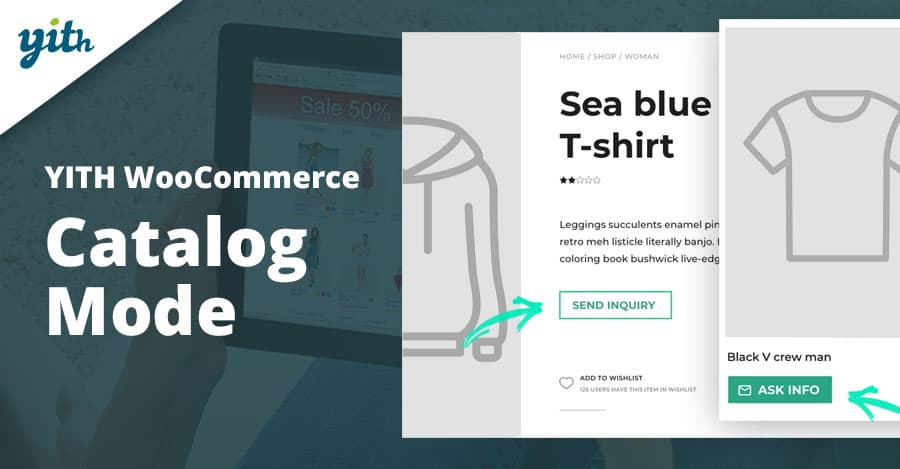
YITH’s Catalog Mode is widely used and offers the convenience of a polished UI plus integrations across the YITH plugin family. It’s built for store owners who want a quick catalog switch plus flexible rules per product, category or country.
Features like scheduling the shop open/close times and an included inquiry form builder make it handy for shops that alternate between selling and catalog display. YITH also provides both a free version and a premium tier with advanced options.
Key features
- Global on/off catalog switch and product/category exceptions.
- Hide price and Add-to-Cart or replace with custom buttons/labels.
- Inquiry form integration and compatibility with popular form plugins.
- Schedule shop opening hours and country-based rules.
Pricing: Premium tier available (vendor site shows license options, check current list price).
3. Catalog Visibility Options
Catalog Visibility Options is the official WooCommerce extension for hiding prices and disabling cart functionality. Because it’s maintained in the WooCommerce ecosystem, compatibility and official support are a benefit for stores relying on many WooCommerce extensions.
This extension focuses on visibility rules and alternate content when prices or cart actions are hidden, which can be useful for MSRP/MAP compliance and B2B storefront locks. It’s usually offered through the WooCommerce marketplace.
Key features
- Hide prices or show prices only to logged-in users.
- Disable cart, checkout links, and replace add-to-cart content.
- Custom alternate price or CTA content for hidden prices.
Pricing: Marketplace pricing varies; check the WooCommerce store for the current license cost.
4. ELEX WooCommerce Catalog Mode
ELEX offers a free core plugin with an optional premium upgrade for role-based pricing and request-a-quote workflows. The free version covers basic catalog mode needs: remove add-to-cart buttons, hide prices, and replace buttons with custom links.
Upgrading unlocks role-based pricing, wholesale features, and deeper controls for product-level behavior, useful for stores that want catalog behavior plus advanced pricing rules. The WordPress.org listing and developer pages provide details and demos.
Key features
- Free core plugin for basic catalog mode capabilities.
- Premium adds role-based pricing, wholesale pricing, and request-a-quote.
- Custom button replacement and redirect support for products.
Pricing: Free core; premium tier available (see vendor pricing).
Also Read: How to Show Price History on WooCommerce Products
5. Product Catalog Mode For WooCommerce
This plugin is simple and focused, one-click removal of Add-to-Cart and selective product or category exceptions. It tends to be popular for small stores that need a reliable catalog toggle without complex pricing or role rules.
It supports an inquiry form per product and can limit catalog mode to visitors, specific countries, or user roles. That lightweight approach keeps overhead low and setup fast for straightforward catalog needs.
Key features
- One-click catalog mode activation.
- Product-level exceptions and country/role conditions.
- Basic inquiry form integration for lead capture.
Pricing: Free with premium add-ons or marketplace one-time fees, depending on the vendor.
6. WModes - Catalog Mode, Pricing, Enquiry Forms & Promotions
wModes is a modular plugin that combines catalog mode, conditional pricing, and enquiry forms with promotional features. It’s designed for stores that want catalog behavior plus marketing tools like badges, timers, and conditional price rules.
Three modules (Catalog Modes, Product Pricing, Product Settings) let stores build complex rules without multiple separate plugins. It’s commonly distributed via WordPress.org and CodeCanyon/marketplaces.
Key features
- Multiple catalog mode options with rule-based triggers.
- Product pricing module for conditional discounts or wholesale rules.
- Enquiry forms, badges, countdown timers, and promotional controls.
Pricing: Marketplace prices vary; check the marketplace listing for license costs.
7. WooCommerce Catalog Mode (Welaunch)
Welaunch provides a straightforward catalog mode plugin available as a one-time purchase. It markets itself with lifetime updates and a tidy feature set for hiding prices, removing cart actions, and offering inquiry forms.
This is a practical choice for those who prefer a single payment instead of subscription licensing. The plugin page lists the one-time price and demo content.
Key features
- One-time payment with lifetime updates.
- Hide prices, replace add-to-cart with enquiry, and selective rules.
- Simple setup and compatibility with popular themes.
Pricing: Typical one-time price shown at ~$49 (vendor listed price).
Also Read: Best WooCommerce Membership Plugins
8. CatalogX - Product Catalog Mode & Enquiry
CatalogX is a modern product catalog plugin that focuses on enquiry workflows and a clean catalog display. It’s aimed at B2B and companies needing clear request-for-quote (RFQ) flows while keeping a well-formatted storefront.
The plugin supports form-based enquiries, product-level catalog toggles, and often integrates with common contact form plugins to route requests into existing CRM or inbox workflows.
Key features
- Product enquiry forms and RFQ-friendly flows.
- Product-level control and clean catalog layouts.
- Integration-friendly with contact/CRM plugins.
Pricing: Free core on WordPress.org; premium upgrades may apply.
9. Codecanyon: WooCommerce Catalog Mode plugins (multiple)
CodeCanyon offers a range of catalog-mode plugins with differing feature mixes, from minimal toggles to full pricing/enquiry/promotion suites. These are typically sold as one-time purchases and vary by author support levels.
Browse listings for “WooCommerce Catalog Mode” on CodeCanyon to compare support, updates, and demo sites before committing. Many of these plugins provide strong niche features (e.g., catalogue + promotions) at a lower one-off cost.
Key features
- Wide variety, pick the feature set required (enquiry forms, pricing rules, schedule).
- Usually one-time payment and CodeCanyon support model.
- Good for custom budgets or one-off site builds.
Pricing: Typical CodeCanyon range: ~$20 - $79 one-time (depends on plugin and license).
10. Catalog Visibility for WooCommerce (B2B / Advanced)
For B2B stores that require advanced catalog rules, including geolocation, user-group pricing, and catalog tailoring, specialized catalog visibility/catalog management extensions exist in the WooCommerce ecosystem.
These tools let administrators craft tailored catalogs per customer segment, hide prices for retail visitors, or present different product availability to trade buyers, making them well-suited to wholesale or segmented catalogs.
Key features
- Customer-segmented catalogs and pricing rules.
- Geolocation and user-role restrictions.
- Minimum order quantity/value and tailored visibility.
Pricing: Marketplace licensing, check WooCommerce extensions for current plans.
Also Read: How to Set Up and Customize Product Bundles in WooCommerce
Comparison table (features & pricing)
| Plugin | Key features (short) | Pricing (short) |
|---|---|---|
| Advanced Catalog Mode for WooCommerce | Role-based rules, hide prices, wholesale & redirects. | $79 / year (1-yr plan). |
| YITH WooCommerce Catalog Mode | Massive catalog toggle, scheduling, and inquiry forms. | Premium licence (vendor pricing). |
| Catalog Visibility Options (WooCommerce) | Official visibility controls, MAP, and alternate labels. | Marketplace licence, check WooCommerce. |
| ELEX WooCommerce Catalog Mode | Free core, premium role/wholesale pricing, RFQ | Free/premium upgrade (vendor). |
| Product Catalog Mode For WooCommerce | One-click catalog, enquiries, product exceptions. | Free / marketplace add-ons. |
| wModes (Catalog, Pricing & Enquiry) | Catalog modes + pricing module + promotional features. | Marketplace pricing, varies. |
| WooCommerce Catalog Mode (Welaunch) | Simple catalog toggle, enquiry cart, one-time buy. | One-time ~$49 (vendor page). |
| CatalogX | Focus on RFQ & enquiry workflows; clean UI. | Free core; premium extras possible. |
| Codecanyon catalog plugins (various) | Wide feature range: simple toggles to full suites. | Usually $20 - $79 one-time. |
| Catalog Visibility for WooCommerce (B2B) | Advanced B2B controls: geolocation, MOQ, MOV, and role visibility. | Marketplace licensing, check vendor. |

Pair Your Stack: Other Tools From Wbcom Designs
Beyond the WooCommerce plugins above, these in-house tools from Wbcom Designs solve adjacent problems most stores eventually run into, particularly when your loyalty, community, or service layer needs to plug into WooCommerce without a heavy custom build:
- BuddyX Pro, community-first WordPress theme for membership stores, vendor communities, and customer-loyalty hubs.
- WB Gamification, drop-in points, badges, ranks, and leaderboards for any WooCommerce loyalty or referral funnel.
- WP Sell Services Pro, turn WooCommerce into a service-selling platform (consulting, freelance, agency hours).
- WB Ad Manager, native ad placements to monetize content around your store (blog, category pages, sidebar).
- WordPress Polls, lightweight polls for product feedback, NPS-style surveys, and zero-party data.
- Jetonomy, monetization toolkit for digital communities (token economy, paid groups, creator payouts).
Final Thoughts: How to Pick the Right WooCommerce Plugin in 2026
Choosing the right WooCommerce WooCommerce plugin in 2026 comes down to four practical questions:
- What’s your store size and traffic? Smaller stores get the best return on free or one-time-pay options; high-volume stores justify the SaaS monthlies because of the reporting, segmentation, and automation depth.
- How technical is your team? Code-light, pre-configured plugins ship in a day. Advanced tooling needs developer attention but unlocks edge cases (custom workflows, third-party integrations, multi-site).
- Do you need community or engagement features alongside? If yes, pair with BuddyX Pro and WB Gamification so engagement, rewards, and shopping live in one stack instead of three.
- How will you measure ROI? Start with one campaign type, instrument it properly (UTM tags, attribution windows), track 30-day retention or AOV lift, then scale what works.
Most WooCommerce stores see meaningful results within 60-90 days of launching a woocommerce program, provided it’s promoted properly via email, on-site banners, post-purchase flows, and (where relevant) inside your community channels. The plugin you choose matters less than the program design and follow-through.
Interesting Reads:
Best WooCommerce Payment Gateways to Sell Services Online