

Artificial Intelligence (AI) is transforming the way we interact with technology, and your iPhone is no exception. From automating tasks to enhancing creativity, AI-powered apps can do it all. Whether you want an assistant that schedules your meetings, a tool to edit your photos to perfection, or a creative app that generates music or art, AI can make it happen. In this blog, we’ll explore the 10 best AI apps for iPhone, diving into their key features, pros, cons, and why they are must-haves in 2024.

Why AI Apps Matter for iPhone Users
The integration of AI into smartphone apps is revolutionizing the user experience. AI apps simplify everyday tasks, allowing users to be more productive, creative, and organized. For iPhone users, this means having powerful technology at your fingertips to help manage everything from your calendar to photo editing. AI apps on iPhones are designed to make life easier by learning your preferences, optimizing your workflow, and even offering suggestions based on your habits.
1. Siri Shortcuts
Key Features:
- Automates tasks through voice commands
- Integrates with many third-party apps
- Learns your routines and provides suggestions
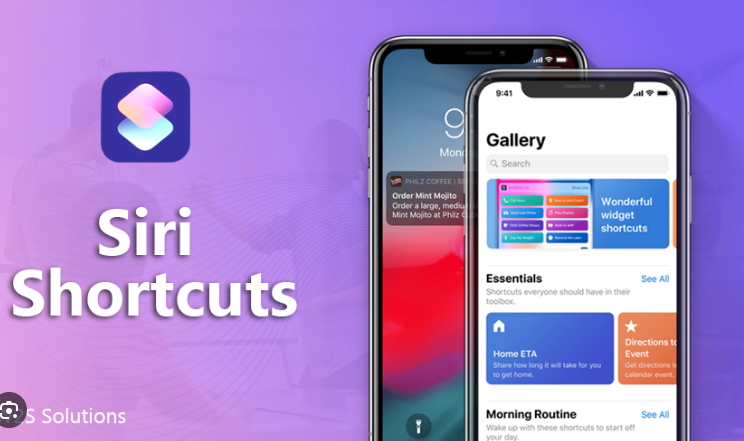
Siri Shortcuts is Apple’s built-in AI assistant, allowing you to automate complex tasks with simple voice commands. With seamless integration into apps like Maps, Calendar, and Photos, you can set up custom workflows to automate daily routines. Whether it’s sending a quick message or turning off your lights at home, Siri Shortcuts learns your behavior and offers helpful prompts, saving you time and effort.
Pros:
Deep iPhone integration
Free and easy to use
Cons:
Limited to Apple’s ecosystem
2. Replika: AI Companion
Key Features:
- Conversational AI for emotional support
- Personalized responses that evolve over time
- Acts as a friend, mentor, or therapist
Replika is an AI-powered chatbot designed to offer meaningful conversations. Whether you’re looking for emotional support or simply want to chat with a virtual companion, Replika learns from your interactions to provide increasingly thoughtful responses. This AI app adapts to your personality and helps with self-reflection, mindfulness, and stress relief.
Pros:
Emotional support for users
Adaptive learning
Cons:
Can feel robotic in early stages
3. Prisma: AI Photo Editor
Key Features:
- Converts photos into artistic styles
- Powered by neural networks
- Offers a wide range of art filters
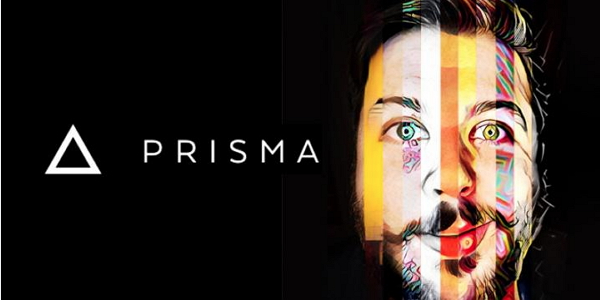
Prisma takes photo editing to another level by turning your pictures into works of art. Utilizing neural networks and AI, it applies filters that mimic the styles of famous artists such as Van Gogh or Picasso. Prisma allows users to create stunning, unique images with just a few taps, making it one of the most popular AI apps for creative iPhone users.
Pros:
Wide selection of artistic filters
Easy to use
Cons:
Requires subscription for advanced filters
4. Grammarly Keyboard
Key Features:
- AI-powered grammar and spell check
- Suggests style improvements and clarity fixes
- Integrates with all typing apps
Grammarly Keyboard helps you write better by providing real-time grammar, spelling, and punctuation corrections. It’s an excellent tool for both professionals and students who want to ensure their writing is clear, concise, and error-free. It offers suggestions on tone and style to improve your writing’s readability and impact.
Pros:
Real-time feedback
Improves writing style
Cons:
Premium features are paid
5. Otter.ai

Key Features:
- Transcribes voice notes in real time
- Identifies different speakers
- Syncs with cloud services like Dropbox and Zoom
Otter.ai is a voice transcription app that uses AI to turn your spoken words into text in real-time. Whether you’re taking meeting notes, recording lectures, or dictating ideas on the go, Otter.ai transcribes with accuracy and speed. This app is perfect for professionals, students, or anyone who needs to capture spoken words into written format.
Pros:
Accurate real-time transcription
Speaker recognition
Cons:
Free version has limited minutes
6. Seeing AI
Key Features:
- Describes objects and people for visually impaired users
- Text and image recognition
- Supports multiple languages
Seeing AI is an app designed by Microsoft for visually impaired users. It uses AI to describe people, objects, and text through your iPhone’s camera. By simply pointing your phone at an object or person, Seeing AI will narrate what’s in front of you, helping users navigate their surroundings with ease. It’s one of the best accessibility apps on the market today.
Pros:
Excellent for visually impaired users
Accurate object recognition
Cons:
Limited to certain regions
7. Fyle: Expense Tracking AI

Key Features:
- Automatically scans receipts and extracts data
- AI categorizes expenses for reports
- Integrates with accounting software
Fyle is an AI-powered expense tracking app designed to make managing receipts and expenses effortless. Simply snap a photo of your receipt, and Fyle’s AI will extract the important details like date, vendor, and amount. It’s an excellent tool for business owners, freelancers, or anyone who wants to track their spending automatically.
Pros:
Accurate receipt scanning
Streamlines expense reports
Cons:
Free version has limited features
8. Endel: Personalized Soundscapes
Key Features:
- AI-generated soundscapes for focus, relaxation, or sleep
- Adapts to your environment and mood
- Syncs with Apple Health for real-time sound adjustments
Endel creates personalized soundscapes based on your current environment, mood, and even the time of day. Whether you need to concentrate, relax, or sleep better, Endel uses AI to generate sound environments tailored to your needs. It’s an essential app for anyone looking to improve their focus, reduce stress, or enhance sleep quality.
Pros:
Adaptive, personalized soundscapes
Beautiful, relaxing interface
Cons:
Subscription required for full features
9. FaceApp

Key Features:
- AI-driven photo transformations (age, gender, etc.)
- Realistic face filters
- Popular for fun social sharing
FaceApp is one of the most popular AI apps for iPhone, known for its ability to alter facial features in photos realistically. Whether you’re curious about what you’ll look like in 30 years or want to see a gender-swap transformation, FaceApp’s AI makes it incredibly easy to change your appearance with just a few taps.
Pros:
Realistic transformations
Easy to use
Cons:
Privacy concerns over data usage
10. ELSA Speak: AI English Coach

Key Features:
- AI-powered pronunciation correction
- Personalized lessons based on your speech patterns
- Tracks progress over time
ELSA Speak is an AI-powered app that helps non-native English speakers improve their pronunciation. It listens to your speech, identifies areas of improvement, and provides personalized feedback to help you speak English more clearly and confidently. It’s perfect for students or professionals looking to sharpen their English skills.
Pros:
Personalized, real-time feedback
Fun and engaging lessons
Cons:
Subscription required for full access
Comparison Table of 10 Best AI Apps for iPhone
| App Name | Key Features | Pros | Cons |
|---|---|---|---|
| Siri Shortcuts | Automates tasks, voice commands, deep iPhone integration | User-friendly, versatile | Limited to Apple ecosystem |
| Replika | AI conversational companion, personalized support | Offers emotional support | Can feel robotic at times |
| Prisma | Turns photos into art, neural network technology | Wide selection of filters | Advanced filters are paid |
| Grammarly Keyboard | Real-time grammar and style corrections | Improves writing instantly | Premium features are paid |
| Otter.ai | Real-time voice transcription, speaker identification | Accurate transcriptions | Limited free minutes |
| Seeing AI | Visual description for the blind, text and object recognition | Great for accessibility | Limited availability in certain areas |
| Fyle | AI-powered receipt scanning and expense tracking | Automates expense reports | Limited features in free version |
| Endel | Personalized AI soundscapes for focus, sleep, and relaxation | Adaptive, beautiful interface | Requires subscription |
| FaceApp | Realistic photo transformations with AI | Fun social media content | Privacy concerns |
| ELSA Speak | AI-powered pronunciation correction for English learners | Real-time personalized lessons | Subscription required for full features |

Wrapping Up
From managing tasks to enhancing creativity and even improving language skills, the 10 best AI apps for iPhone listed here offer something for everyone. These apps transform your iPhone into a powerful assistant that simplifies daily life while unlocking your creativity and productivity. Whether you need to autom
Interesting Reads:
10 Best AI Tools for Audio Repair