
The best AI tools for audio repair are iZotope RX for deep restoration, Adobe Podcast Enhance Speech and Descript for fast voice cleanup, Auphonic and Cleanvoice for automated podcast polish, and CEDAR for broadcast work. Pick by the job: spoken word, music or archive material each call for a different tool.
What audio repair means
Audio repair removes problems from a recording you cannot redo: background noise, hum, clicks, clipping, room echo and uneven levels. AI audio restoration uses machine learning models trained on speech, music and noise to separate the thing you want from the thing you do not. Older tools relied on fixed filters and profiles of the noise. AI tools learn what a voice sounds like and pull it forward, which is why they cope well with changing noise such as traffic or a fan that speeds up.
AI is not magic. Heavy processing can leave a voice sounding thin or watery, and it can damage music. The goal is to fix the problem with the lightest touch. Always keep the original file and compare before and after.
Audio restoration tools compared
| Tool | Best for | Type |
|---|---|---|
| iZotope RX | Detailed restoration and dialogue repair | Desktop app and plug-ins |
| Adobe Podcast Enhance Speech | Quick voice cleanup in a browser | Web tool |
| Descript | Editing speech like text, with Studio Sound | Editor app |
| Auphonic | Automatic leveling and noise reduction | Web service |
| Cleanvoice | Podcast noise, filler words and silence | Web service |
| Waves Clarity Vx | Real-time voice noise removal | Plug-in |
| CEDAR Audio | Broadcast, film and forensic work | Plug-ins and hardware |
| Acon Digital | DeNoise, DeClick, DeHum and DeClip | Plug-ins |
| Zynaptiq UNVEIL | Reverb and clarity control | Plug-in |
| Adobe Audition | Full audio editing with repair tools | Desktop app |
1. iZotope RX
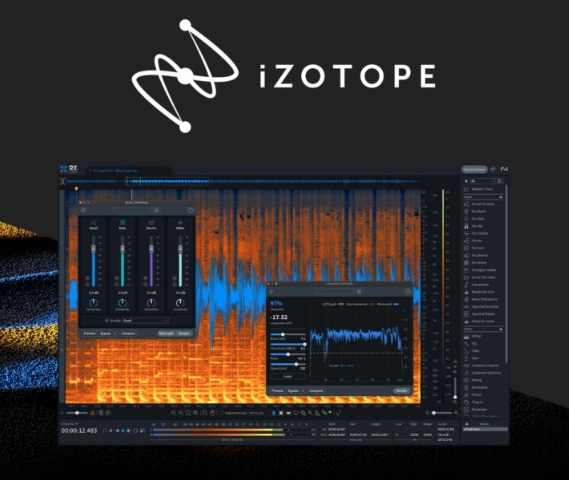
iZotope RX is the reference tool for audio repair in post-production. It combines a spectrogram editor, where you can see and paint out a noise, with modules for de-noise, de-reverb, de-click, de-clip and de-hum. Its machine learning modules separate dialogue from background and help with reverb. It comes in tiers, from a lighter Elements edition to a full Advanced edition, so check which modules are in each.
Best for: editors and engineers who need precise control. Trade-off: a real learning curve if you only want a one-click fix.
2. Adobe Podcast Enhance Speech
Adobe Podcast includes Enhance Speech, a web tool that cleans up voice recordings. You upload a file, and it reduces noise and room echo and brings the voice forward. Adobe has updated it more than once, so see Adobe Podcast for the current features and limits. Use it for interviews and remote recordings when you want an answer in minutes.
Best for: speech only, fast. Trade-off: little manual control, and it is built for voice, not music.
3. Descript
Descript is an audio and video editor where you edit by changing a transcript. Its Studio Sound feature cleans voice recordings, and the same app handles transcription, filler word removal and publishing. It suits podcasters and video creators who want repair and editing in a single place.
Best for: creators who edit speech-heavy content. Trade-off: it is an editor first, so it is not a replacement for a spectral repair suite.
4. Auphonic
Auphonic is an automatic post-production web service. You upload audio, and it levels voices, balances loudness to a target and reduces noise. It is a long-standing choice for podcasts because the output is consistent without manual tweaking, and it offers a free allowance, which you can confirm on its site.
Best for: regular podcast episodes. Trade-off: limited control over the finer details.
5. Cleanvoice
Cleanvoice targets podcast cleanup. Its site describes removing background noise, filler words, mouth sounds and silence from a recording. If your main problem is rambling takes, this removes the repetitive edits as well as the noise.
Best for: podcasters who edit a lot of conversation. Trade-off: automatic cuts need a listen-through before you publish.
6. Waves Clarity Vx

Waves Clarity Vx is a plug-in that removes noise from voice using a neural network, with a simple control instead of many sliders. It runs inside a digital audio workstation, so it fits live-style and studio workflows alike. Check the Waves site for the current version and formats.
Best for: vocals and dialogue inside a DAW. Trade-off: it does one job, voice noise.
7. CEDAR Audio
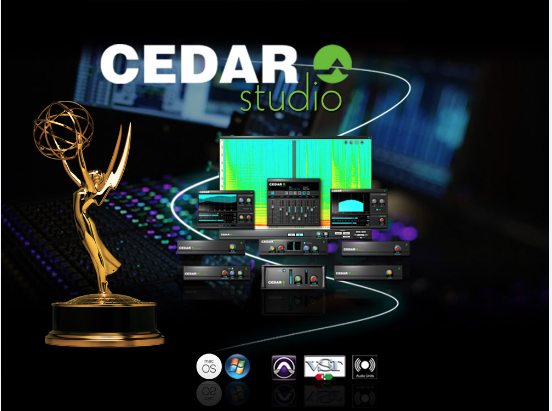
CEDAR Audio makes noise suppression and restoration tools for broadcast, film and forensic work. Its range includes plug-ins for dialogue noise, reverb control and de-buzz, and hardware processors for live and broadcast use. Its site also covers the shift between classic and AI-based noise reduction. This is professional gear with a matching audience.
Best for: broadcast and post-production teams. Trade-off: aimed at professionals, so it can be more than a hobbyist needs.
8. Acon Digital
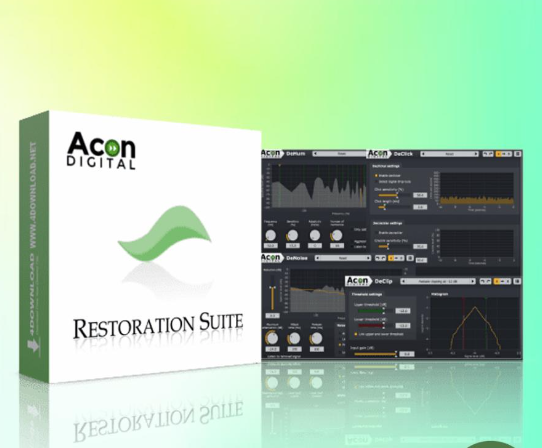
Acon Digital sells audio editing and restoration software, including plug-ins for noise reduction (DeNoise), hum removal (DeHum), click removal (DeClick) and clip repair (DeClip). Its site says its products draw on machine learning and DSP. Each module focuses on one defect, which keeps the settings readable.
Best for: engineers who want focused restoration plug-ins. Trade-off: fewer all-in-one features than a full suite like RX.
9. Zynaptiq UNVEIL
UNVEIL from Zynaptiq lets you reduce or increase reverb and adjust clarity in music, field and dialogue recordings. Zynaptiq also makes UNFILTER, for resonances and EQ problems, and UNCHIRP, for poorly encoded or AI-generated audio, which it sells together as a repair bundle.
Best for: fixing roomy dialogue. Trade-off: specialist tools, not general cleanup.
10. Adobe Audition
Adobe Audition is a full audio editor and mixer with a spectral frequency display and effects for noise reduction and reverb reduction. It makes sense if you already work in Adobe apps and want editing, repair and mastering in one program.
Best for: editors in the Adobe ecosystem. Trade-off: a bigger tool than you need for a single quick fix.
Free options
You can start without paying. Audacity is a free, open source editor with a built-in Noise Reduction effect that works well on steady hiss. Krisp is a noise cancellation tool for calls and recordings, and it offers a free plan. Several of the paid tools above also have a free tier or a trial, so test on a short sample first.
Tools removed from the older version of this list
Accusonus ERA Bundle is gone. Meta acquired Accusonus in 2022 and the products were retired, so it is no longer something you can buy and rely on. Audionamix XTRAX Stems is also out, because its old web address no longer leads to the product, and a current listing could not be confirmed. Sonible smart:EQ is a good tonal balance plug-in, but it is an EQ tool, not a repair tool, so it no longer belongs on a repair list.
What AI repair cannot fix
Know the limits before you promise a client a miracle. AI can reduce noise, but it cannot invent words that were never captured. If two people talk over each other, separation tools may split them, and the result still carries artifacts. Severe distortion, a voice buried under loud music and recordings made through a damaged microphone are all hard cases. In those situations a re-record, even a short pickup session for the worst lines, beats any plug-in.
Another limit is consistency. A model that works well on one voice may behave oddly on another, so process a short sample from each speaker first. For a multi-guest show, treat each track on its own instead of cleaning the mixed file, because one noise setting rarely suits every voice.
Where each tool runs
Format matters as much as features. Plug-ins such as Waves Clarity Vx, Acon Digital and Zynaptiq UNVEIL load inside a digital audio workstation, so you need a host program to use them. Desktop suites like iZotope RX and Adobe Audition are standalone editors that also connect to other software. Web services such as Adobe Podcast, Auphonic and Cleanvoice need only a browser, which suits a team without audio gear but means you upload your files to a third party. If your recordings are confidential, check each service’s data terms first.
How to choose
- Spoken word, little time: Adobe Podcast Enhance Speech, Descript or Auphonic.
- Many episodes a week: Auphonic or Cleanvoice, so the cleanup runs the same way every time.
- Difficult dialogue for film or video: iZotope RX, CEDAR or Acon Digital.
- Roomy recordings: Zynaptiq UNVEIL or the de-reverb in RX or Audition.
- No budget: Audacity and the free tiers.
A repair workflow that protects your audio
- Keep the original. Work on a copy so you can always go back.
- Fix the loudest problem first. Clicks and clipping come before broad noise reduction.
- Use light settings. Raise the amount slowly until the problem fades, then stop.
- Listen on two systems. Check headphones and a speaker, since artifacts hide on one of them.
- Level last. Normalize loudness after repair, not before.
Prevention beats repair. A quiet room, a mic close to the mouth and sensible gain give any tool better material to work with.
Publishing audio on your own site
Once your audio is clean, it needs a home. Many podcasters and course creators build a membership or listener community around their episodes. Read how to build an online community, see the Reign theme for podcast communities, or compare options in our guide to the best AI tools for audio editing.
Frequently asked questions
What is the best AI tool for audio repair?
iZotope RX is the most complete for detailed repair, while Adobe Podcast Enhance Speech and Descript are the quickest for voice. The best choice depends on whether you handle speech, music or archive audio, and how much control you want.
Can AI remove background noise from a recording?
Yes. AI models learn what a voice sounds like and reduce everything else, including changing noise like traffic. Results depend on the recording, and heavy settings can make a voice sound thin.
Is there a free AI audio restoration tool?
Yes. Audacity is free and has noise reduction, Krisp offers a free plan, and several web tools such as Adobe Podcast, Auphonic and Descript have free allowances. Check each site for current limits.
What is the difference between audio restoration and audio enhancement?
Restoration removes defects such as hum, clicks and noise. Enhancement improves a clean recording, for example with EQ or loudness changes. Most tools here do restoration first and enhancement second.
Can AI fix a distorted or clipped recording?
Often partly. De-clip tools in RX and Acon Digital rebuild peaks that were flattened, but severe distortion cannot be fully recovered. Record with lower gain to avoid it in the first place.
Which tool is best for podcasts?
Auphonic and Cleanvoice automate cleanup for regular episodes, and Descript combines editing with voice cleanup. For problem recordings, iZotope RX gives the most control.
Will AI audio repair change how my voice sounds?
It can. Strong noise reduction may make a voice sound processed. Use the lightest setting that solves the problem and compare with the original before you export.
Next step
If you plan to host a podcast, courses or a listener community, try the live Reign demos and follow the course community build guide.