

Looking for the best WordPress WordPress plugins in 2026? Here’s what actually matters: the right plugin depends on your site’s size, the technical comfort level of your team, and how deeply it needs to integrate with your existing stack. After testing the top options against real WordPress sites, this guide shortlists the plugins that consistently deliver, plus the 2026 entrants worth knowing.
Quick recommendation: if you need community, membership, or engagement features alongside your wordpress setup, pair with BuddyX Pro and WB Gamification, two Wbcom Designs tools built specifically for WordPress community and retention workflows.

Why You Need a Google Analytics Plugin for WordPress
In 2025, data-driven decision-making is no longer optional, it’s the cornerstone of successful online strategies. Yet, Google Analytics by itself can be overwhelming, especially for non-technical users. That’s where WordPress plugins for Google Analytics step in to simplify the process.
- Eliminate the need for manual tracking code insertion
- Display analytics directly within the WordPress dashboard
- Simplify access to GA4 data for blogs and e-commerce sites
- Provide insights into user behavior and conversion rates
- Help improve website performance with actionable data
Whether you’re managing a personal blog or an eCommerce empire, these plugins enable you to harness the full potential of GA4 without diving into complicated configurations. They streamline everything from visitor behavior to conversion tracking, giving you a clearer picture of how your website performs, and more importantly, how to improve it.
Top 10 WordPress Plugins for Google Analytics
Integrating Google Analytics with your WordPress site is essential for tracking visitor behavior and optimizing your content strategy. The right plugin can simplify data collection and provide actionable insights directly from your WordPress dashboard.
1. MonsterInsights
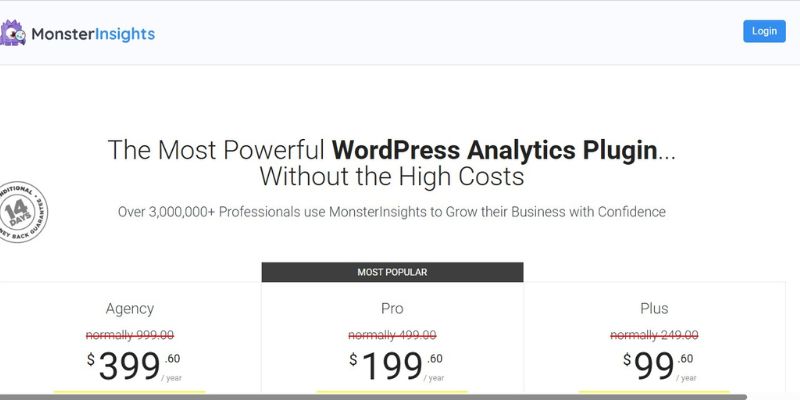
MonsterInsights remains one of the most popular WordPress plugins for Google Analytics, and for good reason. It provides a user-friendly dashboard right inside WordPress, allowing site owners to access key metrics without logging into Google Analytics separately. The plugin fully supports GA4 and offers features such as event tracking, eCommerce tracking, affiliate link monitoring, and custom dimensions. Its real-time stats and compatibility with WooCommerce make it a top choice for online stores and blogs alike.
The best part about MonsterInsights is that it takes a complex tool like Google Analytics and breaks it down into digestible insights. For users who want powerful analytics without technical hurdles, this plugin delivers. While the free version is feature-rich, the Pro version unlocks advanced tools that professional marketers will find indispensable.
2. ExactMetrics
Formerly known as Google Analytics Dashboard for WP (GADWP), ExactMetrics has come a long way in simplifying Google Analytics for WordPress users. It offers seamless integration with GA4 and, like MonsterInsights, provides a detailed analytics dashboard directly in your WordPress admin area. ExactMetrics emphasizes accuracy and user experience, displaying actionable insights such as top-performing posts, bounce rate, and user demographics.
One of the highlights of ExactMetrics is its enhanced eCommerce tracking, which is incredibly useful for WooCommerce or Easy Digital Downloads users. The plugin also features scroll tracking, form conversion stats, and real-time data, making it a solid all-rounder. In 2025, ExactMetrics continues to be a reliable choice for bloggers, marketers, and business owners who want clear data with minimal setup.
3. Analytify
If you’re looking for a plugin that blends simplicity with powerful features, Analytify deserves your attention. It brings your Google Analytics data into the WordPress dashboard in a clean, visually appealing format. Users can view statistics for individual posts, pages, and even custom post types. The plugin excels in making data readable and actionable, particularly for those who aren’t analytics experts.
Analytify’s support for GA4 in 2025 is robust, and it even includes email notifications, campaign tracking, and social media tracking. Its eCommerce add-ons are particularly useful for users looking to track transactions, revenues, and average order values. Overall, Analytify stands out for its intuitive design and deep insights, which are tailored for both beginners and seasoned professionals.
4. GA Google Analytics
This lightweight plugin offers a no-frills approach to adding Google Analytics tracking to your WordPress site. Developed by Jeff Starr, GA Google Analytics is designed for users who want a simple, performance-focused way to insert their tracking code. It supports GA4 and offers options to customize the code snippet as needed.
What sets this plugin apart is its emphasis on speed and security. There’s no dashboard or visual reports, just clean, efficient code insertion. This makes it an excellent choice for developers or advanced users who prefer to handle data analysis within the Google Analytics interface. In 2025, its minimalist design remains a refreshing option amid more complex plugins.
5. WP Statistics (with GA4 integration add-on)
While WP Statistics traditionally focused on server-side analytics, the 2025 version includes an add-on for GA4 integration, making it a unique hybrid plugin. Users get the benefits of local analytics along with Google’s powerful tracking system. This setup enhances privacy while still delivering global insights.
WP Statistics shines with features like real-time visitor tracking, IP filtering, and custom dashboards. The GA4 add-on bridges the gap for those who need both on-site and external tracking. For privacy-conscious site owners who still want access to Google Analytics data, this plugin strikes a healthy balance.
6. Site Kit by Google
Developed by Google itself, Site Kit offers a seamless integration of multiple Google services into WordPress, including Google Analytics, Search Console, AdSense, and PageSpeed Insights. In 2025, the plugin has matured significantly, offering deeper GA4 support and an improved UI.
One of Site Kit’s biggest strengths is that it ensures compatibility and reliability. Since it’s maintained by Google, updates are timely, and integration is smooth. Site Kit provides centralized access to all your key performance indicators, making it ideal for users who want an official, trustworthy plugin. Although it doesn’t have as many customization options as third-party tools, its all-in-one nature makes it a compelling choice.
7. WP Google Analytics Events
When it comes to tracking custom interactions, like clicks, video plays, or form submissions, WP Google Analytics Events is a go-to plugin. It enables event tracking without needing to write JavaScript. In 2025, this plugin supports GA4 and continues to be a favorite for marketers who want detailed behavior tracking.
You can set up events directly within WordPress, monitor how users engage with various elements, and feed that data into your Google Analytics dashboard. The plugin’s strength lies in its specificity. If your goal is to understand how visitors interact with your content, WP Google Analytics Events offers granular insights that standard plugins may overlook.
8. Enhanced Ecommerce Google Analytics Plugin for WooCommerce
As the name suggests, this plugin focuses exclusively on WooCommerce sites. Built to support Google’s Enhanced Ecommerce feature, the plugin tracks everything from product impressions to cart abandonment. In 2025, it’s fully compatible with GA4 and WooCommerce’s latest versions.
This plugin is tailored for serious online retailers who want detailed customer journey insights. From product click-throughs to refund tracking, it covers all e-commerce touchpoints. Its ability to feed structured data into Google Analytics helps store owners make informed decisions about inventory, pricing, and marketing.
9. Google Tag Manager for WordPress
This plugin isn’t a direct analytics solution, but it works beautifully in tandem with Google Analytics through Google Tag Manager. It supports GA4 tags and allows users to manage tracking scripts without editing theme files. In 2025, tag-based tracking is more important than ever, and this plugin offers an efficient, centralized solution.
Its integration with Google Tag Manager means you can deploy and manage all tracking codes, including those for Google Analytics, Facebook Pixel, or conversion tracking, from one interface. This makes it a powerful asset for digital marketers and developers alike.
10. Matomo Analytics

Although Matomo is often considered a Google Analytics alternative, its 2025 plugin version includes a bridge for syncing data with GA4. This hybrid setup gives users complete control over their data while still benefiting from Google’s ecosystem.
Matomo’s plugin offers advanced features like heatmaps, session recordings, and goal tracking. The addition of Google Analytics Bridge enables dual tracking, which is useful for comparisons or transitions from GA to Matomo. This plugin is ideal for organizations that prioritize data ownership and privacy while still leveraging familiar tools.

Wrapping Up Your Analytics Strategy for 2025
Choosing the right WordPress plugin for Google Analytics in 2025 depends on your technical comfort level, business goals, and the type of insights you want. Some plugins offer deep customization and granular control, while others focus on simplicity and ease of use. Fortunately, the current landscape offers something for everyone.
Whether you’re running a personal blog, a high-traffic WooCommerce store, or a portfolio site, integrating Google Analytics with the help of a plugin can unlock powerful insights. With the shift to GA4, having a compatible, regularly updated plugin is not just useful, it’s essential. These top 10 plugins will help you stay ahead in understanding and serving your audience better.
Keep in mind that while features and dashboards are useful, what matters is how you use the data to improve user experience and achieve your goals. Choose wisely, explore the features, and don’t be afraid to test a few before settling on the one that fits best.
Pair Your Stack: Other Tools From Wbcom Designs
Beyond the plugins above, these in-house tools from Wbcom Designs solve adjacent problems most WordPress sites eventually run into, especially when your community, membership, or monetization layer needs to plug in without heavy custom development:
- BuddyX Pro, community-first WordPress theme for membership sites, vendor communities, and customer-loyalty hubs.
- WB Gamification, drop-in points, badges, ranks, and leaderboards for any WordPress engagement or retention funnel.
- WP Sell Services Pro, turn WordPress into a service-selling platform (consulting, freelance, agency hours).
- WB Ad Manager, native ad placements to monetize content around your site (blog, category pages, sidebar).
- WordPress Polls, lightweight polls for user feedback, NPS-style surveys, and zero-party data.
- Jetonomy, monetization toolkit for digital communities (token economy, paid groups, creator payouts).
Interesting Reads
10 Best WordPress Plugins for Improving Core Web Vitals in 2025
How to Create a Dating Website Like Match.com Using WordPress