
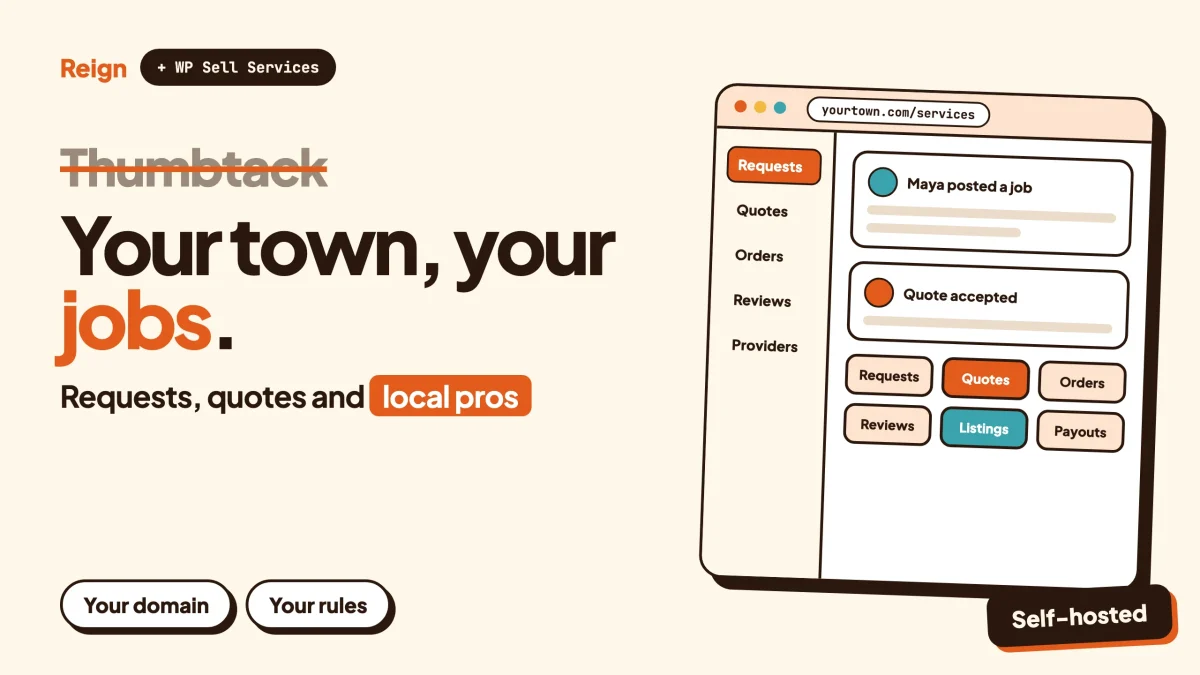
The closest Thumbtack alternative is a local services marketplace you run yourself: WP Sell Services for requests, quotes and orders, Listora for a searchable provider directory, and the Reign theme to make it look like a product. Wbcom Designs makes all three, so weigh that. You give up Thumbtack’s customer demand. You gain the customer list, the rules and the revenue model.
For most individual plumbers, cleaners and photographers, staying on Thumbtack is the better call. This post is for the person who wants to run the marketplace for one trade, one town or one community, not just appear in someone else’s.
Wbcom product details were checked on the product sites in November 2026.
When is Thumbtack the better choice?
Thumbtack is the better choice when you need customers this week and have no audience of your own. A new WordPress site starts with no traffic, no reviews and no reputation. An established marketplace starts with all three.
Thumbtack is a marketplace that connects people who need a local job done with the service providers who do it. That is the model, and it works because the customers are already there.
Stay on Thumbtack, or any lead marketplace, if any of these sound like you:
- You are a working tradesperson or freelancer who wants jobs, not a second job running a website.
- Your customers already search on a big marketplace and would not find a new site.
- You have no time to recruit providers, answer disputes or market a new brand.
- You cover a whole country and need demand in many cities at once.
Look for an alternative if you want to be the operator. A trade association with hundreds of member contractors. A neighbourhood group that already trusts one another. A school or a co-working space whose members offer services to one another. A regional founder who sees that one trade in one county is badly served. These are people with a ready supply or a ready audience, and the marketplace just needs a home.
That is the honest split. A big marketplace is where providers go to be found. A WordPress marketplace is where an operator goes to build something that belongs to them.
Why look for a Thumbtack alternative?
People look for a Thumbtack alternative for three reasons: they want to own the customer relationship, they want a different way of earning from the marketplace, or they serve a niche that a general marketplace treats as a rounding error.
You want to own the customer relationship
On any large marketplace, the customer belongs to the marketplace first and to you second. The messages, the history and the reviews sit on its servers, under its terms.
On your own site, the customer list is a database table you can export. If a customer comes back next spring, you do not pay again to meet them.
You want a different revenue model
Lead marketplaces generally earn when a provider pays to reach a customer, whether or not a job follows. Thumbtack’s own pricing and fee pages are the place to read exactly how that works for each trade, because it varies. Operators who dislike that model can choose another: a cut of completed orders, a membership for listed providers, or a fixed fee for featured placement.
Choosing the model is the actual product decision. Software is just the vehicle.
You serve a niche or a place
A general marketplace has to cover hundreds of job types in thousands of towns. It cannot build a flow around one trade. A site for wedding photographers in one region, for accessibility modifications, for tutors in one school district or for boat repairs on one coast can ask the right questions and show the right filters.
Specific forms and specific filters are the usual reason a niche marketplace beats a giant for its own audience.
What is a lead marketplace, and what does it cost the provider?
A lead marketplace is a site where customers post a job and providers pay to respond. The marketplace sells access to the customer rather than taking a cut of the finished work.
That is one way to run a services marketplace. The other is an order marketplace, where the customer picks a listed service or accepts a quote and pays through the site, and the marketplace takes a commission when the order completes.
Neither is wrong. They push risk in different directions:
- In a lead model, the provider carries the risk that a paid contact leads nowhere.
- In an order model, the operator carries the risk that nobody orders, because income arrives only when work completes.
For the exact fee structure of Thumbtack, read its own pricing pages. They change, differ by trade and region, and no blog should quote them for you. The same goes for any figure you may have seen in a review roundup: treat it as a guess until you see it on the vendor’s page.
Your own marketplace can do either. WP Sell Services, covered below, is built around quotes, orders and commissions. If you want the lead model, you can charge providers a membership or a listing fee and let customers contact them directly. Sort that out before you pick tools.
What does a Thumbtack alternative on WordPress look like?
A Thumbtack alternative on WordPress is three layers: a services marketplace plugin for jobs and payments, a directory plugin for finding providers, and a theme for the design. Community software is an optional fourth layer.
WP Sell Services for requests, quotes and orders
WP Sell Services is a services marketplace plugin made by Wbcom Designs. It supports two ways to buy. In catalog mode, a customer browses listed services and buys a fixed-price package. In request mode, the customer posts a job with a description, a budget and a deadline, vendors reply with a price and timeline, and the customer accepts one.
Request mode is the part that resembles Thumbtack. A customer posts a brief, sellers respond, and the customer picks.
After acceptance, the same order flow runs for both: requirements, delivery and revisions. Either side can open a dispute, and a late order can open one automatically. The site admin reads the thread and decides what happens to the money.
Other pieces the product page lists:
- Built-in checkout with Stripe, PayPal and offline payments.
- One site-wide commission rate. Earnings land in a vendor wallet net of commission, the vendor requests a withdrawal, and the admin approves it and marks it paid.
- Reviews and star ratings on completed orders.
- A vendor sign-up page and a guided setup wizard.
Stripe Connect payouts, WooCommerce checkout and tiered commission rules need a paid licence. Check the product page for the current list.
Listora for finding providers
Listora, also made by Wbcom Designs, is a directory plugin. Its product page describes listing types with fields that change per type, search with category, rating and location filters including near me with a radius, a front-end submission wizard so providers do not need wp-admin, reviews with owner replies, and a claim flow where an owner proves ownership and an admin approves it. Maps, verification badges, lead capture forms and paid listings need a paid licence, so check the product page.
Why add a directory when the marketplace plugin already has vendor profiles? Because customers often start by searching, not posting. “Electricians near me” is a directory query. A directory also lets you list providers who are not yet taking orders through your site, which helps when you are recruiting. For the background on running one, see our guide to what makes a directory worth running.
Reign for the design
Reign is the WordPress theme that holds this together. It has five header layouts, colour tokens, a dark mode toggle and a Demo Installer, and it needs no code for the basics. A marketplace lives or dies on whether it looks trustworthy to a stranger, so the theme matters more here than on a blog.
BuddyNext if you want a community
BuddyNext is Wbcom’s community plugin: an activity feed, Spaces that are public, private or secret, member profiles with custom fields, a member directory and a moderation queue. It is optional. Every Wbcom plugin here runs on its own. A later section covers when it earns its place.
How do Thumbtack and your own marketplace compare?
They trade audience for control. The table keeps both sides fair. Thumbtack facts here are general, since its own site does not load for automated readers, so check its public pages for details.
| Question | Thumbtack | Your WordPress marketplace |
|---|---|---|
| Customers on day one | An existing audience looking for local help | None until you bring them |
| Who owns the customer list | The marketplace, under its terms | You, as exportable database records |
| How you earn | Set by Thumbtack; read its fee pages | Your choice: commission, membership, featured placement |
| Rules and moderation | Thumbtack’s policies | Yours, written for your niche |
| Niche forms and filters | General categories | Fields you design for one trade or place |
| Disputes | Handled by the marketplace | Handled by you, using the plugin’s dispute thread |
| Marketing | Included in the audience | Your job: search, local partnerships, word of mouth |
| Setup effort | Create a profile | Install, configure, recruit |
| Brand | Thumbtack’s | Yours |
Read that table twice. Row one and row seven are why most providers should not leave. The rest is why a few operators should start something.
How does an owned local marketplace make money?
An owned marketplace earns from commissions on completed orders, memberships for listed providers, paid featured placements, or a mix. You choose, and you can change your mind later.
Each model fits a different situation:
- Commission. The customer pays through the site and the site keeps a share. WP Sell Services has a site-wide commission rate and a vendor wallet for this. Work out your own rate against what your providers can bear; this post will not suggest one.
- Membership. Providers pay to be listed, like a trade association. This suits a directory with Listora and a payment tool. Our post on paid communities with Stripe walks through the mechanics.
- Featured placement. Providers pay to appear higher. Listora’s paid tier lists credit-based plans with featured placement; check the product page.
- Lead fees. Charging providers to open a contact is possible with a custom flow, but it is the model people most often complain about elsewhere, so decide with eyes open.
Mixed models are common. A directory that anyone can browse, a membership for listed providers and a commission on jobs booked through the site is a coherent plan.
For the wider case, our post on what marketplaces keep versus owning your store compares the economics for sellers. Check any tax or legal obligations for taking payments on behalf of others with a local adviser, since the rules differ by country.
How do you build trust between strangers?
You build trust with visible reviews, a clear dispute path and identity signals, in that order. A homeowner letting a stranger into the house needs reasons to believe the listing.
Four things carry most of the weight:
- Reviews tied to real jobs. In WP Sell Services, ratings attach to completed orders, so a review means a job happened.
- Owner replies. Listora supports replies from the business owner, which shows a provider who answers criticism.
- A claim process. A provider proves they own a listing and an admin approves the claim. It stops strangers from squatting on a business name.
- A dispute path you can explain. Write a short page on what happens when a job goes wrong. Customers read it before they book.
What the software cannot do is check licences, insurance or background. If your trade requires any of those, decide how you will verify them, and say plainly on the site what you check and what you do not. Never imply a check you do not run.
Our guide to building a Yelp-style review site goes deeper on keeping reviews honest.
Which side do you recruit first?
Recruit providers first. A customer who posts a job to an empty marketplace never comes back, while a provider listed on a site with no customers loses only a few minutes of setup.
Two-sided marketplaces have a cold start problem. The workable approach for a small operator is to narrow until the problem shrinks:
- Pick one trade or one town, not both broad.
- Start with people you already have access to: association members, a mailing list, a community.
- Seed the directory yourself with Listora before the first customer arrives, so searches return something.
- Turn on request mode only once enough providers exist to answer.
Customers come from search and from people the providers already serve. A local directory can rank for terms like “[trade] in [town]”. Our post on local business directory SEO covers location pages, schema and maps.
Ask every early provider to send their own past customers to the site to leave a review. Real reviews are the first thing a stranger looks for.
Should a local marketplace have a community?
A community helps when providers and customers stay in contact, and adds nothing when every job is a one-off. Be honest about which you are.
Where it helps:
- A trade association. Members share leads, ask questions and meet. BuddyNext Spaces can hold a private area for members only.
- A neighbourhood. People recommend providers to neighbours in the feed, which is what makes some local networks valuable. If that is your angle, build the community layer with BuddyNext and the Reign and BuddyNext community setup.
- Provider onboarding. A Space where new providers get answers about how the platform works cuts support email.
Where it adds nothing: a pure quote-and-book site where nobody wants a feed. Skip it. Moderation takes real time, and our community moderation guide shows how much.
How to build it, step by step
The build takes five stages, and each has a check at the end so you know it worked.
Step 1: Pick the niche and the model
Write one sentence: “We connect [customers] with [providers] for [jobs] in [place], and earn from [model].” If you cannot finish it, you are not ready to install anything.
To confirm it worked, read the sentence to someone who works in that trade. If they ask “so how do I get paid?” your sentence skipped something.
Step 2: Install the theme and the marketplace plugin
Install Reign and use the Demo Installer to start from a layout close to what you want. Then add WP Sell Services and run its setup wizard, which sets the marketplace name, currency and commission and creates the required pages.
To confirm it worked, open the vendor sign-up page in a private window. You should be able to reach the registration form without being logged in as admin.
Step 3: Add the directory
Install Listora, choose the listing types that fit your trade and set up the fields a customer cares about, such as service area, availability or accreditation. Seed twenty or thirty real providers yourself so the first search returns results.
To confirm it worked, search your own site as a stranger would, for “[trade] near [town]”, and check that real listings appear with a map or location filter if you have enabled it.
Step 4: Connect payments and payouts
Set up Stripe or PayPal in the plugin settings. Decide how withdrawals work: in WP Sell Services, earnings go to a vendor wallet and the admin approves and marks each withdrawal paid. Stripe Connect payouts at the time of sale need a paid licence, so check the product page.
To confirm it worked, run a test order from a second account in test mode, deliver it, and request a withdrawal from the vendor side. Confirm that the admin screen shows the request.
Step 5: Write the rules and open to a small group
Publish a dispute page, a provider code of conduct and a plain statement of what you verify. Then invite your first providers by hand.
To confirm it worked, ask two friendly providers to complete one real job each through the site. Watch where they get stuck, and fix those spots before you invite anyone else.
The post on launching a community and finding the first 100 members applies almost word for word to the provider side.
What other options exist?
You can build on a WordPress plugin stack, use a hosted marketplace builder, or combine WooCommerce with a multi-vendor plugin. Each has a place.
- Hosted marketplace builders. They run the infrastructure for you, which is quicker to start. The trade-off is that the platform controls hosting, pricing and some customisation. Read each vendor’s own pages before choosing.
- WooCommerce multi-vendor plugins. Dokan, WCFM and WC Vendors turn a WooCommerce store into a vendor marketplace. They are strong for physical goods. Reign has paid add-ons for these. For services with quotes and disputes, a purpose-built plugin is usually closer to what you need.
- Just a directory. If you do not process payments at all, a directory alone is simpler. Providers list, customers call. Our directory plugin roundup compares options, and the classified ads directory guide covers a lighter build.
- Staying put. Often the right answer, and nothing about owning a site changes that.
If your offer is packaged work at a fixed scope instead of custom quotes, see how to sell productized services on WordPress. For a Fiverr-shaped build, see how to build a Fiverr-style services marketplace.
Questions people ask
Can a WordPress site really replace Thumbtack?
It can replace the software, not the audience. Quotes, orders, reviews, disputes and payouts are all things a plugin can handle. Bringing customers to a new site is your work, through local search, partnerships and word of mouth.
Is a lead model or an order model better for a new marketplace?
Neither wins in general. An order model aligns your income with finished jobs, which many providers prefer, but income starts only when jobs complete. A membership model gives steadier income and suits associations. Pick the one your providers will accept.
Do I need BuddyNext to run a services marketplace?
No. WP Sell Services and Listora run on their own. Add BuddyNext only if you want providers and customers to talk to each other outside of orders, such as in a members-only Space.
How do I handle a dispute between a customer and a provider?
In WP Sell Services, either side can open a dispute and the order thread holds the messages and files. As the admin you read the thread and decide the outcome. Write your policy down first so every decision follows a rule you published.
Can I charge providers a monthly fee instead of a commission?
Yes, as a separate business model. A membership for listed providers is a common choice for associations. Listora’s paid tier also lists credit-based plans for listings, so check the product page for what your licence covers.
Related reading
- How to Build a Fiverr-Style Services Marketplace on WordPress
- What Marketplaces Keep: Etsy, Fiverr and Gumroad Fees vs Owning Your Store
- How to Sell Productized Services on WordPress
- Build a Yelp-Style Review Site on WordPress
- Local Business Directory SEO: Location Pages, Schema and Maps
- Best WordPress Directory Plugins in 2026
- What Makes a Directory Worth Running: Claims and Paid Slots
- Paid Community on WordPress With Stripe
- Community Moderation Guide for WordPress
- Launch an Online Community: Your First 100 Members
- Build a Classified Ads or Directory Site on WordPress That You Own
If you decide to run your own marketplace, start with the design layer. Reign gives you the header, colours and demo layouts to build on, and the marketplace, directory and community plugins plug into it.