
Make your community public if you need to be found, and private if members need to feel safe saying real things. Most communities that last do both: a public front door that earns trust and search traffic, and private rooms where the honest conversation happens. The deciding questions are who you want to attract, what members will share, how much moderation you can carry, and whether access is something you sell. This guide walks through each one and ends with a decision table.
In this guide
- What public, private and hybrid actually mean
- How discoverability and SEO change between them
- Trust, safety and moderation load
- Member candour and why it drops in the open
- Paid access
- AI scraping of public content
- Join modes: open, request, invite, approval
- Space-level visibility in BuddyNext
- Hybrid models, with a worked example
- A decision table
- Questions people ask
What is the difference between a public and a private community?
A public community lets anyone read at least some of it without joining. A private community hides its content from everyone who is not a member. That is the whole definition, and the hard part is that most real communities sit somewhere in between.
It helps to separate three questions that people tend to lump together. Can a stranger find the community? Can a stranger read what is inside? Can a stranger join without asking? Each one is a separate switch.
Mighty Networks, for example, treats them as separate settings. Its help centre lists three: how people join (through a plan, by invitation only, or open to anyone), who can view content inside the network (anyone including logged-out visitors, or only logged-in members), and who can find the network (anyone, or only people who are invited). The last one controls whether the network appears in search and can be indexed by search engines. Set it to invited people only and the network is hidden from search and cannot be indexed. That is the platform’s own description, taken from its help centre in October 2026.
Circle splits things the same way at the level of a single space. Its help centre describes three access levels. An open space can be joined by members at any time, and in a public community visitors can see it too. A private space blocks voluntary joins, so people get in only when an admin adds them, through an access group, or through an entry point such as a paywall, and non-members see a lock screen. A secret space is hidden from the sidebar for anyone who is not already a member.
Notice what that means. “Public or private” is rarely one decision for the whole site. It is a decision you make room by room.
A hybrid community is one that mixes both: some content open to the world, some behind a login. A gated community is one where you must be accepted before you can see anything. A walled garden is another name for a fully private one.
How do public and private communities differ on discoverability and SEO?
A public community can be found through Google, and a private one cannot. That is the clearest trade-off, and it is the reason many owners choose public in the first place.
Search engines can only index what they can read without logging in. When a forum or community serves its pages to anonymous visitors, a crawler can read them and, if the site allows it, add them to the index. Discourse, the open source forum software, describes this directly: it is built so that search engines can crawl and index all the content on public sites, and it serves crawlers a plain server-rendered version of each topic. Admins can switch indexing off in the site settings.
That has a practical effect on growth. Every useful public answer is a page that can bring in a new visitor months later, without you posting anything. A private community builds no such library. Its growth depends on invitations, referrals and whatever you do on other channels. If you are starting from zero members, our guide to launching a community and getting your first 100 members covers how to fill a room when search is not doing it for you.
Public content has to be good enough to be read by strangers, though. A forum full of one-line replies, greetings and “thanks!” posts gives Google very little. If your members mostly chat, public indexing may bring little traffic and still expose everything they wrote.
Three more points to weigh:
- A public front page can still help a private community. A landing page, a few sample discussions and a clear description of who the community is for give search engines something to index and give visitors a reason to apply.
- Indexing and visibility are not the same. A community can be visible to logged-in members and still be blocked from search with a noindex setting. Check what your platform does by default before you promise members anything.
On a platform you host yourself, you control the robots settings and the page-level visibility directly. That control is one of the quieter reasons people move from hosted tools to WordPress. Our comparison of self-hosted community platforms looks at that trade in more detail.
Which is safer, a public or a private community?
A private community is easier to keep safe, because you decide who walks in. A public one is not unsafe by nature, but you carry more risk and more work.
The reasoning is simple. In a private community you can vet people at the door: ask a question, check an email domain, require an invitation, approve each request by hand. Every bad actor you stop at the door is a moderation case you never have to handle. An older but still sound article on Social Media Today makes the same point: it says gating can create a greater sense of trust and intimacy among members, and that private communities still need active management and high-quality content because members expect good service.
A public community has no door. Anyone can read, and if sign-up is open, anyone can post within minutes. You will see spam, drive-by arguments, people who arrive angry from a link someone shared elsewhere, and now and then someone trying to scrape member details. None of this is a reason to avoid public. It is a reason to plan for it.
What public safety planning looks like, in practice:
- Require email verification and add a spam check on the sign-up form.
- Hold the first post from a new account for review, or limit what new accounts can do.
- Give members an easy way to report a post, and tell them what happens afterwards.
- Write rules in plain language and link them from the sign-up page. Our community guidelines template has wording you can copy.
- Decide ahead of time who can ban, who can only warn, and who reviews appeals.
Safety also covers members’ own information. A public community shows member names, avatars and sometimes activity to strangers. Ask what a member would be uncomfortable having a stranger see, and give them privacy controls over their profile. That matters more than people expect in health, finance, parenting and workplace communities, where being identifiable at all can be a risk.
How much moderation does a public community need compared with a private one?
More. A public community usually needs more moderation per member, and the work arrives in bursts. A private community needs less of it, but not none.
Moderation load grows with three things: how many strangers can post, how fast the community grows, and how sensitive the topic is. Public sits high on the first two. Private can still be high on the third. A small private support group for people in a hard season can take more careful moderation than a large public hobby forum, because one badly handled post does real harm.
The Social Media Today piece notes that a hybrid needs especially strong member management tools and operations staff to keep two audiences apart. That lines up with experience. If you run a public area and a private area, you are moderating two different cultures with one team.
Whatever you pick, the tooling matters more than the label. At a minimum you want a report button, a review queue, graduated penalties (a warning before a ban) and a record of what was done and why. BuddyNext, for instance, lists a moderation queue where reports are grouped, with warn, strike, suspend and shadow-ban actions, a reason the member can see, and an appeals path for suspensions, according to its features page in October 2026. Our full walkthrough, community moderation on WordPress, covers reports, strikes and auto-hide rules.
One planning rule: count volunteer hours, not members. If you cannot put a named person on the queue every day, lean towards the smaller and more controlled option, at least for the first months. You can open up later. Closing a community that has grown used to openness is much harder.
Do members speak more honestly in a private community?
Usually, yes. When members know only other members can read their posts, they share more detail, ask the question they would be embarrassed to ask in public, and admit what is not working.
Member candour is the main reason private communities exist for professionals, patients, founders, caregivers and anyone talking about money, health or their employer. People will not post “I am thinking of leaving my job” or “my business is struggling” where their boss, client or competitor might see it.
It also explains something that confuses new community owners: a public community can look busy and still feel shallow. Members perform for the audience. Posts get polished, opinions get safe, and the real questions move to private messages or another platform. If that sounds familiar, our piece on moving off Discord to something searchable covers the opposite problem, where the real conversation is trapped in a place nobody can search.
Candour is not free, though. A private community with no moderation can turn into a place where gossip, pile-ons and bad advice go unchecked, because nobody outside can see it and nobody inside wants to speak up. Private lowers the audience. It does not lower the need for rules.
If you want candour and reach together, you do not have to choose one. The hybrid section below shows how.
Should access to my community be paid, and does that force it to be private?
Paid access almost always means the paid content is private, but the rest of the community does not have to be. You can charge for a room, a level, a course or the whole site.
There are three common patterns:
- Everything paid. The community is invisible to non-members, and a sales page does the selling.
- Free community, paid rooms. Anyone can join and read the main feed. Specific rooms, such as a mastermind, a course group or a members-only Q&A, sit behind a payment.
- Free to read, paid to post. Visitors can see discussions, and membership allows posting, direct messages or downloads.
Each one changes how much you rely on public content to sell. If the whole community is paid and private, prospects cannot see what they are buying. You make up for that with sample content, testimonials from real members who agree to be named, a preview of the format and a clear refund policy. If part of it is public, the public part is the sample.
The Mighty Networks help centre lists “accessible through plans” as one of its join options, and Circle’s private spaces can be entered through a paywall. BuddyNext has native Stripe membership tiers and its features page notes that spaces can be gated behind a paywall, which needs a paid licence, so check the product page for what your plan includes. Our guide to building a paid community on WordPress with Stripe walks through the setup and the checkout flow.
Check your local rules on taxes, consumer rights and refunds before you charge. This guide does not give legal or tax advice.
Does AI scraping change whether I should go public?
It adds a reason to think twice, but it does not settle the question. Anything a search engine can read without logging in can also be read by automated tools that collect text for other purposes, including training AI systems and feeding AI answers.
Be careful with this one, because the details change quickly and differ from tool to tool. In general terms, these are the points worth knowing:
- Public means readable by machines. If a stranger can see a page, an automated tool can usually fetch it. Content behind a login is much harder to collect.
- You have some controls, not total ones. A robots.txt file and page-level settings can ask well-behaved crawlers to stay away. They are requests, and they only work for crawlers that honour them. Many hosting and security services also offer bot blocking, which is firmer.
- The same visibility that costs you control also earns you citations. People increasingly find answers through AI search tools. A public page can be quoted there. A private one never will be.
- Members have opinions. Some members will not be comfortable with their posts being read by tools they never agreed to. Tell people up front what is public and what is not, and say so in your terms.
The sensible position is to decide what you are willing to make public, not whether. Public how-to answers, guides and announcements are things you want read and quoted. Member introductions, personal stories and anything with a name attached are things most communities should keep behind the login.
If you are not sure, start private and publish selected content deliberately. Going the other way, from public to private, cannot undo what was already collected.
What are the ways people can join: open, request, invite or approval?
There are four common ways in, and picking the right one matters as much as picking public or private. They are open sign-up, request to join, invitation and admin approval.
- Open sign-up. Anyone can register and join. Fast growth, highest moderation load.
- Request to join. The person asks, and a moderator or space owner decides. This is slower and creates a small human checkpoint.
- Invite only. Members join through a link or email from someone already inside, or from you. Growth is slow and the culture stays tight.
- Admin approval. Registration is open on the surface, but nobody gets in until staff review the account. Good when you need to check credentials, such as a profession or a customer status.
These can stack. Registration might be open for the site while specific rooms need a request. Mighty Networks lists join options of plans, invite-only and anyone-can-join. Circle describes entry through admin adds, access groups and paywalls. BuddyNext’s features page lists registration modes of open, invite-only and admin approval, with email invitations that carry a personal link, and a join flow per space of instant, request and approval, or invite.
Onboarding belongs in this decision too. A closed door only helps if what is behind it is welcoming. BuddyNext’s features page describes a five-step welcome wizard covering profile, interests, spaces, follows and notifications, with members able to skip steps and two reminder emails going out after sign-up until onboarding is finished. Whatever tool you use, the first five minutes decide whether a new member posts or never comes back. The first 100 members guide has a checklist for that first visit.
A practical default for a new community: open sign-up for the site, request to join for sensitive rooms, and invite-only for the founders’ room. You can loosen any of these later.
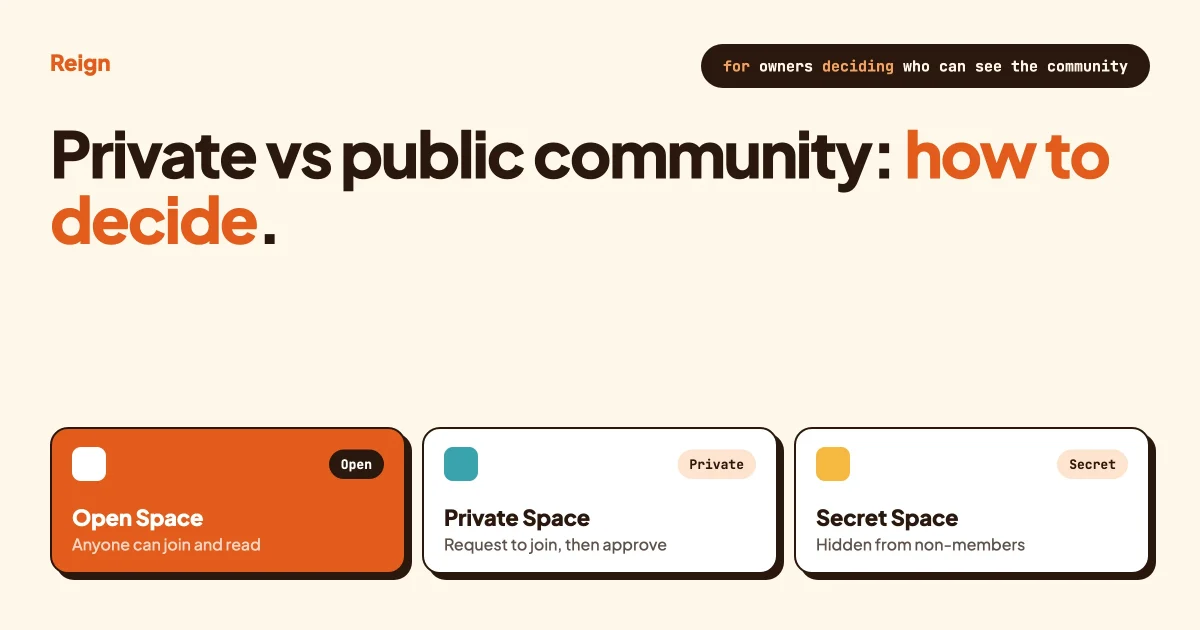
How do open, private and secret Spaces work in BuddyNext?
BuddyNext offers three Space types: open, private and secret. A Space is a room inside the community with its own members, moderators and rules. Its type sets how visible that room is.
Here is how the product describes it, as of October 2026. BuddyNext’s site says Spaces come in open, private or secret types, and that “members find their people and owners keep the right doors locked”. The site shows examples: a design critique Space as open, a book club and a photo walks Space as private with a request step to join, and a founders lounge as secret and invite-only for the core team. Owners and moderators can manage pending requests, invites, removals and per-space bans. The product’s page does not spell out every difference between private and secret, so read its documentation before you promise members a specific behaviour.
A reasonable way to think about the three types, using the common meaning across community tools:
- Open is a room anyone in the community can walk into.
- Private is a room people can see exists but must ask or be invited to enter.
- Secret is a room that does not show up for non-members at all.
Circle documents it in the same three-way split, so if you come from there you will find the idea familiar. The names are shared, but the exact behaviour is each product’s own, so test it with a throwaway account before you rely on it for anything sensitive.
Beyond Spaces, BuddyNext’s features page lists two-factor authentication using an app, backup codes and an email fallback. Two-factor authentication means a second proof of identity, such as a code from a phone app, on top of a password. For a private community it protects the door: a stolen password alone does not get an attacker in. It is especially worth switching on for moderators and admins, whose accounts can see and do the most.
BuddyNext is a community engine for WordPress made by Wbcom Designs, the same company that makes the Reign theme. Some features, such as paywalled Spaces, need a paid licence, so check the BuddyNext site for what each licence covers before you plan around one. You can also try the live demo to click through the Space types yourself.
On WordPress, Reign is the theme layer that styles all of this. On a Reign site, the Spaces, the sign-up page and the member areas share the same header, colours and dark mode, so a private room does not look like a different product from the public front door.
What does a hybrid community look like?
A hybrid community puts a public front door on a private house. Visitors can read selected content, sample the culture and sign up. Members get rooms that only members can see. It is the model most long-running communities settle on.
The Social Media Today article advises launching one model first and evolving into a hybrid later, rather than launching both at once. It also lists the risks: loss of focus, a confusing brand and conflicts between channels. That is worth heeding. A hybrid with no clear idea of what belongs where gets messy fast.
A clean split looks like this:
- Public: the home page, an about page, guides and announcements, a handful of strong discussion threads, a member directory with only what each member chooses to show, an events calendar.
- Members only: the main activity feed, introductions, direct messages, the member directory in full, resources and downloads.
- Private by request: topic rooms where people share work in progress or personal stories.
- Secret or invite-only: a founders room, a moderators room, a beta testers room.
- Paid: a mastermind, a course group, a premium Q&A.
A worked example: a community for freelance designers
Say you run a community for freelance designers. Here is how you might lay it out.
The public side holds a guide to pricing your first project, a monthly “portfolio teardown” article and a calendar of open events. This is what Google and AI search tools can find, and it is what brings in new people. A visitor reads a teardown, likes it and clicks sign up.
Behind the login sits the main feed, where anyone who has signed up can post, introduce themselves and ask general questions. New posters go through the onboarding wizard and read the guidelines first.
A private Space called “Client horror stories” requires a request to join and a short note on why. Members tell stories with client names removed. The candour here would vanish if the room were open.
A secret Space for moderators holds report discussions. A paid Space offers monthly portfolio reviews with a senior designer.
If you are building this on WordPress, our guide on building a private social network on WordPress covers the technical setup. For private media specifically, see how to share videos privately with members.
How do I decide? A decision table
Match your situation to the row that fits best, then treat the answer as a starting point. You can change it later.
| If this describes you | Lean towards | Why | Watch out for |
|---|---|---|---|
| You want search traffic to bring in new members | Public, or hybrid with a public library | Only content a crawler can read can rank | Thin content gives search engines little to work with; heavier moderation |
| Members discuss money, health, work or family | Private | People share more when only members can read | Needs rules and a moderator even if small |
| You are launching with no members | Open sign-up, or invite-only for a first cohort | Either fills a room faster than request-and-approve | An empty public room looks abandoned |
| Your community is a customer support or Q&A hub | Public, with private rooms for account issues | Answers are reusable, and strangers can find them | Never let account details land in a public thread |
| You sell membership | Hybrid, with paid Spaces | A public preview sells; the paid room delivers | Members who paid expect the private part to stay private |
| You vet members (a profession, a customer list) | Private with admin approval | You control who is inside | Approval queue needs a named owner and a time limit |
| You have one part-time moderator | Private or invite-only to start | Smaller surface, fewer cases | Slower growth |
| You want quotes in AI answers | Public for selected content | Only public pages can be cited | Public pages can also be collected for other uses |
| You run a leadership or founders group | Secret or invite-only Space | Hidden from non-members, small by design | Do not let it become the place decisions are made behind everyone else’s back |
If two rows fit, you are probably a hybrid. Pick the public pieces on purpose and write them down.
How do I set this up on WordPress?
With Reign and BuddyNext, you set it up by choosing the sign-up mode, creating Spaces with the right types, and checking each one logged out. Here is the sequence on a BuddyNext site styled by Reign.
Step 1: Pick your sign-up mode
In the BuddyNext settings, choose the registration mode that fits the table above: open, invite-only or admin approval. Turn on email verification.
To confirm it worked, open a private browser window and try to register. You should see the flow you chose, including the verification email.
Step 2: Create your Spaces and set their types
Make one Space per purpose. Set each to open, private or secret. For private Spaces, set the join flow to request and approval. Give every Space an owner and a one-line description of who it is for.
To confirm it worked, log in as a test member who has not joined any Space. Open and private Spaces should look the way you intended, and secret ones should not appear.
Step 3: Decide what is public
List the pages and discussions you want search engines to find. Keep everything else behind the login. Check your SEO plugin’s settings for the community pages so you are not indexing member-only areas by accident.
To confirm it worked, view the site logged out and try a few direct links to private content. You should be asked to log in or told you do not have access.
Step 4: Turn on two-factor authentication for your team
Ask every moderator and admin to enable it. Test recovery before you need it: confirm that backup codes work.
To confirm it worked, sign out and sign back in on a staff account. The second step should appear.
Step 5: Set up moderation before opening the doors
Publish your community guidelines, set up the report queue and agree who reviews it, and how fast. Decide the order of penalties.
To confirm it worked, report a test post from a member account. It should land in the queue and let you act on it.
Step 6: Review after 30 days
Look at what happened. Did the private rooms get used? Did the public pages bring visitors? Did the moderation queue stay manageable? Our guide to community metrics beyond member count lists what to look at.
To confirm it worked, you should be able to name one room to open further and one to tighten.
Questions people ask
Should my community be private?
Choose private if members will share sensitive or professional details, if you need to vet who joins, or if you cannot moderate a stream of strangers. Choose public if search traffic is your main way of finding members. Most communities end up with a mix, so decide room by room.
What are the pros and cons of a public online community?
The pros are search traffic, easy sharing, low friction to join and a visible library of answers. The cons are heavier moderation, spam, less candid conversation and content that anyone can read or collect. A public community works best when its content is genuinely useful to strangers.
Can I start private and go public later?
Yes, and it is usually the safer order. You can open selected rooms or publish selected discussions once you trust your rules and your moderators. Going public all at once is harder to reverse, because content that has been read or collected cannot be taken back.
Is a private community worth it if it grows slowly?
Often, yes. Slow growth with high engagement can be a better result than fast growth with little conversation. The Social Media Today article notes that for private communities, member satisfaction and business goals matter more than size. Measure the depth of conversation, not just the member count.
Can members of a private community still be discovered?
That depends on your settings. A member directory, profile pages and activity feeds can each be visible or hidden. Review each one with a logged-out browser, and let members control what appears on their own profile.
Reign is a community theme for WordPress, and it pairs with BuddyNext so that public pages, members-only areas and private Spaces all look like one site you own. See the Reign theme page for features and demos, or open the BuddyNext live demo to try open, private and secret Spaces yourself.