
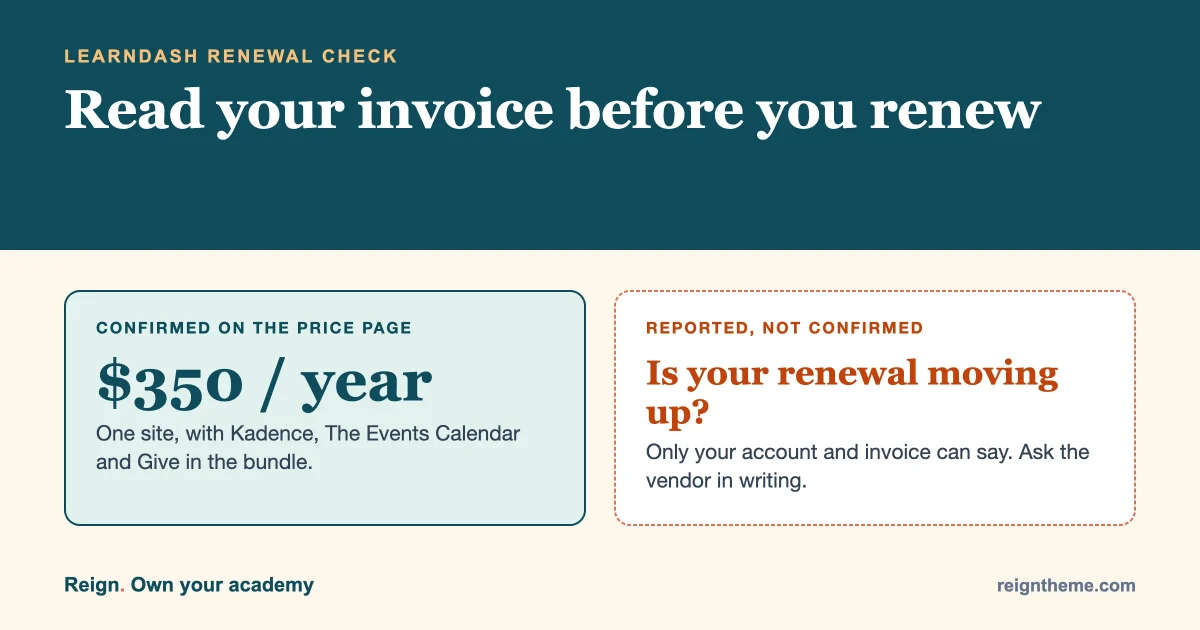
Short answer: if you run a course site on Reign and LearnDash, do not panic and do not renew on autopilot. As of 3 November 2026, LearnDash’s own pricing address sends you to a Liquid Web page that sells one bundle, starting at $350 a year for a single site, with Kadence, The Events Calendar and Give included. Some site owners say their renewal moved from a cheaper plan to that bundle. We could confirm the bundle price. We could not confirm what your renewal will be. Your invoice and your account page are the only places that settle that, so the first job is to read them.
This guide is for you if you teach, coach or sell courses on a site you own, and a renewal email is about to land or already has. It walks through what is confirmed, what is only reported, how to find your own number, and the choices you have. Nothing here says leave LearnDash. Staying is a perfectly good answer for many sites.
A plain note before we start: Wbcom Designs makes Reign, and also makes Learnomy, a course plugin. We will say so again where it matters. Test anything on a staging copy and judge it yourself.
What changed with LearnDash pricing?
Here is what we checked on 3 November 2026, from the vendor’s own pages.
- The old LearnDash pricing address,
learndash.com/pricing-and-purchase/, now redirects permanently toliquidweb.com/software/learndash/#pricing. - That page says every plan includes “the full package: Give, The Events Calendar, LearnDash, and Kadence”.
- Every plan is shown per year.
| Sites | Price per year | Per site |
|---|---|---|
| 1 | $350 | $350 |
| 10 | $599 | $59.90 |
| 25 | $799 | $31.96 |
| 50 | $899 | $17.98 |
| 100 | $999 | $9.99 |
For comparison, when we last wrote about this on 18 October, the official pages we looked at listed LearnDash as Pro and Elite yearly plans. So the shape of the offer did change in the last few weeks. You can read how we reported it then in our agency plan for leaving the StellarWP stack.
What is confirmed, and what is only reported?
This is the part most posts skip. A price on a page is one thing. What an existing customer pays at renewal is another.
| Claim | Status | Where it comes from |
|---|---|---|
| The pricing page shows a $350 a year bundle for one site, with Kadence, The Events Calendar and Give included | Confirmed | Liquid Web’s LearnDash page, read 3 November 2026 |
| Larger plans: $599 for 10 sites, $799 for 25, $899 for 50, $999 for 100 | Confirmed | Same page |
| The old LearnDash pricing address redirects to that page | Confirmed | Checked directly |
| The terms allow the vendor to raise fees when a licence renews | Confirmed | Liquid Web’s LearnDash terms and conditions |
| Fees do not change during a paid term | Confirmed | Same terms |
| Owners with a $199 a year plan are being moved to the $350 bundle at renewal | Reported, not confirmed | Site owners discussing it online, including one forum thread on 1 November |
| A specific date when everyone moves to bundle pricing | Not confirmed | One blog mentions a mid-November date. We found no vendor statement |
| What the old single-site plan cost | Sources disagree | Third-party pages quote different old prices. Check your own past invoices |
The terms matter more than the headlines. According to the Liquid Web terms for LearnDash, fees are not subject to change during your current term, but the company may increase fees on renewal. A licence renews automatically for the period on your order, or if none is stated, annually at the then-current rates, and your card is charged yearly in advance. Either side can give written notice before the next renewal term to stop it from renewing.
Put simply: your price is safe until your renewal date, and that date is when it can change.
Will my renewal go up?
Nobody outside your account can tell you. Here is how to find out in ten minutes.
- Find your renewal date. Log in to the account where you bought LearnDash and note the date. That date is your real deadline.
- Find what you paid last time. Open your last invoice or receipt. Write down the amount, how many sites it covered and which plan name it showed.
- Look for a renewal notice. Search your email, including spam, for messages from the vendor about your licence. Note any price in them.
- Compare with the page. If the invoice or notice shows a price, compare it with the table above. If it shows nothing yet, the page is the best guide to what the vendor sells today, not a promise about your renewal.
- Ask the vendor. Send a short message asking what your renewal price will be, whether the bundle is required, and whether a standalone licence is still available. Keep the reply.
If you cannot find an answer, plan for the higher number. It costs nothing to plan for $350 and discover it is lower.
The arithmetic, using the reported figures
Suppose, as some owners report, you pay $199 a year today and the next invoice says $350. That is $151 more, an increase of about 76 percent. Over five years at the new price you would pay $1,750 for one site. None of that is a reason to move. It is a reason to know the number before the card is charged.
Now the other side. If you also use Kadence, The Events Calendar or Give, the bundle may be a fair deal, because you get licences you would otherwise buy. If you use only LearnDash, you are paying for three products you may never open. Count honestly which of the four your site really uses.
Does this affect your Reign design?
Almost certainly not. Your theme and your course plugin are separate things. Reign controls how your site looks: the header, the course pages, the member area and your colours. LearnDash controls courses, lessons, quizzes and enrolment. A change in how LearnDash is sold does not change how Reign draws your academy.
It also works the other way. If you ever do change course plugin, your design is not tied to the old one. We wrote a longer walk-through in Running Reign with LearnDash? Your options if your course plugin changes, and it still holds up.
One honest caution. Reign has integration styling for LearnDash, and that styling keeps working as long as you keep LearnDash. If you switch course plugins, you will need to check the course pages on the new one, because each plugin outputs its own markup.
What are your options?
There are four sensible paths. Pick by your situation, not by how annoyed you are.
Option 1: Renew and stay
Best if your course site is busy, your students are mid-course and the price, once you know it, is fine against your income. Renewing is not a failure. Downtime during an enrolment rush costs more than a licence.
Do this: renew, but write the new price and the next renewal date in your calendar, and set a reminder six weeks before it.
Option 2: Ask before you pay
Best if the number is higher than you expected. Write to the vendor with your account email, your site count and your last invoice, and ask what your renewal price is and whether any option fits a single-site course business. Some vendors have loyalty or legacy pricing. You will not know unless you ask, and a written reply protects you either way.
Option 3: Test an alternative on a staging copy, keep LearnDash running
Best if the new price bothers you but your calendar is full. Create a copy of the site, install a different course plugin there, and move a single course. Judge it on what your students and you actually need: checkout, drip content, quizzes, certificates, reports. Do not touch the live site until you have tested.
There are several honest choices, including LifterLMS, Tutor LMS and Sensei. We also make Learnomy, which covers courses, checkout, memberships, quizzes and certificates, and we have a step-by-step move guide: Moving a course site off LearnDash and Kadence, step by step. You can read about it at learnomy.app. Because we make it, run your own comparison before you decide.
Option 4: Move, but time it to your renewal
Best if you have decided to leave. The best moment is the quiet period just before your renewal date, so you stop paying for a licence you no longer use and never pay twice. A move that goes live the week after you renewed saves nothing for a year.
| Your situation | Likely best option |
|---|---|
| Enrolment is open or a cohort is mid-course | Renew, then plan a calm move later |
| The renewal price is what you expected | Renew and stay |
| The price is higher and you only use LearnDash | Ask the vendor, then test an alternative on staging |
| You also use Kadence, Events Calendar or Give | Price the bundle against buying those separately |
| You run many client or course sites | Compare the larger site plans with the cost of moving each site |
| You were already unhappy with the plugin | Test alternatives and move at renewal |
What does switching cost, in time?
Count hours, not just licences. A realistic move involves a backup, a staging copy, rebuilding or importing courses, moving enrolments and progress, checking checkout and emails, and testing as a student. For a small academy with a handful of courses that is a few focused days spread over a couple of weeks. For a large catalogue it is longer. Your time has a price. If the licence difference is a hundred and fifty dollars a year, a week of your work to save it may not be a good trade, unless the alternative also fixes something else that bothers you.
The reverse is also true. If you run many sites, the arithmetic changes. Using the page’s own figures, ten sites on the bundle work out at $59.90 each a year, and a hundred sites at $9.99 each. If you manage client sites, compare those numbers with what each client pays today and with the cost of moving them. Our agency plan sorts clients into move soon, move at renewal and leave alone, and the same sorting works for your own sites.
How do you keep your students out of it?
Your students do not care which plugin sells your course. They care that they can log in, see their progress and finish. So the best plan is one they never notice.
- Do not change anything mid-course. Switch between cohorts, not during them.
- Back up first. A full backup before any licence or plugin change, stored off the site.
- Use staging. Test enrolment, a quiz, a certificate and a password reset as a student would.
- Tell them only if it affects them. A short note about a new login page is enough. A long story about vendor pricing is not their problem.
- Keep old links alive. If course URLs change, redirect the old ones so shared and bookmarked links still work.
Which of the four bundled products do you actually use?
A bundle is only a good deal if you use what is in it. Most course owners use one of the four products and have never opened the others. Do this audit before you decide anything, and do it from your own dashboard, not from memory.
| Bundled product | How to tell if your site uses it | If you do not use it |
|---|---|---|
| LearnDash | Courses, lessons and quizzes appear under its menu in your dashboard | This is the one you came for |
| Kadence | Appearance, then Themes, shows Kadence active, or Kadence Blocks appear in the editor | You are paying for design tools your Reign setup already covers |
| The Events Calendar | An Events menu exists and event pages are public | Nothing to move, nothing to gain from the bundle |
| Give | A Donations menu exists and a donation form is live | Same: no value to you in the bundle |
If three of the four rows say you do not use it, the bundle is a course licence with extras you will never touch. That is not an accusation. Some owners will find the extras handy, and for them the price is easier to accept. The point is to decide on what you use.
Three owners, three sensible answers
These are made-up examples, built from the situations owners describe. Use them to see your own shape, not as case studies.
The part-time instructor with two courses
She teaches evenings, sells two courses on one site and earns a modest, steady amount. Her renewal is five months away. She has no events and no donations. For her, the right move is to do nothing this week except note the date, ask the vendor for her renewal price in writing, and spend one afternoon testing a second course plugin on a staging copy. If the number is fine, she renews. If it stings, she has five months to move calmly between cohorts.
The coach whose cohort starts in ten days
He has forty paying students arriving soon and a renewal due in three weeks. Any move now is a risk to people who have already paid. He should renew, write down the price, and schedule a staging test for the quiet weeks after the cohort. A licence cost is smaller than a failed first week.
The agency with a dozen client course sites
She holds licences across several clients and each renews on a different date. For her the per-site figures on the page change the sums: ten sites at $599 is $59.90 a site a year. She should list every client, renewal date and current price, compare each with the larger plans, and only then decide which sites move and which stay. A single client with an events calendar may be happy with the bundle. A client who only sells one course may not.
What to protect before any change
Whether you renew, switch or ask for time, a few safeguards cost almost nothing and prevent most of the pain.
- Export your data. Take a full database and files backup, and keep it off the server. A backup stored on the same host as your site is not a backup.
- Record your settings. Screenshot your course settings, payment gateway setup, email templates and certificate designs. They are the parts people forget and cannot easily rebuild from memory.
- Keep your licence key and download. Save the plugin zip you run now and your licence details somewhere safe, so you can restore the exact version if an update goes wrong.
- Check payments. If you take payments through your course plugin, note the gateway, tax settings and any subscription students are on. A change that breaks recurring billing is the costly kind.
- Write down your URLs. List your course, lesson and checkout addresses. If any change, you will need redirects, and the list tells you which.
- Test as a student. Use a spare account on staging: enrol, watch a lesson, take a quiz, reset a password, get a certificate. Do this before and after any change.
How do you read the renewal notice?
When the notice comes, read four things and ignore the rest. First, the amount and the period it covers. Second, the date it will be charged. Third, how many sites the licence covers. Fourth, whether it names the plan you have today or a different one. If the plan name has changed, that is your signal to ask the vendor why, and whether your old terms carry over.
If you decide not to renew, the terms say either side may give written notice before the next renewal term to stop it. Do it in writing, keep a copy, and do it before the charge date rather than after. Keep your site running on the plugin you have until your move is finished and tested. Check what the vendor’s terms say about updates and support after a licence ends, and do not drift: running a plugin without updates for long is a security risk.
What should you do this week?
- Find your renewal date and last invoice.
- Check your email for a renewal notice from the vendor.
- Write down which of the four bundled products your site really uses.
- Ask the vendor in writing what your renewal price will be.
- Take a full backup and create a staging copy, even if you plan to stay.
- Decide using the table above, and set a reminder six weeks before your renewal date.
If the answer is to stay, you have lost an hour and gained certainty. If the answer is to move, you have six weeks of calm instead of a rushed weekend.
Questions owners ask
Has LearnDash really changed its pricing?
The page we checked on 3 November 2026 sells a bundle from $350 a year for one site, and the old LearnDash pricing address redirects there. What an existing customer pays at renewal is not stated on the page.
Is the $199 to $350 report true?
We could not confirm it. It comes from owners describing their own renewals online. Check your own invoice and ask the vendor.
Can the vendor raise my price during the year?
According to the terms, fees do not change during your current term. They may increase on renewal.
Do I have to pay for Kadence, The Events Calendar and Give?
The pricing page says every plan includes all four products. Whether a LearnDash-only licence is still available to you is a question for the vendor.
Will my Reign site break if I leave LearnDash?
No. Reign is a theme and keeps working. You will need to check your course pages against the new plugin’s output.
Should I switch to Learnomy?
Only if a staging test shows it fits your courses and students. We make it, so compare it fairly with LifterLMS, Tutor LMS and Sensei before you decide.
When is the best time to move?
In the quiet weeks just before your renewal date, between cohorts, after a full backup and a staging rehearsal.
Where to go from here
You run a course business, not a licence business. The best response to a renewal notice is a calm, dated, written one: know the number, know your options, and choose on the facts. If you want the wider background and the full list of alternatives, our StellarWP alternatives guide covers it. Prices change, so check the vendor’s page on the day you decide.
Sources, read on 3 November 2026: Liquid Web’s LearnDash pricing page and its LearnDash terms and conditions. Reports of individual renewals are from site owners and are not confirmed by the vendor.