

Looking for the best WordPress WordPress Frontend Editor plugins in 2026? Here’s what actually matters: the right plugin depends on your site’s size, the technical comfort level of your team, and how deeply it needs to integrate with your existing stack. After testing the top options against real WordPress sites, this guide shortlists the plugins that consistently deliver, plus the 2026 entrants worth knowing.
Quick recommendation: if you need community, membership, or engagement features alongside your wordpress frontend editor setup, pair with BuddyX Pro and WB Gamification, two Wbcom Designs tools built specifically for WordPress community and retention workflows.

What Are WordPress Frontend Editor Plugins (and Why Do They Matter)?
WordPress frontend editor plugins allow you to edit your website directly on the live page instead of working behind the scenes in the WordPress dashboard. When I first switched from backend editing to frontend tools, the difference was immediate. I could see changes in real time, which eliminated a lot of guesswork.
For beginners, this matters more than you might think. Seeing text, images, and layouts exactly as visitors see them builds confidence. Instead of wondering how something will look after clicking “Update,” you already know. That alone reduces errors and saves time.
Another reason these tools matter is speed. When I’m helping small business owners, the biggest complaint is not complexity; it’s time. Frontend editors shorten the learning curve. You click, type, drag, and publish. That’s it.
Why I Tested These Plugins the Hard Way
I didn’t want a surface-level review. So I tested each plugin using the same criteria: ease of use, stability, design flexibility, performance impact, and learning curve. I also paid attention to documentation and support, because beginners always need help eventually.
I tested free versions first, then upgraded where necessary. This showed me which tools are generous and which hide essential features behind paywalls. Some plugins surprised me in a good way. Others looked impressive but felt heavy or confusing after extended use.
Most importantly, I focused on how these WordPress Frontend Editor Plugins behave in real scenarios, editing a homepage, building a landing page, or tweaking a blog post. That’s where the truth comes out.
1. Elementor: The Crowd Favorite That Mostly Lives Up to the Hype
When I tested Elementor, I understood immediately why it’s so popular. The interface is clean, intuitive, and forgiving. I could drag elements onto the page, edit text inline, and see changes instantly. For beginners, that’s incredibly empowering.
That said, Elementor is not perfect. On larger pages, I noticed slight performance slowdowns. Still, the trade-off felt acceptable considering how much control it gives. I especially liked how predictable it felt; nothing jumped around unexpectedly.

What stood out during testing:
- Extremely beginner-friendly interface
- Large widget library
- Strong community and tutorials
2. Beaver Builder: Calm, Stable, and Refreshingly Predictable
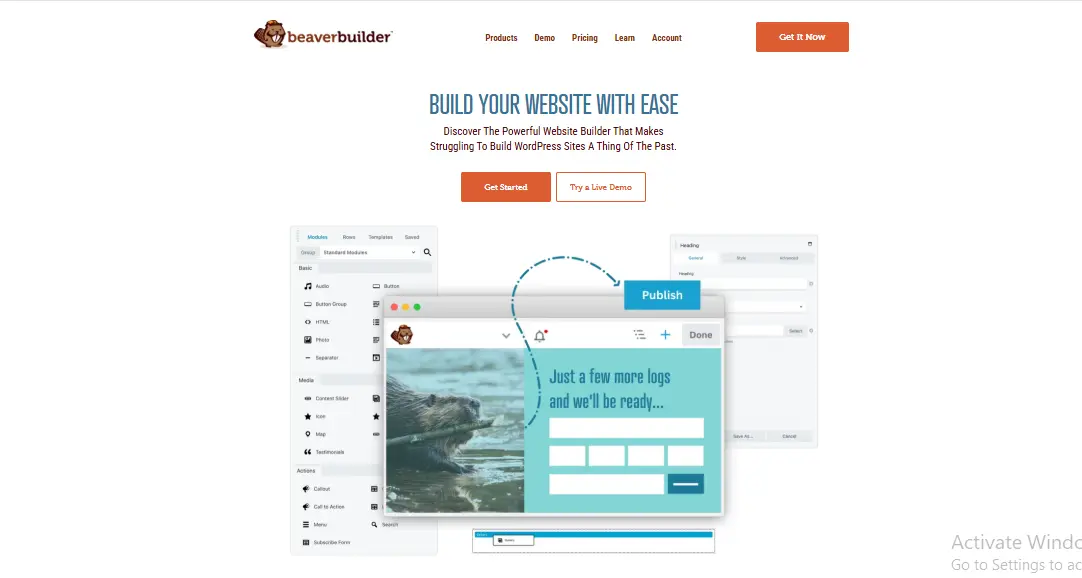
Beaver Builder doesn’t try to impress you with flashy animations. Instead, it focuses on stability. While testing, I found it to be one of the most reliable WordPress frontend editor plugins, with no crashes and no strange behavior.
The editing experience is smooth, though slightly less visual than Elementor. Still, I appreciated how it handled complex layouts without breaking. For small business sites that value reliability over bells and whistles, this is a solid choice.
Why I liked it:
- Clean and distraction-free editing
- Very stable performance
- Excellent for long-term sites
3. Divi Builder: Powerful but Demanding
Divi felt like a double-edged sword during my testing. On one hand, it’s incredibly powerful. On the other, it requires patience. I spent more time learning Divi than most other plugins on this list.
Once I got comfortable, though, the results were impressive. Divi allows deep customization directly on the frontend. However, beginners may feel overwhelmed at first. I wouldn’t recommend it unless you’re willing to invest time upfront.
Testing notes:
- Deep design control
- Slightly steeper learning curve
- Best for design-focused users
4. Brizy: Surprisingly Simple and Refreshing
Brizy was a pleasant surprise. I installed it expecting another builder, but what I found was a clean, minimal interface that made editing enjoyable. Everything felt lightweight and fast.
While testing, I built a full landing page in under an hour. That’s rare. Brizy doesn’t overload you with options, which is actually a strength for beginners.
What worked well:
- Minimal user interface
- Fast editing experience
- Ideal for quick pages
5. Visual Composer: Flexible but Slightly Overengineered
Visual Composer offers a lot. Almost too much. During testing, I noticed that beginners might struggle to find what they need quickly. Still, once configured properly, it performs well.
This is one of those WordPress frontend editor plugins that shines in advanced layouts. For simple blogs, it may feel heavy. For complex pages, it’s quite capable.
Key observations:
- Advanced layout tools
- Requires initial setup time
- Better for experienced users
6. Thrive Architect Conversion-Focused Editing
Thrive Architect is not just about design; it’s about results. While testing, I noticed everything is optimized for conversions. Buttons, forms, and layouts all push toward action.
If you’re a small business owner focused on leads or sales, this tool makes sense. However, it’s less flexible for creative design compared to others.
Best use cases:
- Landing pages
- Sales funnels
- Marketing-driven sites
7. Oxygen Builder: Not for Beginners but Very Powerful
Oxygen is powerful, but I’ll be honest, it’s not beginner-friendly. While testing, I appreciated the control, but I also knew most non-technical users would struggle.
That said, performance was excellent. Pages loaded fast, and the output code was clean. This is one of the WordPress frontend editor plugins I respect but don’t recommend to beginners.
8. SiteOrigin Page Builder: Simple and Dependable
SiteOrigin doesn’t try to reinvent anything. It works quietly in the background. During testing, I found it easy to use, though visually dated.
For very basic sites, it’s fine. But compared to modern editors, it feels limited. Still, reliability matters, and SiteOrigin delivers that.
9. Live Composer Real Frontend Editing Experience
Live Composer offers true frontend editing. I liked being able to click and edit text directly. However, the interface felt slightly outdated.
It works best for users who want live editing without complexity. Performance was decent, though not exceptional.
10. Gutenberg Block Editor Better Than You Think
I tested Gutenberg again for fairness. It has improved significantly. While not a traditional frontend editor, it now offers near-live editing.
For simple blogs, Gutenberg may be enough. It’s lightweight and built-in, which is a big plus for beginners.
How to Choose the Right Plugin Based on My Testing
Choosing from these WordPress frontend editor plugins depends on your goals. If you want simplicity, Brizy or Elementor works well. If reliability matters most, Beaver Builder is hard to beat. For marketing, Thrive Architect stands out.
Ask yourself:
- Do I value speed or flexibility?
- Am I building pages or full sites?
- How much time can I invest in learning?
Answering those questions makes the choice much easier.
Comparison Table Quick Overview
| Plugin | Ease of Use | Performance | Best For |
|---|---|---|---|
| Elementor | High | Medium | Beginners |
| Beaver Builder | High | High | Stability |
| Divi | Medium | Medium | Designers |
| Brizy | Very High | High | Quick pages |
| Visual Composer | Medium | Medium | Complex layouts |
| Thrive Architect | High | Medium | Marketing |
| Oxygen | Low | Very High | Developers |
| SiteOrigin | Medium | High | Simple sites |
| Live Composer | Medium | Medium | Live editing |
| Gutenberg | High | Very High | Blogs |

Final Thoughts: My Honest Recommendation
After testing all ten, I can confidently say that WordPress frontend editor plugins are no longer optional. They’re essential. The right one can save you hours, reduce frustration, and help you feel in control of your site.
If you’re just starting, Elementor or Brizy is a safe bet. If you value stability, Beaver Builder wins. And if you want built-in simplicity, Gutenberg deserves another look.
Interesting Reads:
Best Chiropractor WordPress Themes For
Sub-directory vs Sub-domain on Local Server
Basics Of Social Media Marketing For your WordPress Website
Pair Your Stack: Other Tools From Wbcom Designs
Beyond the plugins above, these in-house tools from Wbcom Designs solve adjacent problems most WordPress sites eventually run into, especially when your community, membership, or monetization layer needs to plug in without heavy custom development:
- BuddyX Pro, community-first WordPress theme for membership sites, vendor communities, and customer-loyalty hubs.
- WB Gamification, drop-in points, badges, ranks, and leaderboards for any WordPress engagement or retention funnel.
- WP Sell Services Pro, turn WordPress into a service-selling platform (consulting, freelance, agency hours).
- WB Ad Manager, native ad placements to monetize content around your site (blog, category pages, sidebar).
- WordPress Polls, lightweight polls for user feedback, NPS-style surveys, and zero-party data.
- Jetonomy, monetization toolkit for digital communities (token economy, paid groups, creator payouts).