

Managing a workforce is no small feat, especially when it involves coordinating schedules, tracking time, and ensuring productivity. That’s where workforce management software comes in to save the day. In this blog post, we’ll uncover the 10 best workforce management software tools that can help businesses optimize their operations while boosting employee satisfaction.

Why Your Business Needs Workforce Management Software
Simplify Complex Processes
Juggling multiple responsibilities like tracking employee hours, managing payroll, and ensuring compliance can be overwhelming. Workforce management software simplifies these tasks by automating them, so you can focus on your business’s bigger picture.
Boost Efficiency and Productivity
When employees have clear schedules, seamless communication, and streamlined workflows, productivity naturally improves. Workforce management software not only enhances operational efficiency but also empowers teams to perform at their best.
Key Features to Look For in Workforce Management Tools
Scheduling and Shift Management
An ideal workforce management software provides flexible tools for creating and managing employee schedules. Look for features like drag-and-drop interfaces or AI-driven optimization for minimal conflicts.
Time Tracking and Payroll Integration
Accurate time tracking ensures that employees are paid fairly while reducing administrative errors. Tools that integrate with payroll systems are a bonus, saving time and eliminating discrepancies.
10 Best Workforce Management Software in 2024
Let’s explore the top options for workforce management software that cater to businesses of all sizes and industries.
1. Workday
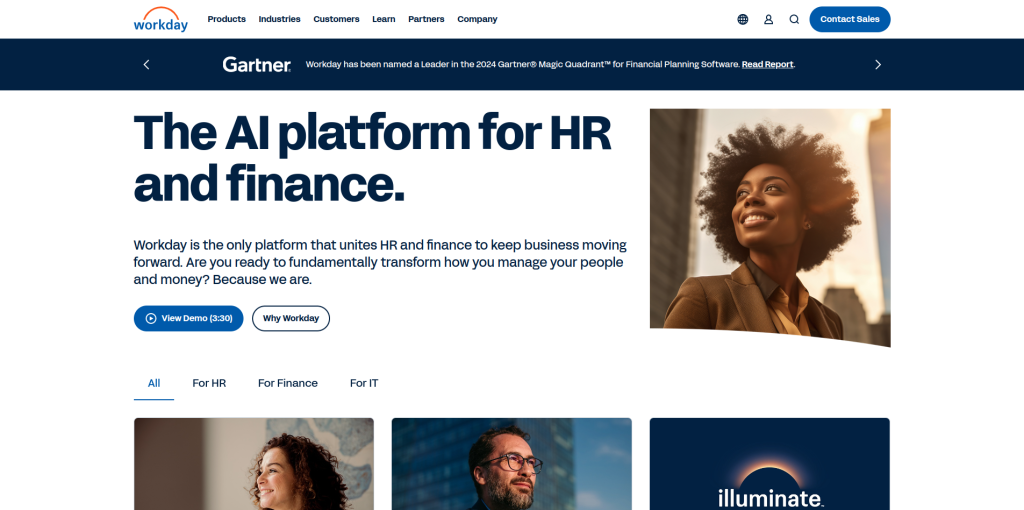
A Comprehensive Workforce Management Solution
Workday is a leader in workforce management, offering tools that cover HR, payroll, and analytics.
Key Features:
- Unified HR and workforce management.
- Advanced analytics for workforce planning.
Pros:
- Highly scalable for large enterprises.
- Comprehensive features for HR and WFM.
Cons:
- Expensive for smaller businesses.
2. Kronos Workforce Central (UKG)
Ideal for Time Tracking
Kronos specializes in time tracking and scheduling, with robust reporting capabilities.
Key Features:
- Advanced time and attendance tracking.
- AI-powered scheduling.
Pros:
- Great for large workforces.
- User-friendly interface.
Cons:
- Requires training to utilize fully.
3. BambooHR
Perfect for Small and Medium Businesses
BambooHR simplifies workforce management for smaller teams, focusing on employee engagement and HR essentials.
Key Features:
- Applicant tracking and onboarding.
- Time-off management.
Pros:
- Affordable pricing.
- Easy to use.
Cons:
- Limited scheduling features.
4. Deputy
Built for Dynamic Work Environments
Deputy excels in scheduling and time management, making it great for industries like retail and hospitality.
Key Features:
- Mobile-friendly employee scheduling.
- Real-time communication tools.
Pros:
- Intuitive mobile app.
- Affordable for small businesses.
Cons:
- Limited reporting features.
5. SAP SuccessFactors
Robust for Enterprises
SAP SuccessFactors is a powerful tool for enterprises looking to integrate workforce management with HR functions.
Key Features:
- Comprehensive HR and workforce planning tools.
- Cloud-based analytics.
Pros:
- Extensive integration capabilities.
- Scalable for global teams.
Cons:
- High implementation cost.
6. Zoho People
Affordable and Feature-Rich
Zoho People is a budget-friendly solution for workforce management, especially for small to medium-sized businesses.
Key Features:
- Time tracking and leave management.
- Employee self-service portal.
Pros:
- Affordable pricing tiers.
- Great for remote teams.
Cons:
- Limited advanced features for larger enterprises.
7. Shiftboard
Ideal for Hourly Workforces
Shiftboard specializes in helping companies manage hourly employees with precision and flexibility.
Key Features:
- Advanced shift scheduling.
- Real-time employee notifications.
Pros:
- Excellent for industries like healthcare and logistics.
- Flexible scheduling options.
Cons:
- Can be complex for smaller teams.
8. When I Work
Best for Simplified Scheduling
When I Work is a scheduling tool that’s straightforward and effective, particularly for small teams.
Key Features:
- Easy scheduling and shift swaps.
- Mobile app for on-the-go management.
Pros:
- Affordable and user-friendly.
- Great for team communication.
Cons:
- Limited advanced features.
9. ADP Workforce Now
Best for Comprehensive HR Integration
ADP Workforce Now combines workforce management with payroll, benefits, and HR functionality.
Key Features:
- Integrated payroll and compliance management.
- Employee performance tracking.
Pros:
- Scalable for businesses of any size.
- Strong reporting tools.
Cons:
- Slightly expensive for smaller businesses.
10. Rippling
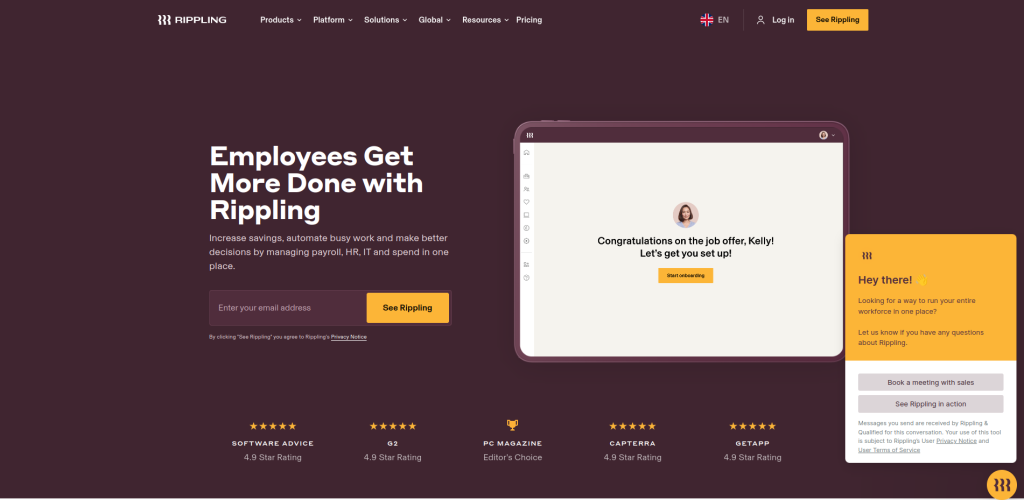
A Modern All-in-One Solution
Rippling is a modern, intuitive tool that seamlessly blends workforce management with IT and payroll solutions.
Key Features:
- Onboarding automation.
- Integrated payroll and benefits.
Pros:
- Clean, modern interface.
- Great for tech-savvy teams.
Cons:
- Higher cost for premium features.
Comparison Table: 10 Best Workforce Management Software
| Software | Key Features | Pros | Cons |
| Workday | Unified HR, analytics | Scalable, comprehensive | Expensive |
| Kronos (UKG) | Time tracking, AI scheduling | User-friendly, detailed | Requires training |
| BambooHR | Applicant tracking, time-off management | Affordable, intuitive | Limited scheduling features |
| Deputy | Mobile scheduling, real-time tools | Affordable, mobile-friendly | Limited reporting |
| SAP SuccessFactors | Cloud analytics, HR planning | Scalable, enterprise-ready | High cost |
| Zoho People | Time-off tracking, self-service portal | Budget-friendly, remote-ready | Limited advanced features |
| Shiftboard | Advanced shift management | Industry-specific, flexible | Complex for small teams |
| When I Work | Shift swaps, mobile app | User-friendly, affordable | Basic features only |
| ADP Workforce Now | Payroll integration, performance tracking | Scalable, robust reporting | High cost for small businesses |
| Rippling | Onboarding, IT integration | Intuitive, modern | Expensive for full features |
How to Choose the Right Workforce Management Software
Assess Your Needs
Do you need detailed scheduling tools, advanced payroll integrations, or real-time communication features? Identifying your specific needs is the first step.
Budget and Scalability
Consider both your current budget and your growth plans. Some software tools are perfect for small businesses but may not scale as your team grows.

Final Thoughts on Workforce Management Software
The 10 best workforce management software tools listed here offer diverse features for businesses of all sizes. Whether you’re a small business owner or running a large enterprise, finding the right tool can revolutionize how you manage your workforce. It’s all about simplifying operations, saving time, and improving employee satisfaction.
Interesting Reads:
The 10 Best Custom CRM Software