

WordPress is a powerhouse, enabling millions of users to build incredible websites. But the real magic lies in its plugins. They’re the tools that expand WordPress’s capabilities, making your website smarter, faster, and more engaging. In this guide, we’ll walk you through the 10 best WordPress plugin that can take your site to the next level. Whether you’re looking for speed optimization, SEO enhancement, or eCommerce functionality, there’s something here for everyone.

Why Plugins Are the Secret Sauce of WordPress
WordPress plugins are like apps for your website. They let you customize functionality without needing to code. Want a better search engine ranking? There’s a plugin for that. Need to secure your site? Done. The beauty of plugins is that they help you achieve professional results without a tech degree.
However, with thousands of plugins available, finding the right one can feel overwhelming. That’s where we come in. We’ve narrowed down the list to bring you the 10 best WordPress plugin that cover a wide range of use cases.
1. Yoast SEO

If search engine visibility is your goal, Yoast SEO is your best friend. It’s one of the most downloaded plugins for a reason - it makes SEO easy.
Key Features:
- Real-time SEO analysis
- XML sitemap generation
- Readability score for content
Pros:
- User-friendly interface
- Helps optimize content for search engines
Cons:
- Some features are locked behind a premium version
2. Elementor: Design Like a Pro
Want to design stunning pages without writing a single line of code? Elementor has your back. This drag-and-drop builder is a game changer for creating visually appealing layouts.
Key Features:
- Pre-made templates
- Advanced styling options
- Integration with third-party tools
Pros:
- Intuitive interface
- Endless customization options
Cons:
- Can slow down site speed if overused
3. WooCommerce: The eCommerce Champion
If you’re planning to sell products or services, WooCommerce is the go-to solution. It’s free, flexible, and powerful.
Key Features:
- Product management
- Payment gateway integration
- Customizable storefronts
Pros:
- Highly scalable
- Tons of add-ons available
Cons:
- Requires additional plugins for advanced features
4. WPForms: Effortless Form Building
Every website needs forms, whether for contact, surveys, or lead generation. WPForms makes form-building a breeze.
Key Features:
- Drag-and-drop form builder
- Pre-made templates
- Conditional logic
Pros:
- Easy to use, even for beginners
- Responsive design ensures mobile compatibility
Cons:
- Advanced features require the Pro version
5. Akismet: The Spam Slayer
Spam comments are annoying and time-consuming to manage. With Akismet, you can keep them at bay effortlessly.
Key Features:
- Automatic spam filtering
- Integration with major plugins
- Detailed spam stats
Pros:
- Saves time by auto-blocking spam
- Lightweight and efficient
Cons:
- Limited functionality in the free version
6. Rank Math: The SEO Contender
A newer SEO plugin, Rank Math, is giving Yoast a run for its money. It combines advanced features with a user-friendly interface.
Key Features:
- Built-in schema markup
- Focus keyword optimization
- SEO performance monitoring
Pros:
- Free version is feature-rich
- Clean, intuitive design
Cons:
- Steeper learning curve for beginners
7. Smush: Image Optimization Made Easy
Images can slow your site down, but Smush ensures they don’t. This plugin compresses your images without losing quality.
Key Features:
- Bulk image optimization
- Lazy loading
- Lossless compression
Pros:
- Improves site speed
- Simple to set up
Cons:
- Limited bulk optimization in the free version
8. UpdraftPlus: Reliable Backups
Every website owner needs a reliable backup plan, and UpdraftPlus delivers. It’s one of the most trusted backup plugins for WordPress.
Key Features:
- Cloud storage integration
- Scheduled backups
- Easy restoration process
Pros:
- Supports multiple storage options
- User-friendly
Cons:
- Some features are premium-only
9. MonsterInsights: Analytics Made Simple
Understanding your audience is crucial, and MonsterInsights brings Google Analytics right to your WordPress dashboard.
Key Features:
- Real-time analytics
- Customizable reports
- Affiliate link tracking
Pros:
- Simplifies complex data
- Great for eCommerce tracking
Cons:
- Advanced features require premium
10. W3 Total Cache: Speed Optimization
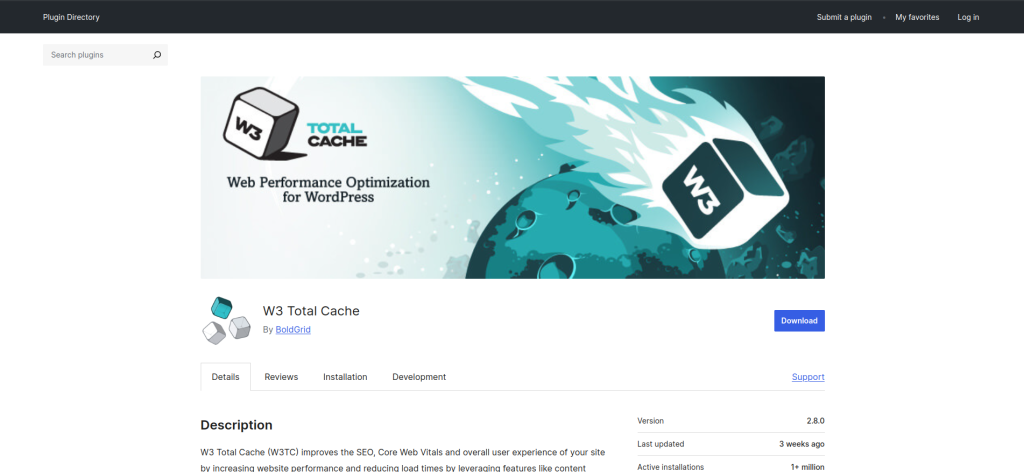
Site speed matters, and W3 Total Cache ensures your website loads lightning-fast. This plugin optimizes your site’s performance effortlessly.
Key Features:
- Browser caching
- Minification of CSS and JavaScript
- Content delivery network (CDN) support
Pros:
- Enhances user experience
- Easy integration with CDNs
Cons:
- Initial setup can be complex
Comparison Table: The 10 Best WordPress Plugin
| Plugin | Key Features | Pros | Cons |
| Yoast SEO | SEO analysis, XML sitemaps | User-friendly, improves SEO | Limited free features |
| Elementor | Drag-and-drop design | Intuitive, customizable | Can slow site speed |
| WooCommerce | eCommerce management | Scalable, flexible | Add-ons needed for advanced features |
| WPForms | Form builder, templates | Easy-to-use, responsive | Pro version needed for extras |
| Akismet | Spam filtering, stats | Saves time, lightweight | Limited free functionality |
| Rank Math | Advanced SEO tools | Rich free features, clean UI | Learning curve |
| Smush | Image compression, lazy loading | Boosts speed, simple setup | Free version has limits |
| UpdraftPlus | Backups, cloud storage | Reliable, user-friendly | Premium for advanced features |
| MonsterInsights | Analytics integration | Simplifies data, eCommerce tracking | Premium for advanced tools |
| W3 Total Cache | Site speed optimization | Enhances performance | Complex setup |

Final Thoughts
Finding the 10 best WordPress plugin can transform your website into a functional and engaging platform. Each of these tools offers unique benefits tailored to different needs, whether it’s SEO, eCommerce, or site speed. While it’s tempting to install all of them, focus on the plugins that align with your site’s specific goals.
Interesting Reads:
10 Best WordPress Discussion Board Plugin