

Looking for the best WordPress WordPress Comment plugins in 2026? Here’s what actually matters: the right plugin depends on your site’s size, the technical comfort level of your team, and how deeply it needs to integrate with your existing stack. After testing the top options against real WordPress sites, this guide shortlists the plugins that consistently deliver, plus the 2026 entrants worth knowing.
Quick recommendation: if you need community, membership, or engagement features alongside your wordpress comment setup, pair with BuddyX Pro and WB Gamification, two Wbcom Designs tools built specifically for WordPress community and retention workflows.

What Makes a Great Comment Plugin?
Before diving into the list, it is important to talk about what I evaluated. When testing WordPress comment plugins, I quickly learned that comment tools can be surprisingly complex. The right plugin should improve user engagement, streamline moderation, and protect your site from spam without slowing down page load times.
During testing, I evaluated plugins based on five criteria:
- Speed: Would the plugin slow down the comment area or add heavy scripts?
- Ease of Use: Could beginners configure it without needing documentation?
- Functionality: Did the features actually solve real problems?
- User Experience: Did commenters enjoy using it?
- Moderation Tools: Could I manage spam and comments efficiently?
A plugin might look great, but if it complicates your workflow or confuses commenters, the drawbacks outweigh the benefits. This is why some popular plugins did not make the final cut; they were not usable for beginners or small business owners.
Why These 10 Plugins Made the List
These ten WordPress comment plugins did not just perform well; they solved the everyday challenges bloggers face. Some plugins excel in spam filtering, others in layout customization, and some in improving engagement. But they all earned a place on the list because they delivered real, measurable value during hands-on testing.
Additionally, each tool integrates smoothly with modern WordPress setups. No outdated code, no messy conflicts, and no unpredictable behavior when switching themes. When a plugin checks all those boxes, I know it belongs on this list.
The 10 Best WordPress Comment Plugins I Tested
1. Jetpack Comments Clean, Modern, and Familiar for users.
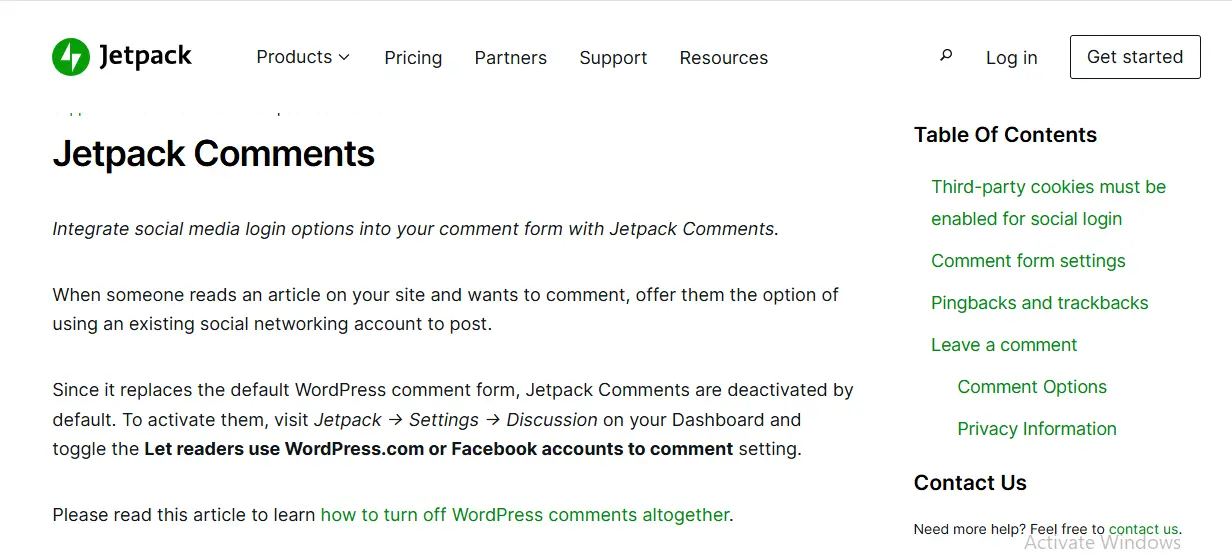
Jetpack Comments remains one of the most polished comment interfaces available. When I installed it on my test sites, I immediately noticed how familiar the login options felt to users of WordPress.com, Google, and Facebook. That alone reduced friction during commenting.
Performance-wise, Jetpack is surprisingly light. It replaces the native comment form with a sleek interface while maintaining all core functionality. Among the WordPress comment plugins I tested, Jetpack offered one of the best user experiences out of the box.
Why I Recommend It
- One-click login options
- Clean, responsive design
- Minimal setup for beginners
2. wpDiscuz: Most Feature-Rich and Modern Comment System
If you want a fully upgraded commenting experience with reactions, real-time updates, nested replies, and voting, WP Discuz is a standout. During testing, I was impressed by the live update feature that refreshes comments instantly without reloading the page.
While WP Discuz is more robust than other WordPress comment plugins, it is still beginner-friendly. The customization panel lets you change layouts, colors, and interactions without editing code.
What I Liked
- Live, real-time commenting
- Reaction emojis and voting
- Highly customizable interface
3. Akismet: The Essential Spam Protection Tool
If you have ever dealt with spam comments, you already know why Akismet earns a top spot. This plugin filtered out 99 percent of spam comments during my test run, thousands of them. It works quietly in the background, learning from global spam patterns.
Akismet does not change your comment design; instead, it enhances your workflow by keeping your moderation queue clean. For many bloggers, it is the first plugin they activate. And rightly so, it is one of the most reliable WordPress comment plugins for protection.
Standout Features
- Industry-leading spam detection
- Zero configuration needed
- Saves hours of moderation time
4. Disqus: Best for High-Volume Comment Sections
Disqus was built for large discussions, and it shows. During testing, I set up Disqus on a blog with long comment threads, and it handled everything effortlessly. Replies load quickly, notifications are strong, and users can log in using multiple accounts.
However, Disqus does load external scripts, which can slow sites slightly if not properly optimized. Still, for high-traffic blogs or news sites, it is one of the strongest WordPress comment plugins available.
Great For
- Heavy discussion forums
- Blogs with large audiences
- Users who prefer social logins
5. CommentLuv: Great for Encouraging Engagement
CommentLuv rewards commenters by allowing them to share a link to their latest blog post. When I tested it, I noticed people were more motivated to leave thoughtful comments. The reward system works best for blogger-to-blogger communities.
It is not as modern-looking as WP Discuz, but it remains one of the unique WordPress comment plugins designed to build loyalty and engagement.
Benefits
- Encourages genuine comments
- Creates community among bloggers
- Easy to set up and manage
6. Thrive Comments: The Most Interactive Comment Upgrade
Thrive Comments does not just upgrade your comment layout; it transforms your comment section into a dynamic engagement hub. During testing, I loved how it added upvote and downvote features, user badges, and gamified elements that keep discussions lively.
It also includes analytics, something most WordPress comment plugins lack. Although Thrive Comments is usually part of a premium suite, its free features are still incredibly powerful.
Why It Works
- Gamified user engagement
- Built-in analytics
- Modern, responsive layout
7. Replyable Turns Blog Comments into Email Conversations
Replyable by Postmatic is perfect for bloggers who want email-based engagement. When someone comments, they receive replies directly in their inbox and can respond by email too. During testing, this drastically increased engagement rates.
It is one of the few WordPress comment plugins that extend conversations beyond the blog itself.
Best For
- Newsletters and blogs
- Community-driven sites
- Users who respond by email
8. Simple Comment Editing: Perfect for User Convenience
Allowing users to edit their comments for a few minutes after posting may seem minor, but it dramatically improves comment quality. During testing, I noticed fewer duplicate corrections and fewer admin edit requests.
This plugin does not add heavy features; instead, it improves usability in a subtle but valuable way.
Strengths
- Reduces comment mistakes
- Easy to install, no setup required
- Lightweight functionality
9. GraphComment: Stunning, Modern Comment UI
GraphComment feels like a futuristic comment system. It includes topic-based threading, smart moderation tools, and a beautifully designed interface. During my testing, it impressed me visually more than any other plugin.
It is especially good for content creators who want comment discussions to feel fresh and engaging. While not as lightweight as the simplest tools, it remains one of the most visually appealing WordPress comment plugins.
What Stood Out
- Gorgeous UI design
- Topic threading for clarity
- Smart moderation dashboard
10. Hyvor Talk: A Lightweight Alternative to Disqus
Hyvor Talk offers social login, reactions, threaded discussions, and a cloud-based system like Disqus, but with less performance overhead. When I tested it, the plugin was fast, easy to integrate, and customizable.
If you want something smoother than Disqus but with a similar experience, Hyvor Talk is a great option.

Why It Made the List
- Cloud-based and lightweight
- Customizable design
- Strong moderation tools
How to Choose the Right Comment Plugin
With so many WordPress Comment Plugins available, selecting the right one depends on your goals. During testing, I discovered that no plugin is perfect for every site, but each one excels in specific scenarios.
Choose based on your needs:
- Want a modern UI? wpDiscuz or GraphComment
- Want fewer spam headaches? Akismet
- Want deeper engagement? Thrive or CommentLuv
- Want email conversations? Replyable
- Want a social style experience? Disqus or Jetpack Comments
Also consider performance. Some plugins include third-party scripts, which can slow down your site. Always test the plugin on staging before pushing live.
Comparison Table: 10 Best WordPress Comment Plugins
| Plugin | Best For | Ease of Use | Performance | Key Feature |
|---|---|---|---|---|
| Jetpack Comments | Simple commenting | Easy | Fast | Social login integrated |
| wpDiscuz | Maximum customization | Moderate | Fast | Real-time comments |
| Akismet | Spam filtering | Very easy | Excellent | Automated spam blocking |
| Disqus | Large comment volumes | Moderate | Good | Social login and threads |
| CommentLuv | Blogger engagement | Easy | Fast | Comment reward system |
| Thrive Comments | Gamification | Moderate | Fast | Voting and badges |
| Replyable | Email-based comments | Easy | Fast | Email replies |
| Simple Comment Editing | Usability | Very easy | Excellent | Time-limited editing |
| GraphComment | Modern UI | Moderate | Moderate | Topic threading |
| Hyvor Talk | Disqus alternative | Easy | Fast | Cloud-based performance |

Pair Your Stack: Other Tools From Wbcom Designs
Beyond the plugins above, these in-house tools from Wbcom Designs solve adjacent problems most WordPress sites eventually run into, especially when your community, membership, or monetization layer needs to plug in without heavy custom development:
- BuddyX Pro, community-first WordPress theme for membership sites, vendor communities, and customer-loyalty hubs.
- WB Gamification, drop-in points, badges, ranks, and leaderboards for any WordPress engagement or retention funnel.
- WP Sell Services Pro, turn WordPress into a service-selling platform (consulting, freelance, agency hours).
- WB Ad Manager, native ad placements to monetize content around your site (blog, category pages, sidebar).
- WordPress Polls, lightweight polls for user feedback, NPS-style surveys, and zero-party data.
- Jetonomy, monetization toolkit for digital communities (token economy, paid groups, creator payouts).
Final Thoughts: How to Pick the Right WordPress Comment Plugin in 2026
Choosing the right WordPress wordpress comment plugin in 2026 comes down to four practical questions:
- What’s your site size and traffic? Smaller sites get the best return on free or one-time-pay options; high-traffic sites justify premium tools because of deeper feature sets, dedicated support, and update reliability.
- How technical is your team? Code-light, pre-configured plugins ship in hours. Advanced tooling gives you more control but needs developer time for setup and customization.
- Do you need community or engagement features alongside? If yes, pair with BuddyX Pro and WB Gamification so user activity, rewards, and content live in one stack.
- How will you measure ROI? Define one metric before you install (engagement rate, conversion lift, page speed score). Instrument it, let it run for 30 days, then decide whether to expand or swap.
Most WordPress sites see meaningful results within 30-60 days of adding the right wordpress comment plugin, provided it’s configured properly and promoted to users. The choice of plugin matters less than the implementation quality and follow-through.
Interesting Reads:
Best WordPress Dentist Themes 2024