

If you’re diving into the world of YouTube content creation, choosing the right video editing software is key. The right tools make editing faster, enhance your storytelling, and give your videos a polished, professional look. But with so many options out there, where do you start? In this blog, we’ll explore the 10 best software to create YouTube videos and help you find the perfect fit for your needs.

Why Choosing the Right Video Editing Software Matters
Quality Makes a Difference
Your audience notices quality. Shaky transitions, poor audio sync, or unpolished edits can deter viewers. Great software ensures your videos shine.
Save Time and Effort
Editing can be time-consuming, but intuitive software streamlines the process, freeing you up to focus on creativity and content strategy.
What to Look for in YouTube Video Editing Software
Before we jump into the list, here’s what you should consider:
- Ease of Use: Beginners need user-friendly tools, while pros may want advanced features.
- Export Options: Look for software that supports YouTube-ready formats.
- Special Effects: Features like motion graphics, transitions, and color grading elevate your videos.
10 Best Software to Create YouTube Videos
1. Adobe Premiere Pro

Professional-Grade for Serious Creators
Adobe Premiere Pro is a favorite among professionals. Its robust features let you create cinematic-quality videos.
Key Features:
- Advanced color grading tools
- Seamless integration with other Adobe apps
Pros:
- Industry-standard for professionals
- Regular updates with new features
Cons:
- Steeper learning curve
- Subscription-based pricing
2. Final Cut Pro
Mac Users, Rejoice!
Final Cut Pro is exclusive to macOS and is perfect for creators who want a blend of simplicity and advanced tools.
Key Features:
- Magnetic timeline for intuitive editing
- 360-degree VR editing capabilities
Pros:
- Optimized for Mac’s performance
- One-time purchase
Cons:
- Not available for Windows users
3. iMovie
Simplicity at Its Best
iMovie is a free option for Mac users, making it a great starting point for new YouTubers.
Key Features:
- Drag-and-drop functionality
- Pre-made themes and transitions
Pros:
- Completely free
- Easy to learn
Cons:
- Limited advanced features
4. DaVinci Resolve
Powerful and Free
DaVinci Resolve combines professional-grade tools with a free version that’s surprisingly robust.
Key Features:
- Best-in-class color correction
- Multi-user collaboration options
Pros:
- Free version available
- Ideal for color grading experts
Cons:
- Can feel overwhelming for beginners
5. Wondershare Filmora
Perfect for Beginners and Intermediate Users
Wondershare Filmora balances simplicity and advanced features, making it a great choice for YouTubers at any level.
Key Features:
- Drag-and-drop interface
- Built-in effects and transitions
Pros:
- Affordable
- Tons of pre-designed templates
Cons:
- Watermark on free version exports
6. Camtasia
Great for Tutorials and Screen Recordings
Camtasia specializes in screen recording and video editing, making it ideal for tutorial creators.
Key Features:
- Built-in screen recording
- Interactive quiz creation
Pros:
- Easy for beginners
- Tailored for instructional videos
Cons:
- Lacks advanced editing features
7. HitFilm Express
Free and Feature-Rich
HitFilm Express is a free video editor that doesn’t skimp on features, catering to creators looking for high-quality tools without the price tag.
Key Features:
- Over 400 visual effects
- 2D and 3D compositing
Pros:
- Free with optional paid add-ons
- Advanced effects for a free tool
Cons:
- Steep learning curve
8. Pinnacle Studio
Affordable for PC Users
Pinnacle Studio is a straightforward yet powerful option for creators who want high performance without complexity.
Key Features:
- Motion tracking tools
- Stop-motion animation
Pros:
- Affordable one-time cost
- Easy to use
Cons:
- PC-only
9. Lightworks
Hollywood-Level Editing
Lightworks is known for its use in blockbuster movies, but it’s also a fantastic option for YouTubers looking for pro-grade tools.
Key Features:
- Real-time effects
- Multiple format support
Pros:
- Free version available
- Professional-grade features
Cons:
- Free version has export limitations
10. VSDC Free Video Editor
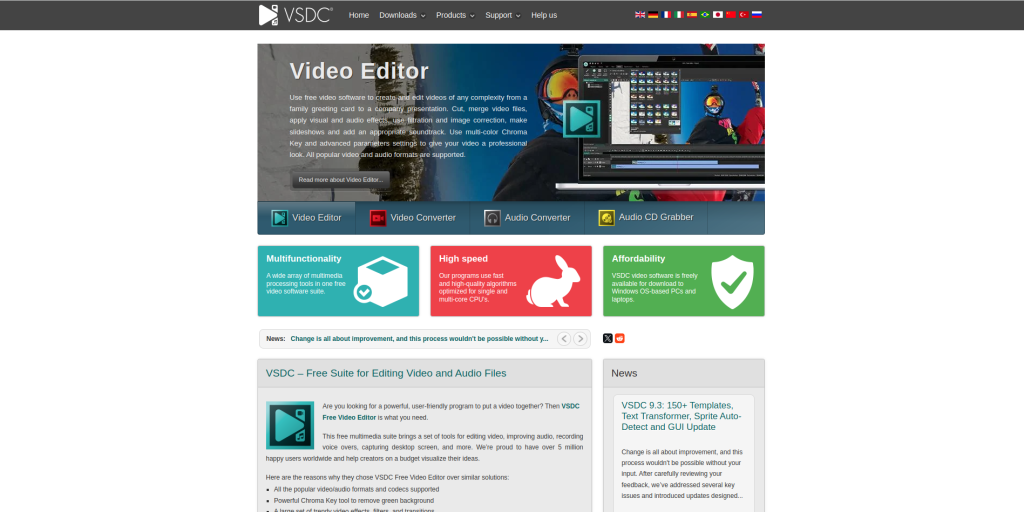
Feature-Packed and Free
VSDC Free Video Editor offers a surprising array of features for a free tool, making it great for budget-conscious creators.
Key Features:
- Non-linear editing
- Wide range of export formats
Pros:
- Completely free
- Lightweight and efficient
Cons:
- Outdated interface
Comparison Table: 10 Best Software to Create YouTube Videos
| Tool | Key Features | Pros | Cons |
| Adobe Premiere Pro | Advanced editing, Adobe ecosystem | Professional, versatile | Expensive, steep learning curve |
| Final Cut Pro | Mac-exclusive, 360-degree VR | Optimized for Mac, one-time cost | Mac-only |
| iMovie | Pre-made themes, free on Mac | Easy to use, beginner-friendly | Limited advanced features |
| DaVinci Resolve | Color correction, free version | Powerful, multi-user collaboration | Overwhelming for beginners |
| Wondershare Filmora | Templates, drag-and-drop | Affordable, beginner-friendly | Watermark in free version |
| Camtasia | Screen recording, tutorials | Simple for beginners, interactive features | Limited advanced editing |
| HitFilm Express | Visual effects, free version | Professional-grade effects | Complex for new users |
| Pinnacle Studio | Motion tracking, animation | Affordable, intuitive | PC-only |
| Lightworks | Multi-format, real-time effects | Free option, professional tools | Export limitations on free plan |
| VSDC Free Video Editor | Non-linear, free | Lightweight, versatile | Outdated interface |
How to Choose the Best Software for You
Consider Your Content Style
Are you making tutorials, vlogs, or cinematic stories? Tools like Camtasia work well for tutorials, while DaVinci Resolve excels in high-quality storytelling.
Think About Your Budget
Free options like VSDC and iMovie are great for starters. For advanced features, consider investing in tools like Adobe Premiere Pro or Final Cut Pro.

Wrapping Up
The 10 best software to create YouTube videos cater to different needs, from beginners needing simplicity to professionals demanding advanced tools. Whether you’re starting with iMovie or diving into Adobe Premiere Pro, the right software can elevate your YouTube content.
Interesting Reads: