

Whether you’re hosting a virtual meeting, running an online class, or presenting to a client remotely, sharing your screen has become essential. The best screen sharing software doesn’t just show your screen; it enhances collaboration, simplifies communication, and can even boost productivity. With so many tools available, it’s crucial to choose the right one that suits your specific needs.
If you’re looking for reliable, easy-to-use software to share your screen, this guide covers the 10 best software for sharing screen with details on features, pros, cons, and unique benefits. Let’s dive into these tools and see which one can best meet your needs!

1. Zoom: The Popular Choice for Screen Sharing and Video Meetings

Zoom is practically synonymous with online meetings and screen sharing. Known for its reliability, Zoom has become a top choice for businesses, schools, and even family get-togethers. Its user-friendly interface and numerous features make it a popular choice.
Key Features:
- HD video and audio support
- Screen annotation and whiteboard tools
- Supports large groups with breakout rooms
Pros:
- Excellent video quality and reliability
- Free tier available with basic features
- Ideal for group presentations and discussions
Cons:
- Limited features in the free version
- Some security concerns reported
Zoom’s combination of ease of use and advanced features make it one of the best options for professional screen sharing, especially when you need reliable, high-quality connections.
2. Microsoft Teams: Seamless Integration with Office 365
Microsoft Teams is more than just a screen sharing tool. With seamless integration into the Microsoft 365 suite, it’s perfect for organizations that already use Microsoft products. Teams offers robust collaboration features alongside its screen sharing capabilities.
Key Features:
- Real-time collaboration with Office apps
- Multiple sharing options (entire screen, specific app)
- Built-in chat and file sharing
Pros:
- Integrated with Microsoft 365
- Great for team collaboration
- High-quality video and screen sharing
Cons:
- Requires a Microsoft 365 subscription for full features
- Can be complex for new users
For businesses that are already Microsoft-centric, Teams is an excellent choice with powerful features that streamline teamwork and screen sharing.
3. Google Meet: A Simple Solution for Google Workspace Users
Google Meet is an excellent option for anyone using Google Workspace. It’s easy to start a meeting directly from Gmail or Google Calendar, making it a highly convenient choice. Google Meet’s screen sharing options allow you to quickly share your entire screen, a window, or a specific tab.
Key Features:
- Integrated with Google Workspace
- Screen sharing with real-time captions
- No download required; works in the browser
Pros:
- User-friendly, browser-based
- No additional software required
- Great integration with Google services
Cons:
- Limited features in the free version
- Video quality varies with internet speed
Google Meet is ideal for simple, fast screen sharing, especially for teams already relying on Google Workspace.
4. Slack: Screen Sharing for Streamlined Team Communication
Slack is known for team communication, and its screen sharing feature is a bonus for users already on the platform. Ideal for smaller teams, Slack allows you to quickly show what you’re working on without leaving the app.
Key Features:
- Screen sharing within chat threads
- Annotation and drawing tools
- Easy integration with other apps
Pros:
- Great for team collaboration
- Convenient for quick sharing within chats
- Annotate directly on shared screens
Cons:
- Limited to Slack workspace users
- Audio and video quality can vary
If your team is already using Slack for messaging, its screen sharing feature can make collaboration even smoother.
5. Cisco Webex: Feature-Rich Tool for Enterprise Screen Sharing
Cisco Webex is known for its high-quality video and screen sharing features, especially in the enterprise space. It’s designed for larger organizations that need secure and reliable screen sharing for meetings and presentations.
Key Features:
- HD screen sharing with real-time video
- File and screen sharing for up to 100,000 attendees
- Secure connection with end-to-end encryption
Pros:
- Secure and reliable
- Great for large meetings and webinars
- Offers recording and transcription
Cons:
- Higher price point for full features
- Interface may be complex for casual users
Cisco Webex is one of the best software for sharing screens if security and enterprise-level features are a priority.
6. TeamViewer: Remote Support and Screen Sharing Combined
TeamViewer is designed for remote support, but it’s also a strong choice for screen sharing. This tool is especially useful for tech support teams and individuals who need to control another computer.
Key Features:
- Remote desktop control
- File sharing and multi-screen support
- Highly secure with two-factor authentication
Pros:
- Ideal for IT support
- Works across different devices and OS
- High-level security features
Cons:
- Can be complicated for basic screen sharing needs
- More expensive than other options
For tech support and cross-device access, TeamViewer is hard to beat.
7. GoToMeeting: Trusted Solution for Professional Webinars
GoToMeeting is a versatile tool that’s been around for a while, and it’s trusted for its reliability in screen sharing and webinars. It offers a full suite of tools to make remote meetings as smooth as possible.
Key Features:
- Screen sharing with drawing tools
- Up to 250 attendees per meeting
- Customizable meeting links
Pros:
- Easy to use, intuitive interface
- Reliable video and screen sharing quality
- Supports large meetings
Cons:
- Pricier than some competitors
- Limited features in the free version
GoToMeeting is a solid choice for businesses hosting frequent virtual presentations or client meetings.
8. AnyDesk: Lightweight and Effective Screen Sharing
AnyDesk is known for its simplicity and low system resource usage, making it an ideal tool for quick screen sharing sessions without impacting computer performance.
Key Features:
- Fast, lightweight software
- Secure file sharing and screen control
- Works on most devices
Pros:
- Quick installation, easy setup
- Very low resource usage
- Works well on lower bandwidth
Cons:
- Limited to basic screen sharing features
- Fewer collaboration tools
For those needing a simple, fast solution, AnyDesk is a good choice for basic screen sharing and support.
9. Discord: More Than Just a Gamer’s Platform
Discord is known as a communication platform for gamers, but its screen sharing and video call features make it great for online collaborations. It’s particularly useful for smaller groups and creative teams.
Key Features:
- Screen sharing with voice chat
- Works on mobile and desktop
- Perfect for casual or creative workspaces
Pros:
- Free to use
- Excellent for informal meetings
- Great community-building tool
Cons:
- Not ideal for formal meetings
- Lacks advanced business features
Discord is an easy choice for small, informal teams looking for free and effective screen sharing.
10. BlueJeans: High-Quality Video and Screen Sharing
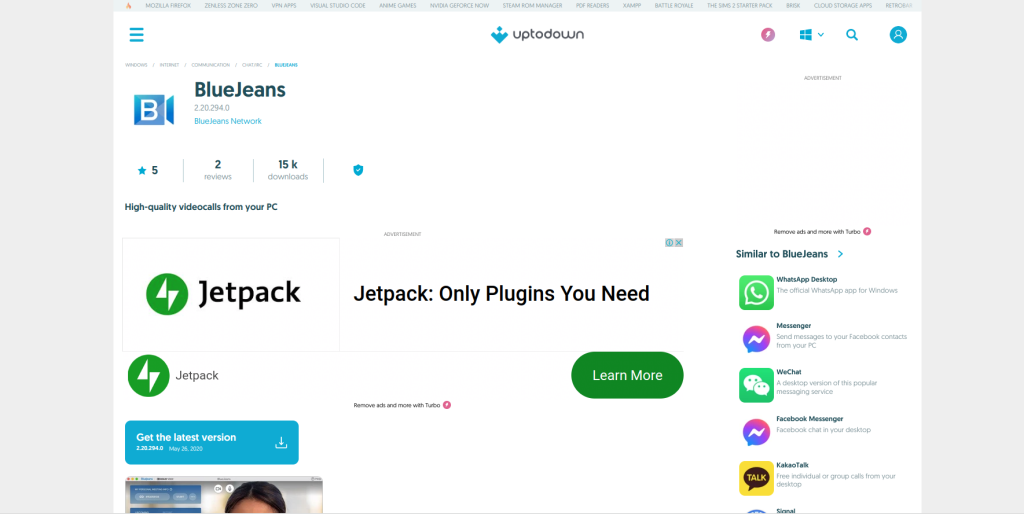
BlueJeans is a lesser-known but powerful video conferencing tool with impressive screen sharing quality. Its Dolby Voice technology makes it a strong contender for businesses that value audio quality.
Key Features:
- Dolby Voice audio technology
- Screen sharing with video quality controls
- Interactive meeting analytics
Pros:
- High audio and video quality
- Advanced analytics for business users
- Secure and reliable
Cons:
- Higher cost compared to basic tools
- Learning curve for new users
For high-quality audio and screen sharing, BlueJeans is an ideal option for companies hosting frequent online meetings.
Comparison Table: 10 Best Software for Sharing Screen
| Tool | Key Features | Pros | Cons |
|---|---|---|---|
| Zoom | HD video, whiteboard, breakout rooms | Reliable, easy to use, free version | Limited free features |
| Microsoft Teams | Office 365 integration, real-time collaboration | Great for team collaboration, high-quality video | Requires subscription |
| Google Meet | Google Workspace integration, live captions | Browser-based, simple to use | Limited free features |
| Slack | In-chat screen sharing, annotation | Great for teams, simple integration | Limited to Slack users |
| Cisco Webex | HD video, secure, large meeting support | Secure and reliable, great for large meetings | Higher price |
| TeamViewer | Remote control, cross-device support | Ideal for tech support, highly secure | Expensive for basic screen sharing |
| GoToMeeting | Screen sharing, up to 250 attendees | Reliable, customizable links | Pricey |
| AnyDesk | Lightweight, low resource usage | Quick and simple setup | Basic screen sharing only |
| Discord | Screen sharing with voice, community focus | Free, good for informal use | Not ideal for formal settings |
| BlueJeans | Dolby audio, interactive analytics | High-quality audio/video | Learning curve |

Closing Remarks: Finding the Perfect Screen Sharing Tool for Your Needs
The best screen sharing software for you will depend on your specific requirements - whether it’s reliable video quality, collaborative tools, or simple screen sharing. These 10 best software for sharing screen cover everything from business meetings to casual team chats, making it easy to find a tool that fits your workflow.
Interesting Reads:
10 Best Software for Making YouTube Videos