

Flowcharts are essential tools for visualizing processes, improving workflows, and enhancing understanding across teams. Choosing the right flowchart software can make all the difference in productivity and efficiency, especially when it comes to ease of use, functionality, and collaboration features. This guide explores the 10 best software for flowcharts, each offering unique benefits for different needs, from basic process mapping to advanced data integration.

Why You Need the Right Flowchart Software
Flowchart software allows you to create visually appealing and easy-to-follow diagrams. Whether you’re mapping a complex business process or designing a simple workflow, using specialized software helps you present your ideas clearly. Additionally, the best flowchart software enhances team collaboration, providing shared editing and integration options that make workflows seamless. Let’s dive into the top choices available.
1. Lucidchart

Lucidchart is a popular tool for flowchart creation that offers flexibility and a user-friendly experience. Its cloud-based platform supports real-time collaboration, which makes it an excellent choice for remote teams. Lucidchart’s extensive template library simplifies the process for beginners, while advanced users can integrate it with various productivity tools like Google Drive and Slack.
Key Features
- Cloud-based with real-time collaboration
- Extensive template library
- Integrates with Google Drive, Slack, and more
Pros
Ideal for team collaboration
Easy integration with other productivity tools
Cons
Some features require a premium plan
2. Microsoft Visio
Microsoft Visio is a robust choice for those seeking a professional tool for flowcharts and diagrams. It has powerful features suitable for both simple and complex diagrams, making it ideal for business users. With seamless integration into the Microsoft ecosystem, Visio is a go-to for many professionals, although it does require a paid subscription.
Key Features
- Professional-grade diagramming tools
- Integration with Microsoft 365
- Extensive shape and symbol library
Pros
Comprehensive feature set for advanced users
Integrates with Microsoft 365
Cons
Higher learning curve for beginners
3. Draw.io (diagrams.net)
Draw.io, now known as diagrams.net, is a fantastic option for those looking for a free flowchart tool with robust functionality. This software integrates with popular cloud storage solutions, allowing users to save and access their diagrams effortlessly. Its intuitive interface makes it accessible for both beginners and advanced users, making it an ideal choice for various use cases.
Key Features
- Free and open-source
- Cloud storage integration (Google Drive, OneDrive)
- Customizable and easy to use
Pros
Free to use with no hidden costs
Supports cloud storage and real-time collaboration
Cons
Limited advanced features compared to premium tools
4. Creately
Creately is known for its strong collaboration features, enabling teams to work together in real-time. The platform is user-friendly, offering plenty of templates for various types of diagrams and flowcharts. It’s a versatile tool suitable for both individual and team projects, with an emphasis on clear visual presentation.
Key Features
- Collaborative, cloud-based platform
- Customizable templates and shapes
- Real-time editing and feedback
Pros
User-friendly with strong collaboration tools
Great selection of templates
Cons
Some features are locked behind a subscription
5. SmartDraw
SmartDraw is a powerful diagramming tool with an emphasis on automation. Its automatic formatting feature allows you to easily adjust and rearrange flowcharts, saving time and effort. SmartDraw’s extensive template library and integration options make it suitable for both individuals and large organizations.
Key Features
- Automated flowchart building
- Over 4,500 templates and 34,000 symbols
- Integrations with Microsoft Office and Google Workspace
Pros
Extensive symbol library and automated features
Integrates well with office productivity software
Cons
More expensive than some alternatives
6. Cacoo
Cacoo is a user-friendly flowchart software ideal for collaborative projects. It offers real-time editing, commenting, and a built-in chat feature, making it easy for team members to communicate and adjust diagrams together. This cloud-based tool is accessible and supports integrations with popular services like Google Drive and Slack.
Key Features
- Real-time collaboration for teams
- Built-in chat for seamless communication
- Wide range of templates and shapes
Pros
Real-time collaboration and communication tools
Intuitive and easy to use
Cons
Limited offline functionality
7. Edraw Max
Edraw Max is a versatile diagramming tool that supports flowcharts, mind maps, and a variety of other diagrams. With its extensive shape library and templates, Edraw Max is suitable for professionals who need high-quality visuals. Its compatibility with multiple platforms is an added bonus for diverse teams.
Key Features
- Extensive shape and template library
- Professional-quality design features
- Multi-platform support (Windows, Mac, Linux)
Pros
Cross-platform compatibility
Excellent for professional, detailed designs
Cons
Requires a paid subscription for advanced features
8. Gliffy
Gliffy is a straightforward tool ideal for beginners, offering drag-and-drop functionality that simplifies flowchart creation. Its integration with tools like Jira and Confluence makes it a great option for teams using the Atlassian suite. With a focus on simplicity, Gliffy is perfect for quick and easy diagramming.
Key Features
- Easy-to-use drag-and-drop interface
- Integrates with Jira and Confluence
- Supports collaborative editing
Pros
Simple interface with integrations for teams
Ideal for beginners
Cons
Limited advanced features
9. MindMeister
MindMeister specializes in mind mapping but also supports flowchart creation, making it a great option for visual thinkers. With real-time collaboration and chat features, it’s designed for team-based brainstorming and planning. MindMeister integrates well with MeisterTask, providing a complete workflow solution for project management.
Key Features
- Focus on mind mapping and flowcharting
- Real-time collaboration and chat
- Integrates with MeisterTask for project management
Pros
Excellent for brainstorming and mind mapping
Integrates with project management tools
Cons
Limited functionality for complex flowcharts
10. Miro
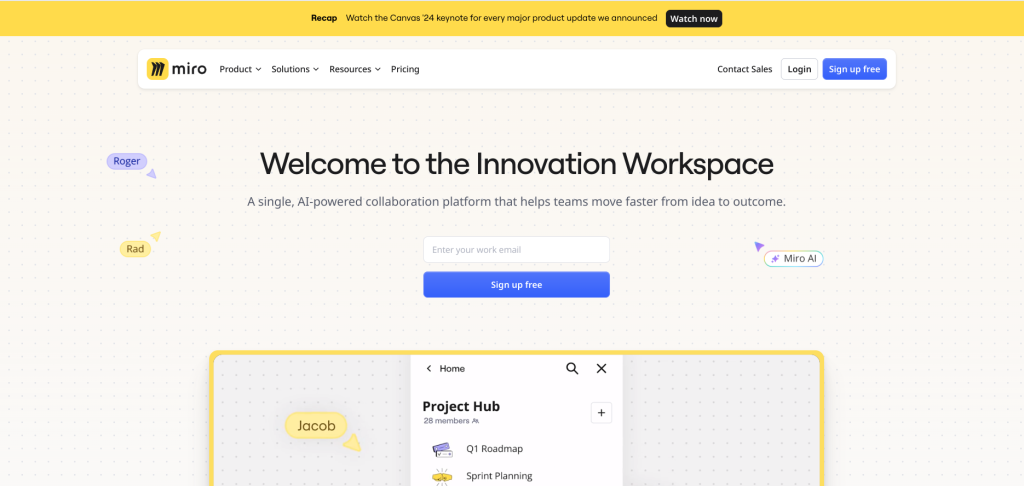
Miro combines flowchart capabilities with a digital whiteboard, making it highly versatile for brainstorming and team collaboration. It offers real-time editing, sticky notes, and a variety of templates that can be customized to suit any project. It’s perfect for teams that want to combine brainstorming with diagramming.
Key Features
- Digital whiteboard with flowchart tools
- Real-time collaboration and sticky notes
- Supports a wide range of templates
Pros
Versatile with multiple collaboration tools
Ideal for creative and brainstorming sessions
Cons
Requires a subscription for full features
Comparison Table: 10 Best Software for Flowcharts
| Software | Key Features | Pros | Cons |
|---|---|---|---|
| Lucidchart | Cloud-based, templates, integration | Ideal for collaboration, integrates with Google Drive | Some features are premium-only |
| Microsoft Visio | Professional tools, Microsoft 365 integration | Comprehensive, integrates with Microsoft 365 | Higher learning curve |
| Draw.io (diagrams.net) | Free, cloud storage integration | Free and easy to use | Limited advanced features |
| Creately | Collaborative, customizable templates | User-friendly, great templates | Some features require subscription |
| SmartDraw | Automated, extensive templates | Automated formatting, integrates with Google Workspace | More expensive |
| Cacoo | Real-time collaboration, built-in chat | Easy collaboration tools | Limited offline functionality |
| Edraw Max | Multi-platform, professional design | Cross-platform, professional | Subscription required |
| Gliffy | Drag-and-drop, Jira integration | Simple interface | Limited advanced features |
| MindMeister | Mind mapping, real-time collaboration | Great for brainstorming | Limited for complex flowcharts |
| Miro | Digital whiteboard, sticky notes | Highly versatile | Subscription for full features |

Last Remarks: Find the Right Flowchart Software for Your Needs
Selecting the best flowchart software ultimately depends on your unique needs. Whether you’re a beginner or an advanced user, there’s an ideal tool on this list for everyone. Consider the collaboration features, integrations, and usability before making a choice. Embrace one of these tools, and elevate your workflow with seamless, clear process mapping.
Interesting Reads:
10 Best AI Tools for Research Today