

Your WordPress site is a treasure trove of hard work, creativity, and valuable content. But what if all that vanished one day due to a server crash or hacking attempt? That’s why having a solid backup plugin is non-negotiable. Thankfully, there are plenty of free solutions available. In this blog, we’ll explore the 10 best free backup plugins for WordPress to help you safeguard your site without spending a dime.

Why Every WordPress Site Needs a Backup Plugin
Peace of Mind for Your Website
Imagine waking up one morning to find your website down, or worse - gone entirely. With a backup plugin, you can restore your site in minutes, minimizing stress and downtime.
Protection Against Unforeseen Issues
Whether it’s a plugin conflict, malware attack, or accidental deletion, having a backup ensures that no matter what happens, your data is safe.
1. UpdraftPlus: The All-Time Favorite
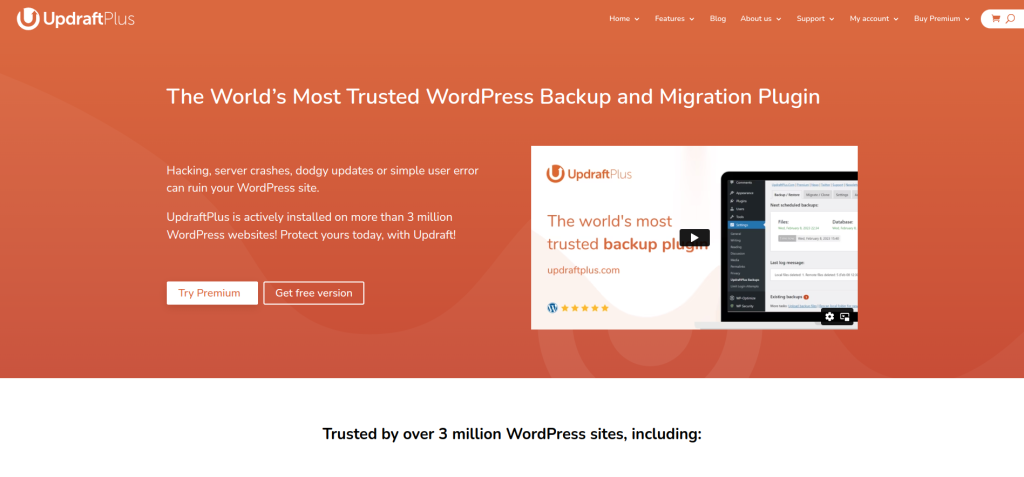
UpdraftPlus is the most popular backup plugin for WordPress, and for good reason. It offers features that rival premium plugins - all for free.
Key Features:
- Scheduled and on-demand backups
- Direct backup storage to Google Drive, Dropbox, and more
Pros:
- User-friendly interface
- Compatible with multiple storage options
Cons:
- Some advanced features require a premium upgrade
2. BackWPup: Versatility at Its Best
BackWPup lets you store backups in a variety of formats, including .zip and .tar. It’s perfect for users who like flexibility and control.
Key Features:
- Backup to external services like S3 and Dropbox
- Database optimization features
Pros:
- Customizable backup options
- Easy-to-use for beginners
Cons:
- Slower backups on larger sites
3. Duplicator: More Than Just Backups
Duplicator is a two-in-one tool that allows you to back up and migrate your WordPress site. It’s ideal for users looking to clone their site or move it to a new server.
Key Features:
- Easy site migration
- Manual and scheduled backups
Pros:
- Great for developers
- Minimal impact on site performance
Cons:
- Learning curve for non-tech-savvy users
4. WPvivid Backup Plugin: Feature-Rich and Free
WPvivid is a powerful plugin offering automated backups, migrations, and staging features. It’s perfect for those managing multiple sites.
Key Features:
- One-click backup and restore
- Site migration and staging
Pros:
- Packed with features
- Straightforward setup
Cons:
- Some advanced features locked behind premium
5. Jetpack Backup (Free Version): All-in-One Solution
Jetpack Backup integrates seamlessly with other Jetpack features, making it a great choice for users already using Jetpack on their WordPress site.
Key Features:
- Incremental backups
- One-click restore
Pros:
- Great for Jetpack users
- Lightweight and efficient
Cons:
- Limited features in the free version
6. BlogVault (Free Backup Option): Reliable and Secure
BlogVault is known for its premium features, but it also offers a free plan for basic backups. It’s a reliable solution for small websites.
Key Features:
- Offsite storage for backups
- Automatic daily backups
Pros:
- Highly secure backup storage
- Free plan covers essentials
Cons:
- Premium features overshadow free options
7. WP Time Capsule: Smart Backups
WP Time Capsule uses incremental backup technology, so it only backs up changes rather than the entire site. This makes it fast and efficient.
Key Features:
- Cloud storage options
- Incremental backups
Pros:
- Saves server space
- Ideal for frequent backups
Cons:
- Setup requires additional steps
8. XCloner: Open-Source Backup Solution
XCloner is an open-source plugin that allows you to create full backups and restore them seamlessly. It’s ideal for tech-savvy users who love customization.
Key Features:
- Backup encryption
- Support for remote storage options
Pros:
- Highly customizable
- Free with no hidden charges
Cons:
- Not beginner-friendly
9. All-in-One WP Migration: Perfect for Cloning
All-in-One WP Migration is primarily a migration tool, but it doubles as a reliable backup plugin. It’s great for users looking to move their site effortlessly.
Key Features:
- One-click export and import
- No technical knowledge required
Pros:
- Great for migrations
- Intuitive interface
Cons:
- Backup size limitations on the free version
10. Easy WP Backup: Simplicity at Its Core

As the name suggests, Easy WP Backup focuses on ease of use. It’s perfect for beginners who want a simple way to safeguard their site.
Key Features:
- Scheduled backups
- Email notifications for completed backups
Pros:
- Straightforward setup
- No technical skills needed
Cons:
- Lacks advanced options
Comparison Table: 10 Best Free Backup Plugins for WordPress
| Plugin | Key Features | Pros | Cons |
| UpdraftPlus | Scheduled backups, cloud storage | User-friendly, versatile | Advanced features require premium |
| BackWPup | Customizable formats, optimization | Beginner-friendly | Slower on large sites |
| Duplicator | Migration + backup | Great for developers | Steep learning curve |
| WPvivid | Automated backups, migration | Packed with features | Limited advanced free options |
| Jetpack Backup | Incremental backups | Lightweight, seamless integration | Free version limited |
| BlogVault | Offsite storage | Highly secure | Premium-focused |
| WP Time Capsule | Incremental backups | Saves server resources | Complicated initial setup |
| XCloner | Backup encryption, open-source | Customizable | Not beginner-friendly |
| All-in-One WP Migration | Migration and backup | Intuitive interface | Limited free backup size |
| Easy WP Backup | Scheduled backups, email notifications | Simple and beginner-friendly | Limited advanced features |
How to Choose the Right Backup Plugin for Your WordPress Site
Determine Your Needs
Are you looking for basic backups or advanced features like staging and migration? Plugins like UpdraftPlus and WPvivid offer a balance of simplicity and functionality.
Consider Performance
Some plugins may slow down your site, especially during backups. Incremental backup options like WP Time Capsule can help reduce this issue.

Final Thoughts: Backup Your Site Like a Pro
With the 10 best free backup plugins for WordPress, securing your website has never been easier. From robust options like UpdraftPlus to beginner-friendly plugins like Easy WP Backup, there’s something for every WordPress user. So, don’t wait for disaster to strike - choose a plugin today and keep your hard work safe.
Interesting Reads:
10 Best Forum Plugin for WordPress