

In a world where clients expect instant access to information and seamless communication, businesses need a reliable way to stay connected. Enter client portal software - a tool designed to centralize and streamline interactions between businesses and their clients.
If you’re searching for the 10 best client portal software, you’ve come to the right place. This blog will guide you through the top options, their unique features, and how they can transform client relationships.

What is Client Portal Software, and Why Do You Need It?
Making Client Interactions Seamless
Client portal software acts as a secure online gateway where clients can access their information, upload documents, track projects, and even pay invoices. Gone are the days of endless back-and-forth emails - this tool simplifies communication while keeping everything in one place.
Imagine providing your clients with 24/7 access to project updates, reports, or financial data without manually sending emails. That’s the magic of a client portal!
Key Benefits for Businesses
By using client portal software, businesses can:
- Enhance client satisfaction with easy access to information.
- Improve operational efficiency by reducing manual tasks.
- Strengthen data security with encrypted communication.
Top 10 Client Portal Software for Businesses
Let’s dive into the 10 best client portal software that can help you streamline client interactions and elevate your business processes.
1. Clinked
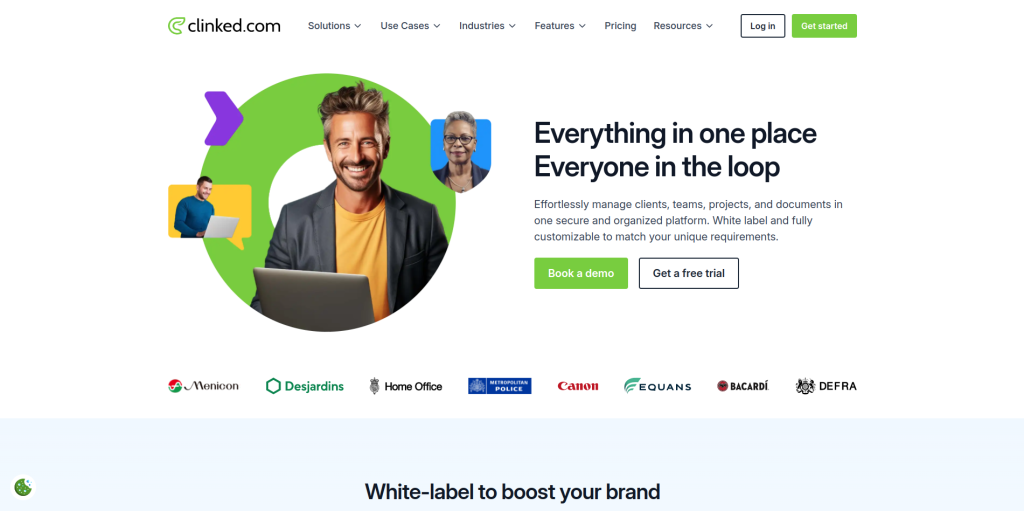
Collaboration at Its Best
Clinked is a top-notch client portal solution designed for collaboration and document sharing.
Key Features
- White-label customization to match your brand.
- Secure file sharing with audit trails.
Pros
- Simple interface for clients and teams.
- Excellent for document-heavy industries.
Cons
- Limited integrations compared to competitors.
2. SuiteDash
All-in-One Client Management
SuiteDash combines CRM, project management, and a client portal into a single platform.
Key Features
- Customizable dashboards for clients.
- Secure client messaging and file sharing.
Pros
- Affordable for small businesses.
- All-in-one functionality.
Cons
- Steep learning curve for new users.
3. Huddle
Built for Secure Collaboration
Huddle is perfect for organizations needing advanced security for client collaboration.
Key Features
- ISO-certified secure document sharing.
- Task management and approval workflows.
Pros
- Robust security features.
- Ideal for government and legal sectors.
Cons
- Higher pricing compared to competitors.
4. Portal
Sleek and Modern Interface
Portal is a lightweight client portal software that focuses on providing a modern, intuitive user experience.
Key Features
- Automated workflows for client onboarding.
- Secure client communication tools.
Pros
- Clean, user-friendly interface.
- Great for startups and small businesses.
Cons
- Limited advanced features for larger enterprises.
5. Microsoft SharePoint
Enterprise-Ready Collaboration
SharePoint by Microsoft is a powerful tool for businesses needing a scalable, enterprise-level client portal solution.
Key Features
- Integration with Office 365 and Microsoft Teams.
- Customizable client access controls.
Pros
- Enterprise-grade scalability.
- Seamless Microsoft ecosystem integration.
Cons
- Requires technical expertise for setup.
6. Accelo
For Service Businesses
Accelo is tailored for service-oriented businesses that need robust project tracking and client communication.
Key Features
- Client project tracking in real-time.
- Automated task and time tracking.
Pros
- Perfect for service-based industries.
- Easy to use with intuitive design.
Cons
- May lack advanced features for large enterprises.
7. Zoho Projects
Affordable and Versatile
Zoho Projects offers an affordable client portal feature as part of its broader project management software.
Key Features
- Client collaboration on tasks and milestones.
- Integration with Zoho’s CRM and invoicing tools.
Pros
- Cost-effective.
- Wide range of integrations.
Cons
- Limited customization options.
8. Freshdesk
Customer Service Meets Client Portals
Freshdesk is primarily a customer support platform, but its client portal capabilities make it worth considering.
Key Features
- Self-service knowledge base for clients.
- Ticket tracking and support management.
Pros
- Excellent for customer support teams.
- Scalable for businesses of all sizes.
Cons
- May not have all features of a dedicated client portal tool.
9. Client Portal (WordPress Plugin)
A Budget-Friendly Option
Client Portal is a WordPress plugin that turns your website into a client portal.
Key Features
- Easy setup and integration with WordPress.
- Customizable branding options.
Pros
- Affordable and flexible.
- Perfect for small businesses.
Cons
- Requires WordPress knowledge.
10. Onehub

Simple and Secure
Onehub is ideal for businesses looking for a straightforward, secure client portal solution.
Key Features
- Drag-and-drop file sharing.
- Activity tracking and audit trails.
Pros
- User-friendly interface.
- Strong security features.
Cons
- Limited integrations compared to other tools.
Comparison Table: The 10 Best Client Portal Software
| Software | Key Features | Pros | Cons |
| Clinked | Secure file sharing, branding options | Simple interface, great for docs | Limited integrations |
| SuiteDash | All-in-one platform, dashboards | Affordable, versatile | Learning curve |
| Huddle | Secure document sharing, approvals | Strong security, great for legal | Expensive |
| Portal | Automated workflows, clean design | Intuitive, startup-friendly | Limited advanced features |
| Microsoft SharePoint | Office 365 integration, scalability | Enterprise-ready, robust tools | Requires expertise |
| Accelo | Real-time tracking, task automation | Service-business friendly | Less enterprise-focused |
| Zoho Projects | Collaboration, CRM integration | Affordable, versatile | Limited customization |
| Freshdesk | Ticket tracking, self-service portals | Great for support teams | Lacks advanced portal features |
| Client Portal | WordPress plugin, branding options | Budget-friendly, flexible | Needs WordPress skills |
| Onehub | Drag-and-drop sharing, audit trails | Secure, easy-to-use | Fewer integrations |
Choosing the Right Client Portal Software
Understand Your Business Needs
Think about your primary goals. Do you want better document sharing (Clinked)? Or are you looking for a robust, enterprise-ready tool like SharePoint? Your specific needs will guide your decision.
Balance Features with Budget
While premium tools like Huddle offer advanced features, budget-friendly options like Zoho Projects and Client Portal can also get the job done effectively.

Final Thoughts on the 10 Best Client Portal Software
The right client portal software can revolutionize how you manage and communicate with clients. From improving data security to enhancing collaboration, the tools on this list cater to a variety of needs and budgets.
Take your time to explore these options, test free trials, and find the perfect fit for your business. A well-chosen client portal is more than just software - it’s an investment in better client relationships.
Interesting Reads:
The 10 Best Custom CRM Software