
Interactive content is key to keeping your community engaged. Stories - those short, visually appealing snippets of content - are an excellent way to boost user interaction. If you’re running a community site using WordPress, adding story features can take engagement to the next level.
The use of stories isn’t just limited to social media platforms like Instagram or Facebook. Websites and community platforms are now leveraging this dynamic feature to create immersive storytelling experiences. Whether you want to highlight user-generated content, showcase featured members, or share updates in a visually engaging manner, adding Stories can make your site more interactive and compelling. You can seamlessly integrate this feature and enhance your community experience, so let’s see how we can do this on a WordPress Community site.

Why Add Stories to Your Community Site?
Stories have taken over social media, and for a good reason - they are immersive, interactive, and perfect for quick updates. Adding stories to your website can:
-
Increase user engagement by providing fresh, snackable content that keeps users returning.
-
Encourage participation, as users can create and share their own stories within your community.
-
Enhance community interaction, keeping members connected and entertained.
-
Boost site dwell time, as engaging stories encourage visitors to spend more time browsing content.
-
Improve content discoverability, giving users a quick way to explore recent updates and events.
Step-by-Step guide to Add Story feature
To add the story feature, I have used WP stories on a site using Reign Theme. Reign theme is a dedicated Community WordPress Theme seamlessly integrated with BuddyPress, BuddyBoss and PeepSo.
Try the Reign theme demo here
Installing WP Stories with the Reign Theme
Setting up WP Stories with the Reign theme is a simple process. Here’s how you can get started:
-
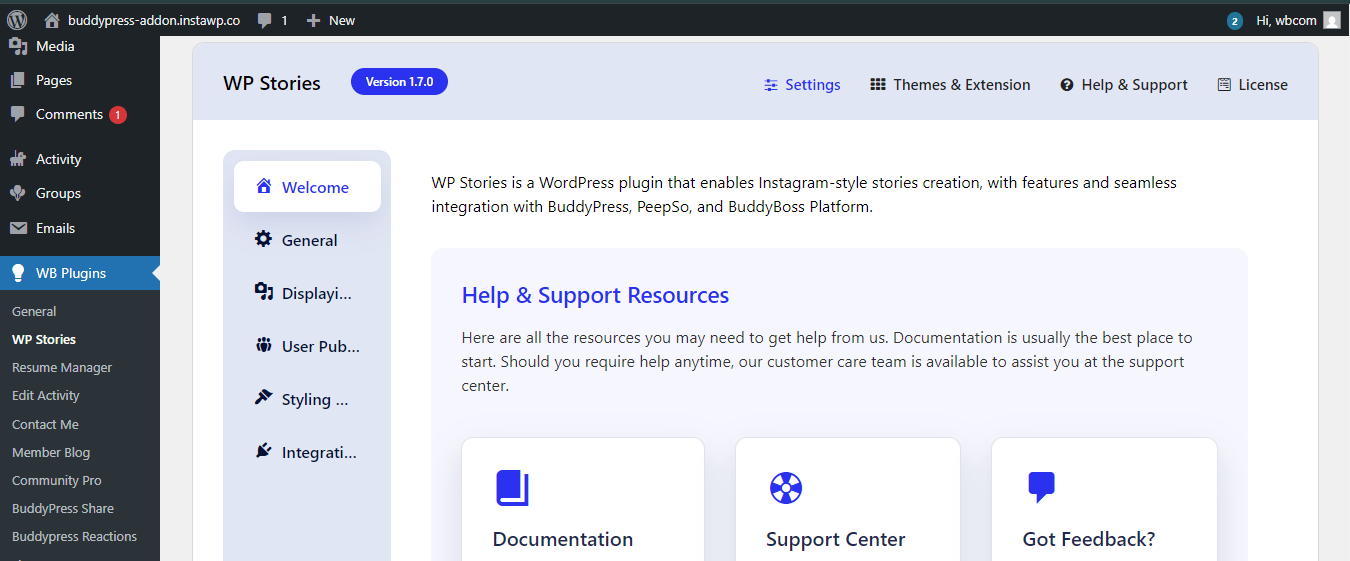
Install WP Stories Plugin: Go to your WordPress dashboard, navigate to Plugins > Add New, search for “WP Stories,” and install it.
-
Activate the Plugin: Once installed, activate the plugin to start using its features. If using BuddyPress make sure to switch on BuddyPress Integration option from the backend.

-
Ensure Theme Compatibility: The Reign theme is fully compatible with WP Stories, ensuring smooth integration but if you want to try different theme do check for compatibility.
-
Configure General Settings: Customize story duration, display format, and autoplay settings to match your preferences by going to your WordPress dashboard, navigate to WP Plugins>Display option for time duration adjustment or General Settings for Story format options.

-
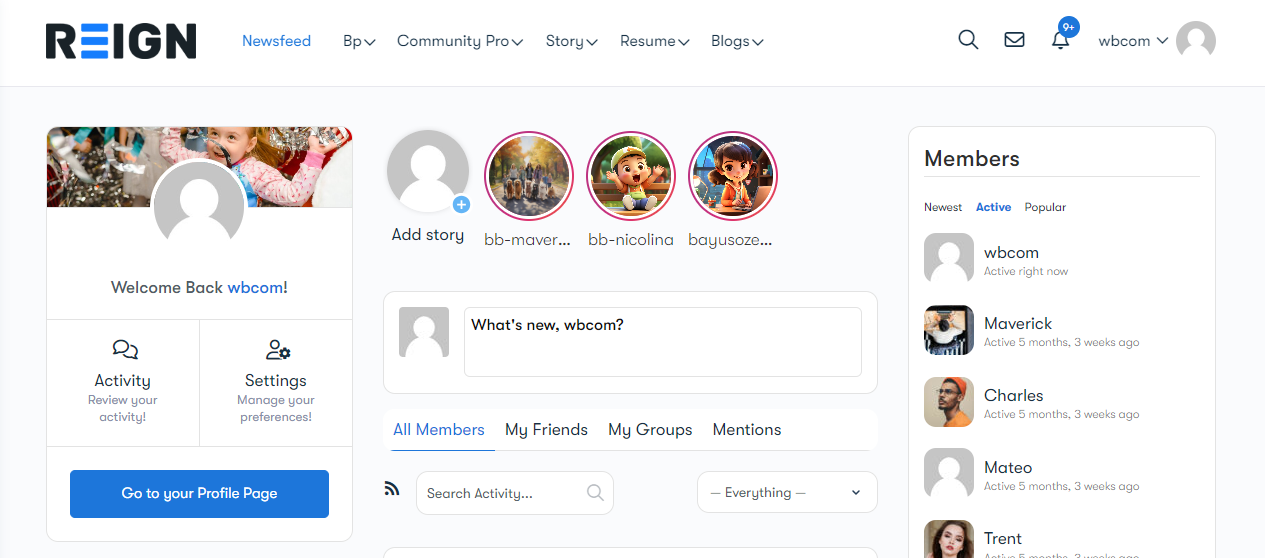
Enable Story Widgets: Place stories on your homepage, sidebar, or dedicated community sections using Reign’s widget support.
Customizing Stories to Match Your Brand
To maintain a consistent brand identity, you can customize the appearance of your stories:
-
Adjust colors, fonts, and story layouts to align with your website’s aesthetics.
-
Use the Reign theme’s built-in customization options for seamless design integration.
-
Enable autoplay and transition effects to make stories more dynamic.
-
Add background music or animations to make stories more engaging.
-
Customize story navigation controls for a smoother user experience.
Exploring WP Stories Features for Maximum Engagement
WP Stories offers plenty of features to keep your audience hooked:
-
Story Scheduling: Plan and schedule stories in advance to ensure fresh content daily.
-
Auto-Expiry: Stories disappear after a set time, maintaining a sense of urgency and exclusivity.
-
Embed Stories Anywhere: Add them to pages, posts, or widgets to maximize visibility.
-
User-Generated Content: Allow community members to create and share their own stories, encouraging participation.
-
Swipe-Up Links: Redirect users to specific pages, offers, or external links through swipe-up actions.
-
Interactive Stickers: Use polls, quizzes, and question stickers to make stories more engaging.
Enhancing the Community Experience with Additional Features
Take your site’s storytelling to the next level by integrating additional tools:
-
BuddyPress Integration: Combine WP Stories with BuddyPress for a full-fledged social networking experience.
-
Gamification: Reward users with badges, points, or leaderboards for active story engagement.
-
Community Challenges: Organize contests or challenges where users submit themed stories for prizes.
-
Advanced Analytics: Track story performance to understand what works best and optimize future content.
-
Push Notifications: Notify users when new stories are available to keep engagement levels high.
Try the demo for WP Stories here
Create an Immersive experience
Adding WP Stories to your Reign-powered community site is a game-changer. It transforms how users interact, keeping them engaged with fresh, interactive content. Whether you run a membership site, a social network, or an online community, stories are an invaluable feature that adds dynamism and fosters real-time interactions.
Want to make the most out of your community platform? Wbcom Designs offers expert solutions to help you build a thriving, interactive community site. Check out our services and take your engagement to the next level!

Interesting Reads
Setting Up a No-Cost Private Community Website: Stepwise Guide
How to Drive Engagement in Your Online Learning Platform
How to Build an Interactive Community That Inspires Engagement and Growth