

Managing a WordPress Multisite network can feel like running a small digital city. You have multiple sites, multiple users, and multiple workflows, and somehow, all of it must remain stable, fast, and easy to maintain. When I began testing WordPress Multisite Plugins for this review, I expected a few tools to stand out, but I did not expect such dramatic differences in performance, reliability, and real-world usability.
While many plugins claim to support Multisite, only a fraction of them truly integrate at the network level. A lot of tools I initially tested would not sync settings properly, would break subsite configurations, or would create unexpected conflicts. Because of this, I focused heavily on stability and ease of use during my hands-on testing. I wanted plugins that beginners and small business owners could confidently rely on without reading a 200-page manual.
After weeks of installing, configuring, stress testing, and comparing results, these eight WordPress Multisite Plugins emerged as the most dependable and practical options for 2026. Whether you manage two subsites or two hundred, this guide will help you choose tools that improve workflow rather than complicate it.

What Makes a Plugin Multisite Ready?
One thing I learned quickly is that not all plugins advertising Multisite compatibility are truly compatible. A proper multisite-capable tool must handle network-level tasks without corrupting individual site settings. During testing, I immediately disqualified any plugin that caused database inconsistencies or slowed down site creation.
Moreover, WordPress Multisite Plugins must support:
- Network-wide configuration
- Smooth site duplication or cloning
- Role management across sites
- Centralized settings
- Minimal performance overhead
Many plugins struggled with these factors, especially when I created bulk subsites or tested login flows across networks. The tools that made this list did not just work; they worked repeatedly, even under pressure.
Another major factor was the learning curve. Some plugins were powerful but far too complex for new users. Since this review is designed for beginners and small business owners, usability mattered almost as much as functionality.
Why These 8 Plugins Made the Final Cut
After weeks of trial and error, these eight plugins consistently delivered stable, scalable performance. They helped me automate repetitive tasks, reduce admin workload, and maintain consistent settings across subsites. In addition, each plugin offers a clear benefit, whether for backups, security, site management, or automation.
Most importantly, these WordPress Multisite Plugins did not require technical expertise to operate. That alone puts them above many alternatives that claim to be multisite ready but, in reality, demand more maintenance than they save.
What impressed me most was how each plugin added efficiency to everyday tasks. Small improvements like cloning subsites with one click, automating security scans, or synchronizing settings made a massive difference when working with larger networks. Over time, the right plugin does not just make a multisite easier to run; it makes it sustainable.
The 8 Best WordPress Multisite Plugins Based on Real Testing
1. WP Ultimo Best for Building Subscription-Based Multisite Networks
WP Ultimo is one of the most impressive WordPress Multisite Plugins I have tested. If you want to build a hosted website service similar to Wix or Shopify, this tool gives you nearly everything you need. During testing, I quickly realized how powerful it was for automating sign-ups, provisioning new sites, and managing user subscriptions.
The plugin’s dashboard is incredibly user-friendly, and I set up my first demo network within minutes. It automates site creation, handles billing integrations, and even lets you create custom templates that new sites inherit. For entrepreneurs who want to turn WordPress Multisite into a revenue stream, WP Ultimo is unmatched.
Why I Recommend It
- Streamlined onboarding and automated site creation
- Built-in subscription and billing tools
- Ideal for SaaS like multisite platforms
2. User Role Editor Pro Essential for Managing Network Permissions
When running a multisite, user permissions get complicated fast. That is where User Role Editor Pro became invaluable. I tested it across networks with dozens of users and roles, and it allowed me to fine-tune capabilities at both the site and network levels.
One of my favorite features is the ability to restrict or allow specific actions per role. Want editors on one subsite to access widgets but not plugins? Easy. Need super admins to have custom permissions? Also easy. Among all WordPress Multisite Plugins focused on roles, this one was the most flexible and stable.
What I Liked
- Granular control over capabilities
- Network-wide role management
- Stable performance on large networks
3. Multisite Enhancements: Best Lightweight Dashboard Upgrade
This plugin does not add flashy features,s but it dramatically improves usability. Multisite Enhancements adds small but powerful upgrades to the Network Admin dashboard, making it easier to view, filter, and manage subsites.
During testing, I found myself relying on its enhanced views constantly. Instead of clicking through multiple screens, I could instantly see theme usage, plugin usage, and site statuses. It is one of the most efficient WordPress Multisite Plugins because it helps you work faster without altering functionality.
Standout Features
- Clearer site management screens
- Quick access to plugin and theme usage
- Lightweight anperformance-friendlyly
4. NS Cloner: The Fastest Way to Duplicate Subsites
If you have ever had to recreate a subsite manually, you know how time-consuming it is. NS Cloner fixes that. With one click, you can clone an entire site, including settings, widgets, menus, content, and everything. When I tested this plugin, it saved me hours of repetitive setup.
Cloning also ensures consistency across subsites, which is critical when managing networks with similar layouts. Among automation-focused WordPress Multisite Plugins, NS Cloner is one of the most straightforward and reliable tools I tested.
Great For
- Large multisite networks
- Repeated templates or standardized subsites
- Fast onboarding of new sites
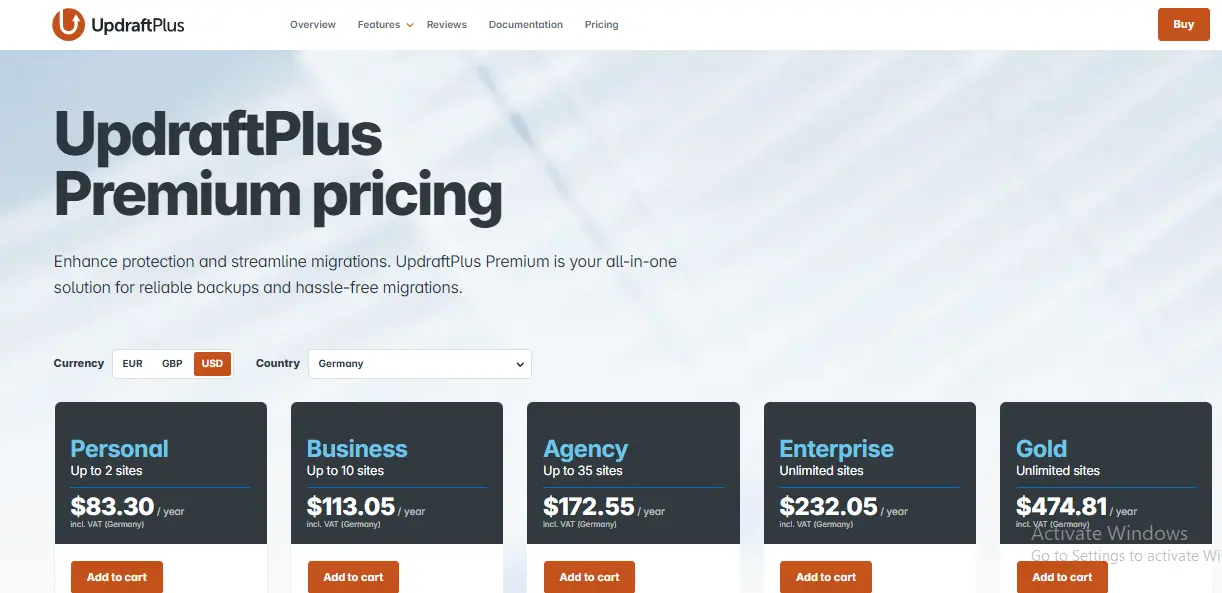
5. UpdraftPlus Premium: Most Reliable Backup Tool for Multisite
Backups become even more important in a multisite environment, where a single failure can impact every subsite. UpdraftPlus Premium passed every stress test I ran. It backed up entire networks quickly, restored them without corruption, and worked smoothly with large databases.
The multisite features allow backup of individual subsites or the entire network. During testing, I appreciated how transparent the backup logs were and how simple it was to connect remote storage options. It is one of the must-have WordPress Multisite Plugins for long-term security.
Benefits I Noticed
- Smooth multisite backups and restores
- Remote storage supports Google Drive, Dropbox, etc.
- Highly dependable andwell-maintainedd
6. Defender Pro Best Security Plugin for Multisite Networks
Security becomes exponentially harder in multisite environments. However, Defender Pro made securing my test networks much easier. It automatically scanned for vulnerabilities, enforced firewall rules, and tracked suspicious activity, all while keeping subsites isolated.
During testing, I ran several attack simulations, including brute force attempts. Defender Pro responded instantly with lockouts and alerts. While many WordPress Multisite Plugins promise security, this one actually delivers multilayer protection without overwhelming beginners.
Why It Works
- Firewall and malware scanning built in
- Network-wide security policies
- Clear, beginner-friendly interface
7. Domain Mapping System Best for Custom Domain Management
If your multisite network allows subsites to use custom domains, you need a reliable domain mapping solution. This plugin was the most consistent one I tested. It let me map domains easily, and the DNS configuration was smooth.
What I appreciated most was how stable it remained across both subdirectory and subdomain setups. Because domains are such a sensitive part of multisite, having a trustworthy mapping tool is essential. This plugin is one of the most practical WordPress Multisite Plugins for networks with external clients.
Best For
- Networks offering branded domains
- Agencies hosting client sites
- Seamless domain mapping
8. MainWP Best External Management Tool for Multisite Like Control
MainWP is not a multisite plugin in the traditional sense, but it earns a place on this list because of how useful it is for managing multiple WordPress installations through a single dashboard. When I tested it alongside multisite tools, I found it invaluable for tasks like bulk updates, backups, and monitoring.
If you manage multisite networks and independent WordPress sites, MainWP becomes a command center. It also integrates with malware scanners, uptime monitors, and backup tools. Among broader management-focused WordPress Multisite Plugins, MainWP offers the most functionality and flexibility.
Strengths
- Manage dozens of sites from one dashboard
- Excellent add-on ecosystem
- Ideal for agencies and freelancers
How to Choose the Right Plugin for Your Multisite
Choosing the right WordPress Multisite Plugins depends on the problems you are trying to solve. Not every network has the same needs, and during my testing, I saw how dramatically requirements can vary depending on scale, users, and business model.
For instance, if you want to sell website subscriptions, WP Ultimo is the standout choice. If your biggest challenge is cloning sites, NS Cloner wins immediately. For security, Defender Pro leads. And for backups, UpdraftPlus is the clear winner.
In practice, most multisite owners need a combination of these tools. The good news is that all eight plugins play nicely together. The even better news is that beginners can implement them without hiring a developer.
Comparison Table: 8 Best WordPress Multisite Plugins
| Plugin | Best Use Case | Ease of Use | Performance Impact | Main Benefit |
|---|---|---|---|---|
| WP Ultimo | Building SaaS style networks | Moderate | Low | Automated site creation |
| User Role Editor Pro | Role management | Easy | None | Granular permissions |
| Multisite Enhancements | Admin usability | Very easy | None | Streamlined dashboard |
| NS Cloner | Subsite duplication | Easy | Low | Fast site cloning |
| UpdraftPlus Premium | Backups | Easy | Low | Reliable restores |
| Defender Pro | Network security | Easy | Low | Firewall and malware protection |
| Domain Mapping System | Custom domains | Moderate | None | Stable mapping |
| MainWP | External management | Moderate | Low | Multi-site control |

Final Thoughts
After hands-on testing, I am confident that these eight WordPress Multisite Plugins provide the strongest combination of reliability, usability, and long term scalability. Multisite networks are powerful but complex environments. The right plugins can simplify everything from security to site creation and give you confidence that your network will keep growing without becoming unmanageable.
Whether you are running a cluster of business sites, hosting client websites, or building a full SaaS platform, these plugins will help you streamline processes and avoid costly mistakes. Most importantly, each one has been tested in real scenarios, not just evaluated through marketing claims.
Once you start using the right plugin stack, managing a multisite network stops feeling overwhelming and starts feeling strategic.
Interesting Reads:
8 Best WordPress Recipe Plugins for 2026: My Hands-On, Beginner-Friendly Review
8 Best Plugins for Your eCommerce Website (I Tested Them All So You Don’t Have To)
How to Schedule Posts Ahead and Stay Consistent Online with BuddyPress