
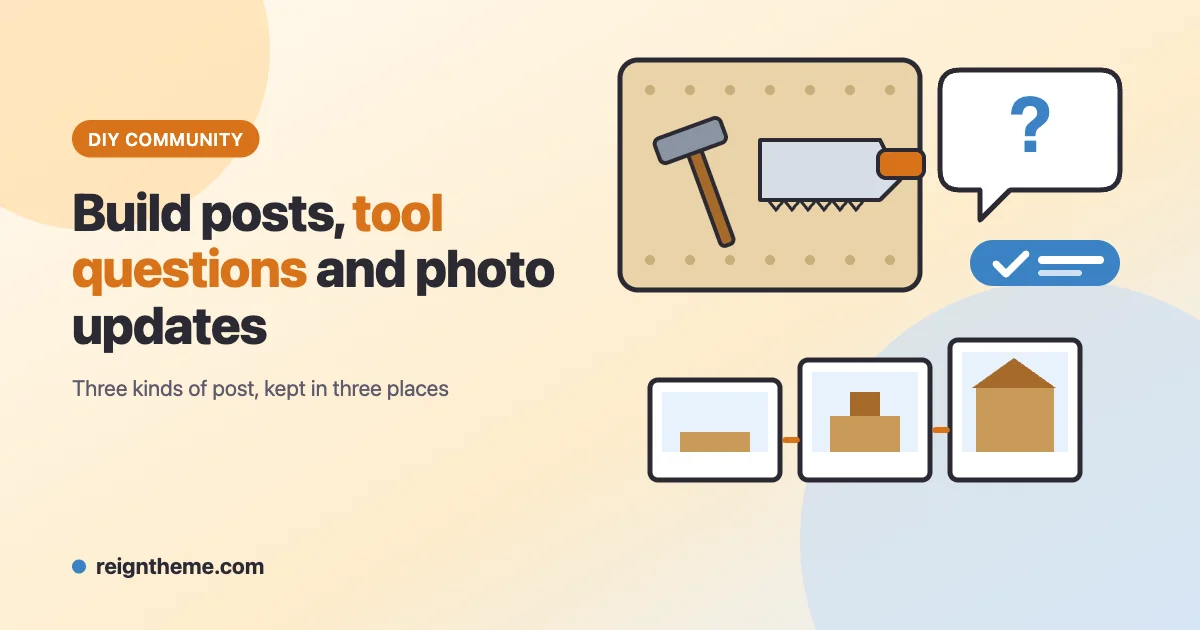
A DIY community produces three very different kinds of content, and they age at different speeds. A build post is a story that unfolds over weeks. A progress photo is a snapshot that only means something next to the ones before it. A tool question is a small piece of knowledge that should still be findable a year later, when someone else asks the same thing. If all of it lands in one scrolling feed, the question is buried by the weekend and the build story is chopped into fragments.
This guide sets up a DIY site that keeps those three apart on purpose. BuddyNext provides profiles, spaces and the feed. MediaVerse holds the photos and albums. Jetonomy gives tool questions a proper Q&A home. Reign is built to work with BuddyNext and every Wbcom plugin, so the whole site shares one design; see what Reign is if you have not met it yet. All three plugins have a free version from the Wbcom store. Pro is an optional paid yearly licence for each, and every Pro feature below is labelled.
If you are weighing this against a craft site built around finished objects for sale, that is a different shape; our guide to knitting and crochet circles covers the pattern-help side of making things by hand.
Why a build log and a question should not share a feed
The first design decision is where each kind of post goes. Get this right and almost everything else follows.
| What the member is doing | Where it should live | Why |
|---|---|---|
| Announcing a new build | A post in the craft’s BuddyNext space | The feed is made for “I started something” moments |
| Adding progress photos | A MediaVerse album, one per build | Photos in order tell the story; scattered posts do not |
| Asking which tool, blade or fixing to use | A Jetonomy Q&A space | The question gets a title, votes and an accepted answer that stays put |
| Showing a finished project | A feed post that links the album | The feed gives it reach, the album gives it depth |
| Asking “is this safe to do myself?” | A Q&A topic, answered with care | See the safety section below |
BuddyNext spells out the same split in its own documentation. The activity feed is built for the moment, and a question that needs a considered answer belongs in a forum, where it becomes a titled thread that can be voted on and searched. Jetonomy is the companion that supplies that forum, and BuddyNext ties the two together so members move between them without noticing a seam.
Spaces organised by craft, not by tool
A space is BuddyNext’s word for a group. For a DIY site, organise spaces by the kind of making members do, because that is how people identify themselves. A site might have a space for woodwork, one for painting and finishing, one for upholstery and repairs, and one for small electronics projects. These are examples; pick the crafts your members actually do.
Three space types are available. Open spaces can be read and joined by anyone. Private spaces are listed, but the feed is gated and the owner approves each member. Secret spaces are invisible and invite-only. For a DIY site, most craft spaces should be Open so that search engines and newcomers can see the work. A space for paid workshops or a local tool-share group suits Private.
Two small features help the right people find the right space:
- Space categories double as interests. During onboarding, new members tick the topics they care about, and BuddyNext uses those picks to rank suggested people, suggested spaces and the For You feed. There is nothing extra to configure; if you have categories, you have interests.
- Member types act as an experience badge. Create types such as Beginner and Experienced, mark them as self-selectable, and each member picks one on their own profile. The badge appears on the profile header and on directory cards, so an answerer can tell at a glance whether to explain what a pilot hole is.
A short-text profile field such as “Tools I own”, with Include in search switched on, lets members search the directory for someone who has a particular tool. Search covers text-style fields only, so a dropdown will not do for this one.
Writing a build post people can answer
A build post that says “Working on a shelf” gets a polite reaction and nothing else. A post that says what is done, what is next and where the author is stuck gets answers. Pin a short template as an announcement in each craft space; BuddyNext announcements stay at the top of the feed until each member dismisses them, and space owners and moderators can post them inside their own space.
A useful template asks for:
- The goal, in one line.
- The skill level of the person building it.
- What is finished so far.
- The next step and any decision that is blocking it.
- A link to the build’s album.
Hashtags do the filing. A member who types #build-log or #finish-test in a post creates a topic page that collects every public post using it, with a follow button, and the tag shows up in the trending list. Nobody has to maintain a category tree. The composer suggests existing tags as you type, which keeps members reusing #build-log rather than inventing #buildlog and #build_log.
Scheduled posts are part of free BuddyNext, so a moderator can queue the week’s prompt on Sunday evening and let it publish itself. The composer also offers polls with two to five options and an optional closing date, one vote per member. A poll suits the decisions DIY builders actually argue about: which stain, which hinge, whether to keep the grain direction.
Progress photos that show the actual work
MediaVerse handles uploads, and BuddyNext displays them: a public photo upload becomes a photo post in the feed, shown as a grid, and a member’s uploads sit on the Media tab of their profile. What matters for a DIY site is how photos are grouped.
One album for each build
An album is a set of a member’s own uploads with one cover and one link to share. The rule to teach members is simple: one build, one album. A photo belongs to a single album, and picking a photo that is already in another album moves it. That is why members should create the album at the start of a build and keep adding to it, rather than sorting photos afterwards.
Albums carry a privacy setting that applies to the photos inside them. Make an album private and its photos drop out of Explore and other members’ feeds; make it public again and they return. MediaVerse asks for confirmation before it changes how visible a set of photos will be, so a member cannot expose a private shot by accident.
Uploading several photos at once
Files uploaded together form a gallery. Explore, the Media Grid block and the feeds show one tile for the whole set, with a badge counting the photos you are allowed to see. In the lightbox, each photo has its own reactions and comments, which is exactly what a build log needs: someone can comment on the joint in photo four without it turning into a thread about the whole project.
Give each build a place in its space
BuddyNext lets a space owner switch on a Media tab for a space. It is off by default, and the site-wide Media integration must also be on. The owner also chooses whether any member or only organisers can create albums in that space. For a craft space, “any member” is the natural choice, since the albums are the point.
Habits worth teaching
Photo quality matters less than consistency. These habits are general practice rather than software features, but they make albums far more useful:
- Shoot from the same spot each session so the progress reads clearly.
- Put something of known size in the frame, such as a ruler or a tape measure, before asking whether a gap looks right.
- Photograph a joint before it is glued, not after.
- Add tags for the materials and tools involved, so the Media Grid can filter by them.
Privacy and storage
MediaVerse removes GPS location from new photo uploads by default, which matters for a community of people photographing their own garages and back gardens. Camera details such as the model are kept. Duplicate detection warns by default when someone uploads a file that already exists. The site-wide maximum upload size is 100 MB per file out of the box, and you can set a fair-use storage limit per member if disk space is a worry. MediaVerse Pro adds cloud storage (Amazon S3, BunnyCDN, Cloudflare R2 and DigitalOcean Spaces) for communities that outgrow the web host, and watermarking for members who want their name on their work.
Video works too. MediaVerse accepts MP4 and WebM, so a short clip of a hinge fitting is fine. For anything long, link out to a video host rather than filling your own server.
Tool questions belong in a Q&A space
Install Jetonomy from inside BuddyNext: open Platform > Add-ons, find Jetonomy in the companion list and click Install free. A space owner then switches on Discussion under Manage space > Integrations, and a Discussions tab appears in that space. Each member’s profile also gets a Discussions tab listing the topics they started.
Give the Discussions area a Q&A space type for tool questions. In a Q&A space every post is a question and every reply is an answer, each answer is voted on separately, and the person who asked (or a moderator) marks one reply as the accepted answer. The listing shows an Answered badge, and the Unanswered filter gives your moderators a ready-made list of questions that still need a good answer. The member who wrote the accepted answer earns reputation for it.
Titles that get answered
A title does most of the work. A vague title gets vague replies, so put an example in your guidelines. Compare “Saw help” with “Which blade stops chipping when cutting laminate worktop?” The second can be answered by someone who has never met the asker, and it will turn up in search for years.
Prefixes and tags
Turn on topic prefixes for a space under its settings and the composer gains an optional dropdown. Prefixes are coloured labels in front of the title, up to 50 characters each. Sensible DIY prefixes are Tool, Material, Technique and Check with a pro. They are plain labels: clicking one does not filter the list, so use tags for navigation. Tags work across spaces, each with its own page sorted by Latest or Popular, and a tag page offers a button to start a discussion with that tag already filled in.
Photos in a question
A question about a stripped screw is far easier to answer with a picture. The Jetonomy composer takes images by toolbar button, drag and drop, or paste, and they appear inline. One catch to know about: new members earn the right to upload at Trust Level 1 if their WordPress role would not otherwise allow it, so a brand-new member may not be able to attach a photo on day one. Tell newcomers to post the photo in the feed or their album first and link it.
Attaching files such as PDF plans or cut lists to a topic is a Jetonomy Pro feature. In free Jetonomy, attachments that already exist still display, but members cannot add new ones.
Private topics
Any member can tick Private when posting, so only they and the space’s moderators see the topic. It suits a question that includes a job-site address or someone’s personal details.
Safety rules for a community that gives advice
This part is not software. A DIY community will, sooner or later, be asked about a task that can hurt someone or break a rule where they live. A site cannot check the answers it hosts, so the rules have to do the work.
Write guidelines that say, plainly, that members give opinions and not professional advice. Name the categories of work where the answer should always be “ask a qualified tradesperson and check your local rules”: mains electricity, gas, structural changes, roofs and anything involving old materials that may be hazardous. Permit and inspection rules differ from place to place, so the site should never suggest that following an answer makes a job compliant. A Check with a pro prefix gives members a quick visual cue, and the pinned announcement can repeat the rule.
For enforcement, BuddyNext, Jetonomy and MediaVerse each let members report content, and reports land in a moderation queue that your moderators work through; the queues are in the free versions. Jetonomy also has trust levels that unlock a few privileges, such as image uploads for some roles, as members contribute, and MediaVerse can run AI moderation over uploaded images if you configure a provider. Our community guidelines template is a reasonable starting point for the wording.
Recurring prompts that keep builds moving
Communities go quiet when nobody knows what to post. A rotating prompt is cheaper than a contest and often more useful:
| Prompt | Mechanism |
|---|---|
| “Show your workbench” | A pinned announcement and the #workbench tag |
| “Which finish?” | A BuddyNext poll with a closing date |
| “Stuck this week” | A Jetonomy Q&A topic started by a moderator and answered by the group |
| “Finished this month” | A feed post linking each member’s album |
If you want a formal monthly challenge with entries and voting, MediaVerse Pro includes Photo Challenges. The free route, a tag plus a poll, covers most clubs, and our guide to a photography club website walks through both routes in detail.
What is free and what needs Pro
| Need | Free | Pro |
|---|---|---|
| Spaces, profiles, feed, polls, hashtags, scheduled posts | BuddyNext free | |
| Direct messages | BuddyNext free, with MediaVerse installed and Messages on | |
| Albums, galleries, tags, uploads | MediaVerse free | |
| Cloud storage, watermarking, extra layouts | MediaVerse Pro | |
| Q&A spaces, accepted answers, prefixes, tags, private topics | Jetonomy free | |
| Attaching PDFs and files to topics | Jetonomy Pro | |
| Paid plans or gated spaces for premium workshops | BuddyNext Pro |
Full detail is on the free versus Pro page.
A setup order that works
- Install Reign and BuddyNext, and create three or four craft spaces rather than twelve.
- Install MediaVerse, switch on the Media tab for each space and decide who can create albums.
- Add Jetonomy from the Add-ons screen, create one Q&A space for tool questions and enable prefixes.
- Write the safety guidelines and pin them before anyone is invited.
- Seed each craft space with one build post and one album from the people running the site.
- Open registration and post the first weekly prompt.
You can look at a working stack on the Reign demos page before you commit to anything.
Frequently asked questions
Can members post videos of a build?
Yes. MediaVerse accepts MP4 and WebM video as well as images. The default maximum file size is 100 MB, which you can change in the settings. For longer videos it is kinder to your hosting to link to a video host.
Do I need Jetonomy if BuddyNext already has comments?
Comments are right for a quick reaction under a build post. A tool question needs a title, votes and an accepted answer that can be found later, and that is what Jetonomy provides. Most DIY sites use both.
Can I let members attach PDF plans or cut lists?
Attaching new files to a Jetonomy topic is a Pro feature. Without Pro, members can paste a link to a file they host elsewhere, and any attachments that already exist still display.
How do I stop unsafe advice?
You cannot verify every answer, so set the expectation instead. Publish guidelines that name the risky categories of work, use a prefix that tells members to consult a qualified professional, and keep the reporting queue staffed. Do not suggest that anything on the site guarantees a job meets local rules.
Can members keep a build private until it is finished?
Yes. An album can be set to private, and every photo in it follows the album. Making it public later brings the photos back into Explore and the feeds.
Will old builds still be findable?
They will if members tag them. Hashtags collect public feed posts, MediaVerse tags and categories filter the Media Grid, and Jetonomy tags give every topic a page. Encourage members to add the tool and material tags when they post, because search only works on what people write down.