

Social media managers juggle many tasks, from crafting engaging posts to analyzing data and managing multiple platforms. For many, the right tools are essential for streamlining workflows, maximizing engagement, and staying on top of trends. But with so many options out there, choosing the right tool can be overwhelming.
Why Social Media Managers Need the Right Tools
To make it easier, we’ve compiled a list of the 10 best tools for social media managers that can help with everything from scheduling to analytics. With these tools, you’ll save time, optimize content, and see measurable results in your social media strategy. Let’s dive in!

1. Buffer: Scheduling Made Simple
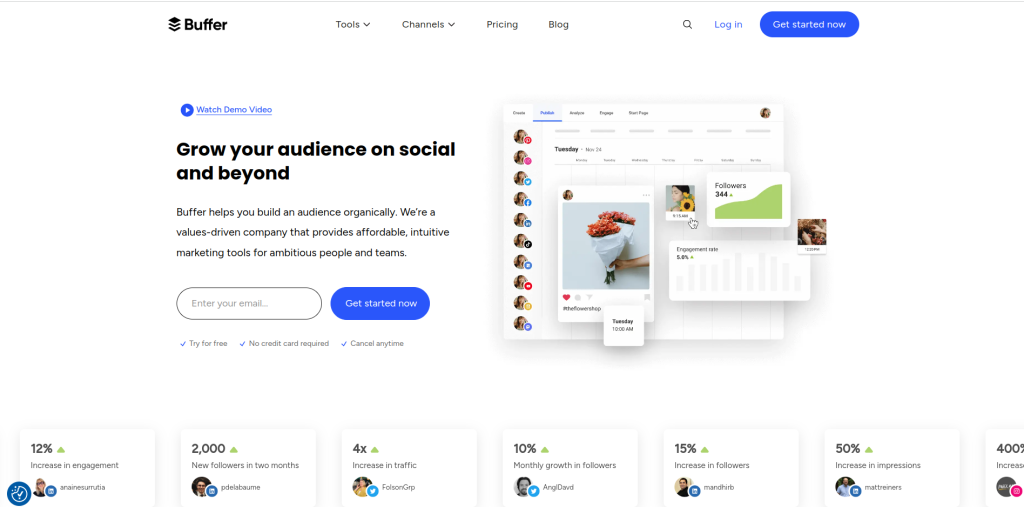
Buffer is one of the most user-friendly social media scheduling tools, especially for beginners. It allows social media managers to plan posts across multiple platforms, including Facebook, Twitter, Instagram, and LinkedIn, from a single dashboard.
Key Features:
- Post scheduling across multiple platforms
- Analytics for engagement and reach
- Simple, intuitive user interface
Pros:
- Great for small businesses and freelancers
- Reliable scheduling with a clean interface
- Built-in analytics and reporting
Cons:
- Limited functionality in the free version
- Not ideal for large-scale social media teams
Buffer is perfect if you’re looking for an affordable, easy-to-use scheduling tool with essential features to help you grow your online presence.
2. Hootsuite: The All-in-One Social Media Dashboard
Hootsuite has been a staple for social media managers for years. It’s known for its comprehensive features, from scheduling posts to tracking engagement across various platforms.
Key Features:
- Post scheduling and engagement tracking
- In-depth analytics and reporting
- Integrates with over 20 social platforms
Pros:
- Perfect for managing multiple accounts
- Great analytics and monitoring options
- Team collaboration features
Cons:
- Higher cost for full features
- Can feel overwhelming for beginners
Hootsuite is an excellent option for social media managers looking for a versatile tool that can handle all aspects of social media management.
3. Sprout Social: Data-Driven Social Media Management
Sprout Social is ideal for social media managers who want deep analytics and reporting features. It combines scheduling, engagement tracking, and advanced analytics in a streamlined platform.
Key Features:
- Detailed social media analytics and reports
- Social listening for brand monitoring
- Smart scheduling and publishing options
Pros:
- Data-focused with customizable reports
- Ideal for team collaboration
- Advanced social listening
Cons:
- Higher price point
- Limited customization in lower-tier plans
If your goal is to improve data-driven decision-making and monitor your brand’s reputation online, Sprout Social is the tool for you.
4. Canva: Effortless Visual Content Creation
No social media strategy is complete without eye-catching visuals, and Canva makes it easy to create professional-looking graphics. With its drag-and-drop interface, Canva allows even non-designers to produce high-quality content.
Key Features:
- Drag-and-drop design templates
- Social media post templates for all platforms
- Animation and video options
Pros:
- Extremely user-friendly
- Large library of templates and elements
- Free version offers substantial features
Cons:
- Limited customization in the free version
- Can’t replace a full-fledged design tool like Photoshop
For social media managers looking to create stunning visuals without extensive design skills, Canva is an invaluable tool.
5. Later: Instagram Scheduling and Visual Planning
Later is designed specifically for Instagram, making it the go-to for social media managers focused on visual content. Later’s drag-and-drop calendar and visual planner make it easy to preview posts before they go live.
Key Features:
- Visual content calendar for Instagram
- Drag-and-drop scheduling
- Hashtag suggestion and analytics
Pros:
- Perfect for Instagram-centric strategies
- Easy to use with visual planning
- Affordable options for small businesses
Cons:
- Limited to Instagram and a few other platforms
- Fewer analytics features compared to others
Later is ideal if you’re managing a brand with a strong focus on Instagram and need visual planning to stay organized.
6. Loomly: Collaborative Content Planning
Loomly is a content planning tool that emphasizes collaboration, making it perfect for social media teams. Its features are geared toward brands that want an organized workflow for planning, creating, and approving content.
Key Features:
- Content calendar with scheduling options
- Approval workflows for team collaboration
- Content idea generator for inspiration
Pros:
- Excellent for teams with multiple contributors
- Streamlined content approval process
- Insights and analytics for engagement
Cons:
- Fewer customization options
- Limited integrations
If your social media team works closely with other departments or clients, Loomly’s collaboration features make it an ideal choice.
7. Trello: Organize Social Media Campaigns
Trello isn’t just for project management; it’s also a fantastic tool for organizing social media content. With Trello’s card and board system, social media managers can organize posts, campaigns, and content ideas.
Key Features:
- Visual boards and cards for task management
- Integration with other tools like Google Drive
- Customizable workflows for social media planning
Pros:
- Simple, visual organization
- Great for team collaboration and task tracking
- Free version is quite robust
Cons:
- Limited analytics features
- Not specifically built for social media
For those who need an organizational tool to plan social media campaigns, Trello is a versatile and effective option.
8. BuzzSumo: Content Inspiration and Research
BuzzSumo is perfect for social media managers who need content ideas and want to understand what’s trending. It helps identify the type of content that resonates with audiences, making it easier to craft posts that engage.
Key Features:
- Content discovery based on trends
- Influencer identification and outreach
- Competitor analysis for content insights
Pros:
- Great for content ideas and inspiration
- Insightful competitor analysis
- Helps find influencers in your niche
Cons:
- Expensive for small businesses
- Primarily a research tool, not for scheduling
For social media managers focused on content research and inspiration, BuzzSumo offers a unique set of features that other tools don’t.
9. Iconosquare: In-Depth Instagram Analytics
Iconosquare provides detailed analytics specifically for Instagram and Facebook. It’s ideal for social media managers focused on tracking engagement and analyzing performance metrics.
Key Features:
- Detailed Instagram and Facebook analytics
- Scheduling and social listening
- Custom reports and competitive analysis
Pros:
- Advanced analytics for Instagram
- User-friendly dashboard
- Great for social media audits
Cons:
- Limited platform support
- Pricier than similar tools
If your main goal is to dive deep into Instagram metrics, Iconosquare is one of the 10 best tools for social media managers that can provide valuable insights.
10. CoSchedule: Content Calendar and Social Media Integration
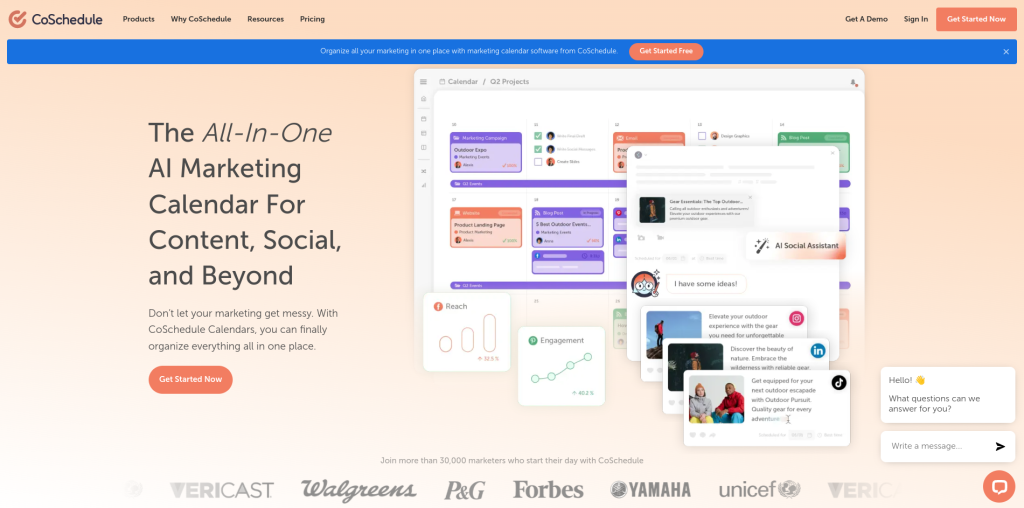
CoSchedule is a powerful content calendar with social media integration, making it ideal for brands that manage both blogs and social media campaigns. Its drag-and-drop calendar helps you stay organized and see your campaigns at a glance.
Key Features:
- Integrated content calendar for blog and social
- Drag-and-drop scheduling
- Project management tools
Pros:
- Excellent for organizing content campaigns
- Integrates with WordPress and social media
- Visual calendar for easy planning
Cons:
- More expensive for larger teams
- Limited analytics features
For a content-focused social media manager, CoSchedule’s calendar and project management tools make it a great addition to any workflow.
Comparison Table of the 10 Best Tools for Social Media Managers
| Tool | Key Features | Pros | Cons |
|---|---|---|---|
| Buffer | Scheduling, analytics | User-friendly, reliable | Limited free version |
| Hootsuite | Scheduling, analytics, social listening | Comprehensive features | Expensive |
| Sprout Social | Analytics, social listening | Data-focused, collaboration | High cost |
| Canva | Visual content creation | Easy to use, rich template library | Limited customization in free version |
| Later | Instagram scheduling, visual planner | Perfect for Instagram | Limited analytics |
| Loomly | Content calendar, team collaboration | Streamlined approval, easy collaboration | Limited integrations |
| Trello | Task organization, project planning | Visual organization, collaborative | Lacks analytics |
| BuzzSumo | Content discovery, influencer insights | Great for content ideas, trends | Primarily a research tool |
| Iconosquare | Instagram and Facebook analytics | Advanced metrics, user-friendly | Limited platform support |
| CoSchedule | Content calendar, social integration | Integrated calendar, visual planner | Expensive for teams |

Closing Remarks: Choosing the Right Tool for Your Social Media Strategy
There you have it - the 10 best tools for social media managers! Each of these tools brings something unique to the table, so the best choice depends on your specific needs. Whether you’re focused on content creation, analytics, or scheduling, there’s a tool on this list that can streamline your workflow and enhance your social media strategy.
Interesting Reads:
The Differences Between HTML, CSS, and PHP